Archdesk vs Procore
The Best Alternative to Procore in 2026Predictable pricing. Deeper financials. Free migration.
See Archdesk on a project like yours.
Get StartedProcore prices on your construction volume: build more, pay more, find out at renewal. Archdesk is one predictable price with everything included. It goes deeper on the money: pay applications, retainage, change orders and live cost control on every budget line. And it keeps delivery connected: schedules, site records and document control in the same system as the costs.
See Archdesk against your Procore renewal
Book a quick demo and see Archdesk in action.
Free migration included. No commitment.

Archdesk as a Procore Alternative, in Short
Archdesk is a construction management platform that teams choose as a Procore alternative when they want predictable pricing and deeper commercial control. One subscription covers estimating, scheduling, procurement, pay applications, retainage, site records, document control and reporting. Pricing is user-based or unlimited users, never tied to construction volume, and migration from Procore is free.
Comparing the wider field? See every Archdesk head-to-head on the alternatives comparison hub.
Last reviewed: 22 July 2026. Procore information on this page is based on publicly available documentation and customer feedback as of this date.
30+
modules in one subscription
1 price
never tied to construction volume
Free
migration from Procore
Key Advantages of Archdesk vs Procore
Where Archdesk outperforms Procore across cost control, delivery and the field, and why switching teams rarely look back.

Financials Built for Construction
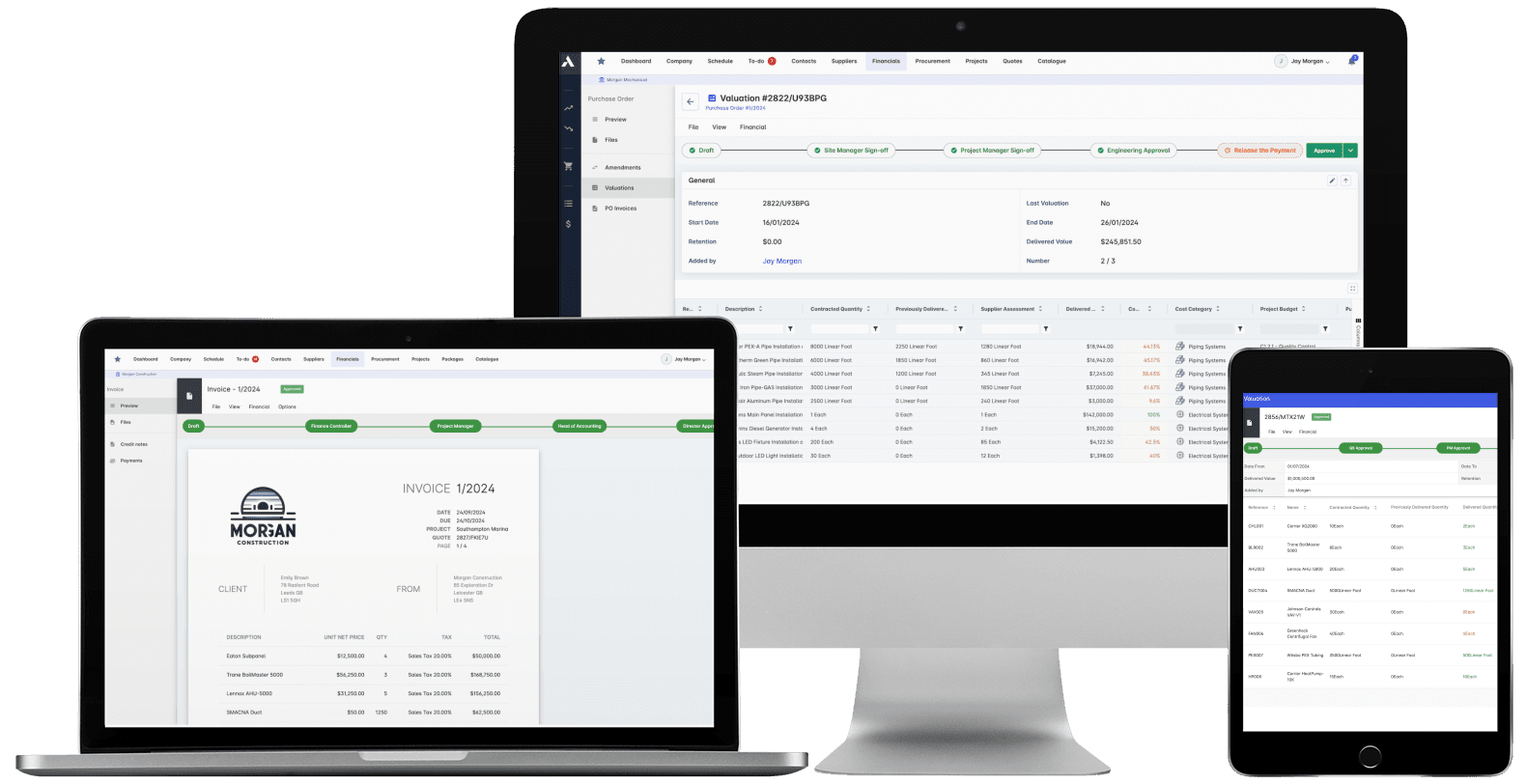
Pay applications, retainage, change orders and live cost control against every budget line. Commercial teams work in Archdesk, not spreadsheets.
Predictable Pricing
User-based or unlimited-user plans that never track your construction volume. The price you sign is the price you plan around, with no renewal shocks as you grow.
Delivery Connected to Cost
Schedules, progress and resource plans live in the same system as budgets, so a schedule slip shows up in the forecast, not as a surprise at month-end.
Field Records That Reach the Office
Site diaries, timesheets, QA/QC checklists and approvals captured on mobile land against the right project and budget line the same day they happen.
No-Code Configurability
Model your approvals, forms, handoffs and automations without development work. Archdesk adapts to your process instead of forcing you into its own.
One Platform, End to End
More than 30 modules in one subscription, from bid to closeout, with configurable dashboards and portfolio analytics included rather than sold separately.

Why Switch from Procore to Archdesk?
The six reasons teams give most often when they move, side by side: what the day looks like in Procore, and what changes in Archdesk.
Pricing that grows with your revenue
With Procore
Procore pricing is typically based on annual construction volume. Win more work and the software bill grows with it, with the new number often arriving at renewal time.
With Archdesk
Archdesk pricing is based on users, or a flat unlimited-user package. Deliver twice the volume next year and your software cost stays exactly where you planned it.
Finance still lives in Excel
With Procore
Procore covers budgets and commitments, but pay applications, retainage, cash flow and forecast-to-complete often end up in spreadsheets running alongside the system.
With Archdesk
The full commercial stack is native: pay applications, retainage, change orders and forecasting, all tied to live budget lines with approvals and audit trails.
Field data that stops at the field
With Procore
Procore field tools are strong, but connecting site records to budgets and forecasts can take exports, re-keying or third-party tools.
With Archdesk
Site diaries, timesheets and QA/QC records land against the right budget line the same day, so the office sees cost and progress move together.
Your process bent to fit the software
With Procore
Procore workflows are standardized per module. If your approval chains, forms or handoffs work differently, your team adapts to the tool.
With Archdesk
A no-code engine lets you configure workflows, forms, fields and automations to your exact operating model, without custom development.
Resource planning lives somewhere else
With Procore
Procore has no built-in resource management, so planning people and equipment across projects means schedules, spreadsheets or another subscription.
With Archdesk
Native resource planning covers labor, equipment and materials across the portfolio, with capacity, conflicts and utilization in one view.
Switching looks expensive
With Procore
The fear of migration cost and disruption keeps many teams renewing a contract they have outgrown.
With Archdesk
Migration from Procore is free, with guided implementation and role-based training, so switching costs far less than another oversized renewal.
What Makes Archdesk a Better Procore Alternative
Financials Built for Construction
Archdesk provides end-to-end financial control across your project portfolio: estimation, procurement, cost codes, pay applications, retainage, change management and margin protection, all tied to live project execution. Where many Procore users supplement the system with spreadsheets and extra tools, Archdesk centralizes financials in one place with granular permissions and audit trails.
Commercial teams get real-time visibility into commitments, accruals and forecast-to-complete through live project cost controls, while operations teams work inside workflows that update the financials automatically, without manual reconciliation.
Predictable, Flexible Pricing
With Archdesk, you choose a pricing model that fits: user-based or unlimited users, never tied to construction volume. As you win more work, your software cost stays where you planned it, avoiding the annual increases and renewal pressure many teams report with volume-based pricing.
Finance leaders value clear, stable, multi-year operating costs. Archdesk pricing supports strategic growth without forcing a renegotiation every time your volume changes, and without exposing you to sharp year-on-year increases.
Free Migration from Procore
One of the biggest reasons teams stay with Procore longer than they want is the fear of switching costs. Archdesk removes that barrier with free migration from Procore: we move your core data, configure workflows and get teams live without adding another major cost to the decision.
Instead of paying for price increases on one side and a migration project on the other, you move to Archdesk with a clear commercial model and a guided transition designed to minimize disruption.
Delivery, Scheduling and Field Records in One System
Cost control only works when it is fed by what actually happens on site. In Archdesk, schedules, progress updates, site diaries, timesheets and QA/QC records live in the same system as the budgets they affect, with the site records captured on digital site forms from a phone. A delay logged on site moves the forecast; a timesheet approved on mobile lands on the right cost code the same day.
That connection is the difference between reporting that tells you what went wrong last month and control that lets you act while there is still time to re-sequence work or renegotiate a package.
Configurable Workflows and Data Model
Archdesk adapts to your business, not the other way around. The no-code workflow engine lets you model approvals, handoffs and compliance steps that reflect your exact processes. Forms, custom fields, roles and automations are configured without writing code, so operations and commercial teams stay in sync while meeting client and regulatory requirements.
This flexibility eliminates process workarounds, reduces training overhead and keeps the system aligned as your business evolves.
Resource Management Across the Portfolio
Archdesk includes native resource planning across labor, equipment and materials. Plan capacity across projects, detect conflicts and benchmark utilization, then connect those plans to procurement and schedules so cost and delivery stay tightly controlled. Teams get a single source of truth for availability, allocations and usage across departments.
Procurement and Commercial Controls
Procurement in Archdesk is integrated with budgets, vendors and delivery, enabling competitive sourcing, controlled approvals and three-way matching where appropriate. Commercial managers track commitments against spend with automatic variance alerts and forecast updates, protecting margins through the entire project lifecycle.
Dashboards, KPIs and Portfolio Analytics
Decision-makers get live dashboards across projects and departments with configurable KPIs and drill-downs. Portfolio analytics surface trend lines in cost, schedule and resource performance, while project teams use operational dashboards tailored to their roles for day-to-day execution.
Procore Renewal in 30, 60, or 90 Days?
If your Procore renewal is coming up, the right switching plan depends on how much time you have left. Archdesk can help you assess pricing, plan migration and avoid another renewal with an approach that fits your timeline.
Days to Renewal
This is the ideal window to evaluate Archdesk properly. We review your current Procore setup, identify where volume-based pricing is hitting hardest, scope your migration and build a clean transition plan before renewal pressure takes over.
At 90 days, most teams can run a structured comparison, align internal stakeholders and prepare a phased rollout with free migration from Procore included.
Days to Renewal
At 60 days, the goal is to move quickly and focus on commercial clarity. We help you compare Procore renewal costs against Archdesk, define the must-have workflows and confirm what data moves first, so you can make a confident decision fast.
This is often the sweet spot for companies that are serious about switching but want to avoid being rushed into another Procore contract.
Days to Renewal
With 30 days left, the priority is speed and leverage. We help you evaluate whether to switch now, negotiate more effectively with Procore, or build a short transition plan that avoids locking into another expensive term without a clear alternative.
Even on a tight timeline, we can map a fast-start implementation path and a free migration plan, so you know exactly what switching would look like.
Archdesk vs Procore: Side-by-Side Comparison
How the two platforms compare across the areas that decide the switch: what each one does, and what that means for your operations and your margin.
| Category | Archdesk | Procore |
|---|---|---|
| Financial Management | Budgets, cost codes, commitments, pay applications, retainage and forecast-to-complete. Real-time margin control and faster month-end, without spreadsheets on the side. | Budgets and commitments with a project-centric focus. Forecasting and commercial controls often need external tooling. |
| Pricing Model | User-based or unlimited users, never tied to construction volume. Predictable operating cost and multi-year budget planning. | Typically priced on annual construction volume. Costs rise as you build more, renegotiated at each renewal. |
| Delivery & Scheduling | Portfolio-aware schedules connected to resources, procurement and cost. Better delivery predictability and capacity planning. | Strong project-level scheduling. Portfolio capacity planning often handled outside the system. |
| Field & Mobile | Site diaries, timesheets, QA/QC, health and safety forms and approvals on mobile, tied to budget lines. Field records update commercial data the same day. | Robust field app and field-management modules. Field-to-finance linkage can require extra steps. |
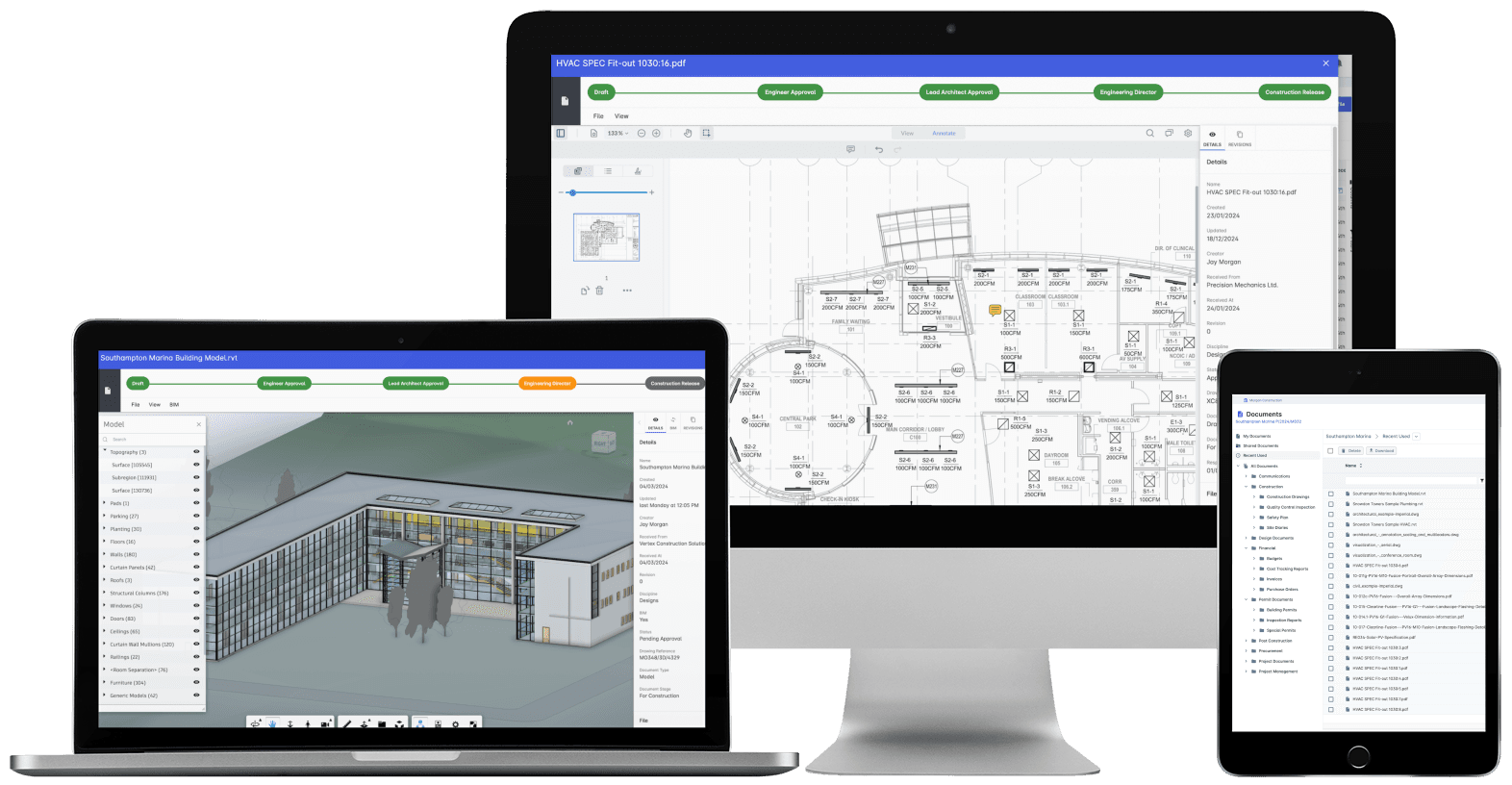
| Document Management | Integrated documents, versioning and approvals tied to workflows. One source of truth across teams and project phases. | Strong RFIs, submittals and drawings. Linkage to financial and commercial data can be limited. |
| Resource Management | Labor, equipment and materials with capacity, conflicts and utilization. Higher utilization and controlled delivery costs. | Coordinated via schedules or third-party tools. Limited portfolio-level capacity visibility. |
| Workflows & Configurability | No-code approvals, handoffs, compliance steps, forms and automations. Fits your existing process, fewer workarounds, stronger governance. | Standardized workflows per module. Requires process adaptation and change management. |
| Procurement | RFQs, vendor management, purchase orders, goods receipt and three-way matching. Controlled spend and vendor performance visibility. | Commitments and change orders. Partial coverage, gaps filled with external tools. |
| Analytics & Reporting | Configurable dashboards, KPIs, drilldowns and portfolio analytics. Faster decisions and portfolio-level control. | Module-level dashboards with standardized reporting. Less customization, more manual analysis. |
| Estimation & Bidding | Integrated estimating connected to budgets and procurement. Clean handoffs from bid to delivery, fewer scope gaps. | Bid management and RFP processes. Estimating often handled in separate tools. |
| Change Management | Change orders tied to budgets, forecasts and approvals. Early variance detection and margin protection. | Change management within the project context. Forecast linkage can require manual steps. |
| Subcontractor Management | Vendor qualification, performance, commitments and change tracking. Better vendor performance and reduced commercial risk. | Subcontractor workflows and documents. Commercial performance tracking can be limited. |
| Compliance & Audit | Role-based permissions, audit trails and controlled approvals. Governance across commercial and operational data. | Project logs and permissions. Commercial audit coverage can be lighter. |
| Integrations | Accounting, ERP, BIM and common construction tools. Connected financials and operations, less tool sprawl. | Broad marketplace of integrations. More subscriptions to buy and administer. |
| Implementation | Guided onboarding, role-based training and rapid configuration. A quick, structured path to live projects. | Multi-module rollout across teams. Longer deployments depending on scope and modules. |
| Data Ownership & Export | Open exports and BI-ready data structures. Easy analytics and external reporting. | Standard exports and reports. Advanced analysis may need extra tools. |
Procore capabilities summarized from public documentation and user feedback as of July 2026. Procore remains a strong field collaboration platform; this comparison focuses on the differences that drive switching decisions.

Seamless Switch to Archdesk
Our experienced team runs the transition from Procore to Archdesk in three steps, with minimal disruption to your operations and free migration support included.
Free Data Migration
Our specialists move your projects, budgets, contacts and documents from Procore at no extra cost, mapped and checked so nothing critical is lost in the transition.
Configuration & Training
We configure workflows to match your process and run role-based training for commercial, operations and site teams, so everyone starts in a system that already fits.
Go Live Quickly
Your team starts running real projects in Archdesk fast, with our team alongside you through the first pay applications and reporting cycles.
Frequently Asked Questions: Procore Alternative
Is Archdesk a full replacement for Procore?
Yes. Archdesk covers more ground than Procore, with over 30 modules included in one subscription: project acquisition, estimating, scheduling, delivery, financials, procurement, resource planning, site records, document control and reporting. Teams looking to centralize controls and retire the spreadsheets running alongside Procore use Archdesk as an end-to-end replacement.
How does Archdesk pricing compare to Procore pricing?
Procore is typically priced on your annual construction volume, so the software bill grows as you build more and is renegotiated at each renewal. Archdesk is priced on users, or as a flat unlimited-user package, so your cost stays predictable as project volume grows. The price you sign is the price you budget around, year after year.
How long does migration from Procore take?
Implementation is quick, with the exact timeline depending on your scope and data. Guided implementation, data import support and role-based training keep the transition short, and migration from Procore is free, so switching does not add an implementation bill on top of the decision.
Do you offer free migration from Procore?
Yes. Archdesk migrates your data from Procore at no extra cost as part of the switch. Our specialists map and move projects, budgets, contacts and documents, reducing both the operational effort and the upfront cost of moving to a better-fit platform.
Does Archdesk handle site and field management?
Yes. Site teams use the Archdesk mobile app for site diaries, timesheets, QA/QC checklists, health and safety forms and approvals. Every field record lands against the right project and budget line the same day it happens, so the office and the site work from the same live data.
Can Archdesk integrate with our existing systems?
Yes. Archdesk integrates with common accounting packages, ERP systems, BIM tools and other construction software. Our team maps your data flows during implementation so upstream and downstream processes stay connected after the switch.
Will our costs increase with project volume?
No. Archdesk pricing is never tied to construction volume. You choose user-based pricing or an unlimited-user package, and your software cost stays flat as your order book grows. That makes multi-year budgeting straightforward and removes renewal-time surprises.
Can Archdesk be customized to our processes?
Yes. Archdesk uses a no-code configuration engine, so you can tailor workflows, approvals, forms, fields and automations to your exact operating model without custom development. Your team keeps working the way it already works, with the system enforcing the process instead of fighting it.
Trusted by construction companies of every size, worldwide
















One system, from first estimate to final payment
Construction Project Management
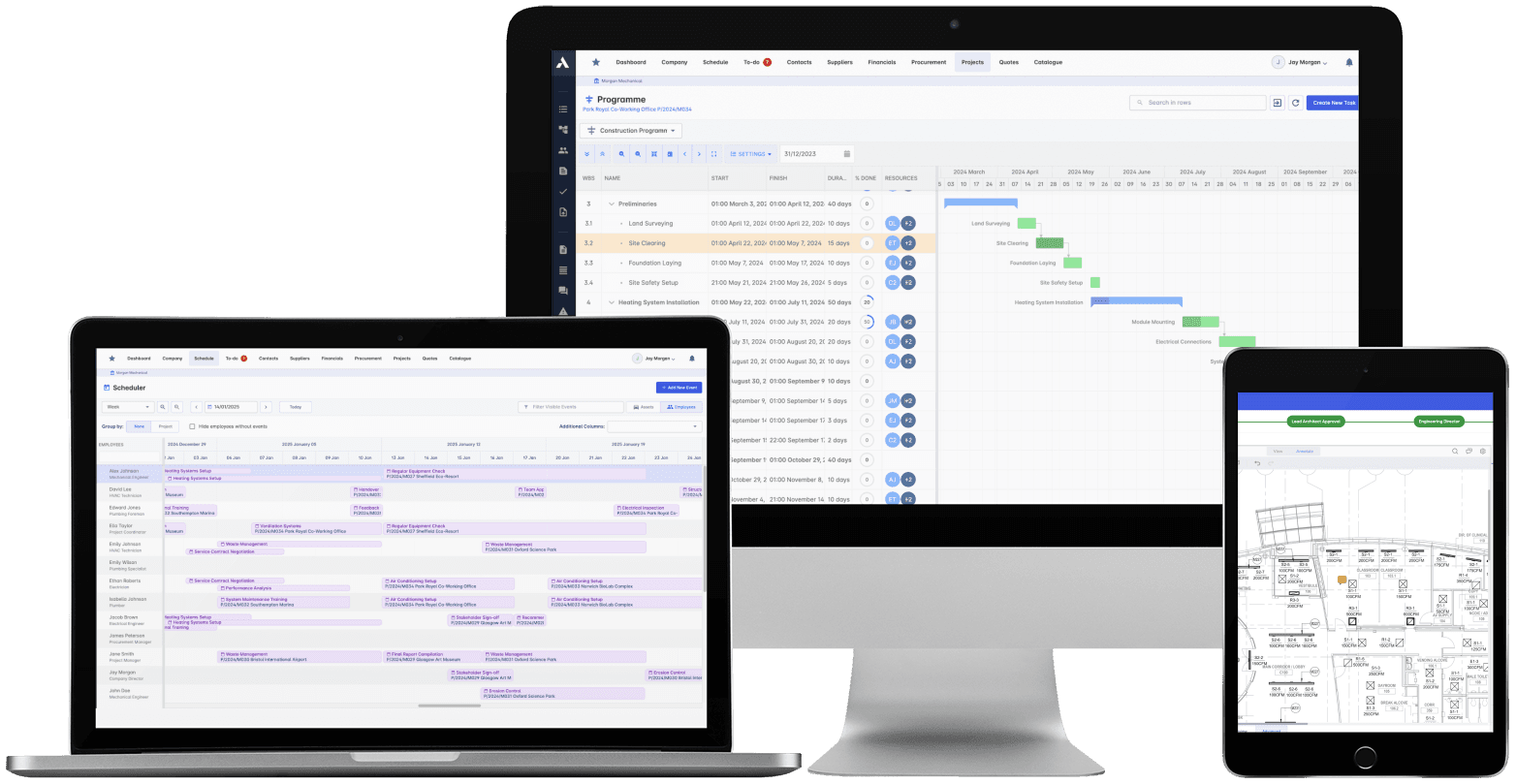
The schedule, the progress and the money in one system. When a task slips you see what it costs, and when scope changes you see what it does to the schedule. 'On track' means the Gantt chart and the bank account.
Explore Project ManagementRelated solutions
Construction Job Costing
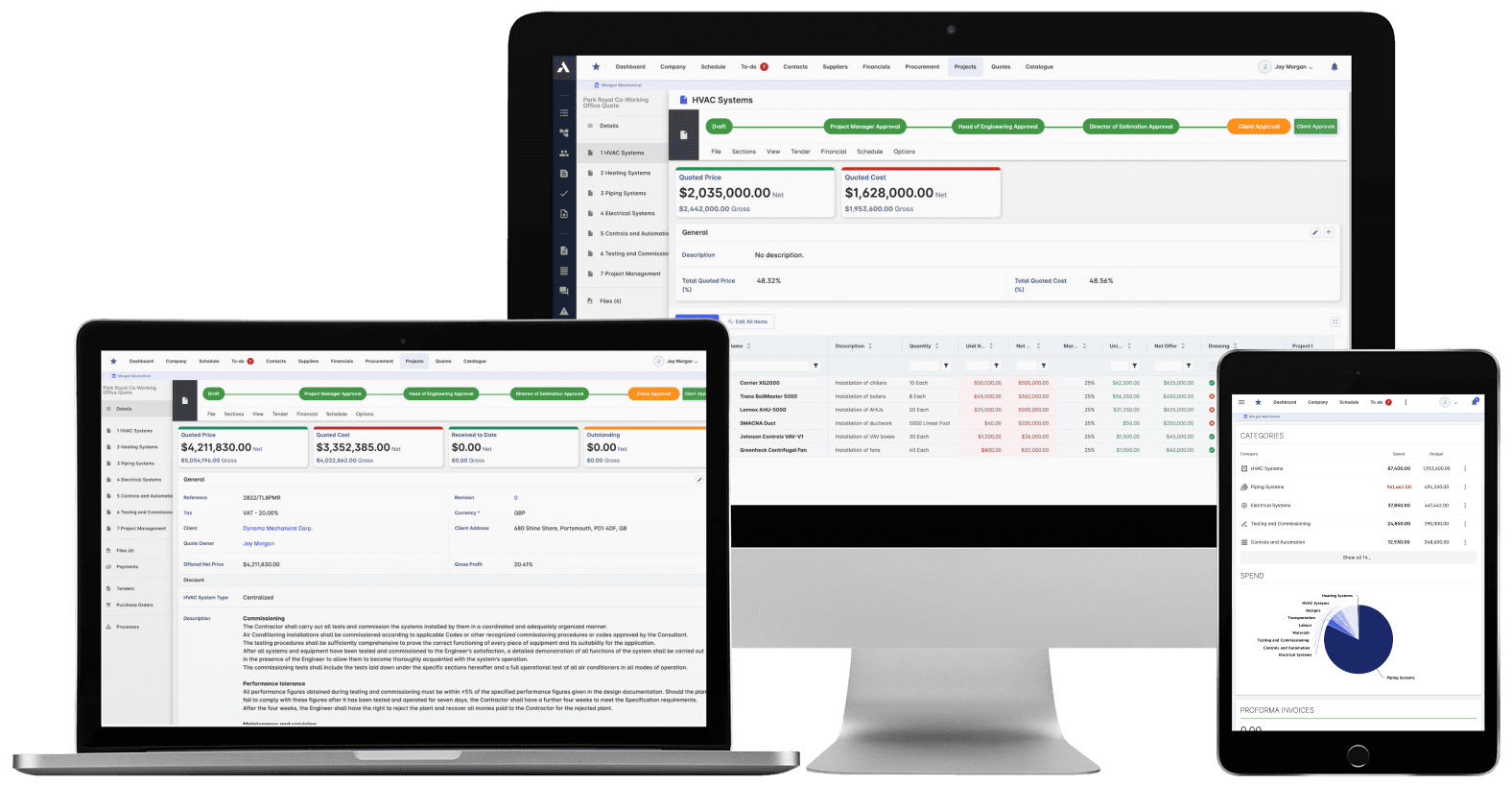
What you priced is what you track. The winning estimate becomes the budget, actuals land against it line by line, and what jobs really cost feeds the next bid.
Explore Job CostingRelated solutions
Construction Procurement
Buy-out without the gaps: RFQs from your BOQ lines, bids back comparable, exclusions visible before award. Then every PO and subcontract lands on the budget the moment it's raised.
Explore Procurement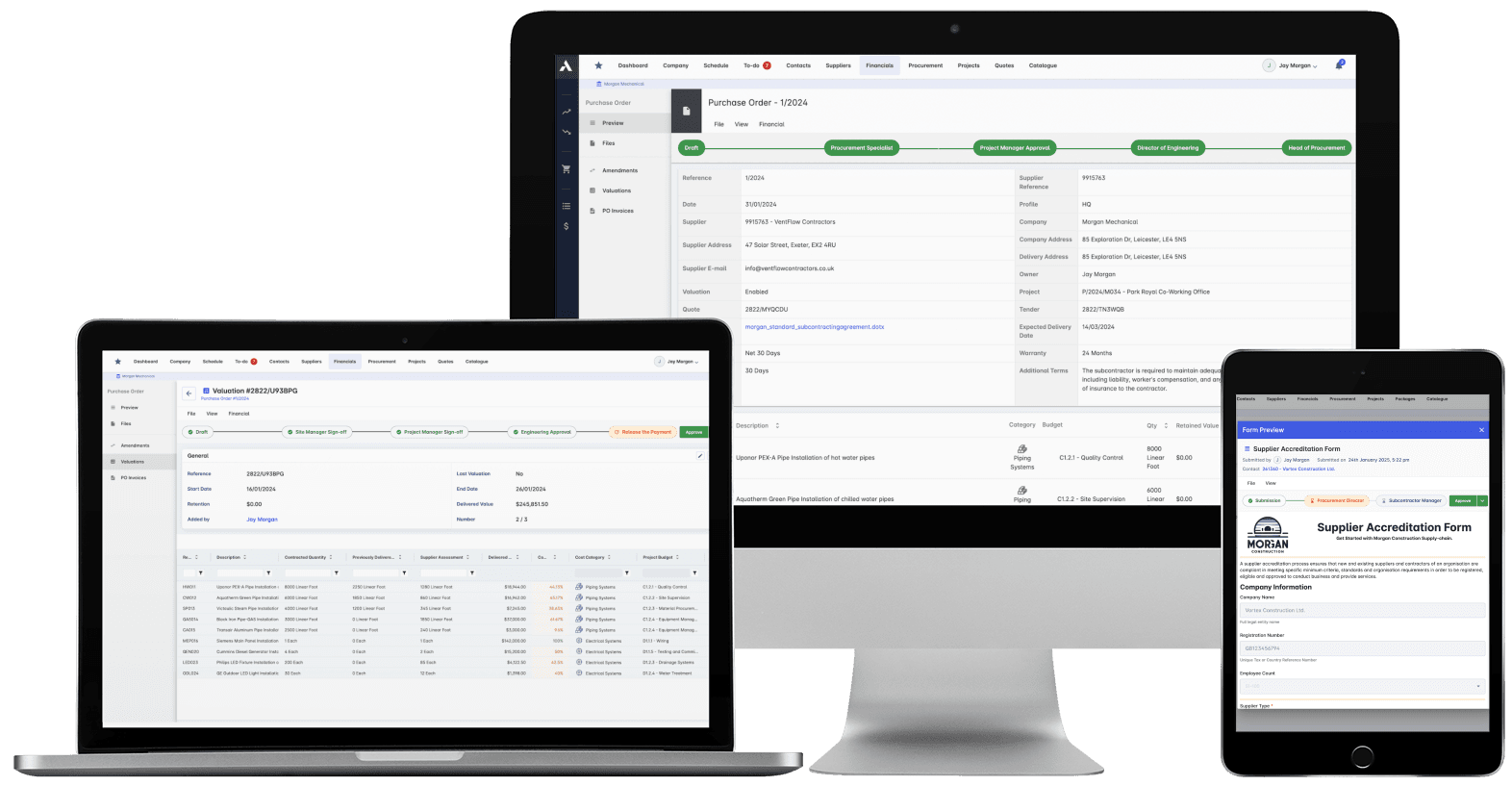
Construction Document Management
Nobody builds from a superseded drawing. Revision control, approvals and distribution with proof of who received what, when. The record that wins the dispute instead of losing it.
Explore Document ManagementRelated solutions
Construction Scheduling
The schedule connected to what it depends on: long-lead deliveries on the tasks they gate, crews planned across every live job, slippage shown with its cost.
Explore Scheduling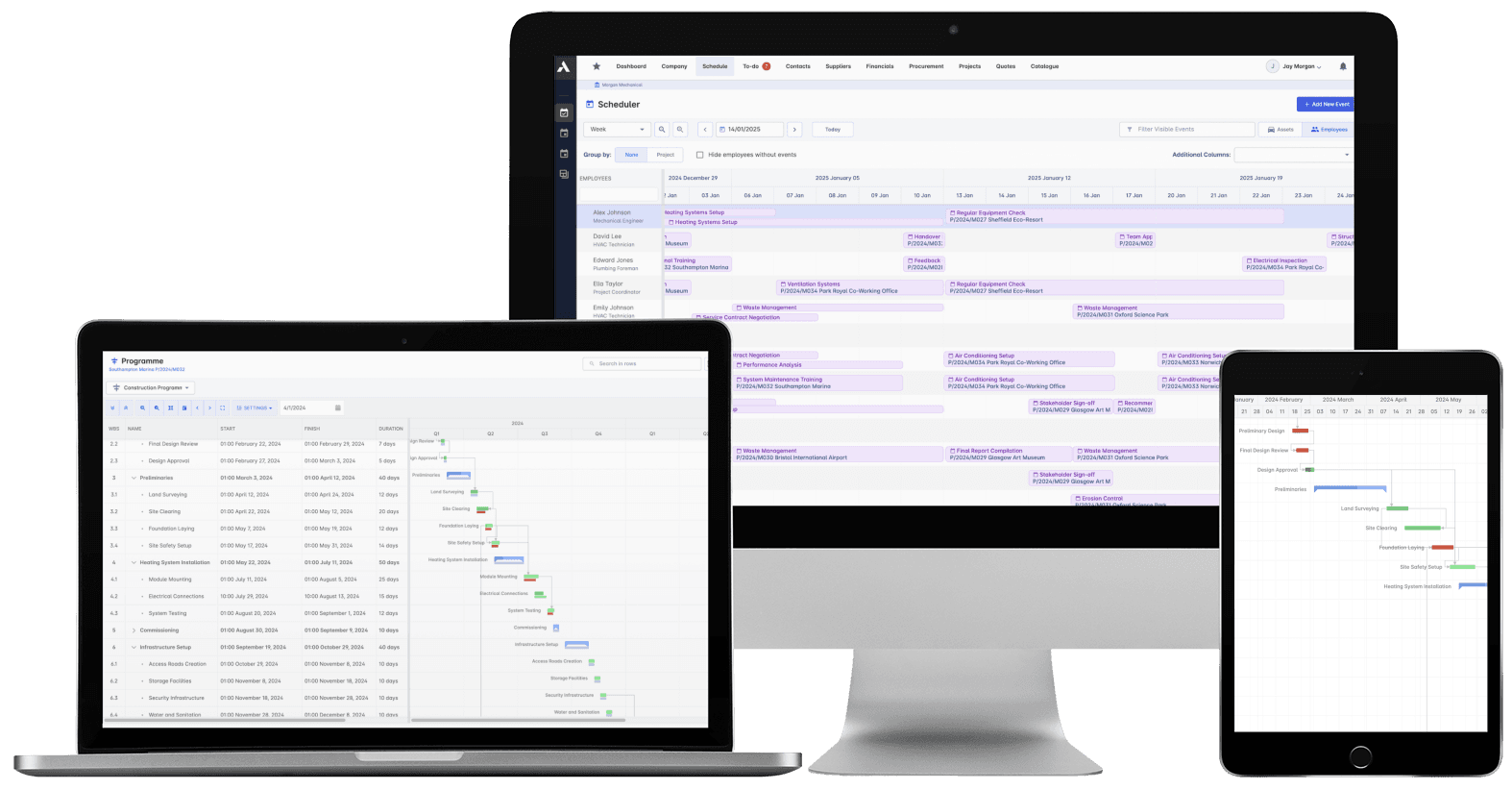
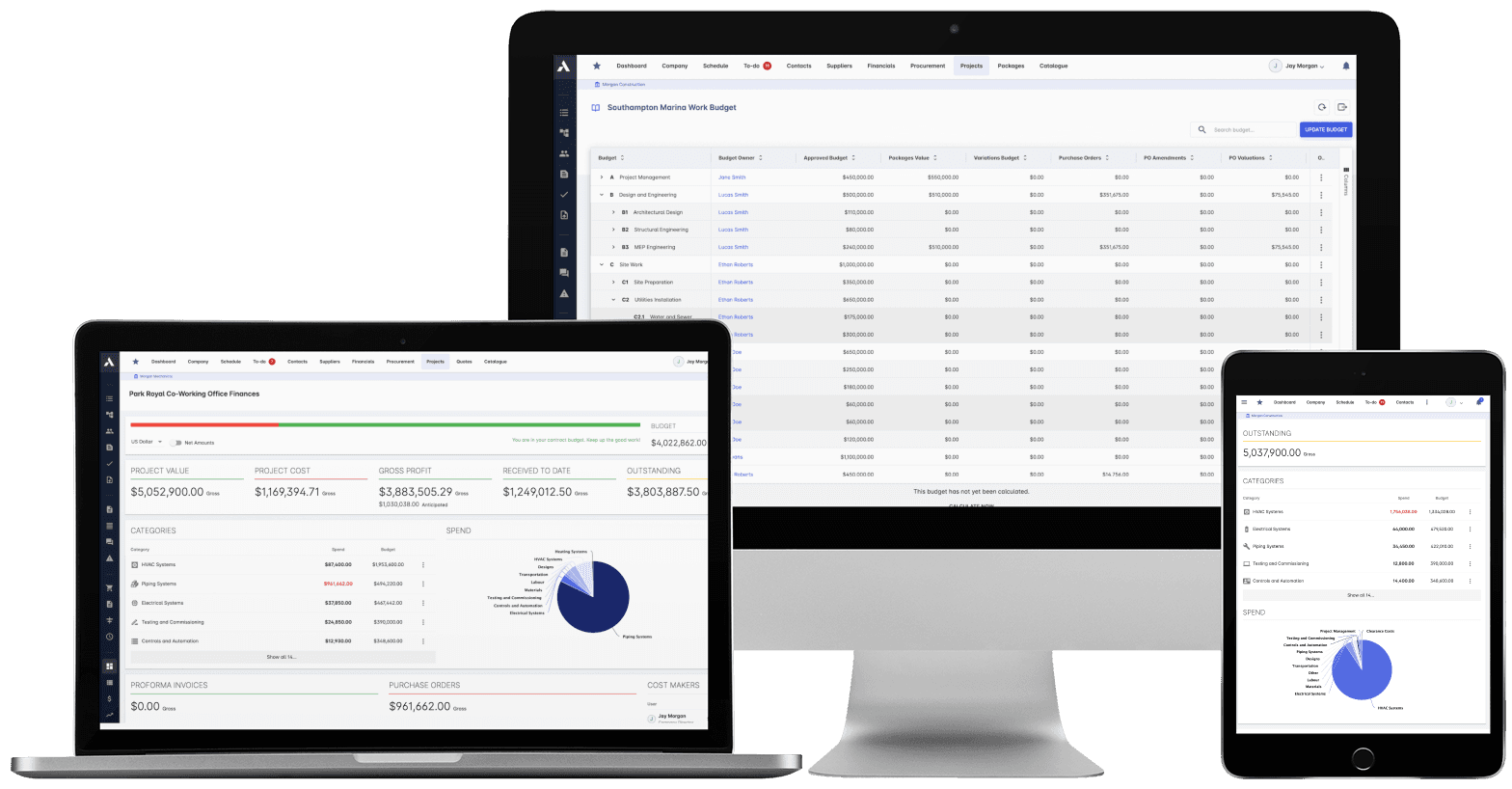
Construction Cost Controlling
Committed at the PO, earned as work is delivered, invoiced months later. See all three stages against every budget line, so variance is a decision you make, not a number you explain.
Explore Cost ControllingRelated solutions
Construction Financials
Certify subcontractor pay applications down, build client applications up, from the same records. Invoices, payment notices and retainage released on time, with the audit trail attached.
Explore FinancialsRelated solutions
Construction Live Data
Every project's position, live, from the data that ran the work. Cost, schedule and cash agree with each other because they're the same records. There's nothing to assemble and nothing to reconcile.
Explore Live Data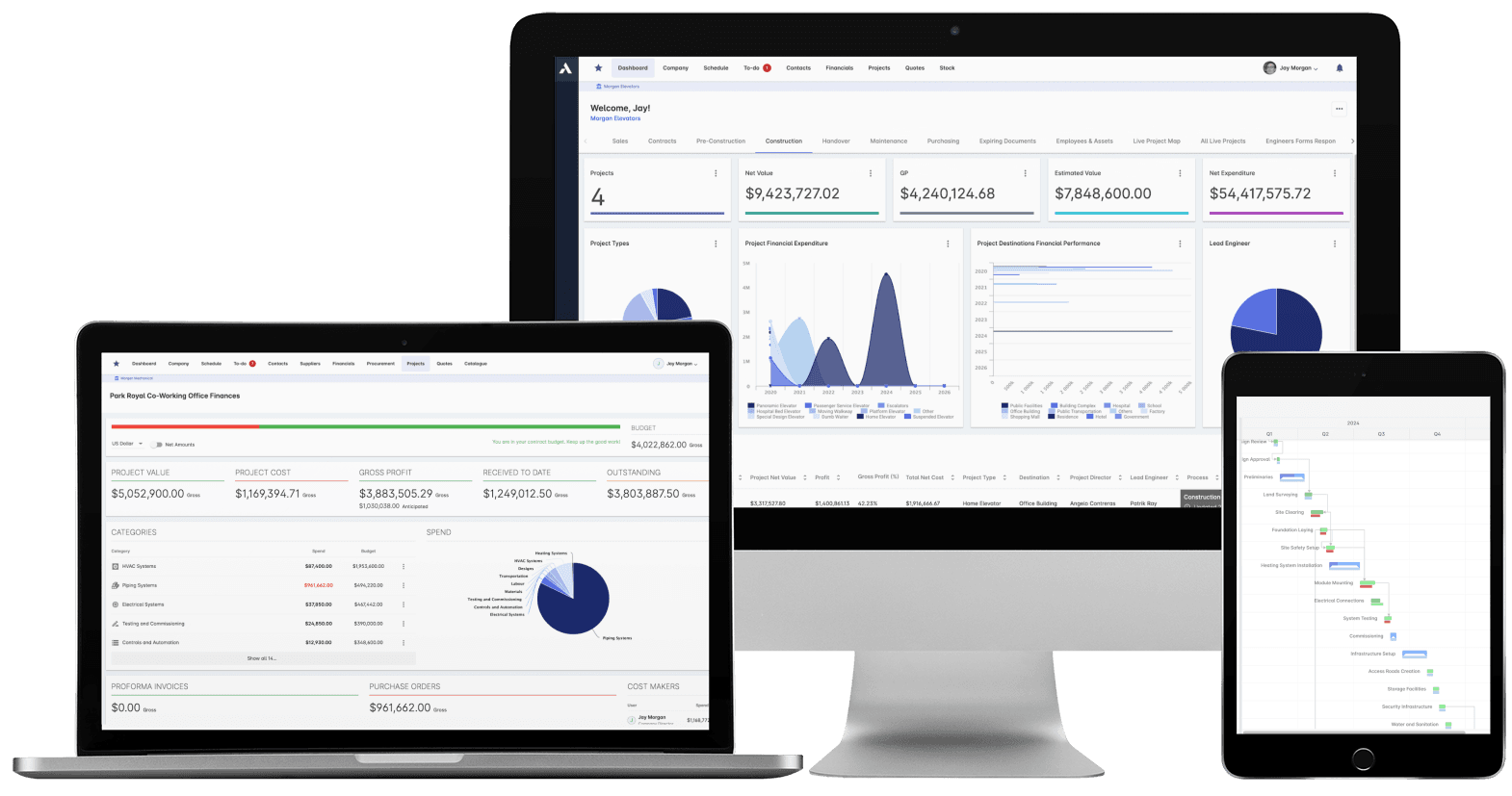
See your next project on Archdesk
Book a demo and walk through a fully worked example project: one platform running everything from winning the work to closing it out.
Book a Demo