Construction Site Forms Software
Forms your site teams will actually fill in.Daily progress, H&S reports, inspections and punch items, captured on a phone in minutes and landing on the right project, package and people automatically. No re-typing in the office, no photos dying in camera rolls, and an audit trail that builds itself.
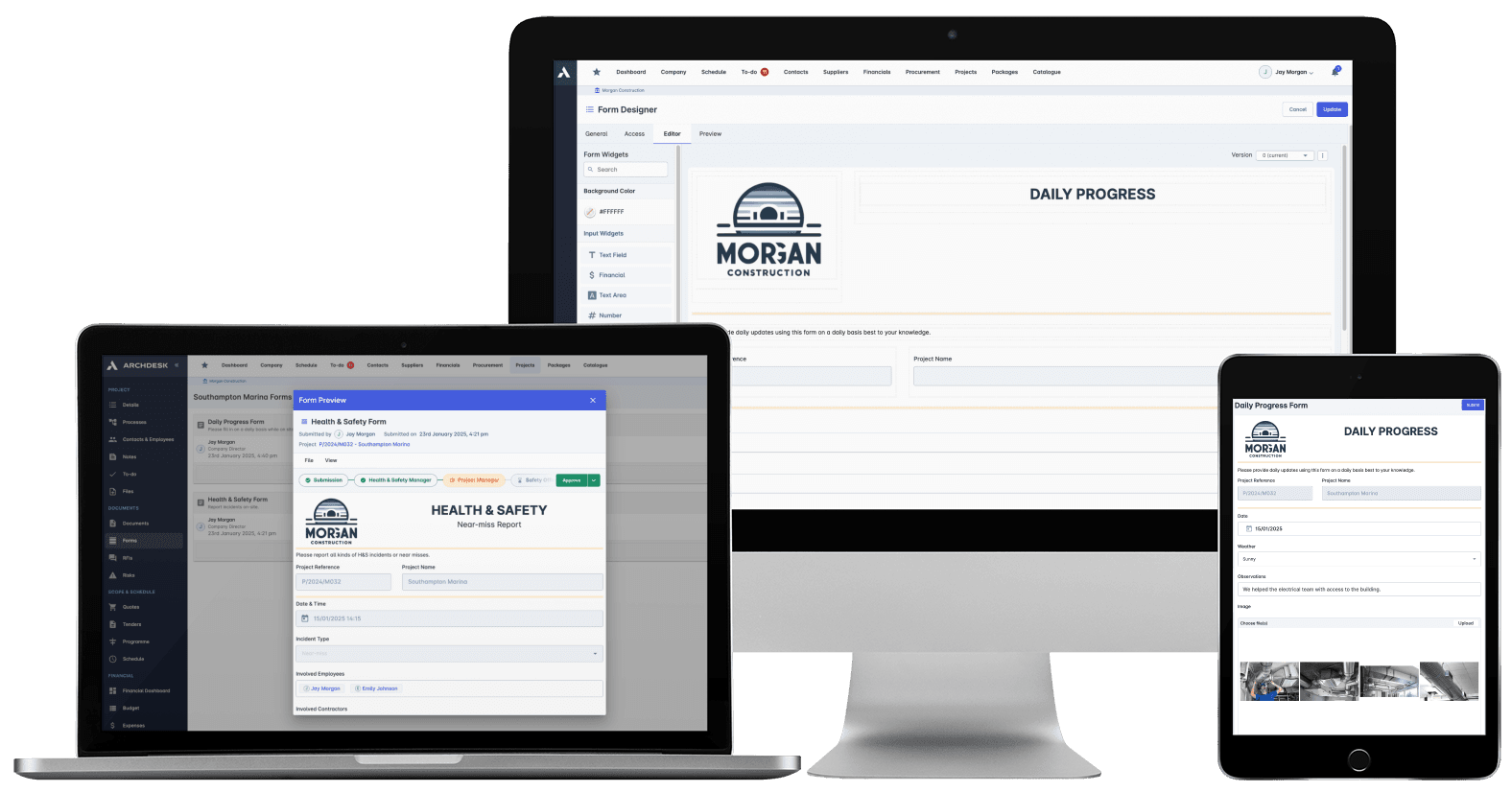
Trusted by construction companies of every size, worldwide


























Site records that land in the project, not in a camera roll
Construction site forms software turns site diaries, inspections and daily progress reports into structured project data by capturing them on a phone, online or offline, at the workface. Archdesk lands every submission on the right project, package and people the moment it is sent, feeding dashboards, reports and the compliance record without any re-typing in the office.

Filled in once, used everywhere
A form that lands as data feeds dashboards, reports and the audit trail at the same time. A PDF in a folder has to be found, opened and re-typed.
No photos dying in camera rolls
Photos, video, files and signatures are captured inside the form, so the evidence sits on the record it belongs to, not on somebody's phone.
Works where there is no signal
Forms fill in online or offline, so remote sites make their records on the spot rather than from memory back at the cabin.
The audit trail builds itself
Health and safety submissions land on the project with digital audit trails and automated record keeping, so the compliance record exists before anyone asks for it.
One builder for every record on site
A drag-and-drop builder creates unlimited custom forms with dynamic fields, calculations and validation rules, and workflow automation routes each submission onward, including to clients and contractors outside your business.

Field-Ready Mobile Forms
Forms that work on a phone, online or offline, so records get made at the workface instead of reconstructed in the cabin. Photos, video, files and signatures are captured inside the form.
Unlimited custom forms
Photo, video, file and signature capture
Works online and offline on site
Send forms to clients and contractors
Data Analytics & Reporting
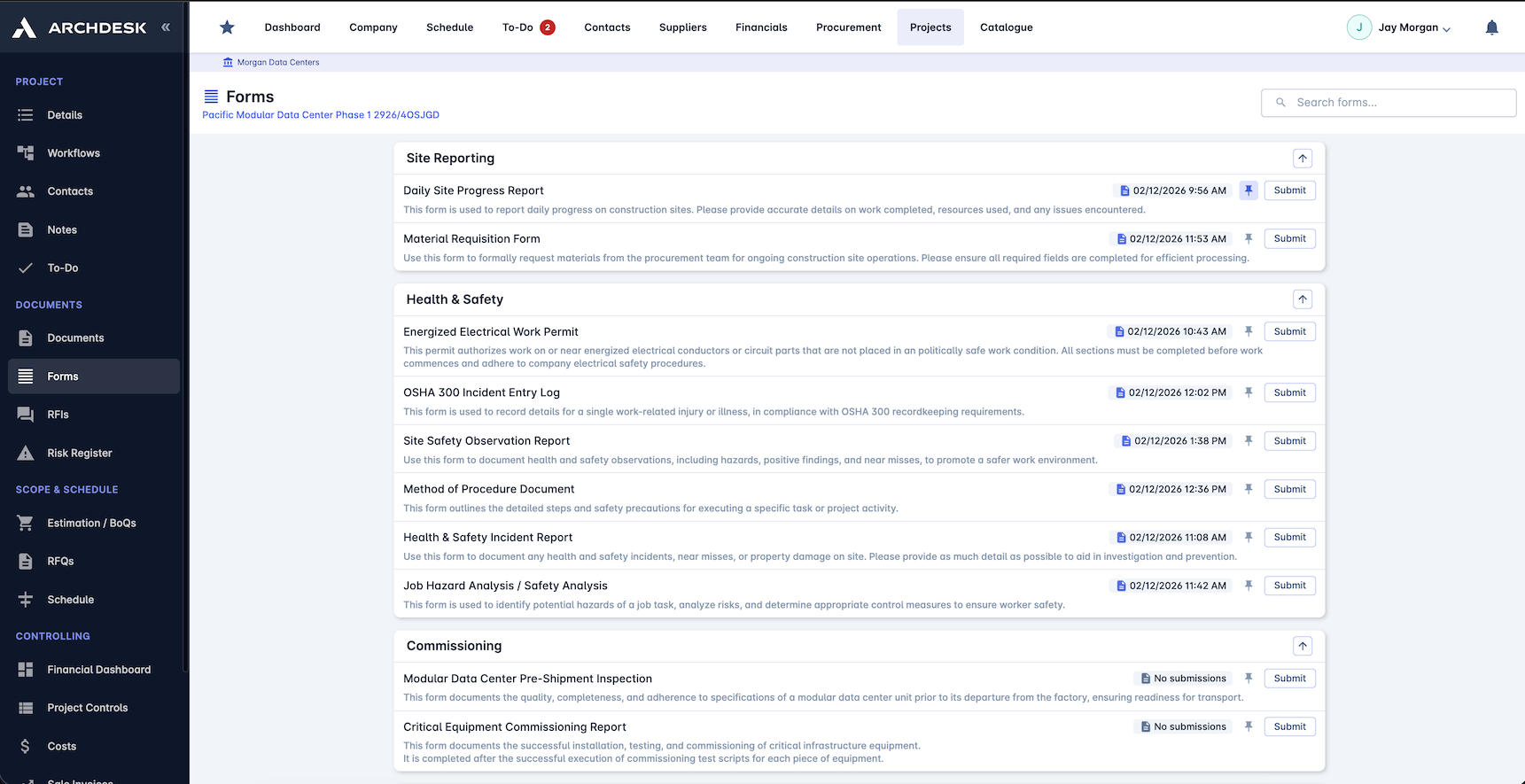
Every submission lands as structured data, so reporting comes straight from the field with no re-typing. Dashboards and trend reports build themselves from what the site sends in.
Custom dashboards from form data
Trend analysis across submissions
Export to Excel and PDF
Charts built from live site data
Compliance Management
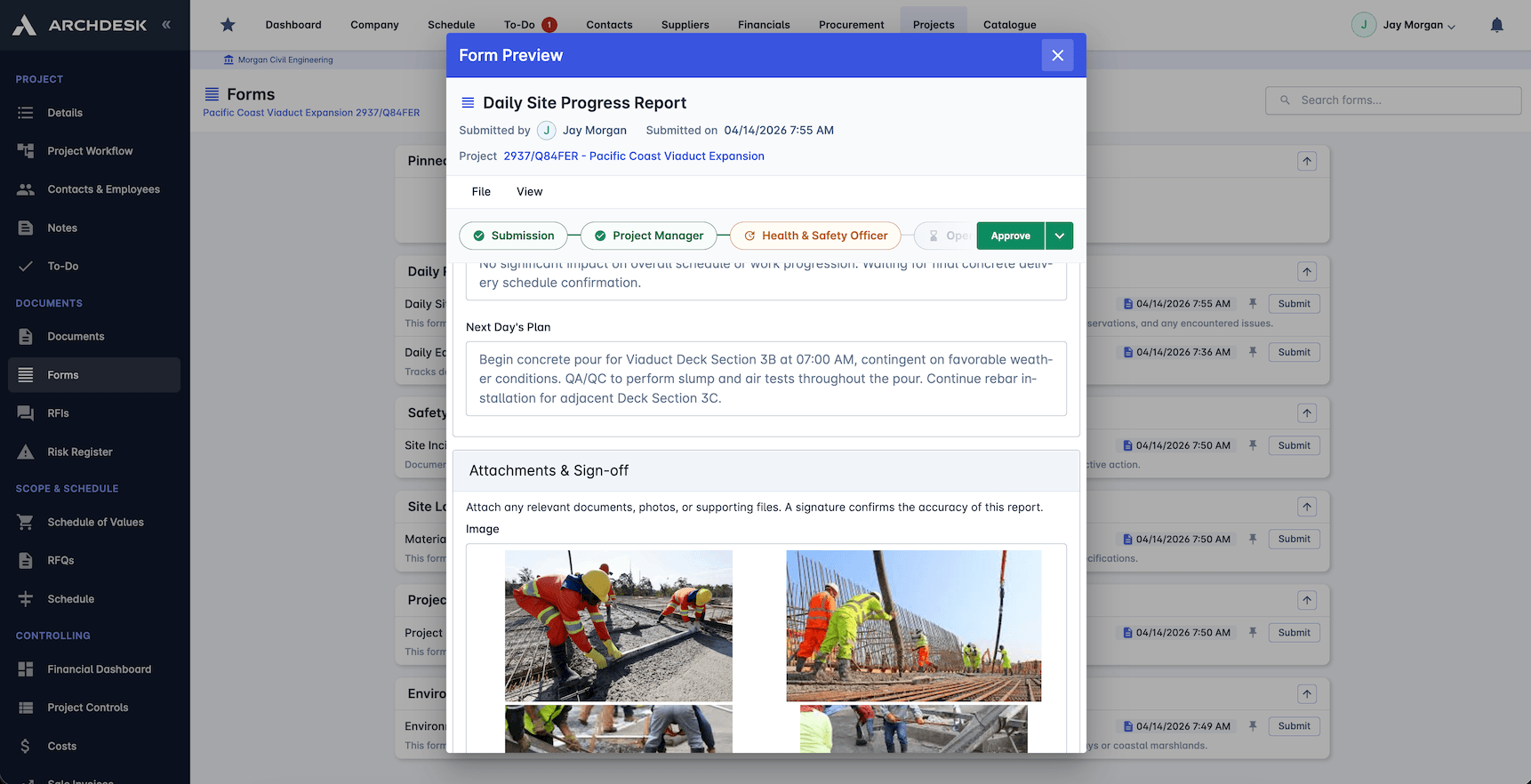
Health and safety submissions build the compliance record as they arrive, not the week before the audit. Every record carries a digital audit trail.
Health and safety records on the project
OSHA compliance templates
Digital audit trails on every record
Automated compliance reporting
Custom Forms Builder
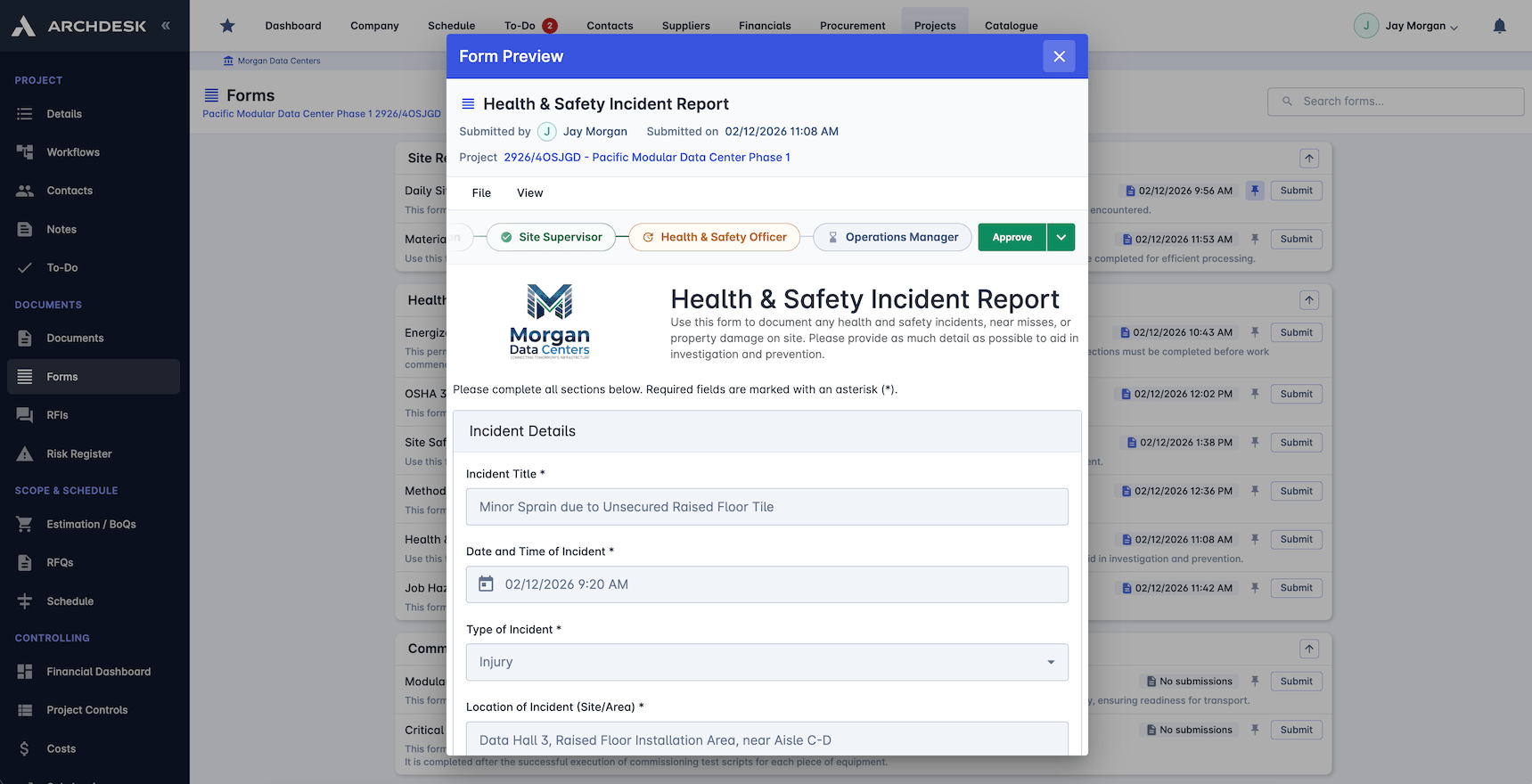
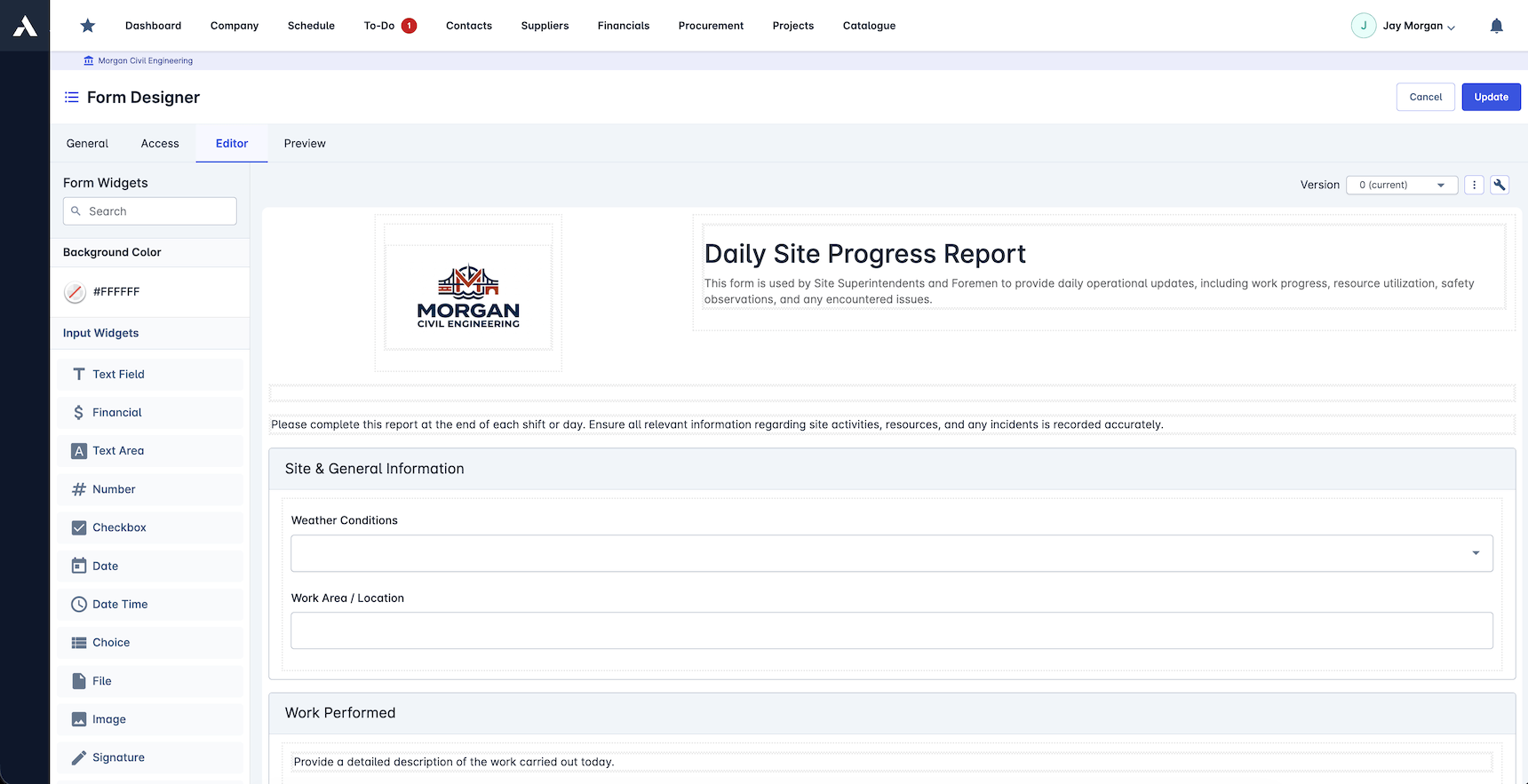
Build the exact form each record needs, from daily reports to quality checks and equipment logs, with no code. Validation rules catch missing data before the form is submitted.
Drag-and-drop form builder
Site diary and daily progress report templates
Pre-built construction templates
Dynamic fields and calculations
Required fields and validation rules
Integrations
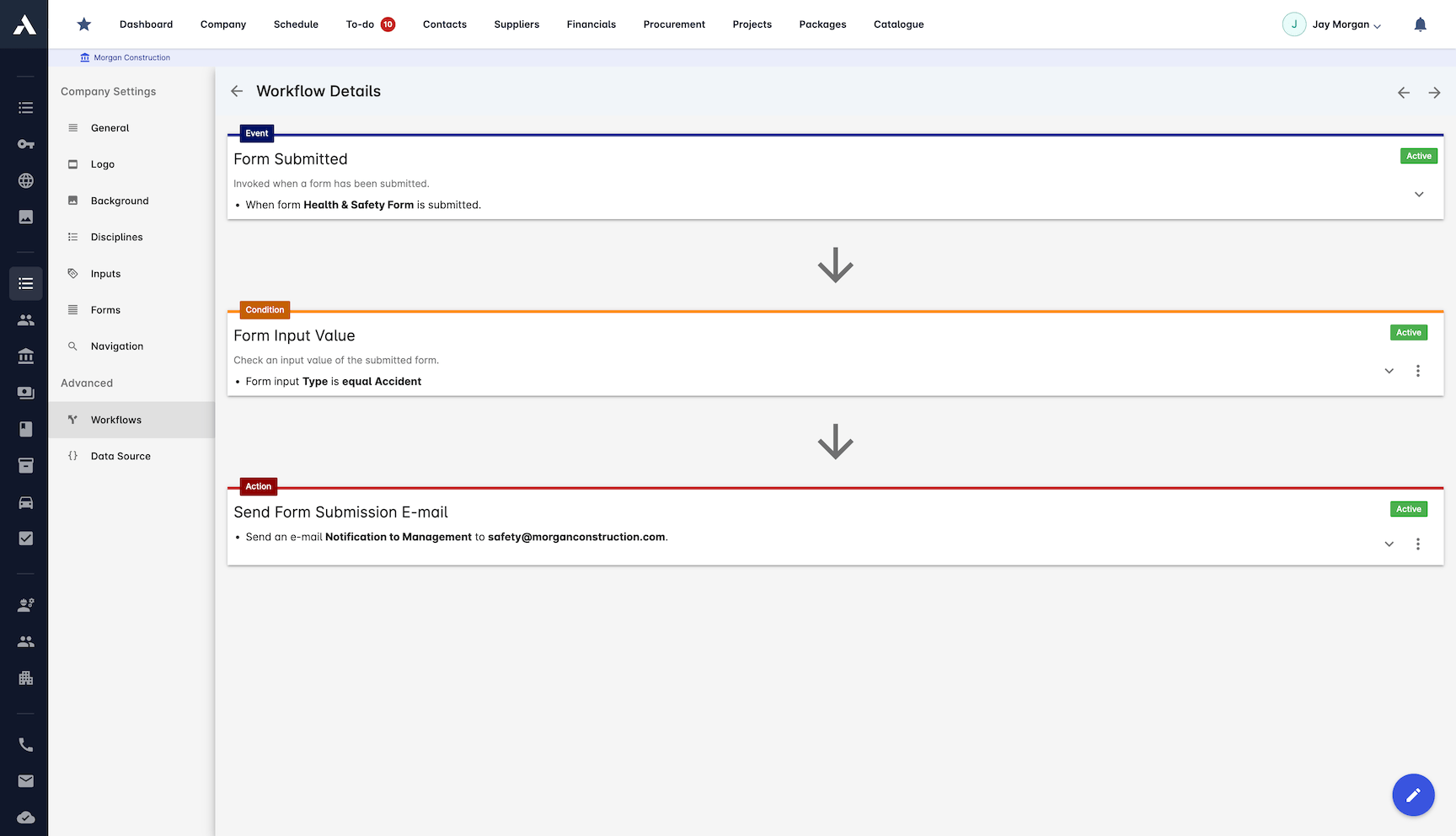
Form data moves into the rest of your toolchain on its own. Submissions trigger workflows, sync with documents and reach other systems without manual handling.
Connected to project management data
Document management sync
Custom workflow automation
Webhooks and API access
The daily site record has a page of its own
If what you need is the daily record specifically, see site diary and daily report software: the same capture engine, focused on the contemporaneous record that progress reviews and delay claims are built on.
Frequently Asked Questions: Construction Site Forms
What are construction site forms in Archdesk?
Digital forms filled in on a phone at the workface: daily progress reports, site diaries, H&S reports, inspections and punch items. Every submission lands as structured data on the right project, package and people the moment it is sent, feeding dashboards, reports and the compliance record with no re-typing in the office.
Do site forms work offline?
Yes. Forms fill in online or offline, so remote sites and areas with no signal make their records on the spot, the day the work happens, rather than reconstructing them from memory back at the cabin.
Can photos and signatures be captured in a form?
Yes. Photos, video, files and signatures are captured inside the form itself, so the evidence sits on the record it belongs to instead of dying in somebody’s camera roll.
How do site forms support compliance?
Health and safety submissions build the compliance record as they arrive, not the week before the audit. Every record carries a digital audit trail, OSHA compliance templates are included, and compliance reporting is automated from the same submissions.
Can forms be sent to clients and subcontractors?
Yes. Forms can be sent to clients and contractors outside your business, and workflow automation routes each submission onward to the right people. External collaborators such as subcontractors, clients and consultants are free.
Explore Related Solutions
Everything below runs in the same system, working from the same live data.
Project Management
Streamline your project workflows from start to finish
Project Budgets
Control project finances and stay in budget
Risk Register
Identify and manage project risks
Real-time Reporting
Get instant updates across your project portfolio
Document Management
Centralize document handling and access
Project Cost Controls
Monitor and compare your actuals with the estimate
Site Diary & Daily Reports
Keep the daily site record structured and defensible
Work in Progress Reporting
Monitor completion costs across your whole project portfolio
Discover more
Explore the full range of solutions and find the right fit for your business.
See your next project on Archdesk
Book a demo and walk through a fully worked example project: one platform running everything from winning the work to closing it out.
Book a Demo