
Archdesk for Document Controllers
One truth per documentCurrent revisions, controlled distribution, and a trail that writes itself.
A look at Archdesk from the document controller's seat: how revisions, approvals and distribution stay under control, and straight answers to the questions document professionals ask first.
Trusted by construction companies of every size, worldwide

























We know what you are actually defending against
A missed revision is never a filing problem. It is rework, a claim, a dispute two years later. Archdesk treats document control as the project's memory, not its filing cabinet. Side by side:
Less policing, more control. The discipline lives in the system instead of depending on your vigilance alone.
Not just tidier files. The project's memory, kept properly.
Archdesk's document control reflects how thousands of projects protected themselves: the habits that survived audits and disputes are the defaults.
Revision control as the default
Documents carry their revision history, approval status and distribution record as standard. The controls you fight to enforce manually are simply how the system stores things.


Workflows you configure
Review and approval routes are built to your procedures, so documents move through the right hands in the right order.
Everything against the project
Drawings, certificates, forms and correspondence live against the job, connected to the work they describe.
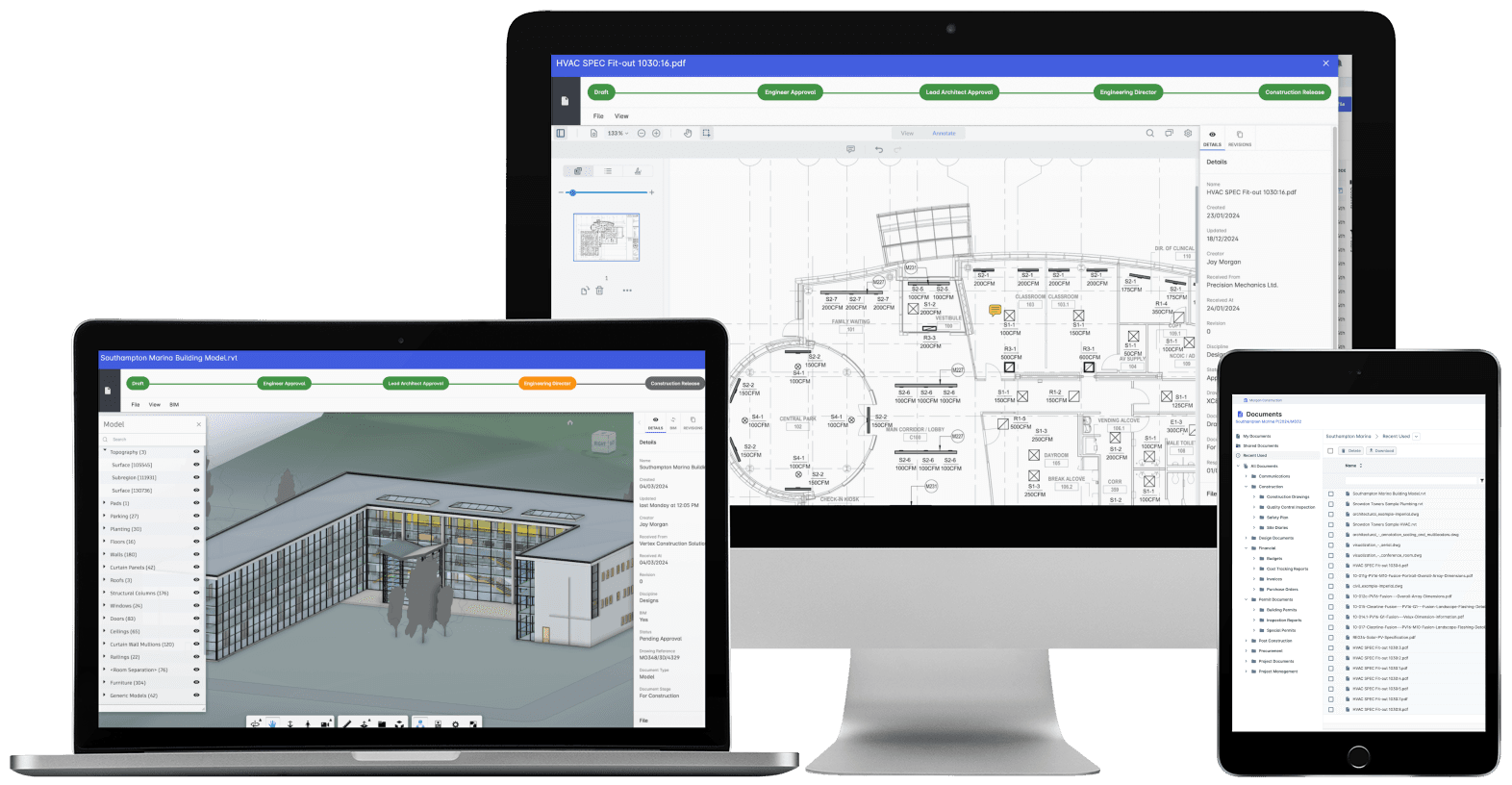
Documents in Archdesk: current revision, approval status and distribution, per project.
Where document controllers spend their time in Archdesk
Questions document controllers ask us
How does revision control actually work?
Each document holds its revision history in one place. New revisions supersede old ones visibly, approval status travels with the document, and superseded versions stay accessible for the record without being mistaken for current.
Can we mirror our numbering and folder conventions?
Yes. Document registers, numbering conventions and metadata are configured to your procedures during onboarding, and saved as templates so every new project starts organized the same way.
How is distribution tracked?
Issues and transmittals run through the system, so each document carries the record of who received which revision and when. The spreadsheet you maintain today to track this stops being necessary.
Who can see and change what?
Access is role-based and set per project: internal teams, subcontractors and clients each see what you decide. Edit, approve and issue rights are separated, so control stays where it belongs.
Can site teams reach documents in the field?
Yes. Site staff open the current documents from a phone or tablet on site, which is exactly how superseded paper copies stop circulating.
What happens to our existing project documents?
Existing documents are brought across during onboarding into the structure you define, so live projects arrive organized rather than starting from an empty system.
See document control that holds
In the demo we walk you through a fully worked project in Archdesk from the document controller's seat: revisions, approvals, distribution and the audit trail. Book a demo and see.
Book a Demo