
Construction RFI Software for UAE Projects
Every RFI answered on the record. Not in an inbox.Raise, track and answer RFIs on the project record, with an owner and a deadline on every question. Contractors in the UAE run the RFI process on one data model across the whole portfolio, so every project answers questions the same way, on the same record.
Trusted by construction companies of every size, worldwide


























Questions become records, not email threads
Construction RFI software for UAE contractors runs the request for information on one data model across every live project. Questions are raised on the project they concern with a named owner, a response deadline, a priority and a discipline, and the open list reports per project and across the portfolio. Subcontractors, consultants and clients take part through branded external forms at no cost, and every action is logged with the person and the timestamp, so what was asked and answered on any project in the portfolio is read from the same record.

An owner on every question
Each RFI carries a named owner and a response deadline, and the open list shows what is waiting on whom before it holds up the site.
The supply chain included
Subcontractors, consultants and clients raise and answer RFIs through branded external forms at no cost, with no licenses needed.
Raised where the work is
RFIs are created on the project they concern, so the question and the answer live on the project record instead of scattering across inboxes.
Answers that hold up
Every action is logged with the person and the timestamp, so when a dispute turns on what was asked and answered, the record already exists.
One place, one record
RFIs live with the documents, site forms and costs of each job on one data model, so questions and answers on every project in the portfolio sit in the same system, read the same way wherever the project runs.

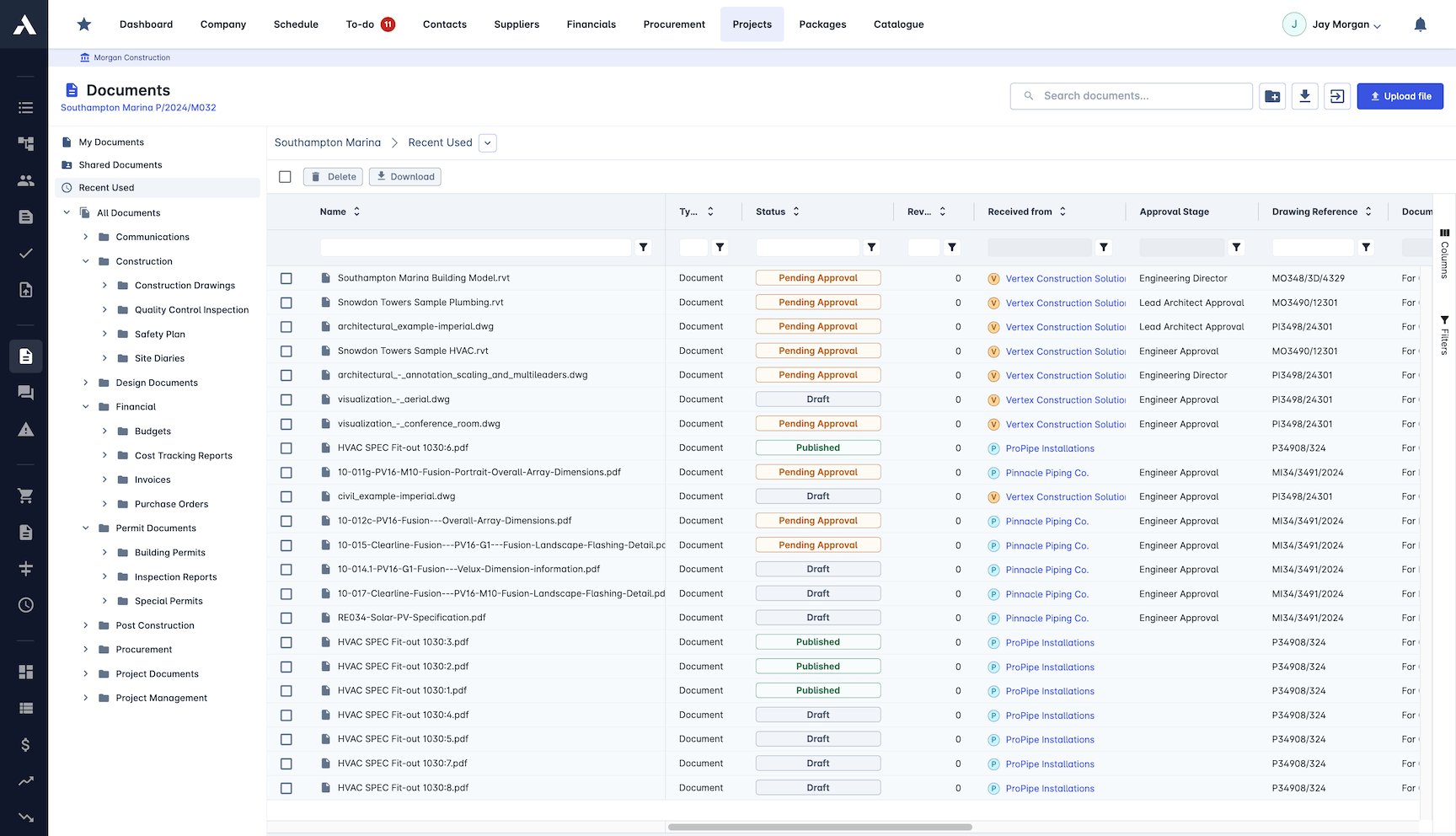
RFIs on the Project Record
RFIs live on the same project record as the documents, drawings and site forms of the job. Whoever answers a question has the controlled documents at hand in the same system: one place, one record, nothing re-keyed between separate tools.
RFIs and documents on one project record
Version control on the project documents
One project record across office and site
No re-keying between separate RFI tools
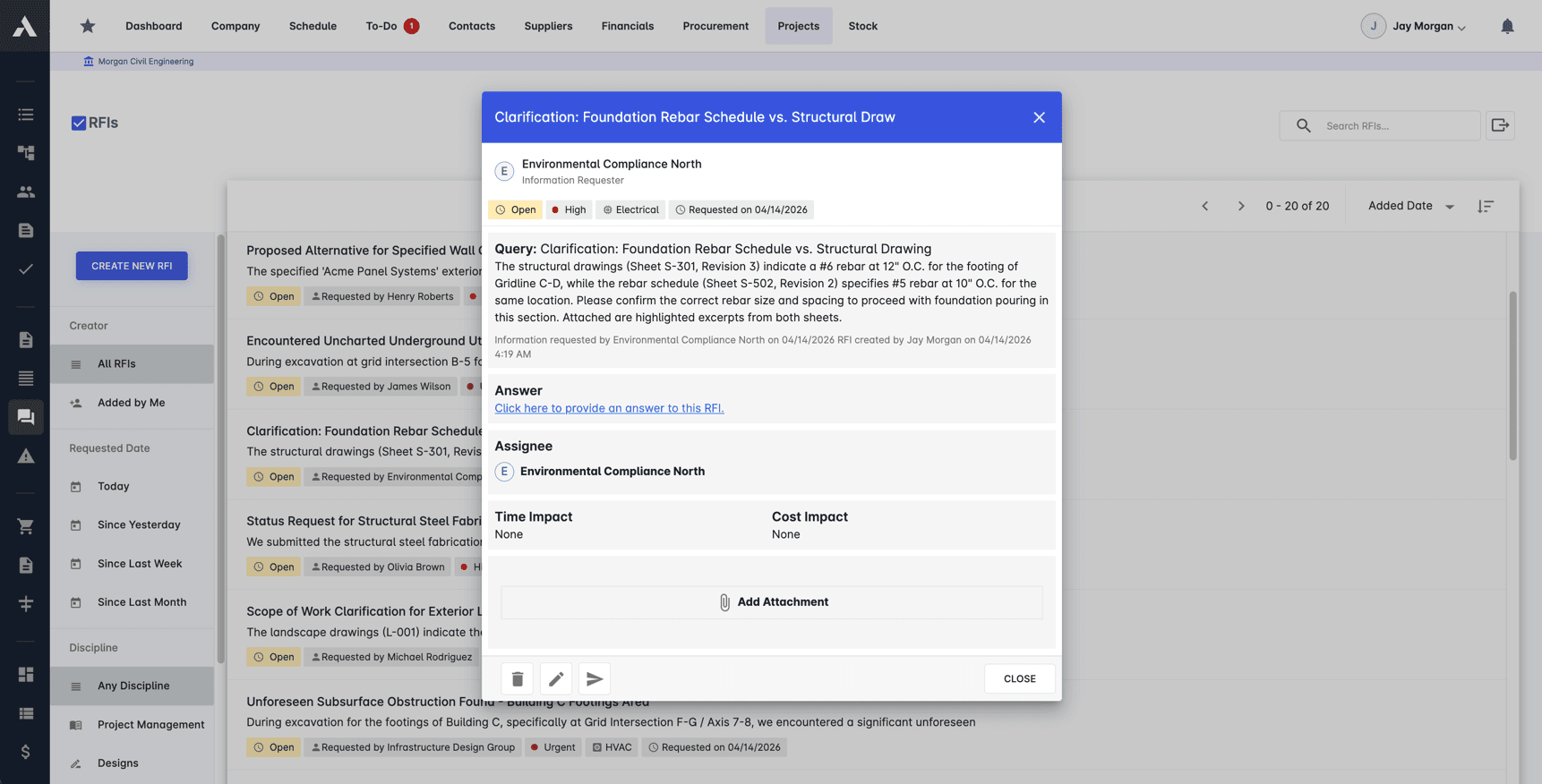
RFI Creation and Tracking
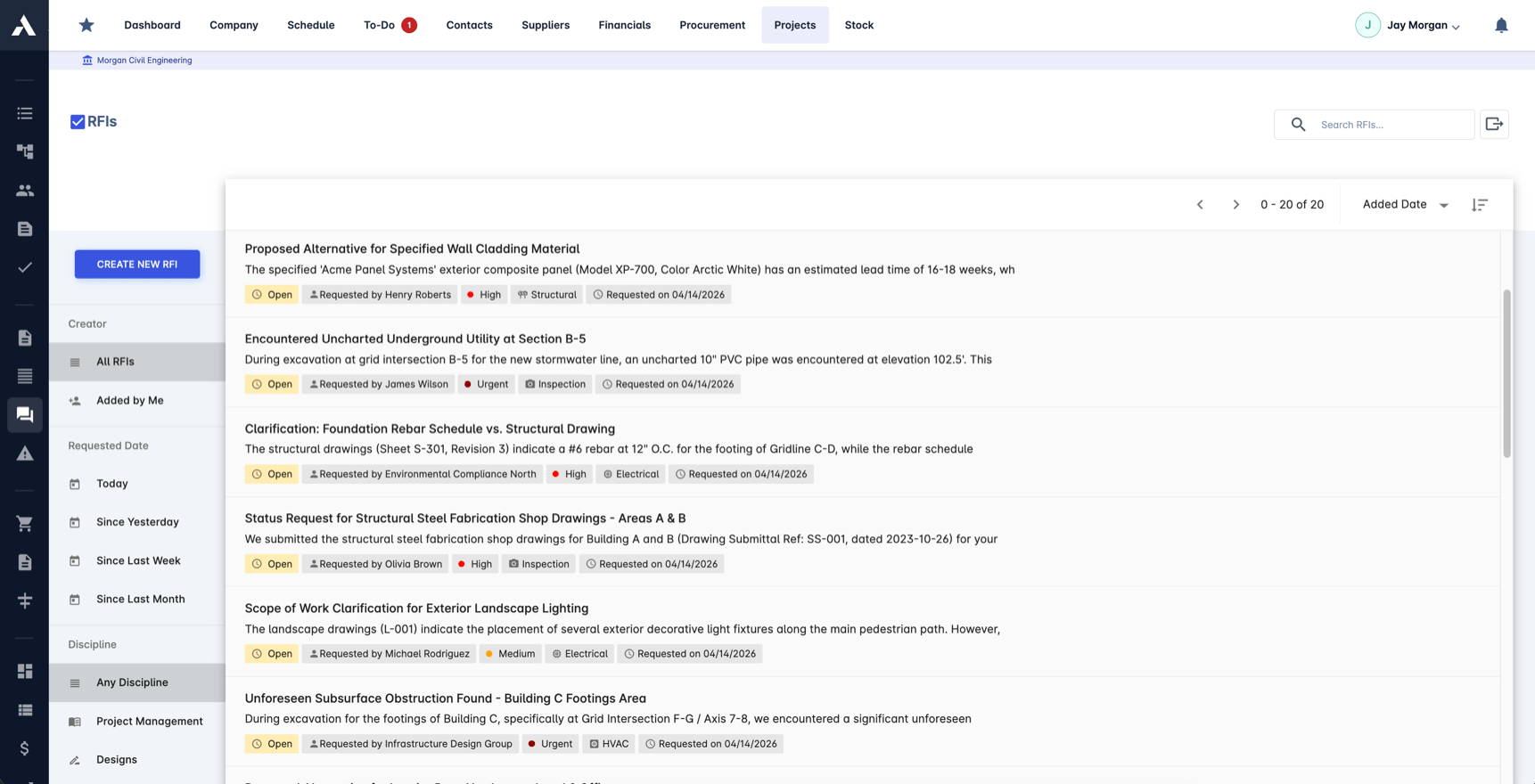
Every request for information is raised on the project it concerns, with an owner, a response deadline, a priority and the discipline it belongs to. The open list shows what is waiting on whom, filterable by date and discipline, so questions stop living in inboxes and start living on the record.
RFIs raised on the project record
An owner and a response deadline per RFI
Status, priority and discipline on every question
Time and cost impact recorded with the answer
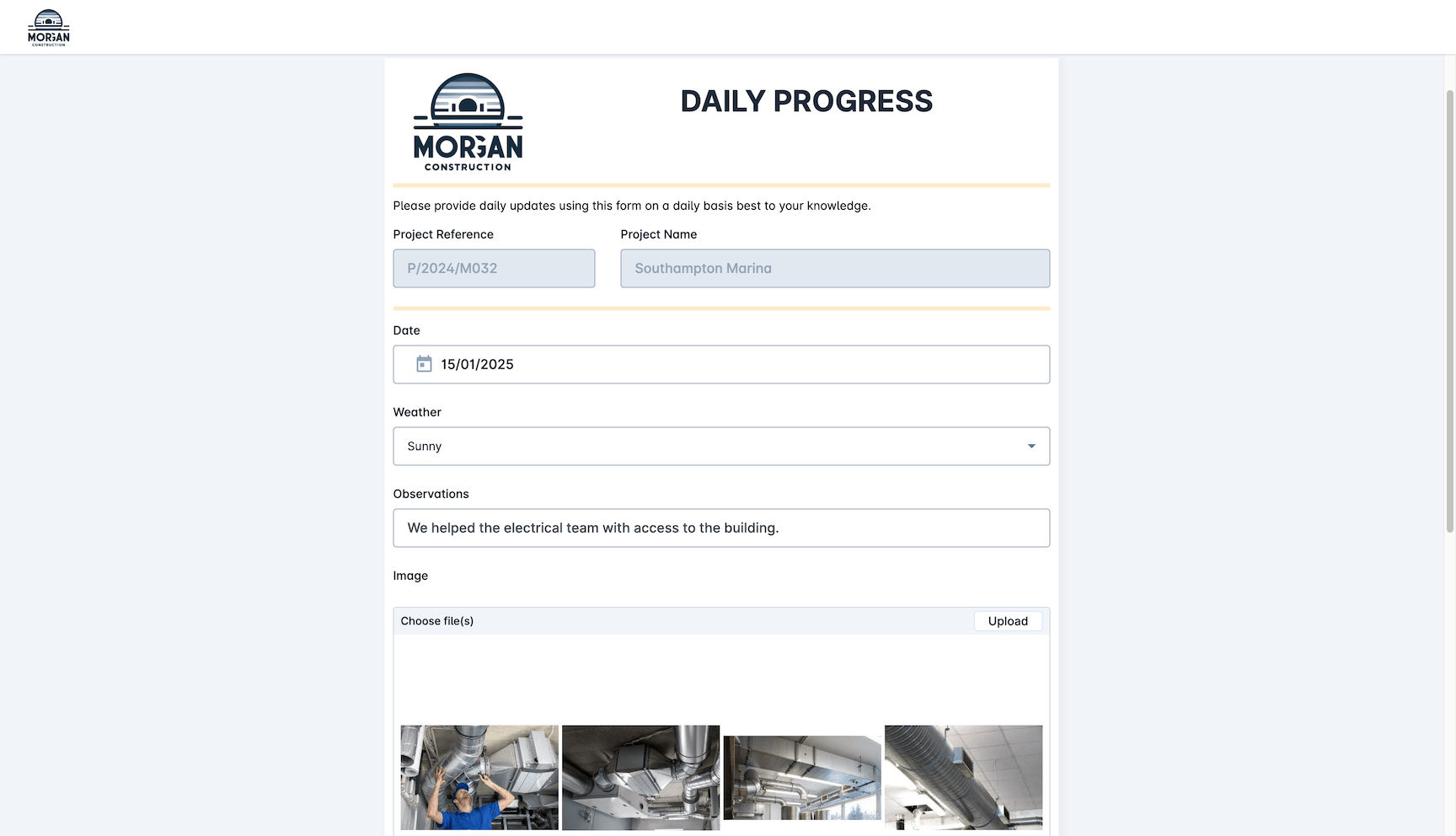
Subcontractor RFI Handling
Subcontractors raise questions and submit responses through branded external forms, without needing an Archdesk license. Their question lands on the right project the moment they send it, and the answer goes back through the same record.
External collaborators submit RFIs at no cost
Branded forms shared by a simple link
Questions land on the right project automatically
Responses recorded against the originating RFI
Response Workflows
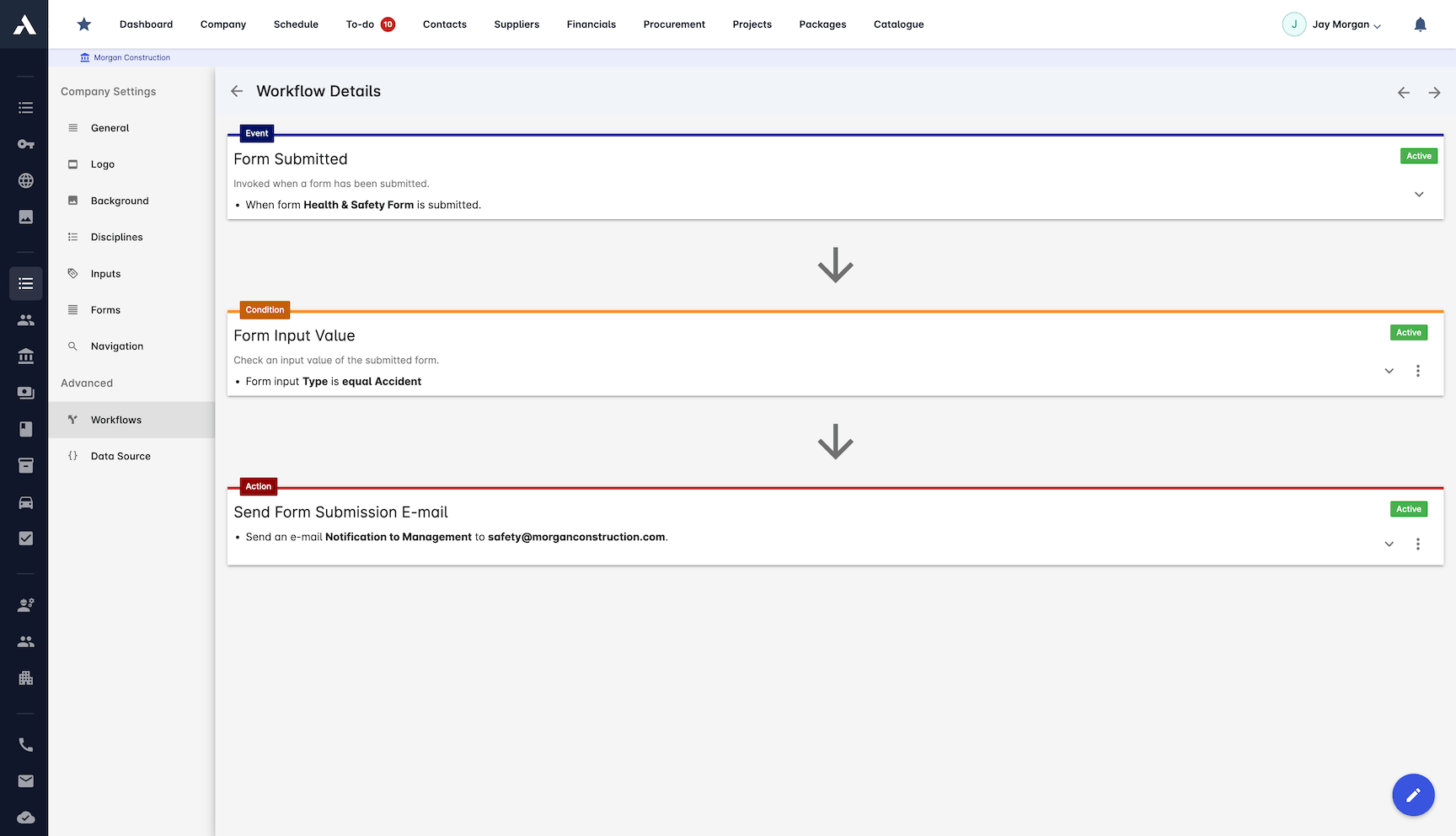
Workflows route each RFI to the person who owns the answer. A submitted question can notify the design lead, a commercial query can go to the quantity surveyor, and the requester hears back the moment the response is in.
Notifications sent when an RFI is submitted
Conditions route questions by type or discipline
The right owner alerted, not a shared inbox
Requesters notified when the answer lands
Full Audit Trail
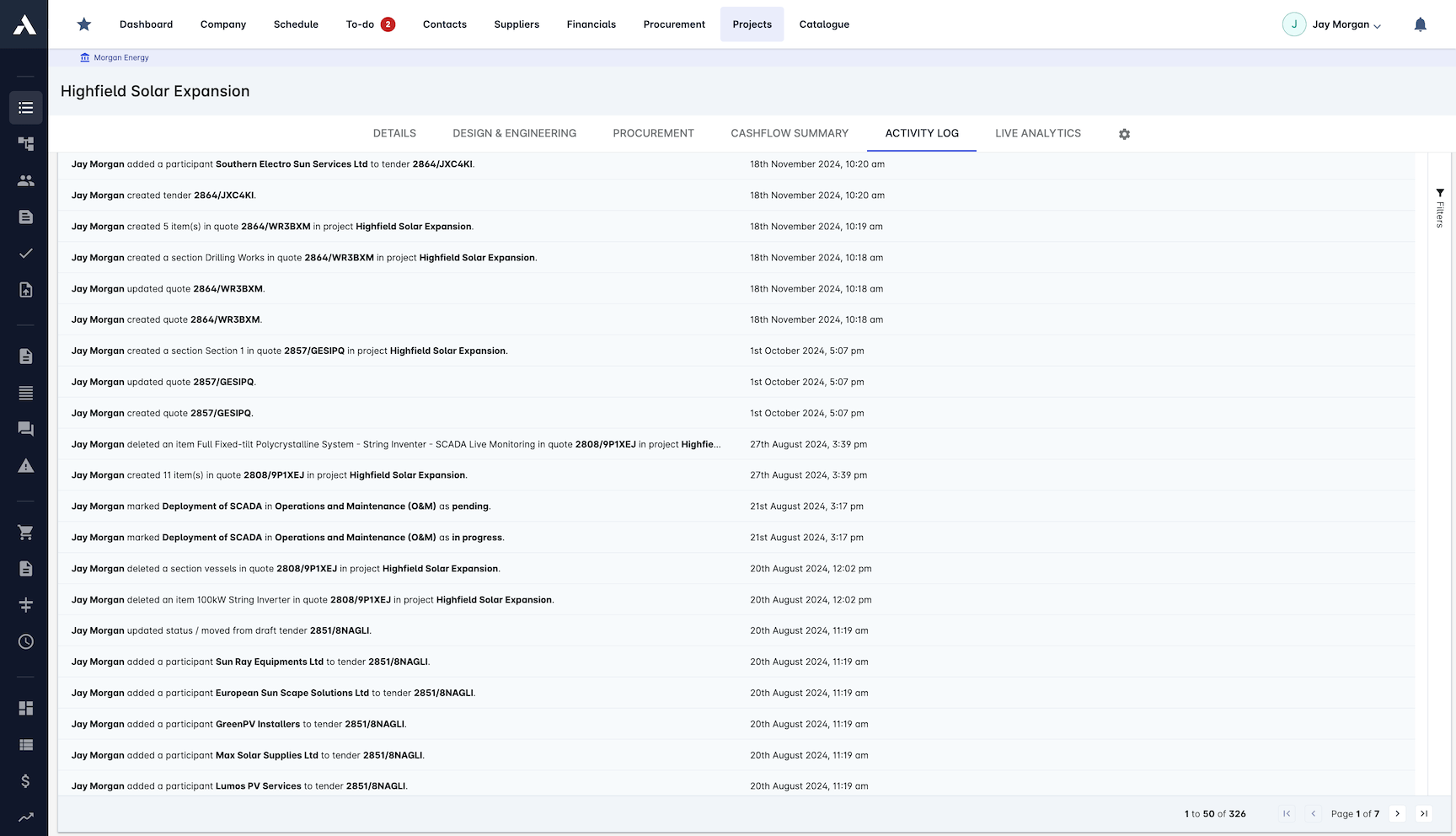
Every action on an RFI is logged with who did it and when: raised, reassigned, answered, closed. When a claim or dispute turns on what was asked and what was answered, the record is already there.
Every action logged with person and timestamp
The question and the answer kept together
History preserved through reassignments
The record that settles who-said-what
How to judge RFI software
Every serious RFI tool makes the same promises, so the differences show up in the details. These are the criteria worth testing before you choose, and how Archdesk answers each one.
Status you can see at a glance
The open-RFI list should show what is waiting on whom before it holds up the site. In Archdesk every question carries an owner, a deadline, a priority and a discipline, so the list reads as a work queue, not an archive.
Accountability that survives a dispute
When a claim turns on what was asked and answered, the audit trail is the evidence. Archdesk logs every action with the person and the timestamp on the project record.
The whole supply chain, without licenses
RFIs fail when half the parties answer by email because seats cost money. Subcontractors, consultants and clients take part in Archdesk through free external forms.
Questions that live with the project
An RFI raised in a standalone tool still has to find its way back to the job. Archdesk raises RFIs on the project record itself, alongside the documents, site forms and costs of the same job: one place, one record.
New to the process? Read the complete guide to RFIs in construction or start from the free RFI log template.
Frequently Asked Questions: Construction RFIs
What is an RFI in construction?
An RFI (request for information) is the formal question one project party asks another when drawings, specifications or scope are unclear: a subcontractor asking the design team to clarify a detail, or a main contractor querying a specification conflict. The answer often changes the work, so mature teams treat RFIs as project records with owners, deadlines and a full history, not as email threads.
How does Archdesk track construction RFIs?
Each RFI is raised on the project it concerns with a reference number, an owner and a response deadline. Status is tracked from raised to closed, the open list shows what is waiting on whom, and every action is logged with the person and timestamp. The question, the answer and the documents they relate to stay together on one project record.
Can subcontractors raise and answer RFIs without an Archdesk license?
Yes. External collaborators such as subcontractors, clients and consultants work through branded external forms shared by a link, at no cost. Their questions and responses land on the right project record automatically, so the whole supply chain takes part in the RFI process without buying seats.
How do RFIs connect to project documents and drawings?
RFIs and project documents live on the same project record, so a question about a drawing or specification is raised, answered and stored in the same system that holds the controlled documents, not in a separate email thread. Documents on the record carry version control, and each RFI keeps its own full history from raised to closed.
How do response deadlines and reminders work?
Every RFI carries an owner and a response deadline, and workflows notify the right person when a question is submitted or answered. Because open RFIs are visible per project with their deadlines, overdue questions surface on the record rather than hiding in an inbox.
Why manage RFIs in the same system as cost and site records?
Because RFI answers change scope, and scope changes cost. When RFIs live with the change orders, budgets and site forms of the same project, the commercial consequence of an answer is priced in the same system that recorded the question, with an audit trail across the whole chain.
Can the RFI process run the same way across a portfolio of projects?
Yes. Every project writes to the same data model, so RFIs carry the same owners, deadlines and audit trail on every job, and open questions report per project and across the portfolio. Leadership reads the same records each project team works in.
Do consultants and subcontractors need licences to take part?
No. External collaborators such as subcontractors, consultants and clients work through branded external forms shared by a link, at no cost. Their questions and answers land on the right project record automatically, across every project in the portfolio.
Explore Related Solutions
Everything below runs in the same system, working from the same live data.
Document Management
Centralise document handling and access
BIM Integration
2D & 3D Support for Building Information Modeling
Common Data Environment (CDE)
Issue documents to external stakeholders
Discover more
Explore the full range of solutions and find the right fit for your business.
See your next project on Archdesk
Book a demo and walk through a fully worked example project: one platform running everything from winning the work to closing it out.
Book a Demo

