Subcontractor Pay Applications & Work Reports
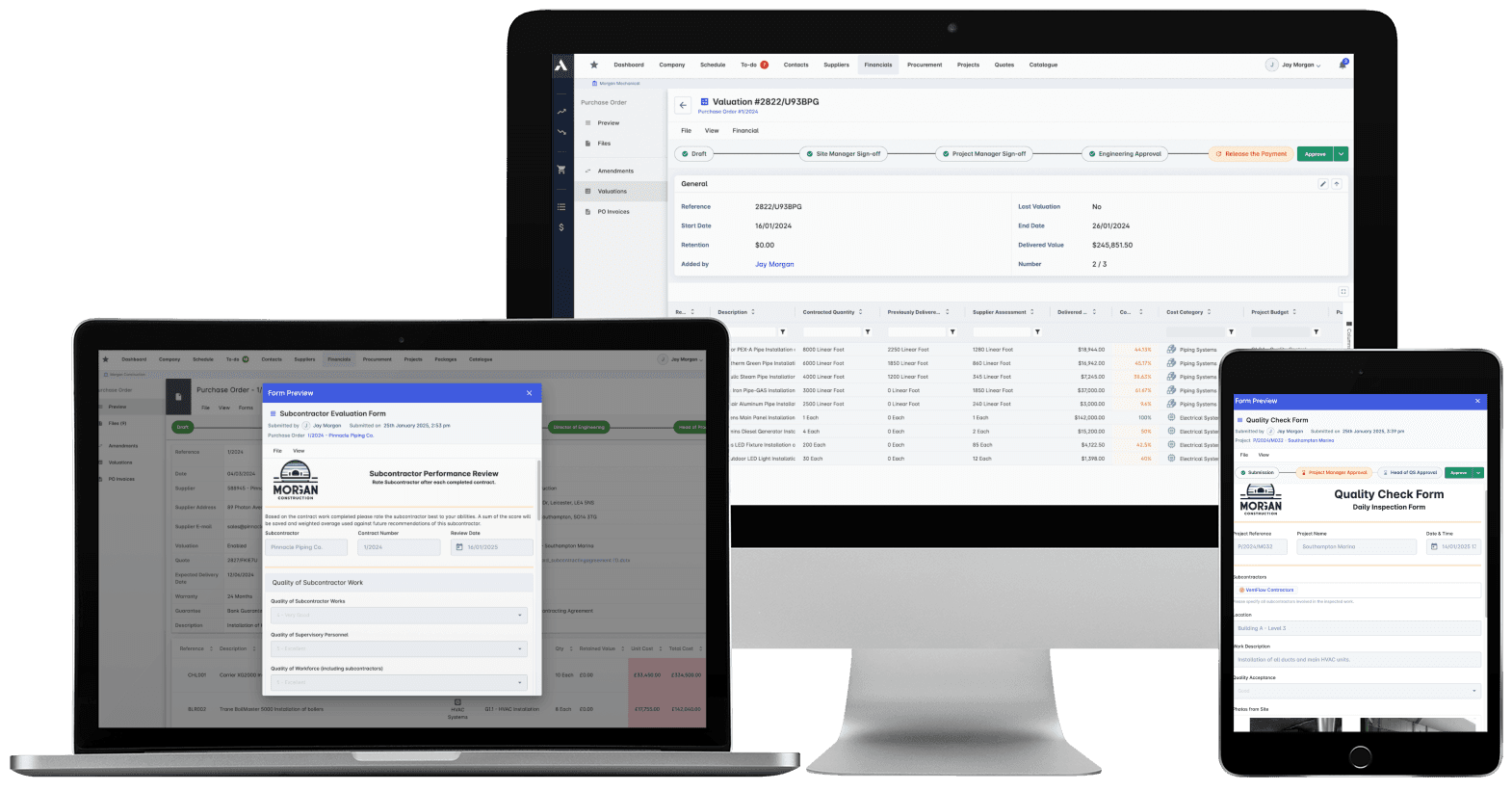
Certify what was built. Pay what was certified. Prove both.Assess every application against the actual subcontract lines: contracted, previously certified, claimed this month, side by side. Certify with sign-offs on the record, retainage tracked automatically, and delivered value landing on your cost position the same day.
Trusted by construction companies of every size, worldwide

















Disputes settled by the record, not by memory
Subcontractor work report software turns site progress into a payment record by capturing what was built, verifying it, and feeding the certified value into pay applications and cost control. In Archdesk, daily reports with photos and quantities back every application, sign-offs run on workflows that leave a record, and certified value lands on your cost position the same day.

Every claim has evidence behind it
Daily work reports carry photo documentation and quantity verification, so a percent-complete argument ends at the record instead of running for weeks.
Certified value hits cost control same day
Approved work feeds budget-versus-actual, completion variance analysis and over-budget alerts on every package, the day it is certified.
Retainage handled, not remembered
Retainage is calculated automatically inside the payment calculation, and retainage payout requests are handled in the same place as the applications they relate to.
Quality signed off before it is paid
Inspection checklists, defect tracking and sign-offs confirm the work meets specification before certification, with non-conformances on the record.
Applications assessed against the subcontract itself
Contracted, certified to date, claimed this period: side by side on the actual subcontract lines, with change orders feeding straight into the application and the full history attached.

Work Progress Tracking
Subcontractors report progress digitally, with photos and quantities attached. The daily record builds itself while the work happens, not at the end of the month.
Daily progress reports from site
Photo documentation attached
Quantities verified against the claim
Location-based tracking via timesheets
Progress Payment Management
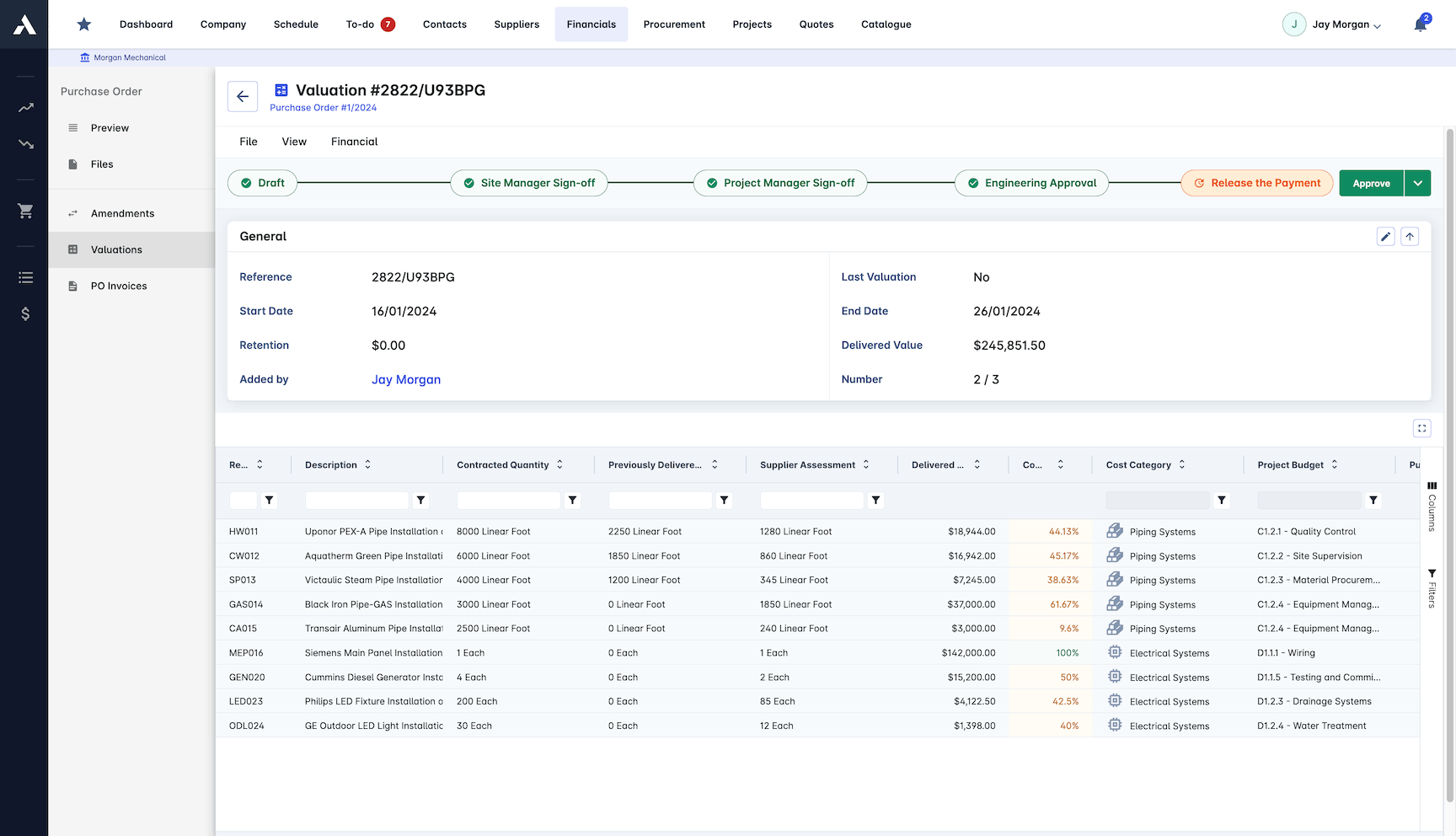
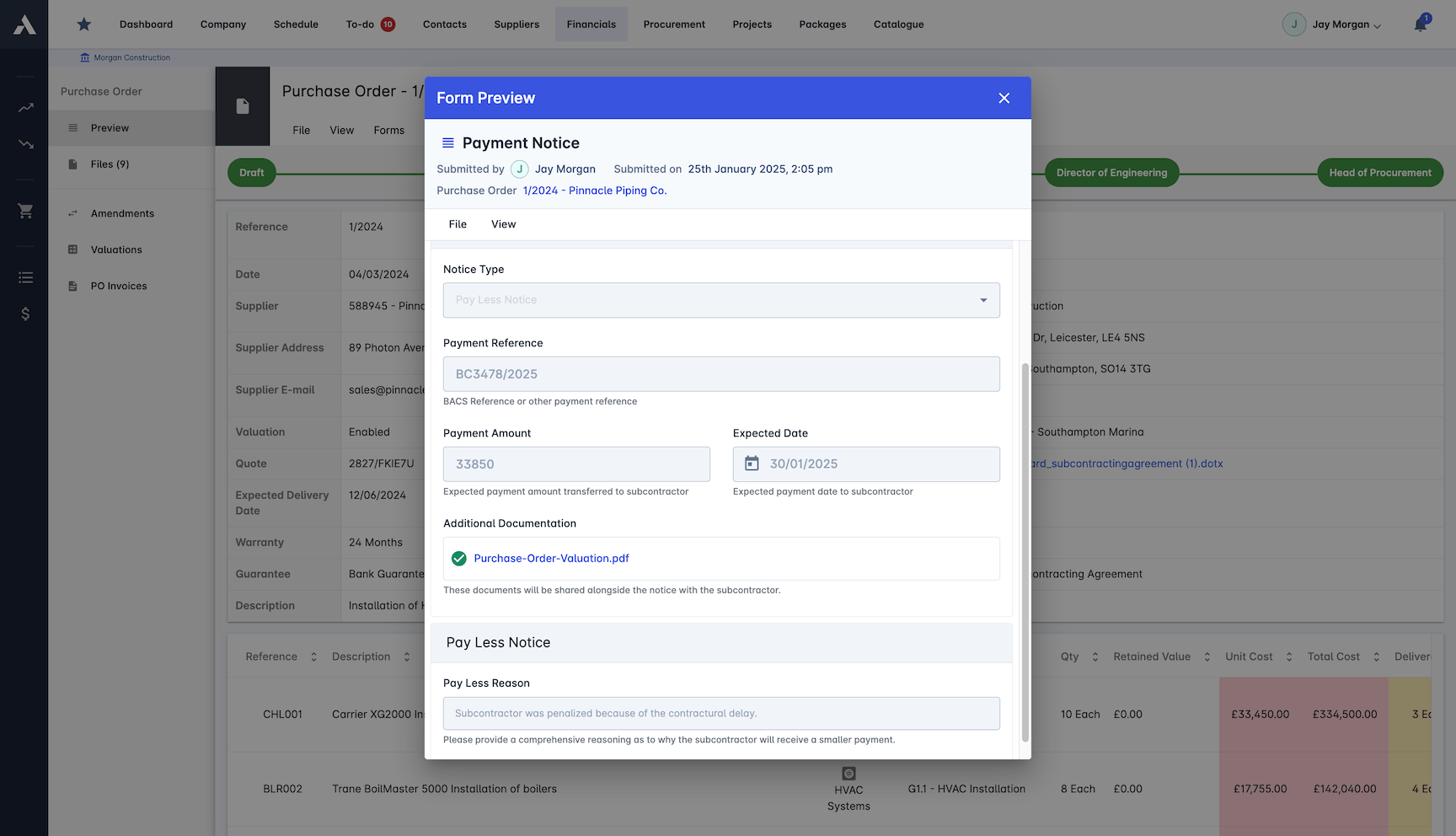
Verified progress drives the pay application. Retainage and change orders sit inside the calculation, not on a side spreadsheet.
Payments calculated from verified progress
Retainage managed automatically
Retainage payout requests handled
Change orders feed the application
Performance Monitoring
See how each subcontractor actually performs: productivity, quality, safety and schedule adherence, built from the same work reports.
Productivity tracked per subcontractor
Quality inspection records
Safety compliance tracking
Schedule adherence monitoring
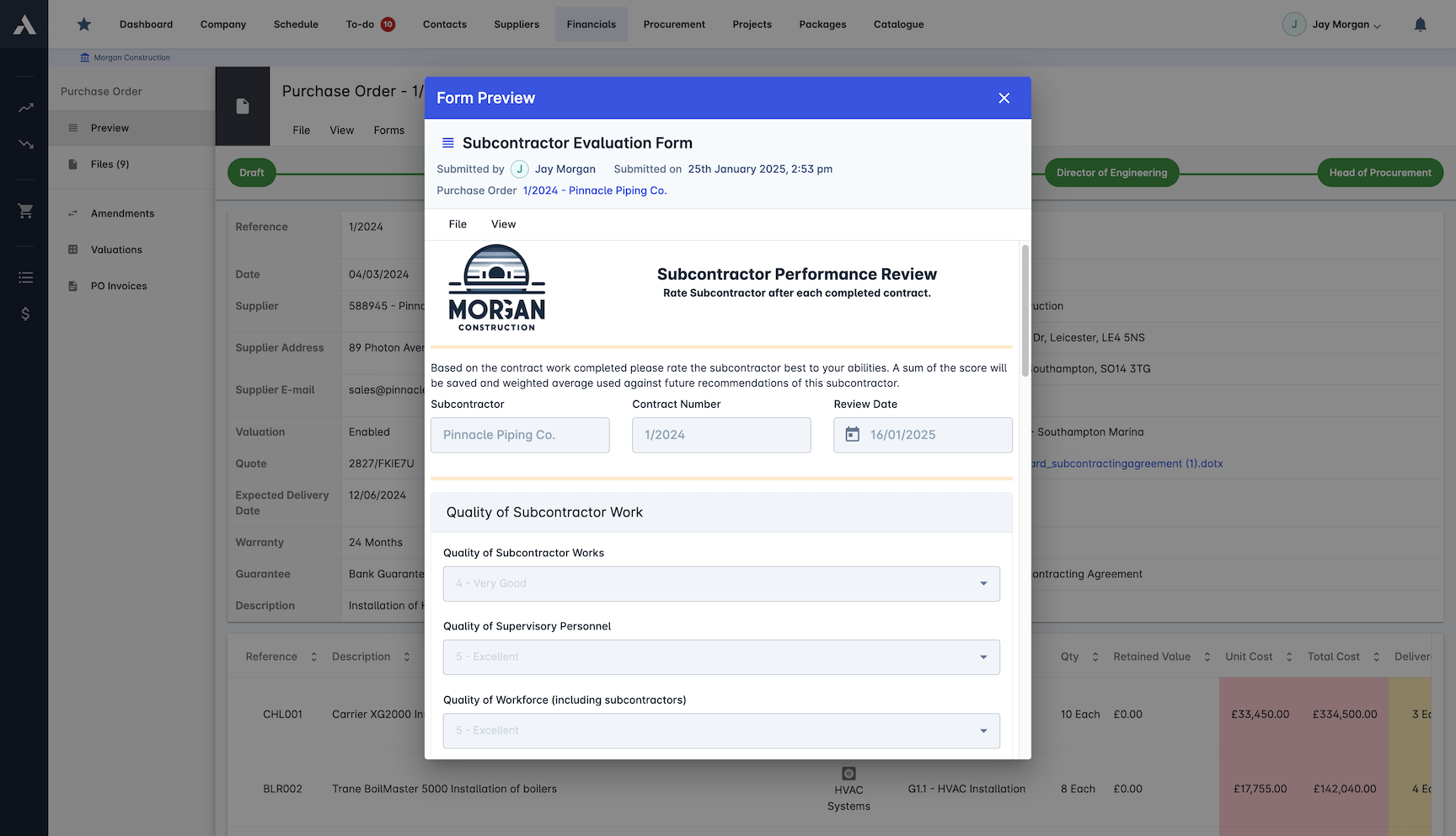
Quality Control
Work is checked against specification before it is certified. Defects and non-conformances go on the record with the sign-off.
Quality checklists per inspection
Defects tracked to closure
Inspection sign-offs on record
Non-conformance reporting
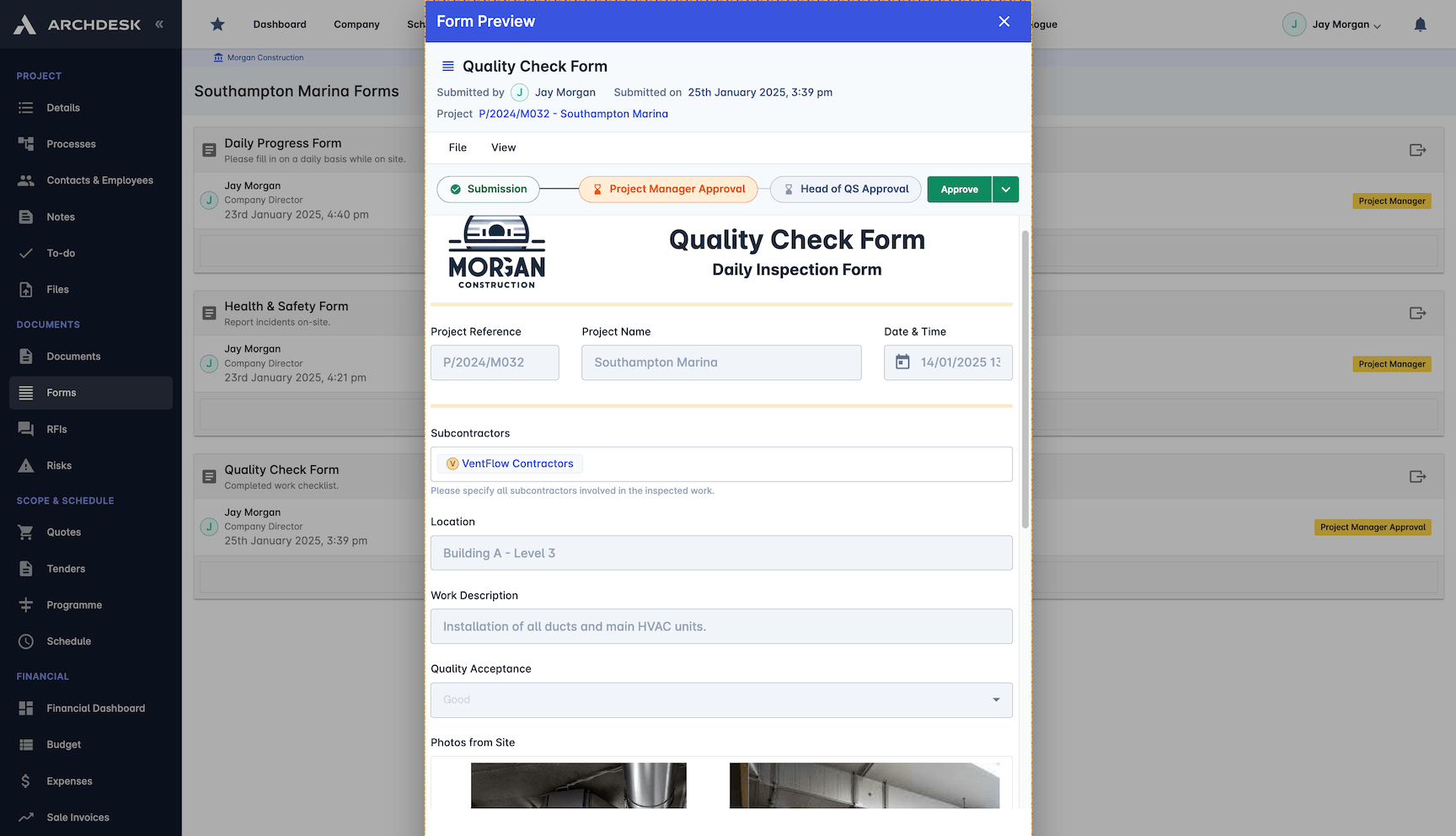
Resource Management
See what each subcontractor actually deployed: crews, equipment and materials logged against the work they produced.
Crew attendance tracked daily
Equipment usage logs
Material consumption records
Resource allocation visible per site
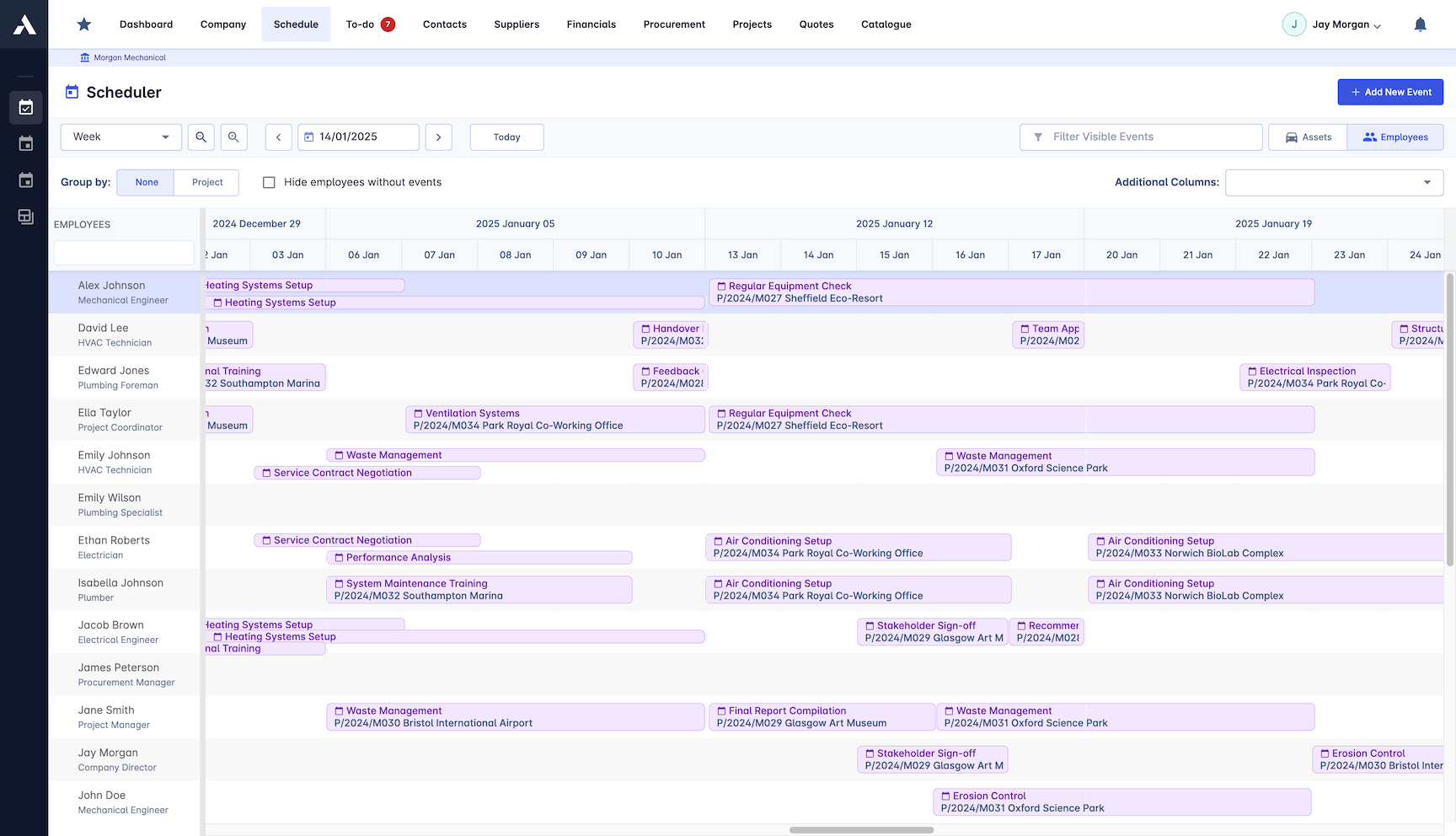
Cost Controls
Certified value lands on the cost position the same day. Budget against actual per package, with alerts before overruns become the closeout numbers.
Budget vs actual per cost code
Automated over-budget alerts
Pay application reports reconciled
Cost forecasting and trending
Frequently Asked Questions: Subcontractor Pay Applications
What is subcontractor work report software?
It turns site progress into a payment record for the general contractor: subcontractors report progress digitally with photos and quantities attached, the work is verified, and the certified value feeds pay applications and cost control. Applications, evidence and sign-offs sit in one place, on one record, so disputes are settled by the record rather than by memory.
How are subcontractor pay applications assessed?
Every application is assessed against the actual subcontract lines: contracted, previously certified and claimed this period, side by side. Change orders feed straight into the application, and the full history stays attached, so a percent-complete argument ends at the record.
How does Archdesk handle retainage?
Retainage is calculated automatically inside the payment calculation, not on a side spreadsheet. Retainage payout requests are handled in the same place as the applications they relate to.
How is claimed progress verified before payment?
Daily work reports carry photo documentation and quantity verification, and quality checklists confirm the work meets specification before it is certified. Defects are tracked to closure and non-conformances go on the record with the sign-off, so what gets paid is what was checked.
When does certified value reach cost control?
The same day it is certified. Approved work feeds budget-versus-actual per cost code and package, with automated over-budget alerts and cost forecasting, so overruns surface while there is still time to act, not at closeout.
Certified value lands the same day on project cost controls. Applications going the other way, from you to the client, run as pay applications on the same project records.
Explore Related Solutions
Everything below runs in the same system, working from the same live data.
Procurement
Streamline purchasing and stay in budget
Subcontractor Management (SRM)
Manage subcontractors and stay compliant
Subcontractor Bidding
Issue RFQs and track offers from your supply chain
RFIs
Handle subcontractor questions with owners and deadlines
Discover more
Explore the full range of solutions and find the right fit for your business.
See your next project on Archdesk
Book a demo and walk through a fully worked example project: one platform running everything from winning the work to closing it out.
Book a Demo