
Construction ERP Software for UAE Contractors
One ERP for the projects and the business behind them.Estimating, scheduling, cost control, procurement, documents and finance on one data model, at portfolio scale. Interim payment certificates and retention sit on the same records as the costs, so certified value and the cost position read together across every live project.

Trusted by construction companies of every size, worldwide


























Every module reads and writes the same project records
Construction ERP software for UAE contractors has to hold a portfolio together: many projects, one data model, one current version of the numbers. Archdesk runs the full cycle on the same records: the estimate becomes the budget, orders and subcontracts commit against it, interim payment certificates and retention sit beside the costs, and portfolio dashboards read the same live records each project team works in, wherever the projects run.

Committed cost, not invoice archaeology
Every PO and subcontract commits against a budget line at approval, so your true cost position runs months ahead of the invoices.
The field and the office on one record
Site forms, timesheets, drawings and RFIs land on the same project the commercial team works from. One place, one record.
Finance without double entry
Payment applications and invoicing run in the platform, and integrations with Xero, Sage and QuickBooks keep the ledger in sync without re-keying.
The estimate becomes the budget
Won work converts into delivery without re-keying: rates, quantities and scope carry over, so the commercial baseline is the one you actually bid.
One data model underneath it all
Every module writes the same records, so budget, committed, actual and forecast aggregate across the whole portfolio, and the dashboards leadership reads carry the same numbers each project team works in. A no-code engine shapes workflows to your process, no custom development required.
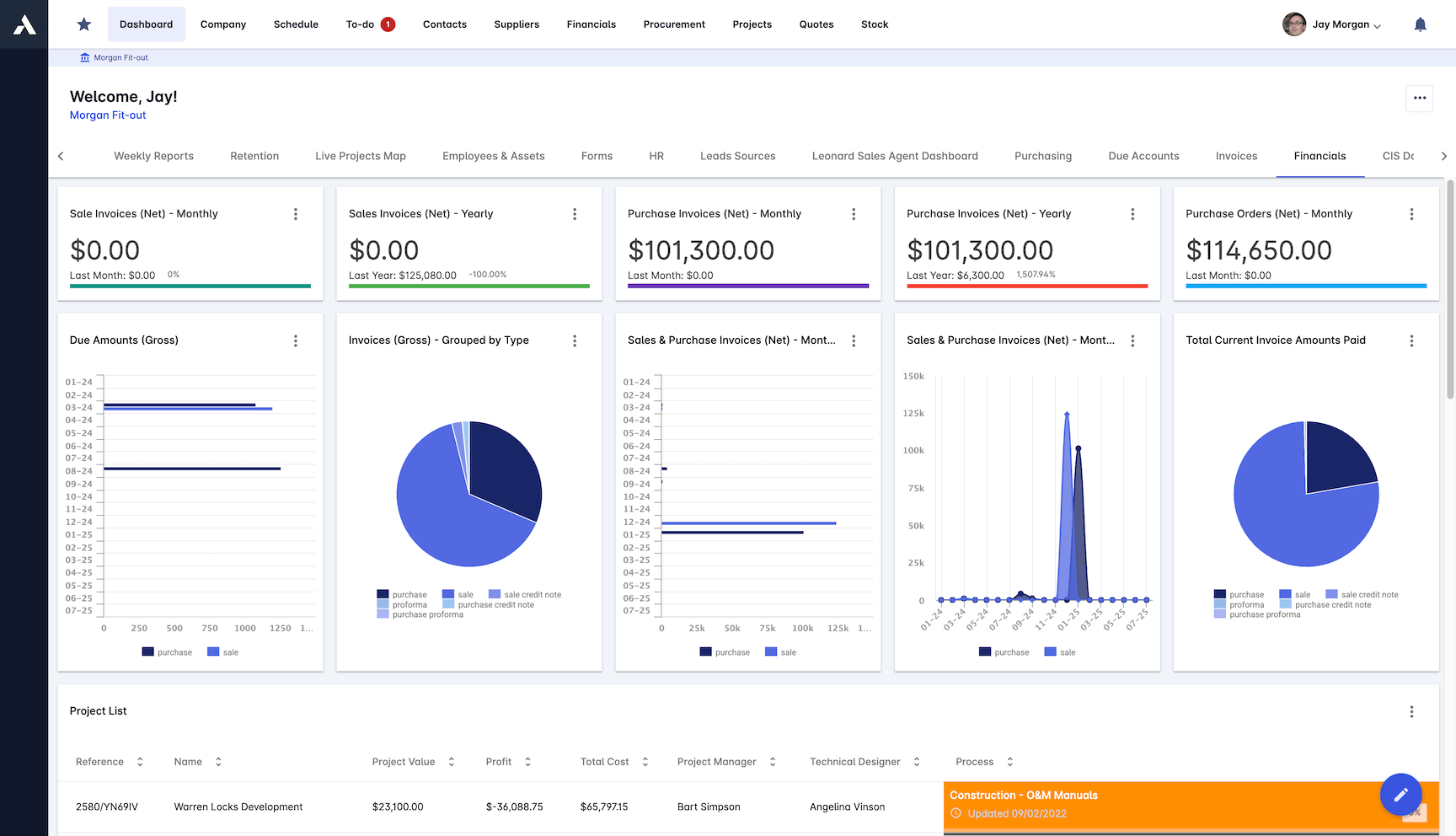
Reporting & Dashboards
Live dashboards and custom KPIs built on the one data model underneath it all: CVR, CPI, SPI, WIP and cash position at project and portfolio level.
Project and portfolio dashboards
CVR, CPI, SPI and custom KPIs
Work in progress and cost to complete
Reports built from live records, not exports
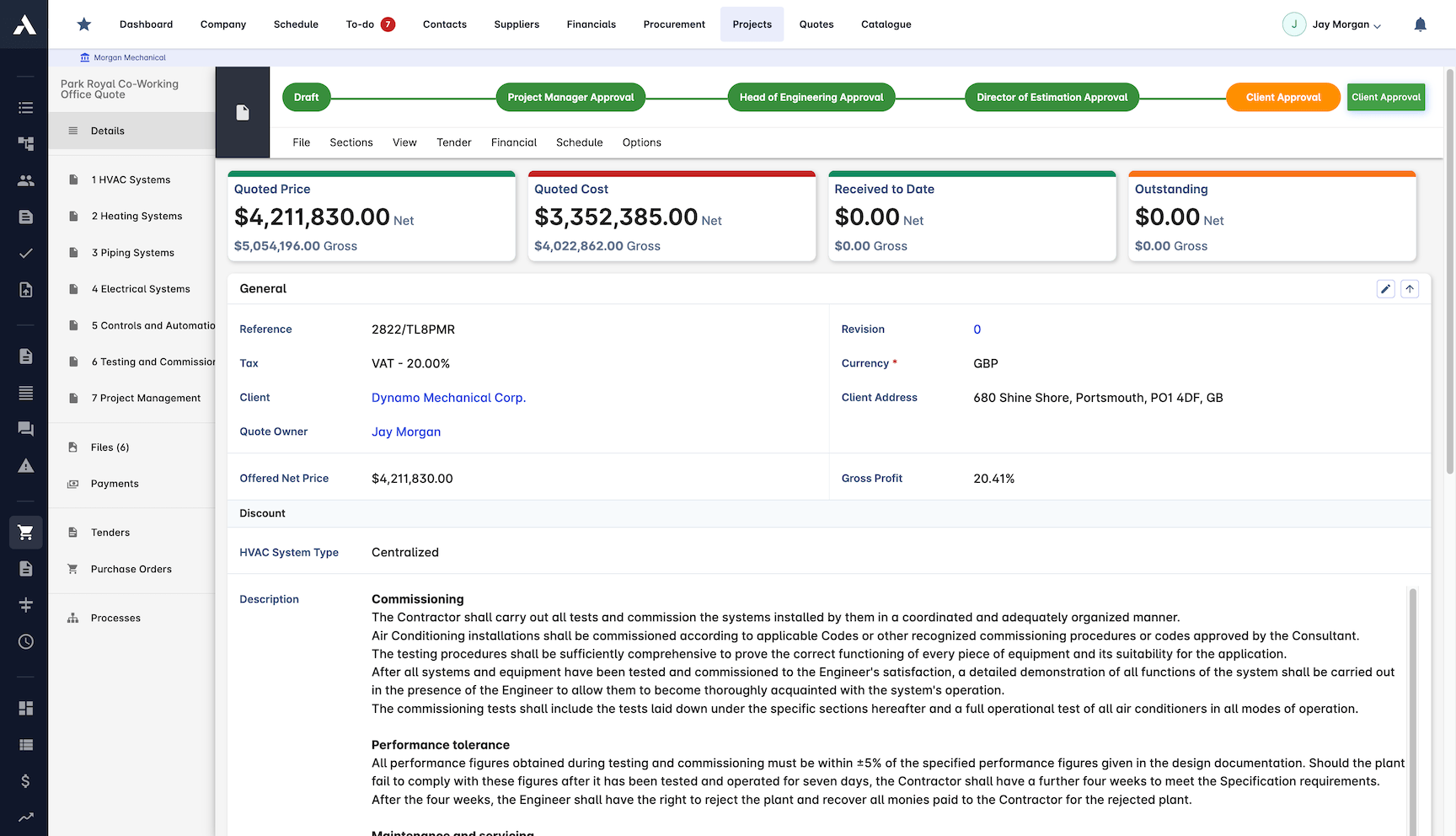
Estimating to Handover
The estimate that wins the job becomes the budget that runs it. Rates, quantities and scope carry from bid to delivery without re-keying, so the commercial baseline is real from day one.
Estimates priced from live rate libraries
Won bids convert straight into project budgets
Scope and quantities carried into delivery
One record from first estimate to final account
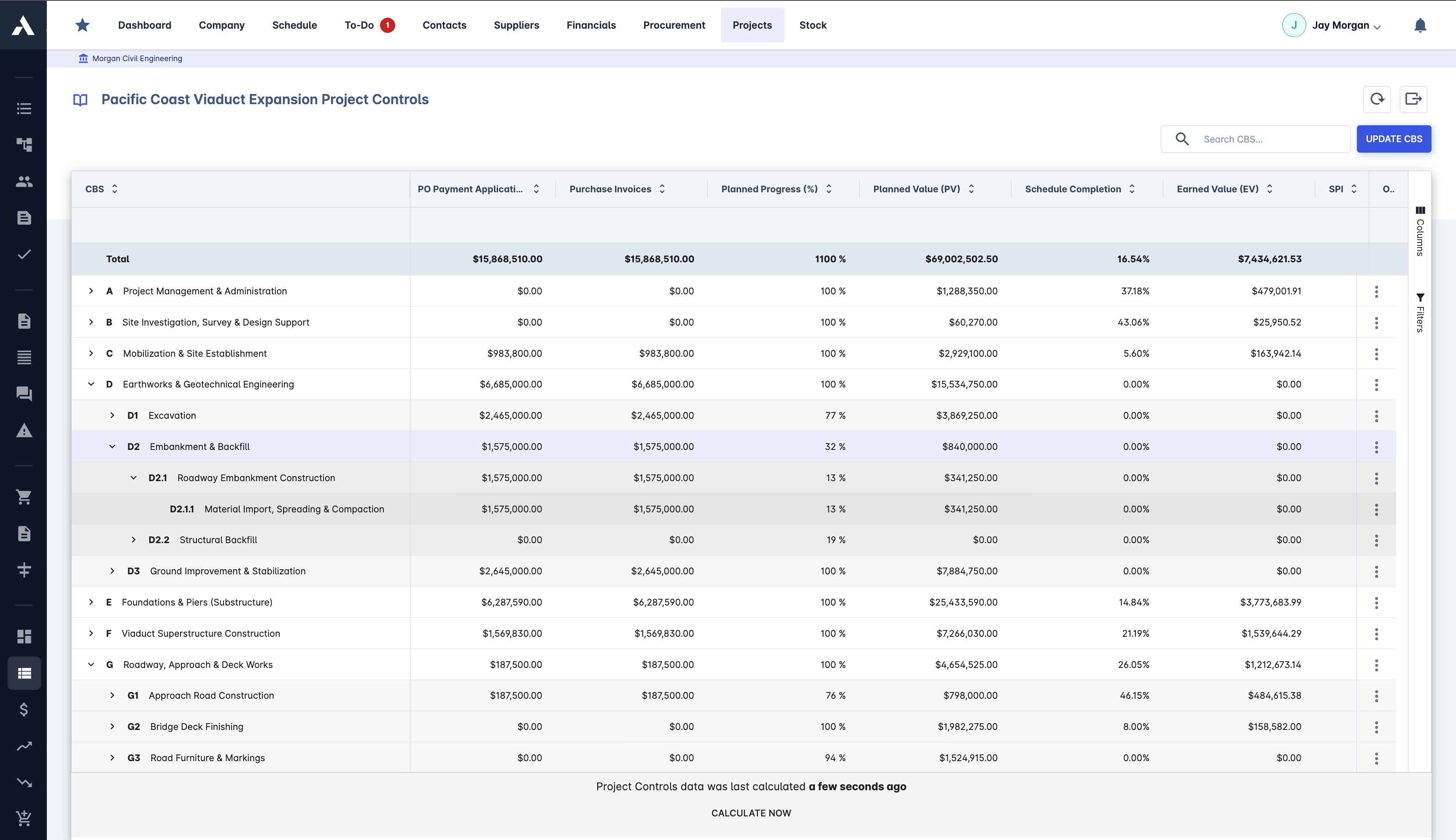
Job Costing & Cost Control
Actual cost lands against the budget line the moment it is committed. Budget versus actual, cost to complete and margin run live per job and across the portfolio.
Committed cost visible at order time
Budget vs actual on every cost code
CVR (cost value reconciliation) reporting
Margin visible while you can still act
Procurement & Supply Chain
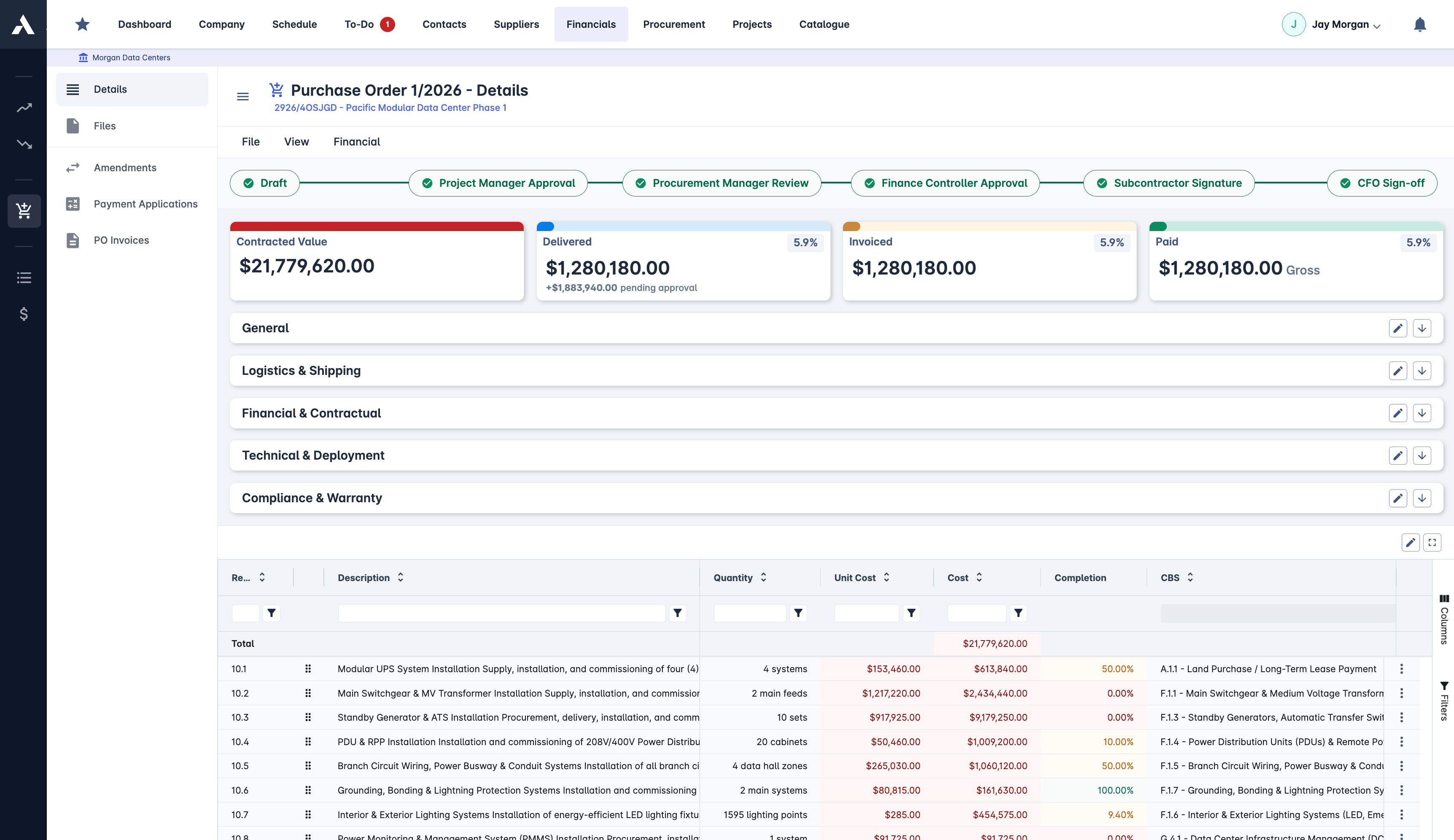
Purchase orders, subcontracts and valuations run through approval workflows against budget. Supplier records, insurances and performance history stay current in one register.
POs and subcontracts committed against budget
RFQs and side-by-side bid comparison
Supplier compliance and performance records
Three-way invoice matching
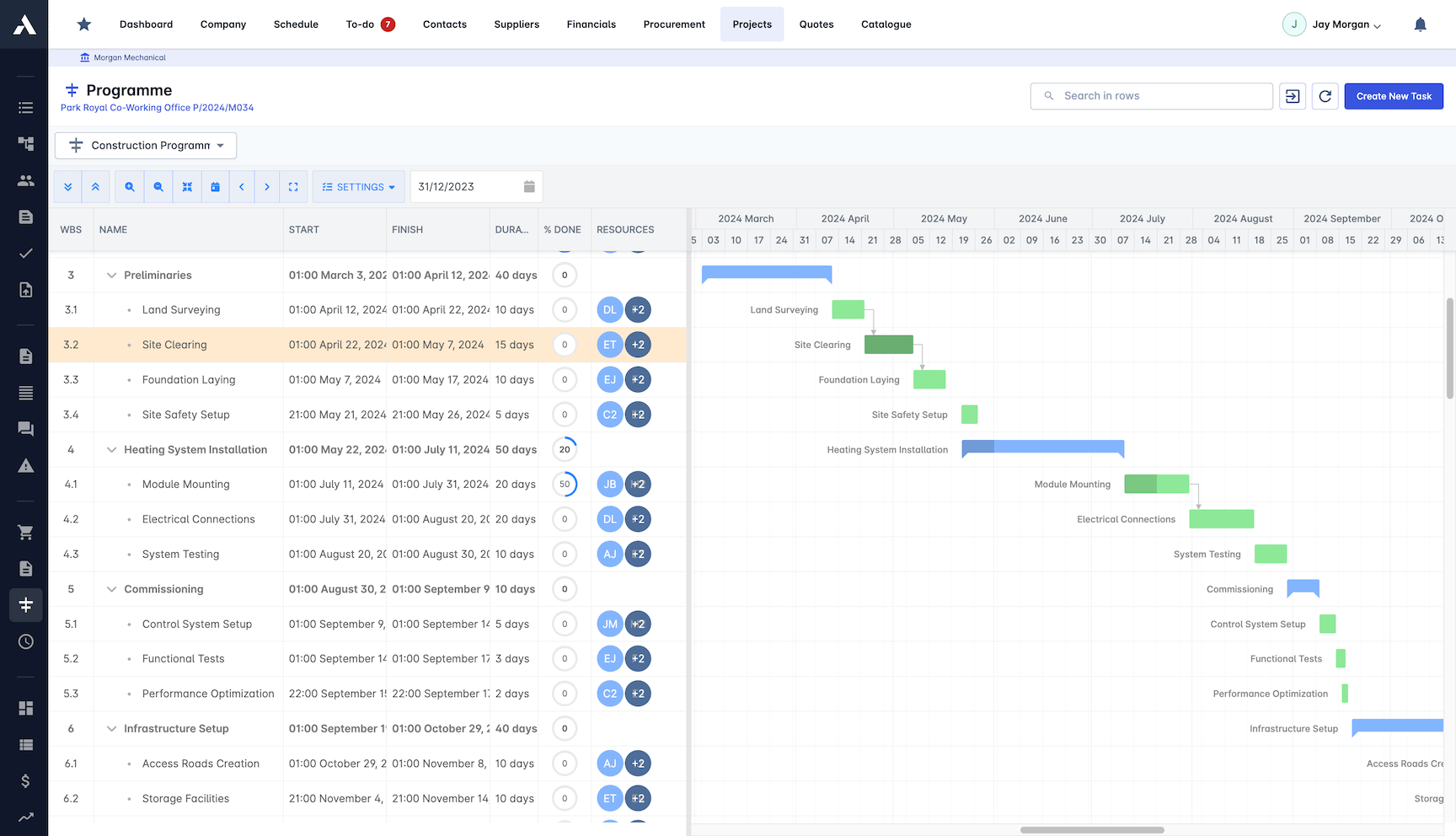
Scheduling & Delivery
Gantt schedules with baselines and critical path, connected to the same projects your costs and site records live on, so programme and money are read together.
Gantt schedules with baselines
Critical path and resource conflicts
Progress tracked against programme
Schedule and cost on one project record
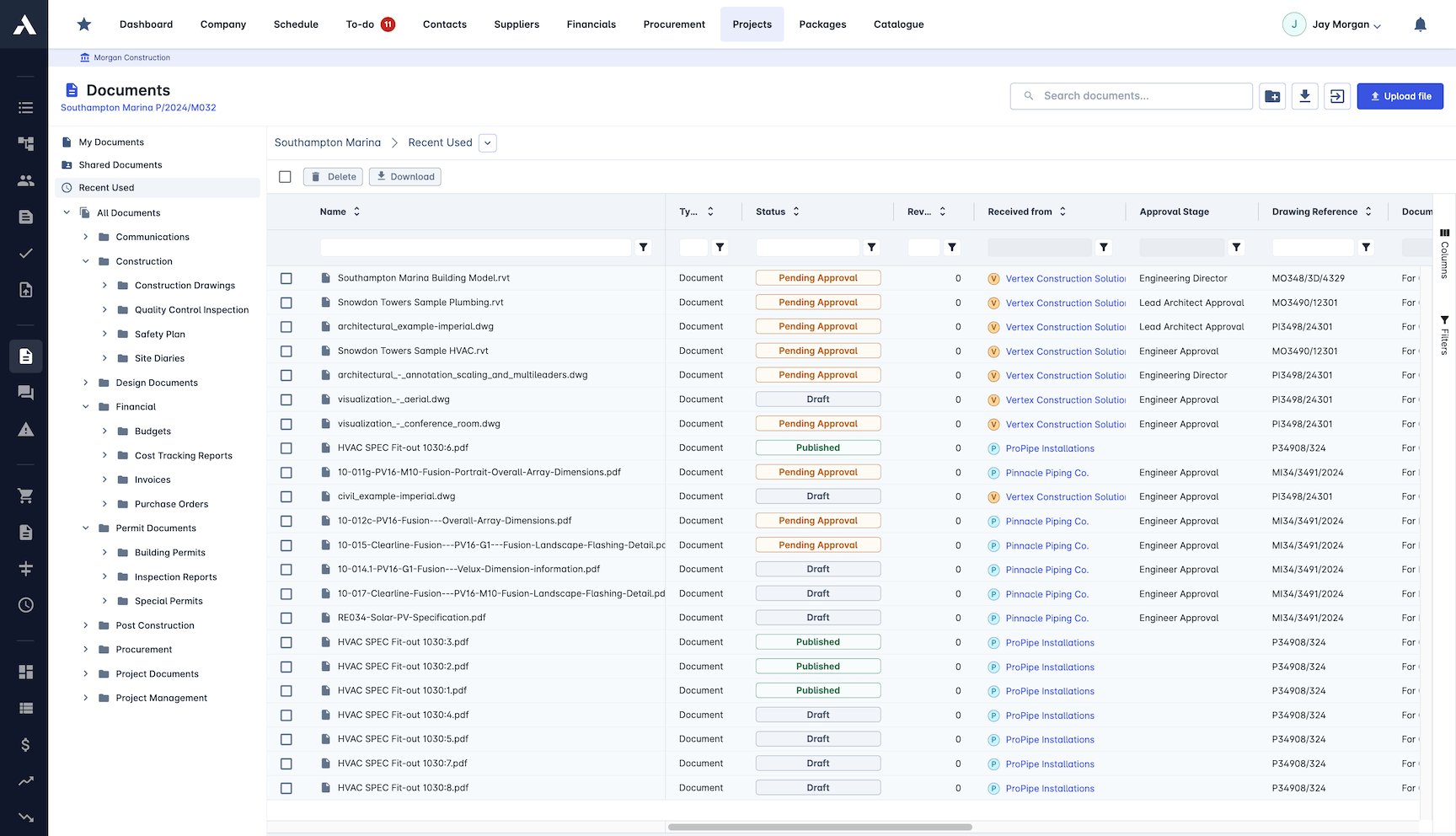
Documents & Site Records
Drawings and documents with revision control, and site forms, timesheets and attendance captured in the field, all landing on the project record the office already works from.
Document and drawing revision control
RFIs raised and answered on the record
Site forms and daily records from the field
Timesheets feeding job costs directly
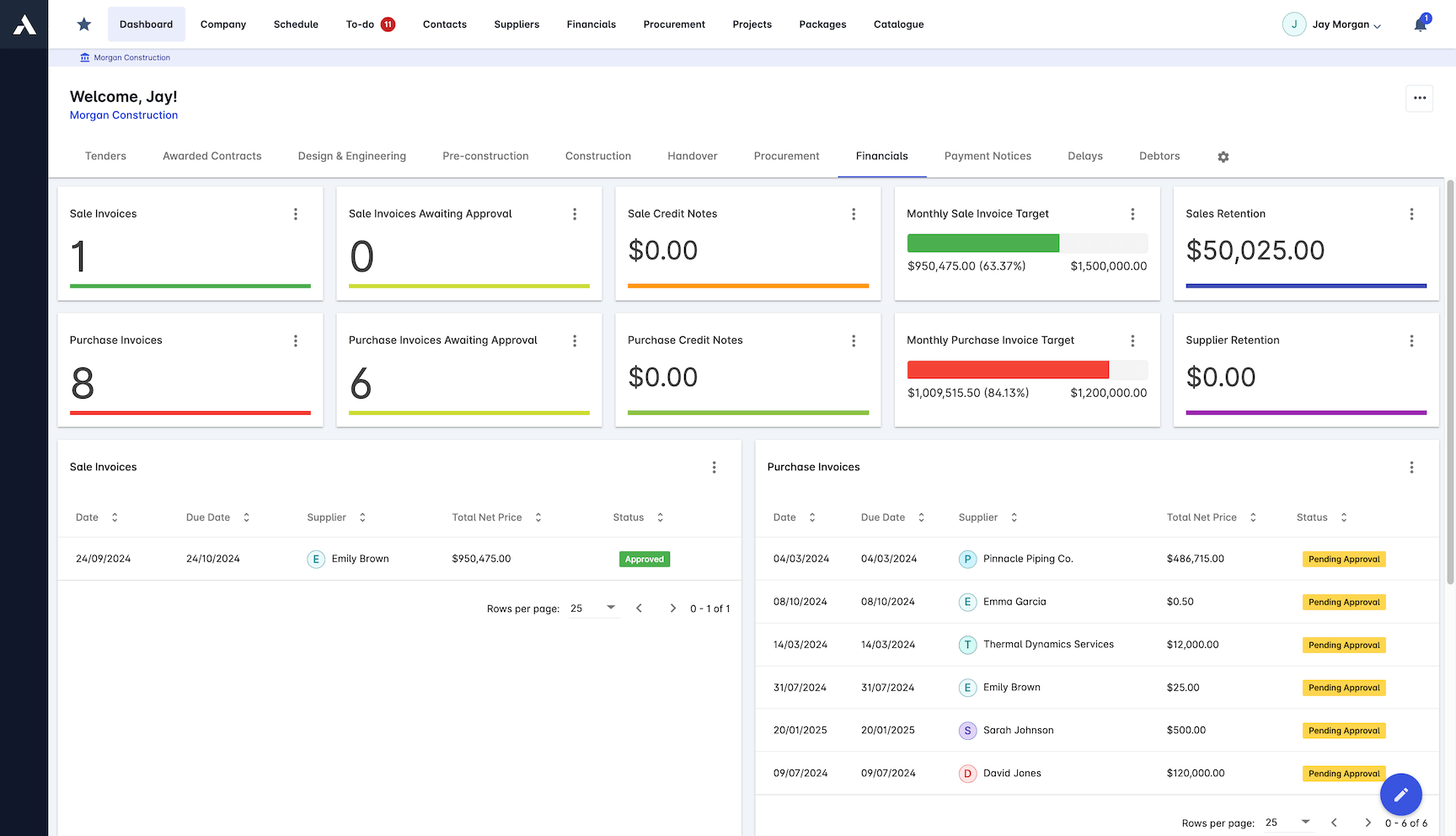
Finance & Accounting Integration
Payment applications, invoicing and payment tracking run in the platform; the ledger stays in your accounting system via integrations with Xero, Sage, QuickBooks and others.
Valuations and retention tracking
Sales and purchase invoicing
Certified Xero partner; Sage and QuickBooks integrations
No double entry between systems
What construction ERP covers, and how to compare systems
Construction ERP covers the full operating cycle of a contracting business: estimating and bidding, project budgets and cost control, procurement and subcontracts, documents and site records, and the invoicing and payment cycle that turns delivered work into cash. Most vendors list the same modules, so the module list is a poor basis for comparison. What separates systems is whether those modules work one shared project record or pass exports between compartments.
One boundary holds in every comparison: a construction ERP does not replace the accounting ledger. The workable architecture keeps finance in the accounting system and the project cycle in the ERP, connected without re-keying.
The ledgers Archdesk connects to, and how each connection works, are on the accounting integrations page.
- 01
One project record underneath every module
The estimate should become the budget, orders should commit against it, and site records should land on it with no export in between. Ask the vendor to show the estimate converting into a live budget, not a slide about integration.
- 02
Cost known at commitment, not at invoice
The system should show the cost position the moment a purchase order or subcontract is approved. If actual cost only appears when invoices arrive, the system reports history, not position.
- 03
A clear boundary with accounting
Check which ledgers the system connects to and how: native integration, file export, or custom work. The answer decides how much double entry your finance team keeps.
- 04
Configuration your own team can change
Approval chains, fields and workflows change as the business grows. A no-code engine keeps those changes in your hands; anything that needs a developer will lag the process it is meant to control.
- 05
A field experience the site will accept
Site forms, timesheets and records only feed the numbers if the field teams find them usable on the day. Judge that part of the system with the people who will live in it.
- 06
Reporting that reads live records
CVR (cost value reconciliation), CPI, SPI and custom KPIs should read from the same records the teams work in, at project and portfolio level, with no month-end spreadsheet assembly.
New to the topic? Read the complete guide to construction ERP, or go deeper on composable cloud ERP architecture.
Plant and equipment run through the same records: construction asset management sits inside the ERP.
Frequently Asked Questions: Construction ERP
What is construction ERP software?
Construction ERP software runs the whole business on one data model: estimating, scheduling, cost control, procurement, document control, site records and finance read and write the same project records instead of living in separate tools. That is what keeps the commercial position live rather than reconciled after the fact. In Archdesk that one data model spans more than 30 modules, from the first estimate to final account.
How is a construction ERP different from generic ERP software?
Generic ERPs are built around products, stock and repeatable processes. Construction runs on projects: every job has its own budget, programme, supply chain and payment cycle. A construction ERP is built around the project record, with cost codes, valuations, change orders, retention and subcontractor workflows as first-class features rather than customisations.
Does Archdesk replace our accounting software?
Archdesk runs the operational and commercial side: budgets, commitments, valuations and invoicing. It integrates with accounting systems including Xero (as a certified partner), Sage and QuickBooks, so finance keeps its ledger while the project data flows without re-keying. The full roster of supported ledgers, and how each connection works, is on the accounting integrations page.
Can the ERP adapt to how we already work?
Yes. A no-code configuration engine lets you shape workflows, approvals, fields and automations to your operating model without custom development, so the system follows your process rather than the other way round.
How does reporting work in a construction ERP?
Because every module writes to the same records, reporting is live: budget versus actual, CVR (cost value reconciliation), CPI and SPI, work in progress and custom KPIs, at project and portfolio level, without exporting spreadsheets from five systems first.
What does Archdesk cost?
Pricing is quote-based: pay per user, or choose an unlimited-users package priced on annual construction volume. Every quote includes all modules, unlimited data, implementation and support, and external collaborators such as subcontractors, clients and consultants are free of charge.
How does retention fit into a construction ERP?
In Gulf practice, subcontractor payment runs on certified payment applications, with retention held against each package and released in stages under the subcontract. An ERP built around the project record keeps documents, approvals and payment records together, so the paper trail sits with the numbers.
How does one ERP keep the cost position current across a portfolio?
Every module reads and writes the same project records, so budget, committed, actual and forecast aggregate across all live projects on one data model, and portfolio dashboards read the same numbers each project team works in.
How do interim payment certificates fit into the ERP?
Certified work and interim payment certificates sit on the same project records as commitments and costs, so certified value and the cost position read together per project and across the portfolio.
Explore Related Solutions
Everything below runs in the same system, working from the same live data.
Project Management
Streamline your project workflows from start to finish
Project Budgets
Control project finances and stay in budget
Risk Register
Identify and manage project risks
Real-time Reporting
Get instant updates across your project portfolio
Document Management
Centralise document handling and access
Project Cost Controls
Monitor and compare your actuals with the estimate
Site Forms
Digitise and streamline your site documentation processes
Site Diary & Daily Reports
Keep the daily site record structured and defensible
Work in Progress Reporting
Monitor completion costs across your whole project portfolio
Discover more
Explore the full range of solutions and find the right fit for your business.
See your next project on Archdesk
Book a demo and walk through a fully worked example project: one platform running everything from winning the work to closing it out.
Book a Demo

