
Milestone Payment Software for UAE Contractors
The milestone is done. The invoice should already exist.Set payment stages against the jobs and tasks they belong to: deposit, stages, completion. The invoice is ready the day the work is verified complete, evidence attached, and interim payment certificates sit on the same records as the milestones that trigger them, so billing across the whole portfolio reads from one data model.
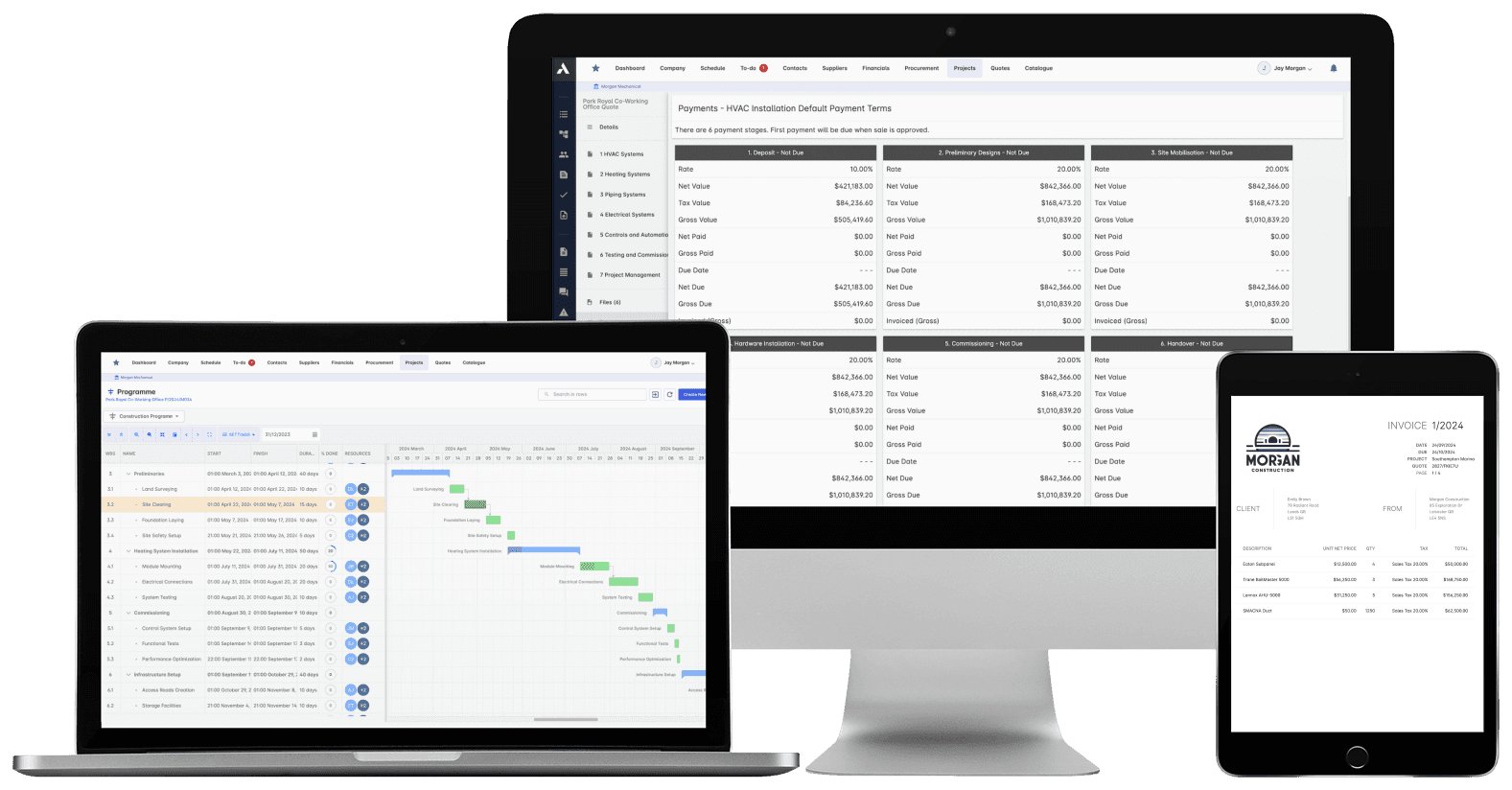
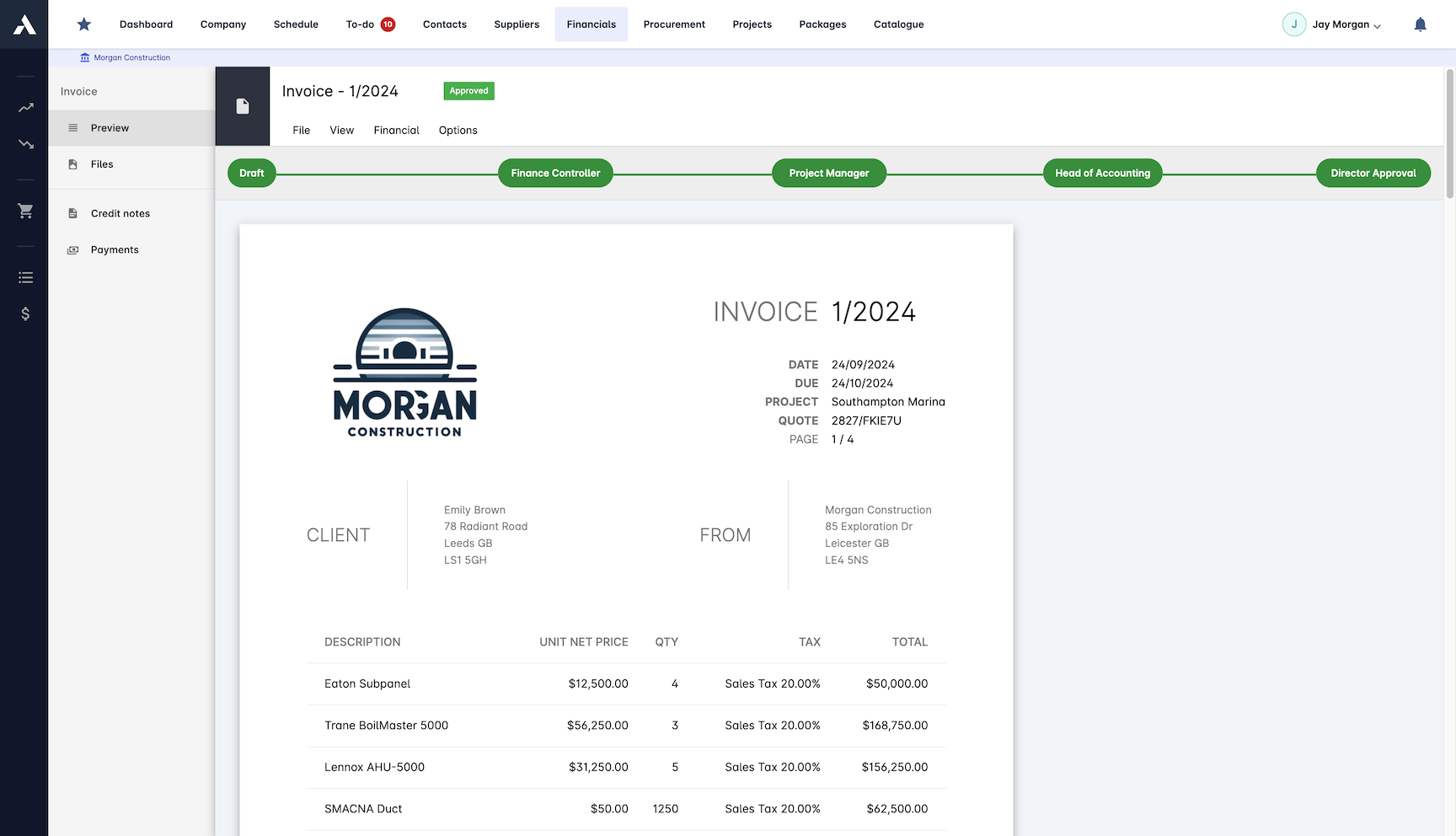
Trusted by construction companies of every size, worldwide


























Payment stages that keep pace with the schedule
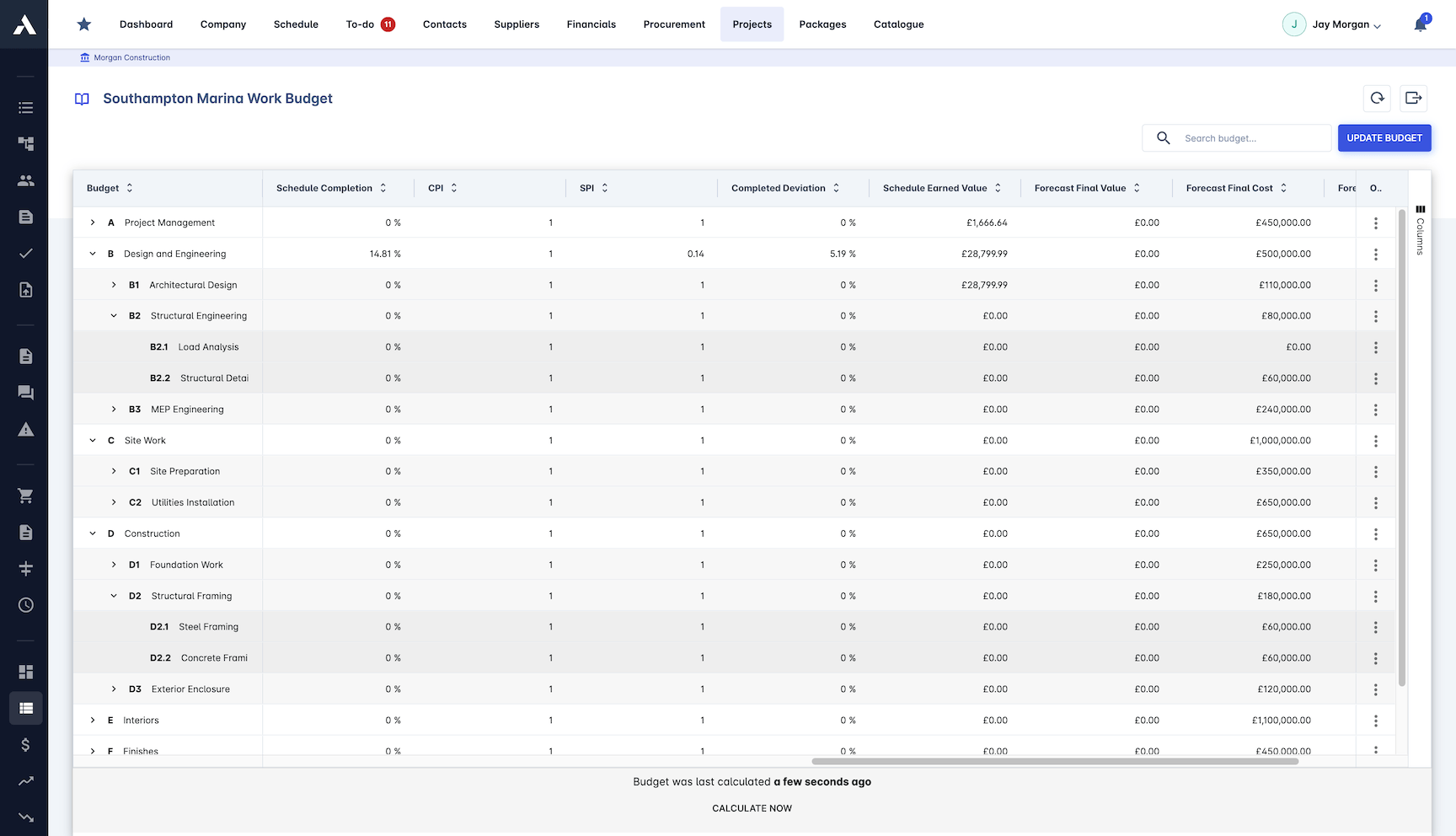
Milestone payment software for UAE contractors has to hold the billing position across a portfolio of live programmes. Archdesk breaks each contract value into stages tied to schedule milestones, generates the invoice the day a milestone completes with the evidence attached, and keeps interim payment certificates and retention on the same records as the stages, so certified value and billed value read together on one platform, per project and across the whole portfolio.

Every job due and overdue on one screen
Across every live project, one view shows what is due, what is invoiced and what is late, with the full payment history behind each figure.
Stages tied to the work that triggers them
Deposit, interim stages and completion are linked to the tasks and milestones that release them, with retention calculated against the schedule of values.
Revenue forecast straight from the schedule
Completion forecasting and earned value analysis show how the remaining stages will land, so the cash flow forecast moves when the plan does.
Claims backed by completion evidence
Each milestone carries its completion criteria and verification, and the invoice goes out with the supporting documents attached, so payment is not argued from memory.
The milestone completes. The invoice already exists.
When a milestone is verified complete, the invoice generates with the evidence attached and routes through approval, on one data model across the portfolio, so the billing position is current wherever the projects run.

Progress Analytics
See how stages are landing across every live job: what is complete, what is invoiced and what is still to come, with forecasts for the rest.
Milestone status across every job
Payment progress tracked to date
Earned value analysis
Completion forecasting for remaining stages
Milestone Management
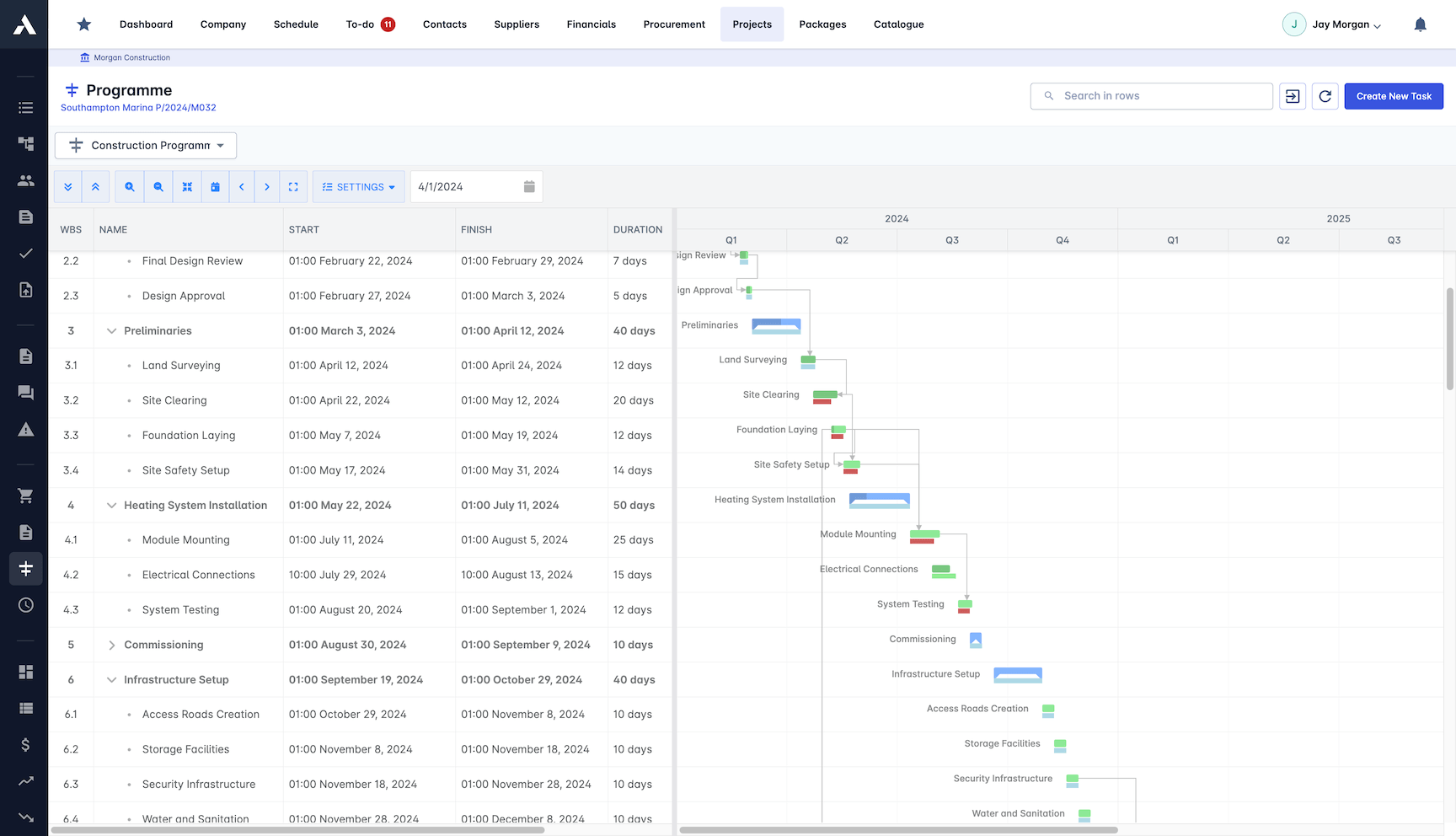
Define milestones with clear completion criteria and verify them against site progress. Each one sits on the schedule it belongs to, so delivery and billing move together.
Milestone definition wizard
Completion criteria tracked per milestone
Progress verified before payment triggers
Milestones sit on the project schedule
Payment Schedule Management
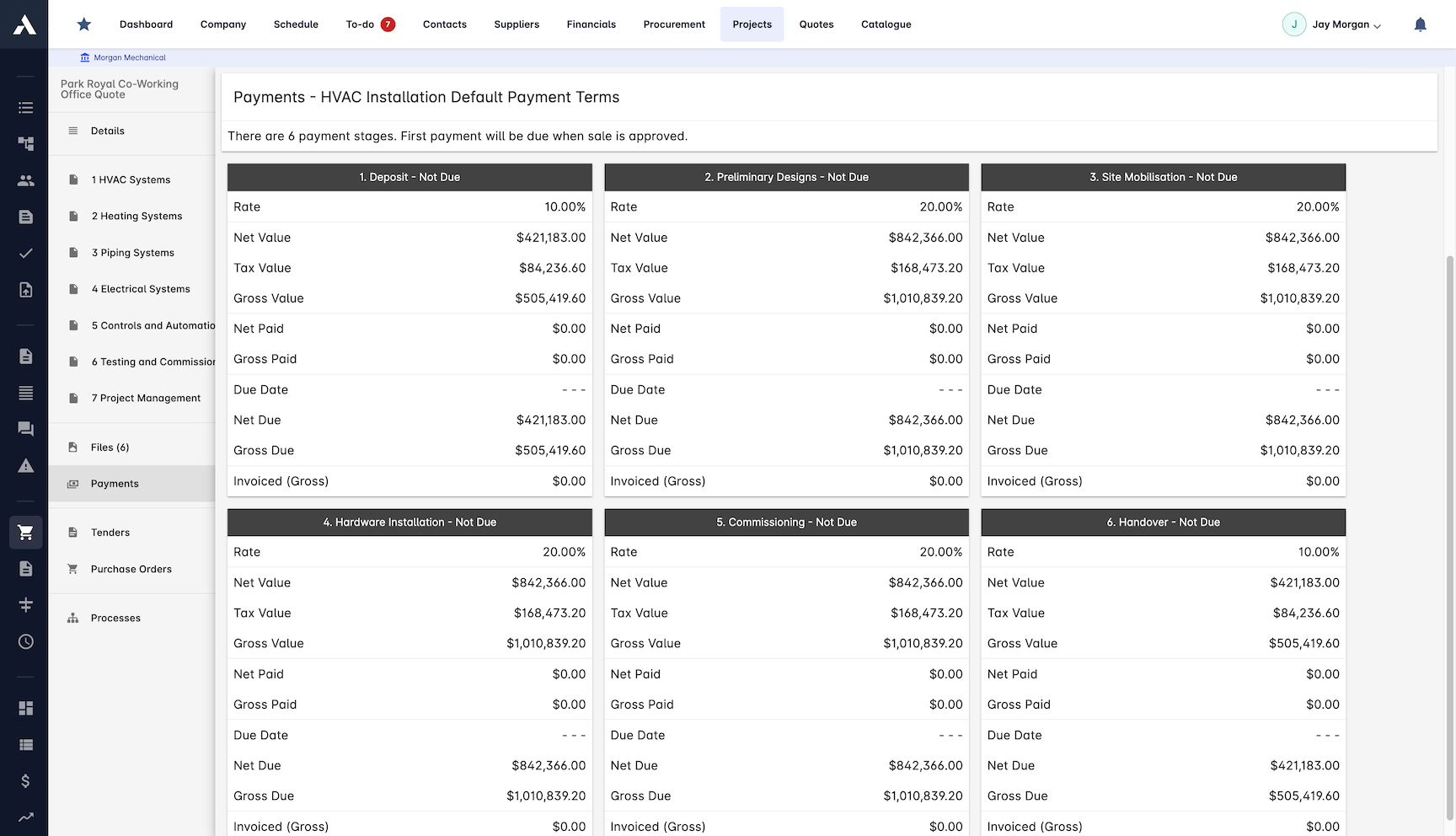
Break the contract value into payment stages linked to the milestones that trigger them, with retention calculated against the schedule of values.
Contract value broken into stages
Payments linked to schedule milestones
Retention calculated automatically
Schedule of values tracked
Invoice Automation
When a milestone completes, the invoice generates itself with the completion evidence attached, then routes through approval without waiting for month-end.
Invoices generated on milestone completion
Completion evidence attached automatically
Routed through approval workflows
Tracked from issue to payment
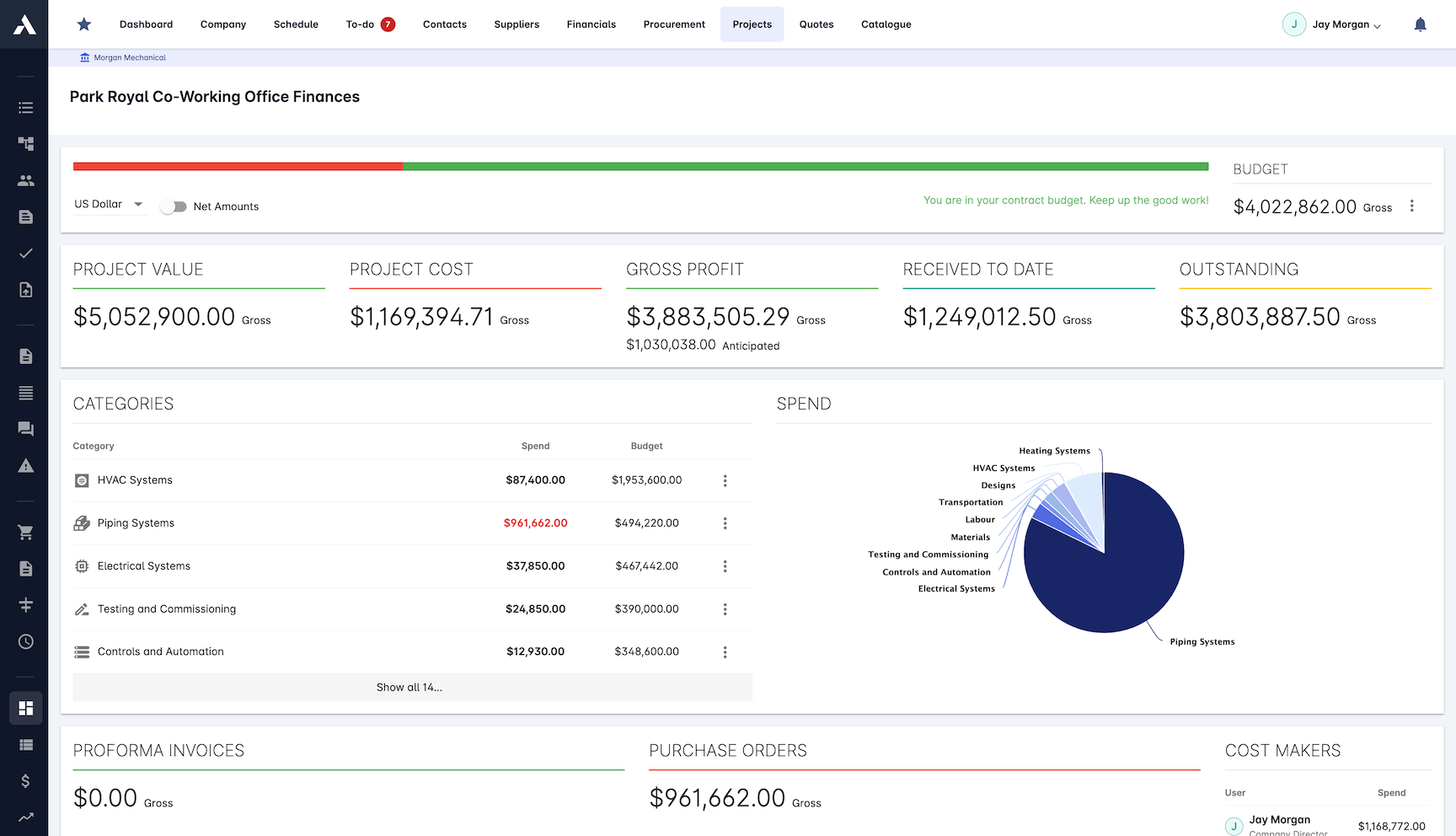
Financial Control
Budget against payment on one dashboard, with cash flow forecast from the stages still to come and every payment logged against its job.
Budget versus payment per job
Cash flow forecast from remaining stages
Full payment history logged
One financial dashboard per project
Frequently Asked Questions: Milestone & Stage Payments
What is milestone or stage payment software?
Software that connects the payment plan to delivery. In Archdesk the contract value breaks into payment stages tied to the schedule milestones that trigger them, the invoice generates the day a milestone completes with evidence attached, and every job shows what is due, invoiced and late on one screen.
How are payment stages set up?
A milestone definition wizard sets each milestone with clear completion criteria, and the contract value is broken into stages linked to them: deposit, interim stages and completion. Retention is calculated automatically against the schedule of values.
When does the invoice go out?
The day the milestone is verified complete. The invoice generates itself with the completion evidence attached, routes through approval workflows, and is tracked from issue to payment. Billing happens when the work finishes, not when the office finds out at month-end.
How do milestone payments help cash flow?
The cash flow forecast is built from the stages still to come, so it moves when the plan does. Completion forecasting and earned value analysis show how the remaining stages will land, and budget against payment sits on one dashboard per job.
Can you track payment progress across every live job?
Yes. One view shows milestone status across every job: what is complete, what is invoiced and what is still to come, with the full payment history logged behind each figure.
How does retention fit into milestone billing?
In Gulf practice, subcontractor payment runs on certified payment applications, with retention held against each package and released in stages under the subcontract. Invoices, approvals and payment records live on the same project record in Archdesk, so the paper trail sits with the milestone it pays for.
How do interim payment certificates fit into milestone billing?
Certified work and interim payment certificates sit on the same project records as the milestones and invoices, so certified value and the billed position read together per project and across the portfolio.
Can milestone billing be followed across a whole portfolio?
Yes. Every project writes to the same data model, so due, invoiced and overdue amounts aggregate across all live projects, and portfolio dashboards read the same records each project team bills from.
The invoice each stage raises is issued and matched through construction invoicing. Contracts billed on measured progress rather than fixed stages run as valuations on the same project records.
Explore Related Solutions
Everything below runs in the same system, working from the same live data.
Certificates of Work
Issue work completion certificates and get paid
Project Cost Controls
Monitor overall project finances and other KPIs
Labour Cost Tracking
Track labour expenses and compare with your estimates
Work in Progress Reporting
Monitor completion costs across your whole project portfolio
Invoicing
Manage sale and purchase invoices
Payment Tracking
Monitor incoming and outgoing payments
Accounting Integration
Integrate with your accounting software
Discover more
Explore the full range of solutions and find the right fit for your business.
See your next project on Archdesk
Book a demo and walk through a fully worked example project: one platform running everything from winning the work to closing it out.
Book a Demo

