Archdesk for Site Managers
Run the site, not the cabinForms, photos and progress filed from your pocket, while you walk the job.
A look at Archdesk from the site manager's seat: what happens to the evening paperwork, the office phone calls and the drawing folder, and straight answers to the questions site people ask first.
Trusted by construction companies of every size, worldwide


























We know where your evenings go
You run the most complicated part of the job, and your reward is paperwork after hours and an office that rings you for updates you already gave. Archdesk was built to be used with site boots on. Side by side:
Built for gloves and daylight: a few taps on a phone, not a laptop ritual after dark.
Not just less paperwork. A site that runs smoother.
Archdesk's field tools were shaped on thousands of live sites. What survived is what works with site reality: fast capture, offline-friendly habits, records that protect the people who make them.
Records that protect you
Photos, forms and diary entries are timestamped against the job. When a question lands months later about what state the area was in, your record answers for you.

A few taps, not a form marathon
Checklists and forms are built for phones: tap, photo, done. The easy path is the recorded path.
The plan in your pocket
The schedule, current drawing revisions and today's priorities travel with you, instead of living in the cabin.
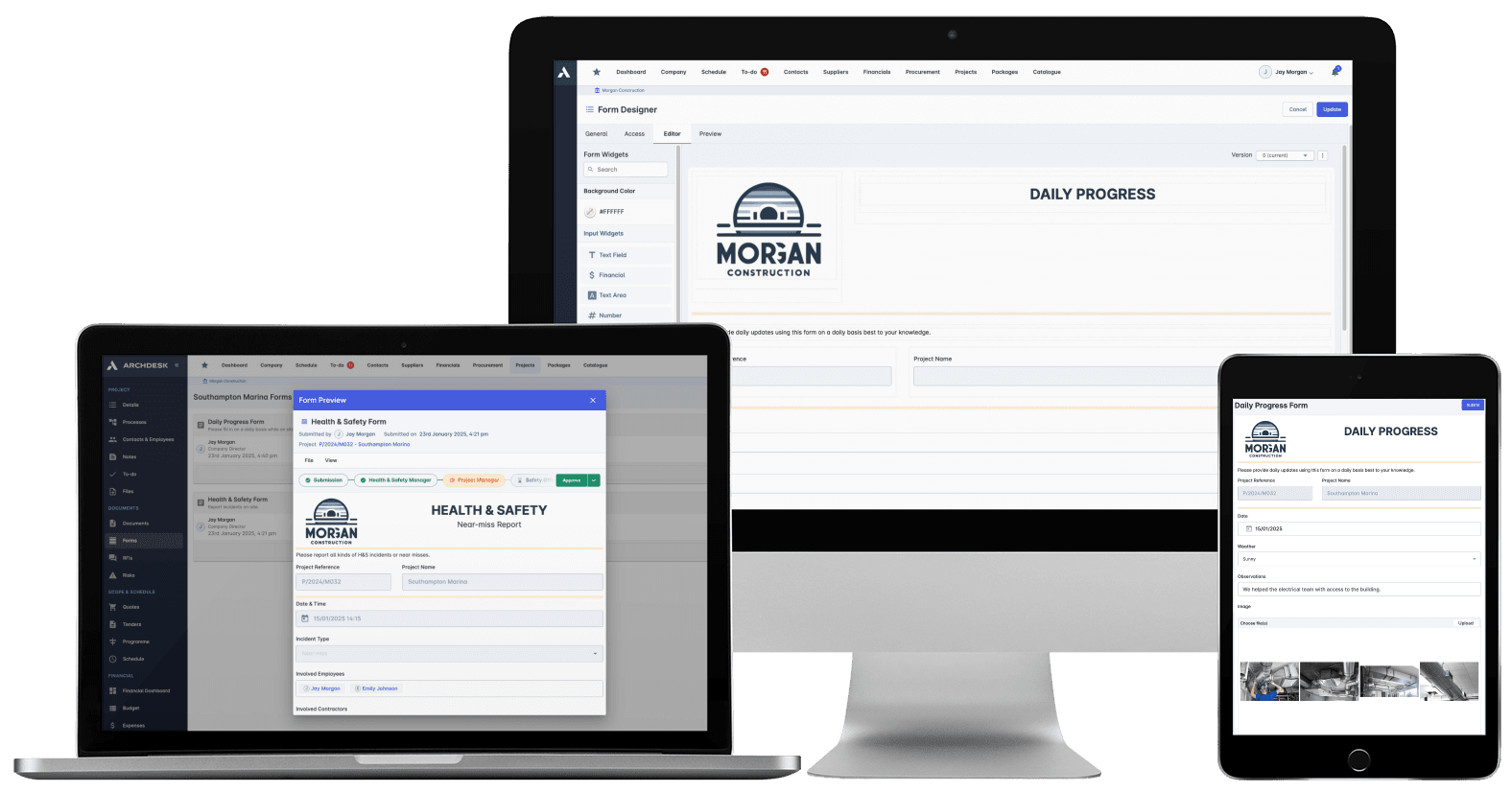
Site records in Archdesk: forms, photos and progress, filed from the field as they happen.
Where site managers spend their time in Archdesk
Questions site managers ask us
Do I need to be good with computers to use this?
No. The field side is phone forms, photos and taps, closer to using a camera app than office software. Most site managers are comfortable within days, and training is done with you during onboarding.
How long does the daily recording actually take?
It happens in the gaps you already have: a form after an inspection, a photo where you would have taken one anyway, progress marked as you walk. The hour of typing in the cabin at the end of the day is what disappears.
What do I do where signal is poor?
Capture what you need as you go, and it syncs when you are back in coverage. Site reality is part of the design, not an afterthought.
Can my subcontractors report through it too?
Yes. Subcontractor supervisors can file progress, forms and photos against their package, within the access you give them, so their records land in the same place yours do.
Is this the office watching everything I do?
It records the job, not you. The same records that keep the office off your phone are the ones that back you up when a dispute or a claim reaches back months. Site managers usually end up the strongest defenders of the system for exactly that reason.
What does the office see from what I record?
Your records land against the project as you file them: progress, forms, photos, timesheets. The office answers its own questions from the system, which is why the phone stops ringing for updates.
See a site day without the cabin hour
In the demo we walk you through a fully worked project in Archdesk from the site seat: the forms, the photos, the drawings, the day. Book a demo and see.
Book a Demo