
Archdesk for Project Managers
Run the job, not the paperworkOne place for the schedule, cost, documents and site records, on every project you run.
A look at Archdesk from the project manager's seat: what your day looks like in it, what changes for your team, and straight answers to the questions PMs ask before moving off spreadsheets.
Trusted by construction companies of every size, worldwide


























We know how the week actually goes
Archdesk is built with people who run projects for a living. It is not here to watch you, and it will not add admin to your day. It exists to take the chasing, retyping and reconciling off your desk. Side by side:
No extra admin, no surveillance. The record builds itself from work that is already happening.
Not just fewer headaches. A better way of running work.
Thousands of projects on six continents have shaped how Archdesk works. What you get is not empty software to configure from scratch, it is the accumulated practice of teams who deliver.
Best practice, built in
The budget structures, form templates and approval flows that worked on thousands of jobs are in the product, ready to reuse. Your next project starts from a proven playbook, not a blank spreadsheet.


Field-first by design
Records are captured where the work happens, in a few taps on a phone. Nobody feeds a system after hours.
Your judgment, better armed
Archdesk standardizes the record, not your decisions. You still run the job your way, with the numbers in front of you when it counts.
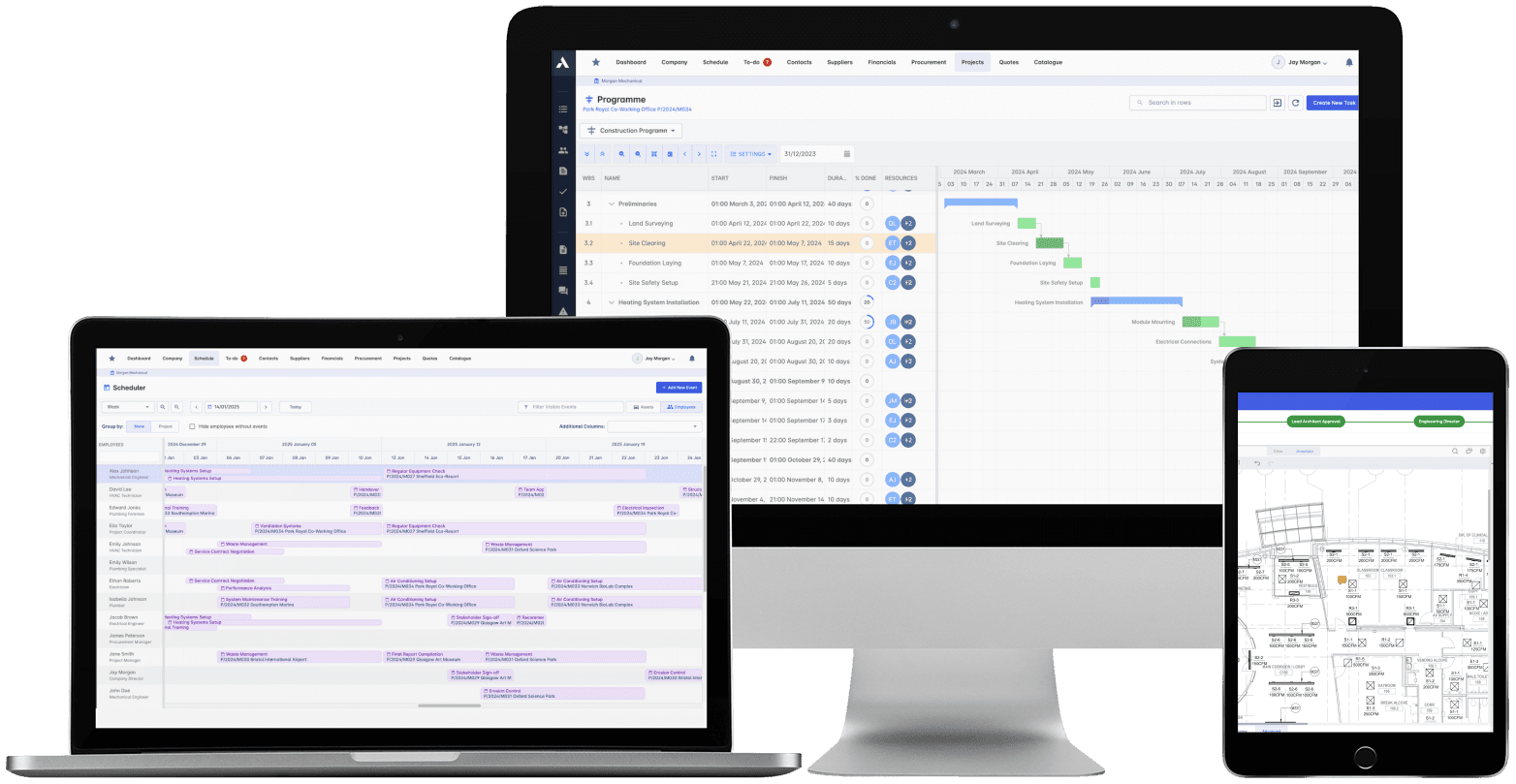
One job in Archdesk: schedule, cost, documents and site records against it.
Where project managers spend their time in Archdesk
Questions project managers ask us
What does a project manager actually use Archdesk for day to day?
Running the Gantt schedule, assigning and chasing actions, approving timesheets and site records, pricing and routing variations for approval, keeping drawings and documents current, and checking cost against budget. It is the working system for the job, not a reporting tool you feed at the end of the week.
Will my site teams and subcontractors actually use it?
Field entry is built for the field: timesheets, forms, progress and photos from a phone, in a few taps. Subcontractors submit progress and records against structures you set, so what comes back is usable without you reformatting it. Adoption sticks because the site team stops filling in paperwork twice.
I run my jobs in spreadsheets and a separate scheduling tool today. What changes?
The parts of the job that live in scattered files move into one system: the schedule, the budget, the trackers, the site records. You build your project structure once, save it as a template and reuse it on the next job. Spreadsheets stay for what they are good at; the live project record stops depending on them.
How long does it take a PM to get comfortable in Archdesk?
The day-to-day work happens in a handful of views: your schedule, your to-dos, your project dashboard. Most PMs work from templates their company sets up during onboarding, so you are running a familiar structure from the start, with training and support included rather than left to you.
Do I lose the flexibility to run the job my way?
No. Workflows, forms, budget structures and approval routes are configured to how your company works, and you control the structure of your own project within that. The system standardizes the record, not your judgment.
Can I control what clients and subcontractors see?
Yes. Access is role-based, so a client sees the progress you choose to share, a subcontractor sees their package and nothing else, and commercial detail stays with the people who should have it.
Does Archdesk replace the tools I juggle, or become one more?
It replaces the taped-together stack: the schedule in one tool, cost in spreadsheets, approvals in email, photos in chat threads. Accounting stays in your finance system, which Archdesk integrates with, so nothing is re-keyed between you and finance.
Does it work on site, on a phone?
Yes. You and your site team can record and check things from a phone or tablet on site: progress, forms, photos, approvals. What is captured on site lands against the project immediately, not when someone gets back to a laptop.
See a project from the PM's seat
In the demo we walk you through a fully worked project in Archdesk exactly as a project manager runs it, from schedule to closeout. Book a demo and see.
Book a Demo