
Archdesk for Procurement Managers
Every order, one processBuying under control, price drift visible, and suppliers judged on the record.
A look at Archdesk from the procurement seat: how buying runs through one system, what happens to maverick spend, and straight answers to the questions procurement asks first.
Trusted by construction companies of every size, worldwide






















We know how buying actually happens
On paper there is a process. In practice there is email, urgency and site buying whatever keeps the job moving. Archdesk makes the proper way the fast way. Side by side:
Control without friction: the compliant route is also the quickest way to get something bought.
Not just tighter control. Buying power that compounds.
Thousands of contractors buy through Archdesk. The procurement structures that survived real projects, real price swings and real supplier failures are the way the system works.
Process that enforces itself
Approval thresholds, budget checks and order structures are configured once and apply to every purchase, on every job. Compliance stops being a memo and becomes the default path.


Committed cost, instantly
The moment an order is raised it is a commitment on the job. Cost control and procurement finally agree.
A supplier record that lasts
Quotes, orders, prices and delivery history accumulate per supplier across jobs, ready for the next deal.
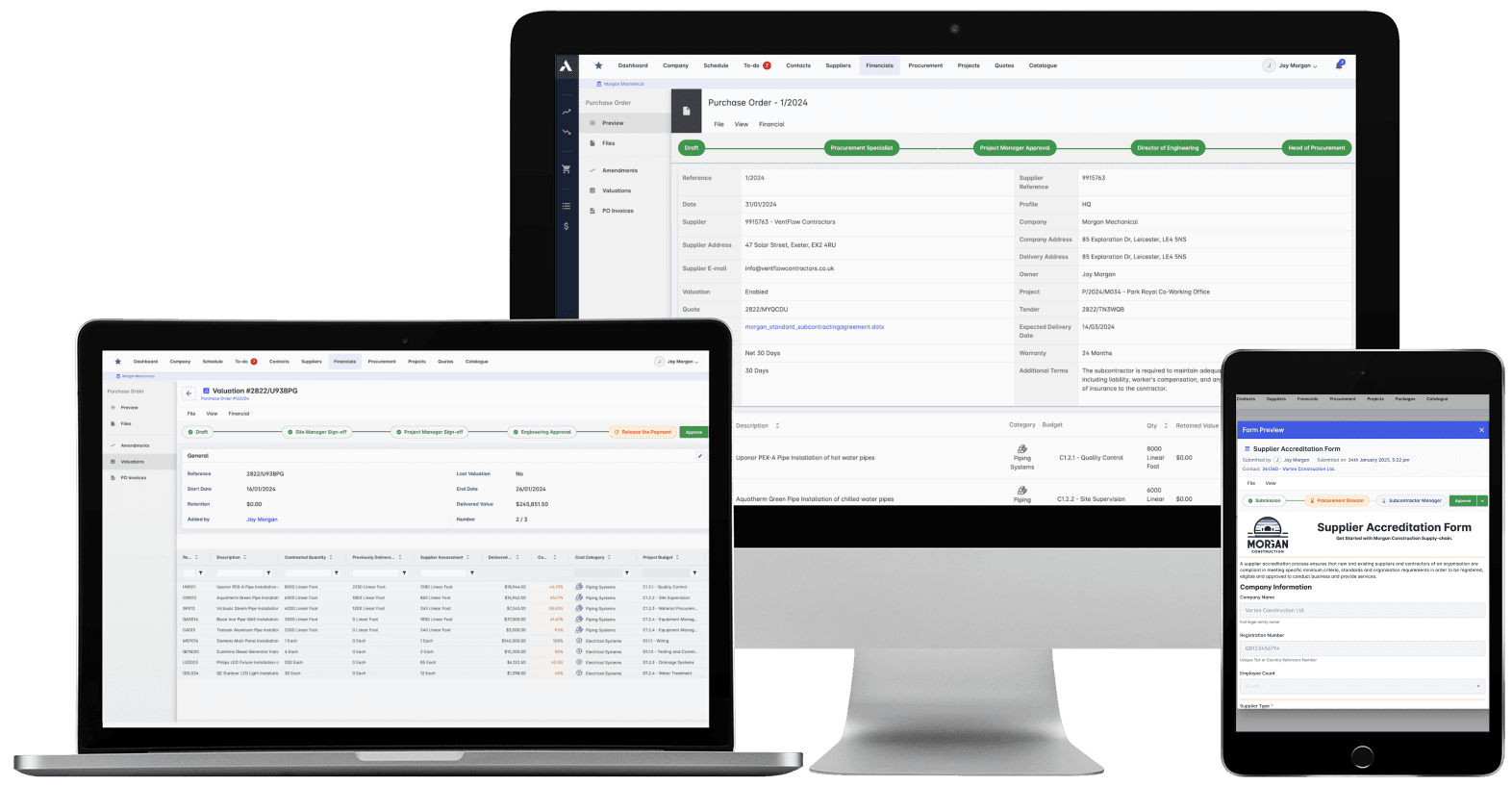
Procurement in Archdesk: orders, approvals, deliveries and budget impact in one flow.
Where procurement managers spend their time in Archdesk
Questions procurement managers ask us
How does the purchase order process work in Archdesk?
Requests and orders are raised against project budget lines, routed through the approval thresholds you configure, and issued to suppliers from the system. Every order carries its job, budget line, approver and history.
What happens to buying done on site?
Site can raise requests from a phone, routed through the same approvals. The urgent path and the proper path become the same path, which is what actually ends maverick spend, not another policy email.
How do I see price movement against what we allowed?
Orders land against the budget lines they were estimated on, so the gap between allowed and paid is visible per line, per job, as it opens. You act on drift in-month instead of reading about it at reconciliation.
Does Archdesk track deliveries?
Yes. Deliveries are recorded against orders, visible next to the work they gate. Late or partial deliveries show up while there is still time to react, and the receipt record feeds invoice matching.
How does invoice matching work?
Invoices are matched against orders and receipts, so finance pays what was ordered and delivered, and disputes are handled from the record instead of memory. Approved invoices flow to your accounting system through the integration.
Can we manage supplier and subcontractor enquiries too?
Yes. RFQs and quote comparisons run against packages in the system, so coverage, prices and decisions stay organized and become part of the supplier record for next time.
See buying under control
In the demo we walk you through a fully worked project in Archdesk from the procurement seat: orders, approvals, deliveries and the supplier record. Book a demo and see.
Book a Demo