Construction Task Management Software
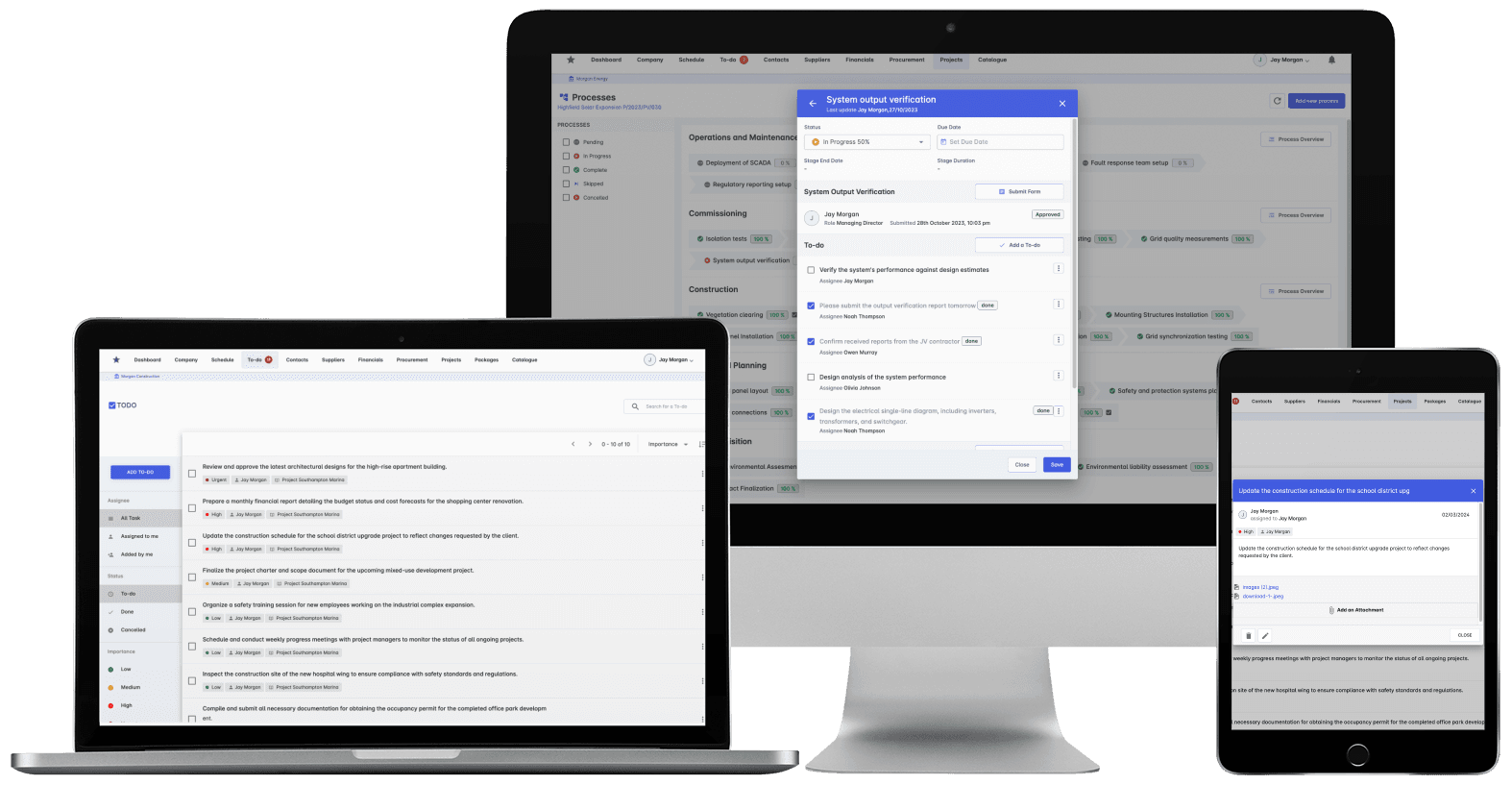
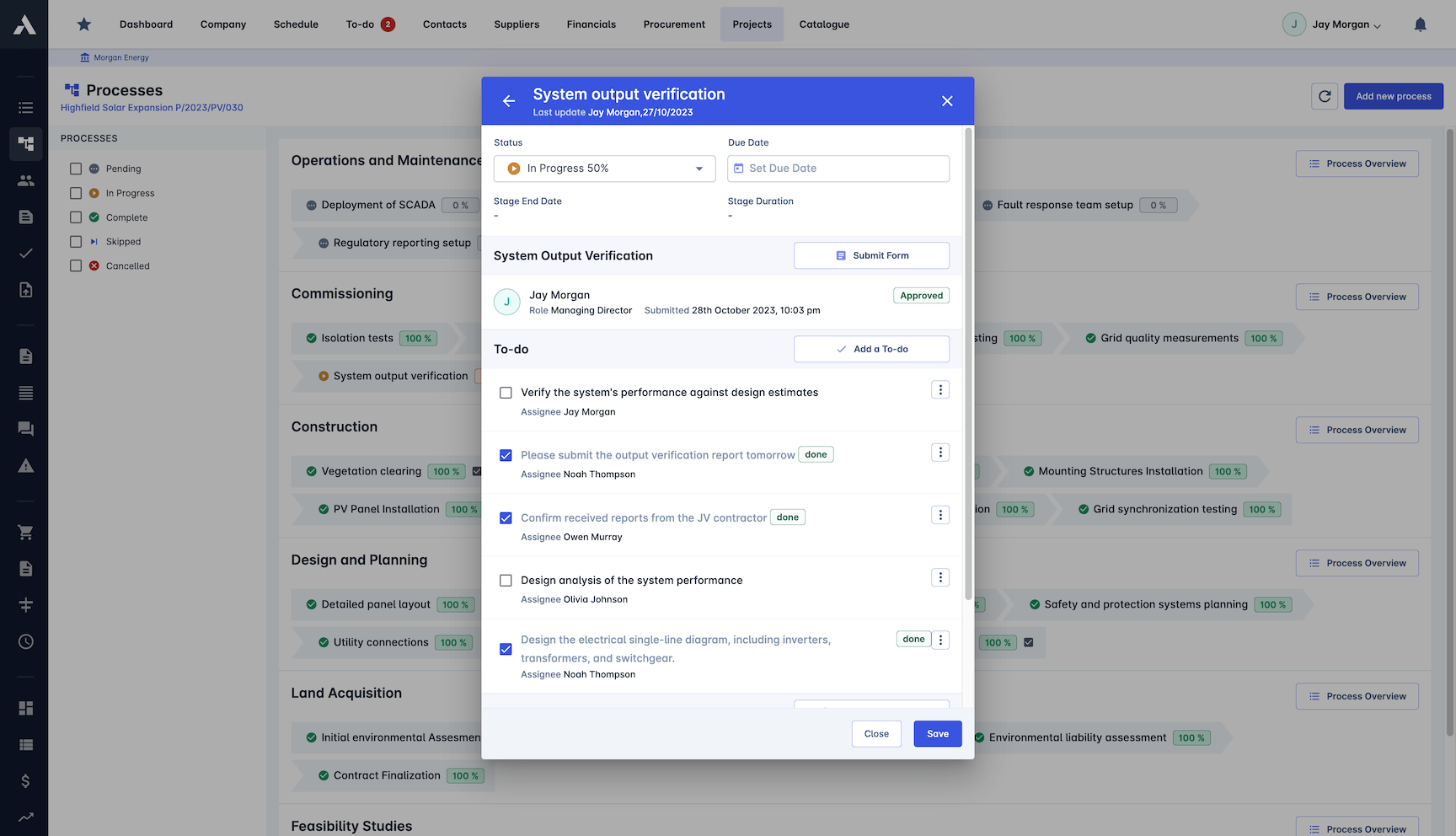
One less app. The tasks live where the project does.Assign ad hoc tasks to anyone, on anything: a change order, a PO, supplier, a punch item. Or let workflows raise them automatically when something needs an owner. No separate task app, no context lost between systems.
Trusted by construction companies of every size, worldwide
























Every action gets an owner, a deadline and a place to live
Construction task management software keeps every action attached to the work it concerns: the change order, the purchase order, the punch item, the supplier. Archdesk lets anyone raise a task on any record, or lets automated workflows raise one when something needs an owner, so the small asks that run a project stop living in inboxes and memory.

Tasks carry their context
A task raised on a change order or a purchase order carries the record it is about, so nobody hunts through email to work out what it means.
Routine asks raise themselves
Automated workflows create tasks when a form lands or an approval stalls, and notifications chase the owner without anyone having to remember.
Overdue is visible, not discovered
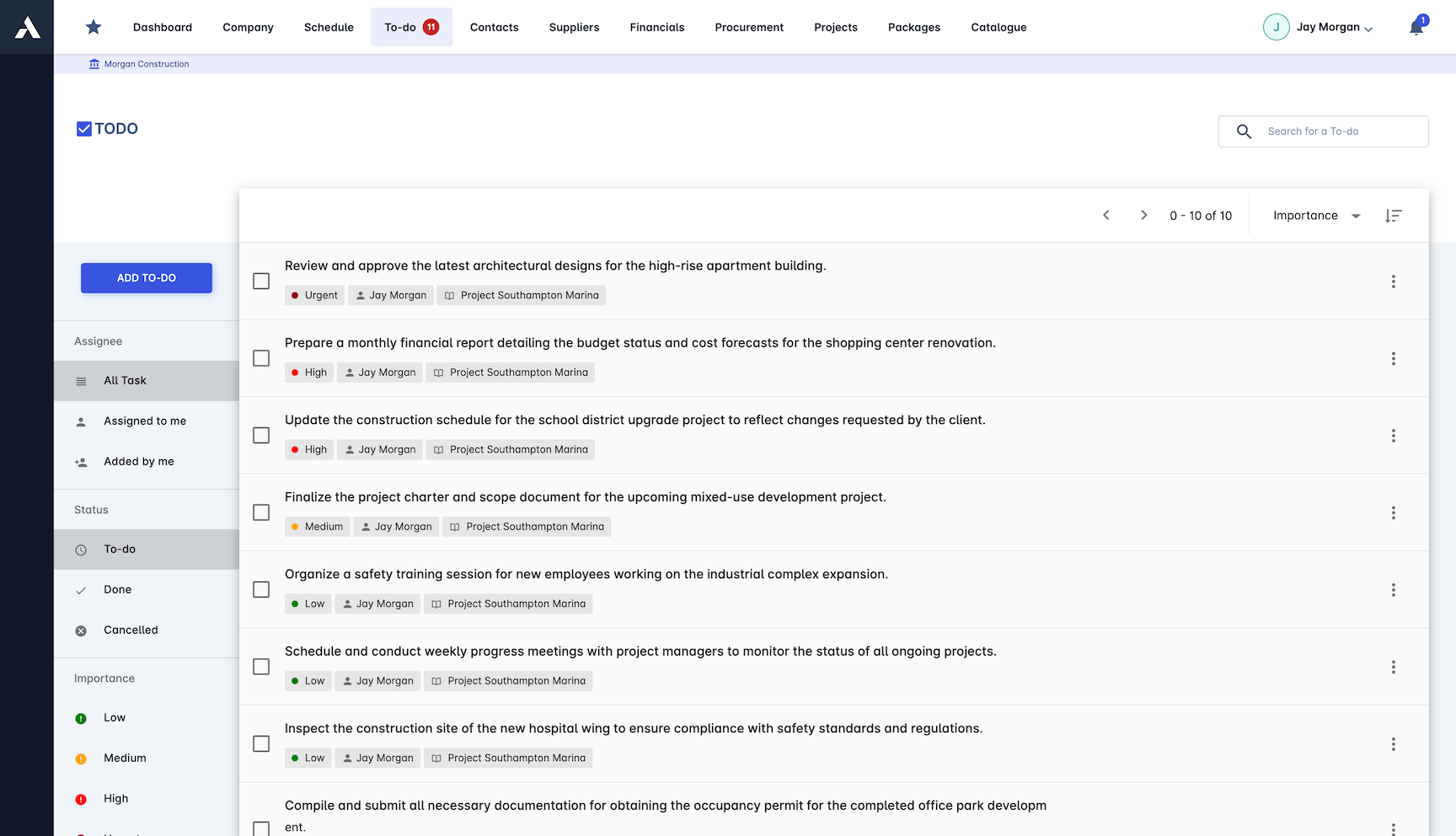
Every task across every project sits in one view, with overdue items flagged and reported before they become site problems.
One less app to maintain
Tasks live in the same system as the schedule, the costs and the documents, so nothing is lost between a task tool and the project record.
Nothing depends on scrolling back through WhatsApp
Actions with owners, priorities and deadlines across every live project, visible to whoever needs them, in the system where the work already lives.

Task Management
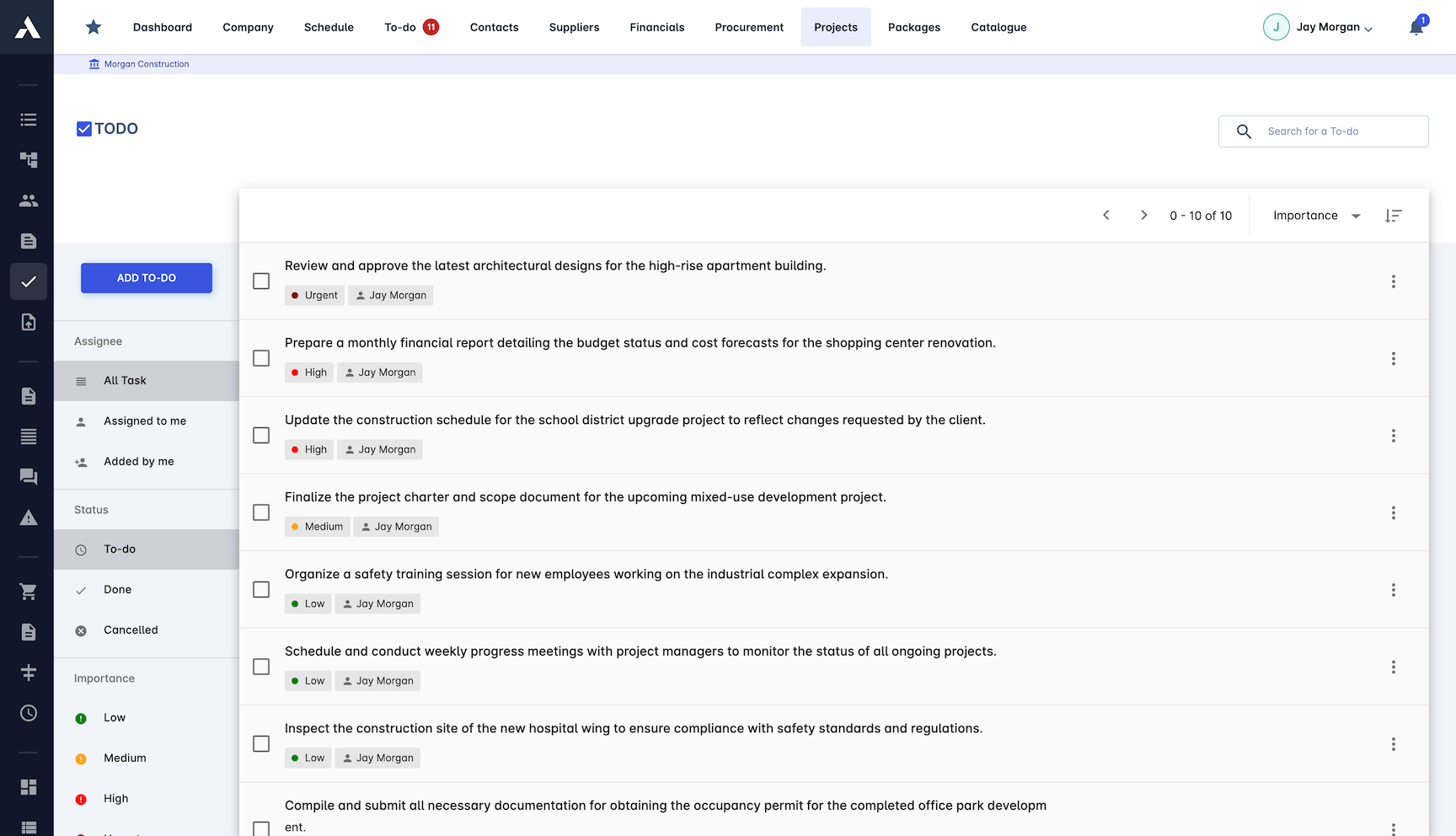
Create and assign tasks with priorities, deadlines and dependencies on the work they concern. Templates cover the activities you raise on every job.
Tasks linked to the schedule
Priorities and deadlines on every task
Punch list tasks with owners and deadlines
Resource allocation tracked
Templates for common activities
Project Organization
Tasks grouped by phase, trade, location and work package, so the site team sees its actions in the structure of the job, not a flat list.
Grouped by work breakdown structure
Process-based task grouping
Automatic task creation from workflows
Automated notifications chase owners
Progress Monitoring
Completion tracked in real time across every project at once. Overdue tasks flag themselves and land in reports, not in someone's memory.
Real-time completion tracking
Visual dashboards of task status
Every task across every project
Overdue alerts and reporting
Frequently Asked Questions: Construction Task Management
What is construction task management in Archdesk?
Every action stays attached to the work it concerns: the change order, the purchase order, the punch item, the supplier. Anyone can raise a task on any record, with a priority, a deadline and a named owner, so the small asks that run a project stop living in inboxes and memory.
Can tasks be created automatically?
Yes. Automated workflows create tasks when a form lands or an approval stalls, and automated notifications chase the owner without anyone having to remember. Templates cover the activities you raise on every job.
How do overdue tasks get noticed?
Every task across every project sits in one view, with completion tracked in real time on visual dashboards. Overdue tasks flag themselves and land in alerts and reports, not in someone's memory.
Do we need a separate task app alongside Archdesk?
No. Tasks live in the same system as the schedule, the costs and the documents, grouped by phase, trade, location and work package. There is no separate task app to maintain and no context lost between systems.
Tasks raised here live on the same project record you use to run the whole project in one workspace. A task raised against a scope change stays attached to the change order it concerns.
Explore Related Solutions
Everything below runs in the same system, working from the same live data.
Project Management
Streamline your project workflows from start to finish
Project Budgets
Control project finances and stay in budget
Risk Register
Identify and manage project risks
Real-time Reporting
Get instant updates across your project portfolio
Document Management
Centralize document handling and access
Project Cost Controls
Monitor and compare your actuals with the estimate
Site Forms
Digitize and streamline your site documentation processes
Site Diary & Daily Reports
Keep the daily site record structured and defensible
Work in Progress Reporting
Monitor completion costs across your whole project portfolio
Discover more
Explore the full range of solutions and find the right fit for your business.
See your next project on Archdesk
Book a demo and walk through a fully worked example project: one platform running everything from winning the work to closing it out.
Book a Demo