
Xero Construction Integration
Projects in Archdesk. The ledger in Xero. One set of numbers.Archdesk is a certified Xero partner, listed on the Xero App Store. Invoices, credit notes and contacts flow from Archdesk into Xero project-coded, and payments flow back from Xero's bank feed, so finance keeps Xero and the project team sees costs and cash that match it.
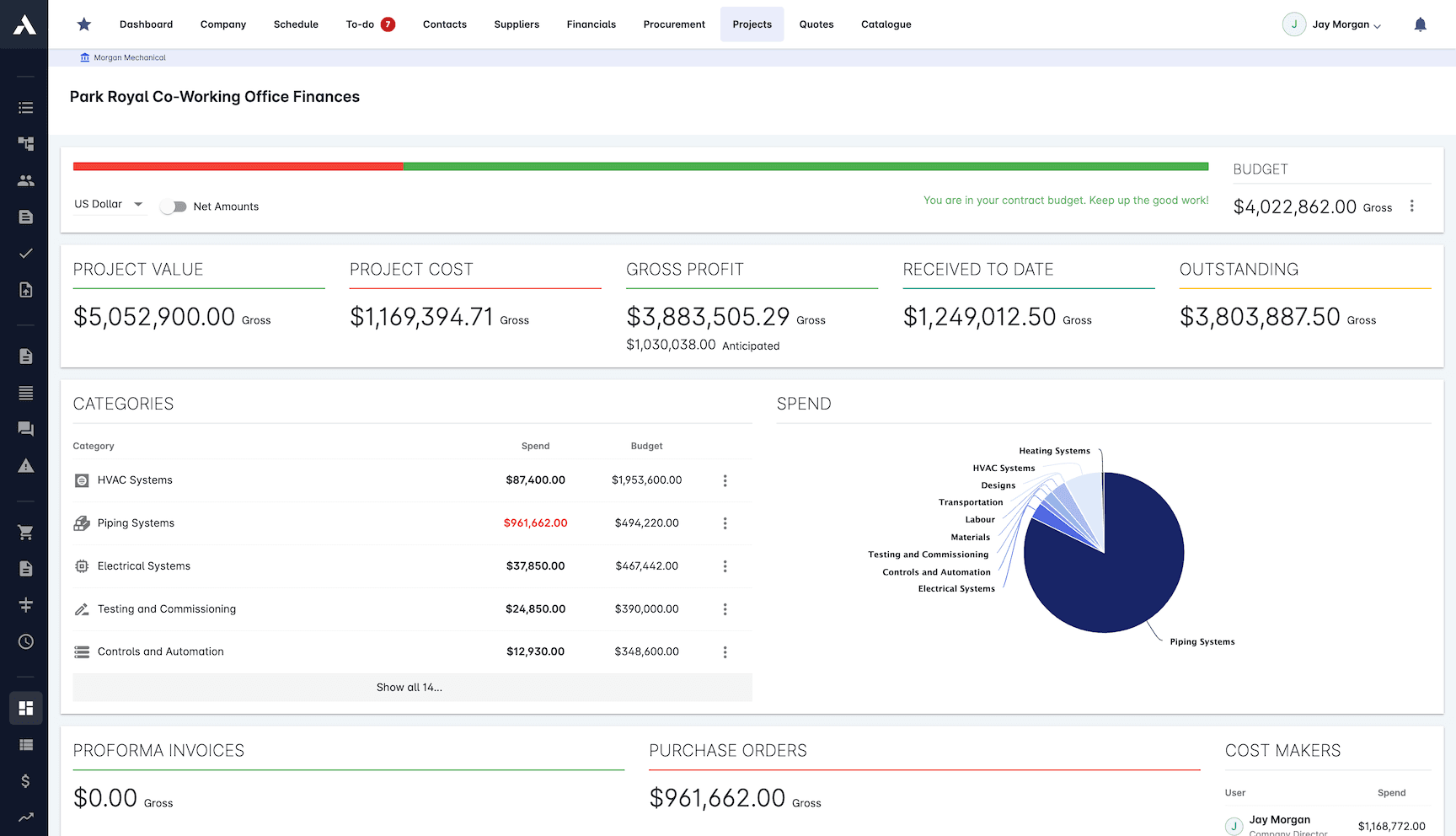
Trusted by construction companies of every size, worldwide


























A certified partner integration, not a CSV ritual
Xero runs the books for a large share of construction SMEs, and it is where most Archdesk customers on Xero want their books to stay. The integration connects the two so financial documents stop being typed twice: what the commercial team raises against a project reaches the ledger coded to that project, and the cost position in Archdesk reflects what the accounts actually say. Archdesk is a certified Xero partner and the integration is listed on the Xero App Store as Archdesk ERP.

Certified, listed, supported
A reviewed Xero App Store integration built and supported by Archdesk, not a third-party connector bolted on afterwards.
Project-coded transactions
Cost codes map to your chart of accounts once, and from then on invoices, credit notes and expenses land against the right project and account.
Cashflow you can see coming
Xero connects to your bank account, and payments landing there appear in Archdesk automatically, feeding cashflow reporting and the CVR (cost value reconciliation) position.
Finance stays in Xero
No migration of the ledger, no parallel bookkeeping. The accounts team keeps its system; the project team gets numbers that agree with it.
Set up with our team
The Xero connection is scoped in discovery and configured during implementation, mapped to your chart of accounts and cost structure, so it works from the first project.

What the Xero integration covers
The integration focuses on the financial documents that connect projects to the ledger: documents flow from Archdesk into Xero, and payments flow back through Xero's bank feed.
| Entity | Direction | Notes |
|---|---|---|
| General ledger / nominal codes | Xero to Archdesk (one-off, typical) | The nominal code structure is typically synced once at setup, so cost coding in Archdesk maps to the Xero chart of accounts and every document posts against the right codes. |
| Vendors / suppliers | Archdesk to Xero | Supplier records created in Archdesk land in Xero, so purchase documents post against the right contact. |
| Clients / customers | Archdesk to Xero | Client records flow into Xero, so sales invoices post without re-keying contact details. |
| Sales invoices | Archdesk to Xero | Invoices raised against clients in Archdesk reach the Xero ledger project-coded, without being typed twice. |
| Purchase invoices | Archdesk to Xero | Costs captured against projects in Archdesk land in Xero coded to the job they belong to. |
| Credit notes | Archdesk to Xero | Corrections travel with the invoices they adjust, on both the sales and the purchase side. |
| Payments | Xero to Archdesk | Xero connects to your bank account, so payments landing on the account automatically appear in Archdesk against the right invoices, feeding cashflow visibility and the CVR (cost value reconciliation) position. |
See the listing on the Xero App Store.
Set up during implementation, not left to IT
The connection is scoped in discovery and configured by the Archdesk implementation team as part of onboarding. Cost codes are mapped to your chart of accounts, the entities you want in scope are agreed with finance, and the integration is tested against real transactions before the team relies on it. From then on, the reconciliation between the project view and the ledger stops being a monthly exercise.
For the wider picture of how Archdesk connects to accounting platforms and ERPs, see accounting and ERP integration and the integrations overview.
Frequently Asked Questions: Xero Integration
Is Archdesk a certified Xero partner?
Yes. Archdesk is a certified Xero partner, and the integration is listed on the Xero App Store as Archdesk ERP. The connection is a supported, reviewed integration rather than a custom bridge.
What data moves between Archdesk and Xero?
Vendors, clients, sales and purchase invoices and credit notes flow from Archdesk into Xero, coded to the project they belong to. Payments flow the other way: Xero connects to your bank account, so payments landing on the account automatically appear in Archdesk against the right invoices.
Do finance teams have to leave Xero?
No. Finance keeps working in the ledger they trust. The integration removes the re-keying between systems, so commercial and site teams see a cost position in Archdesk that matches the accounts.
How is the Xero connection set up?
The integration is scoped in discovery and configured with our implementation team as part of onboarding, mapped to your chart of accounts and cost codes, so transactions land in the right place from day one.
How does the integration help with cashflow and CVR?
Because payments arrive from Xero automatically via the bank feed, the cashflow picture and the CVR (cost value reconciliation) position in Archdesk build from live figures rather than a month-end export.
More Archdesk integrations
Every integration connects to the same project data model, so whichever systems your business runs on, the numbers agree. These pages cover the most requested systems, not the full list: Archdesk regularly builds integrations with customers' own ERP and accounting platforms during implementation.

QuickBooks Online
Financial documents between projects and QuickBooks Online.
Learn More
Sage 50
Export invoices, credit notes and costs to Sage 50, project-coded.
Learn More
Microsoft Dynamics
Set up with our team, mapped to your Dynamics environment.
Learn More
SAP
Interface experience across older SAP landscapes and S/4HANA.
Learn More
MS Project
Import and export schedules, both ways.
Learn More
Primavera P6
Two-way schedule exchange, including calendars and baselines.
Learn MoreSee the full picture on the integrations overview or dive into accounting and ERP integration.
See your next project on Archdesk
Book a demo and walk through a fully worked example project: one platform running everything from winning the work to closing it out.
Book a Demo

