
Scheduling Software for Contractors in Saudi Arabia
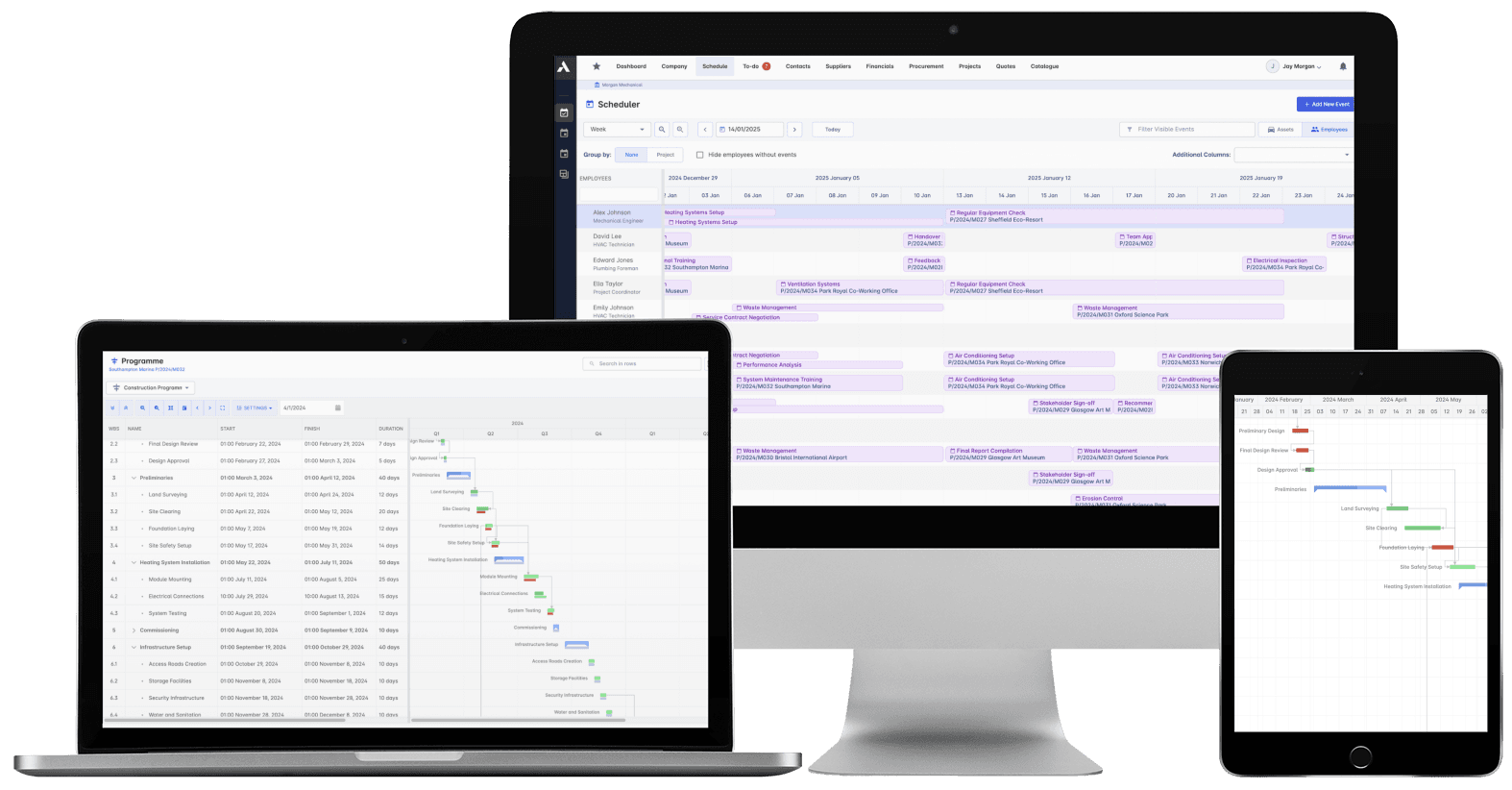
Every project. Every crew. One schedule.Schedules, crews and plant for every live project on one data model. For contractors delivering at Kingdom scale, the plan is a live record read across the whole program of projects, not a file reconciled at month end. Planners keep P6 or MS Project.
Trusted by construction companies of every size, worldwide


























One schedule for the tasks, the crews and the money
Scheduling software for contractors in Saudi Arabia has to answer where delivery stands today, across every project at once. Archdesk plans tasks, people and equipment for all live projects on one platform and one data model, flags two tasks claiming the same crew, and holds baselines and the critical path against the live position, so a slipping task shows what it does to the finish date and to the money. Leadership reads the whole program of projects from the same records each site team works in, and planners keep Primavera P6 or MS Project with two-way import and export.

No double-booked crews
Staff and machinery are planned across every live project, and conflict detection raises an alert the moment two tasks claim the same crew.
Long-lead items gate the right tasks
Procurement dates sit on the tasks they gate, so a late delivery moves the schedule visibly instead of surprising the site.
The schedule builds itself
Win the job and generate the schedule straight from your estimate or takeoff, with no duplicate data entry.
Slippage shows its cost
Baselines compare planned against actual as work progresses, and because schedule progress feeds valuations, a late task shows up in the money, not just on the timeline.
Planners keep P6. Everyone else finally sees the plan.
Planners keep MS Project or Oracle Primavera P6, with two-way import and export, while delivery teams and leadership across the Kingdom work from the same schedule in Archdesk, one data model from the first task to handover.

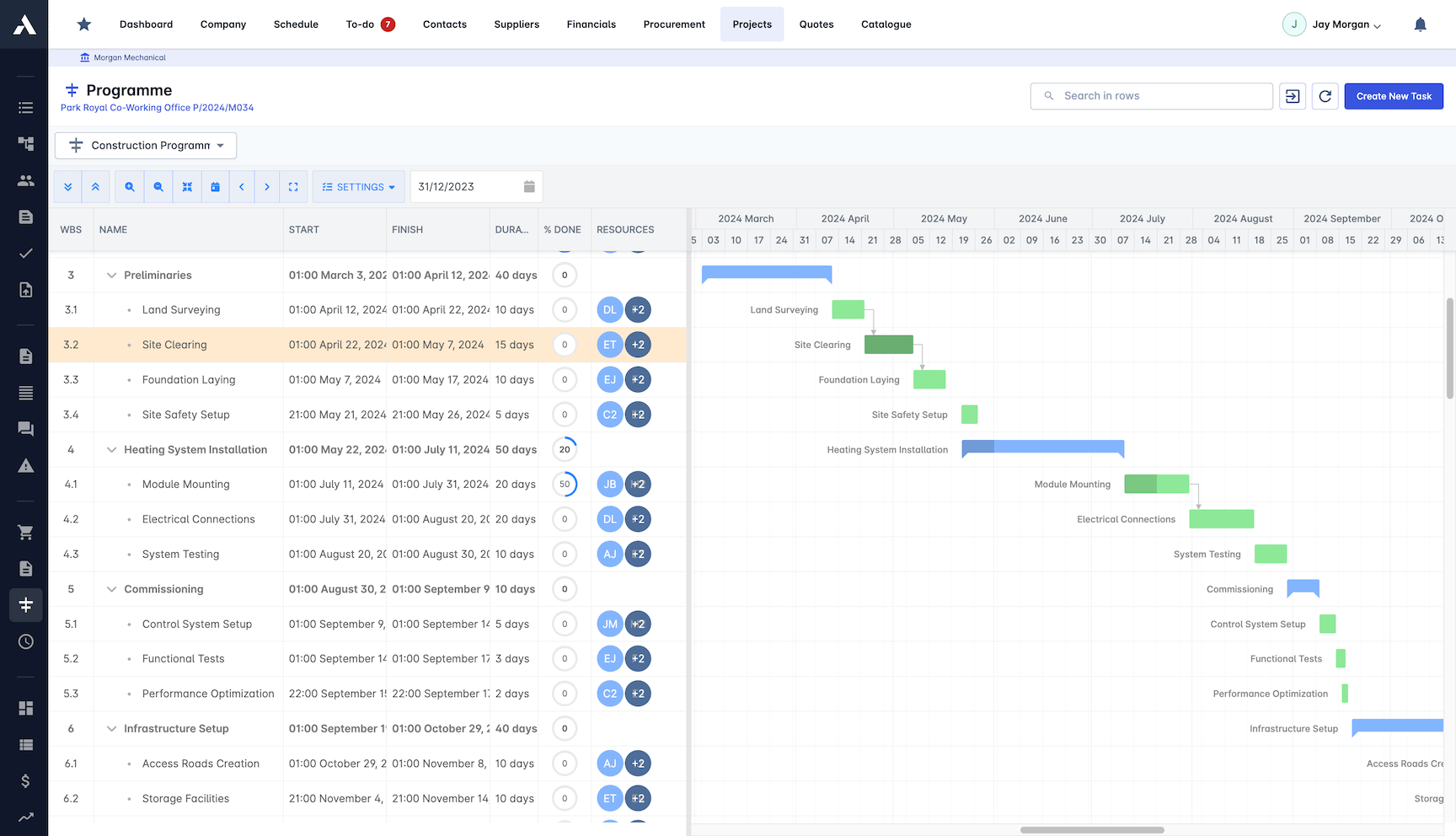
Construction Gantt Charts
Plan every phase on a Gantt chart the whole team can see. Tasks, deadlines and dependencies sit in one view, with progress updated as work happens on site.
Map task dependencies and spot knock-on delays
Progress tracked against the plan in real time
Live schedule shared with every stakeholder
Two-way MS Project and Primavera P6 schedule import and export
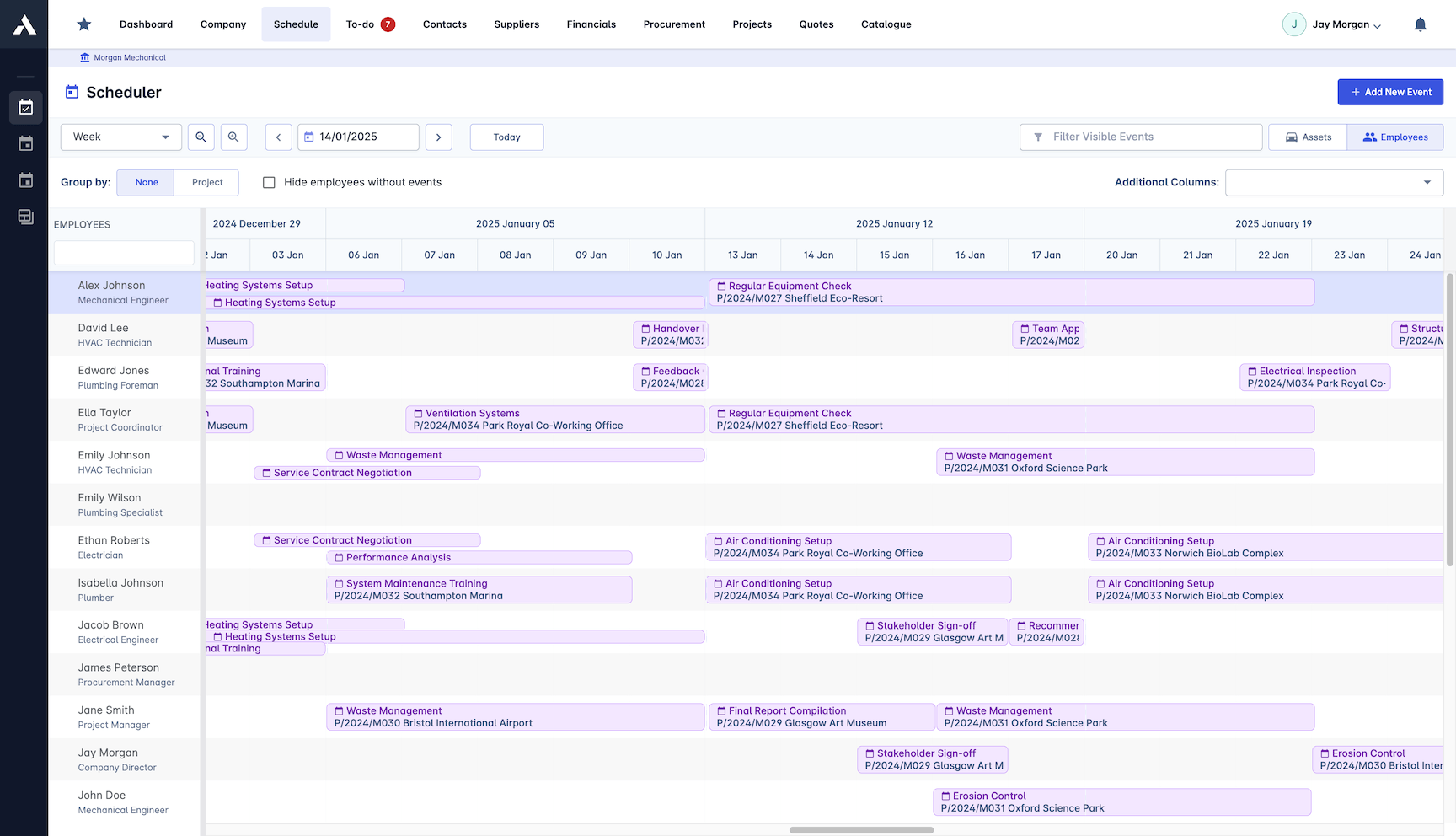
Resource Allocation
Assign people and machinery from one pool that covers every live project. Nothing sits idle, nobody is booked twice, and reallocating takes minutes when priorities change.
People and equipment planned in one system
Availability visible across the whole portfolio
Conflicts resolved before they reach site
Reallocate quickly when priorities change
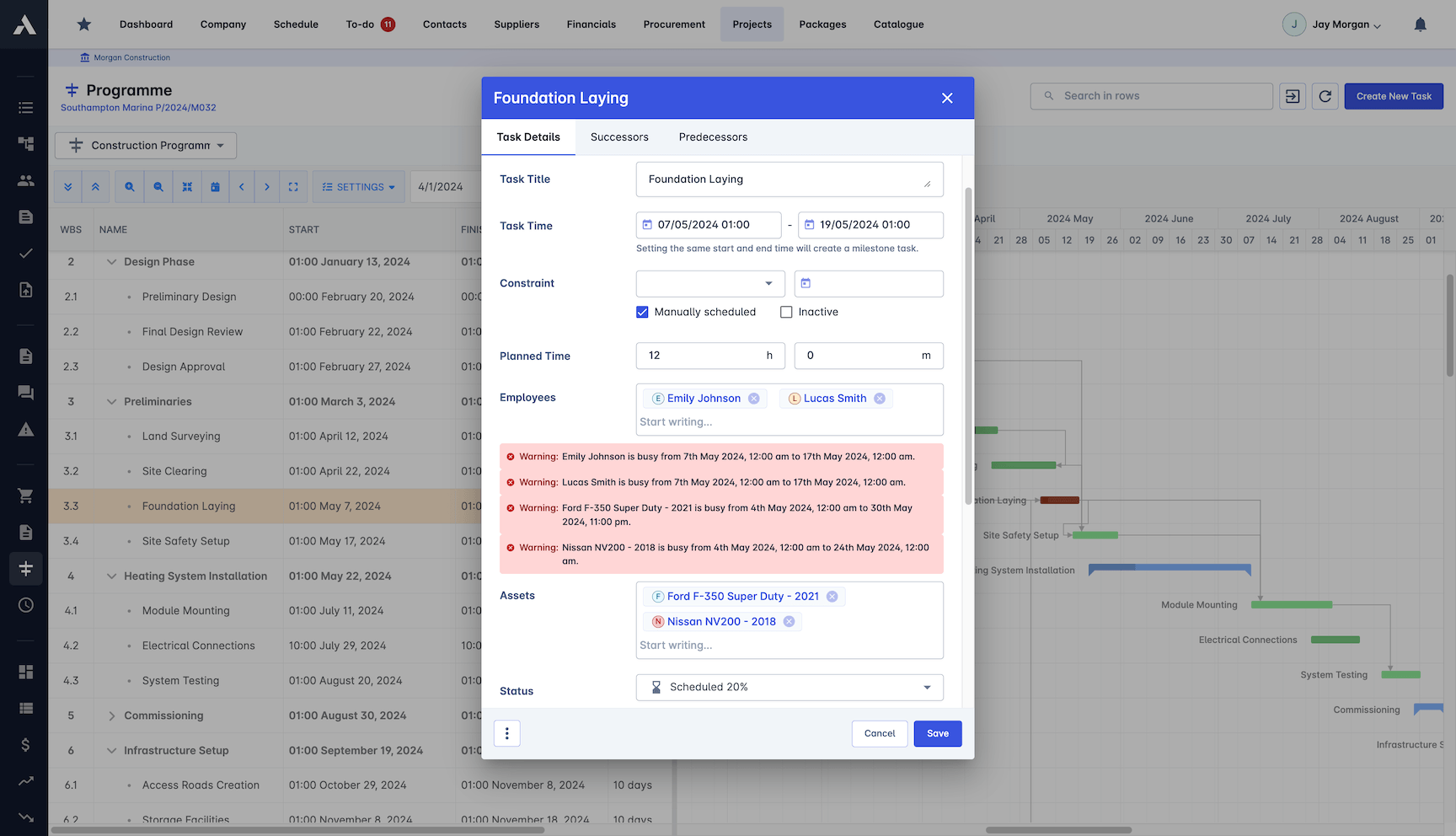
Conflict Detection
The schedule checks itself. Overlapping tasks, double-booked crews and timeline bottlenecks raise an alert the moment they appear, not the morning they happen.
Immediate alerts for schedule overlaps
Double-booked crews flagged automatically
Adjust tasks before clashes reach site
Clear visibility across projects and teams
Critical Path Analysis
See which tasks actually drive the finish date. The critical path updates as the schedule changes, so you know which delays matter and where to put your resources.
Critical sequence highlighted automatically
Real-time updates on key milestones
Resources moved to where they protect the date
Know which delays matter and which can wait
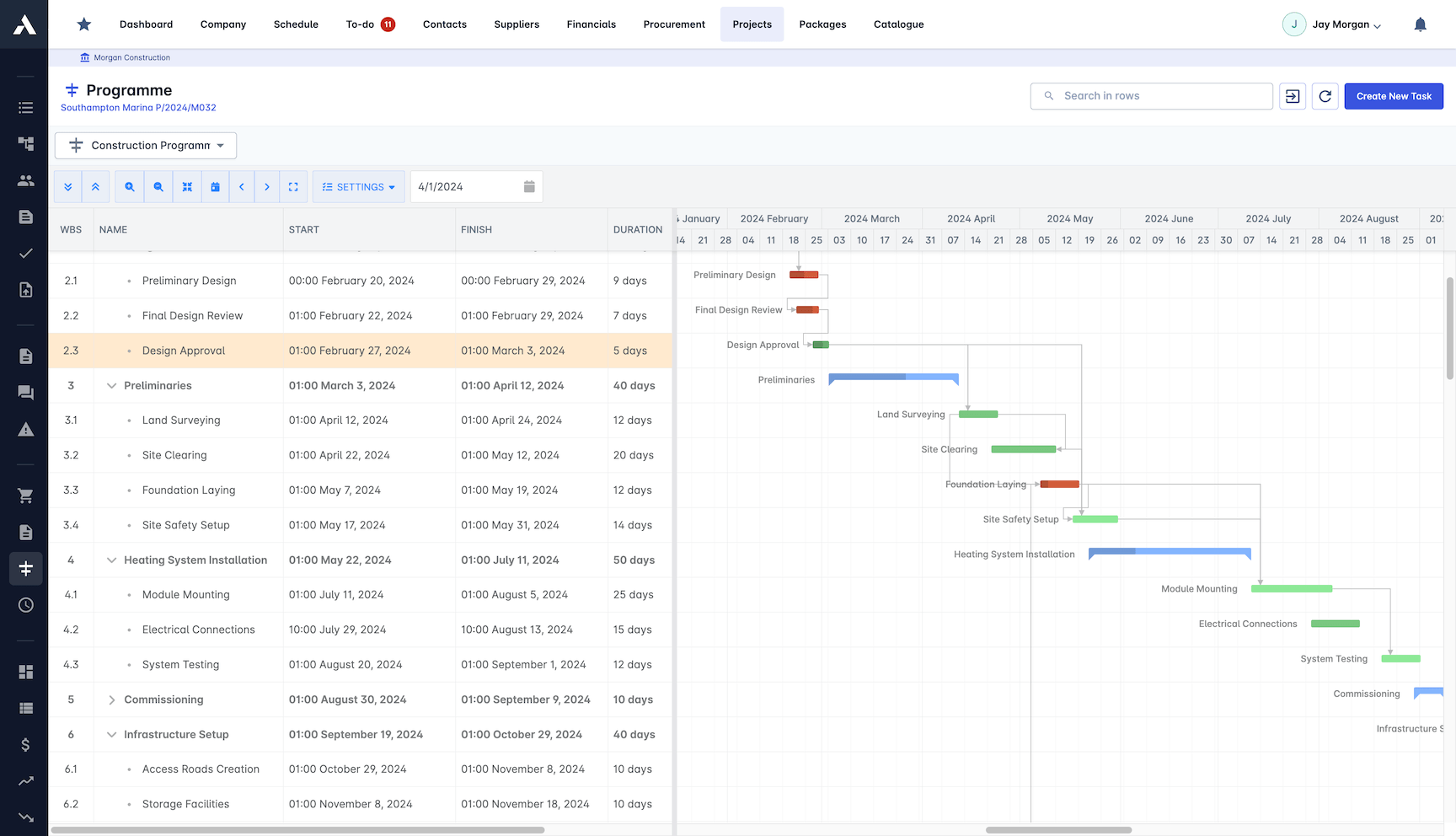
Baselines
Capture the plan you committed to and measure the live schedule against it. Slippage shows up as it develops, while there is still time to recover it.
Original plan captured as a reference point
Planned vs actual compared in real time
Delays caught before they escalate
Clear variance picture for stakeholders
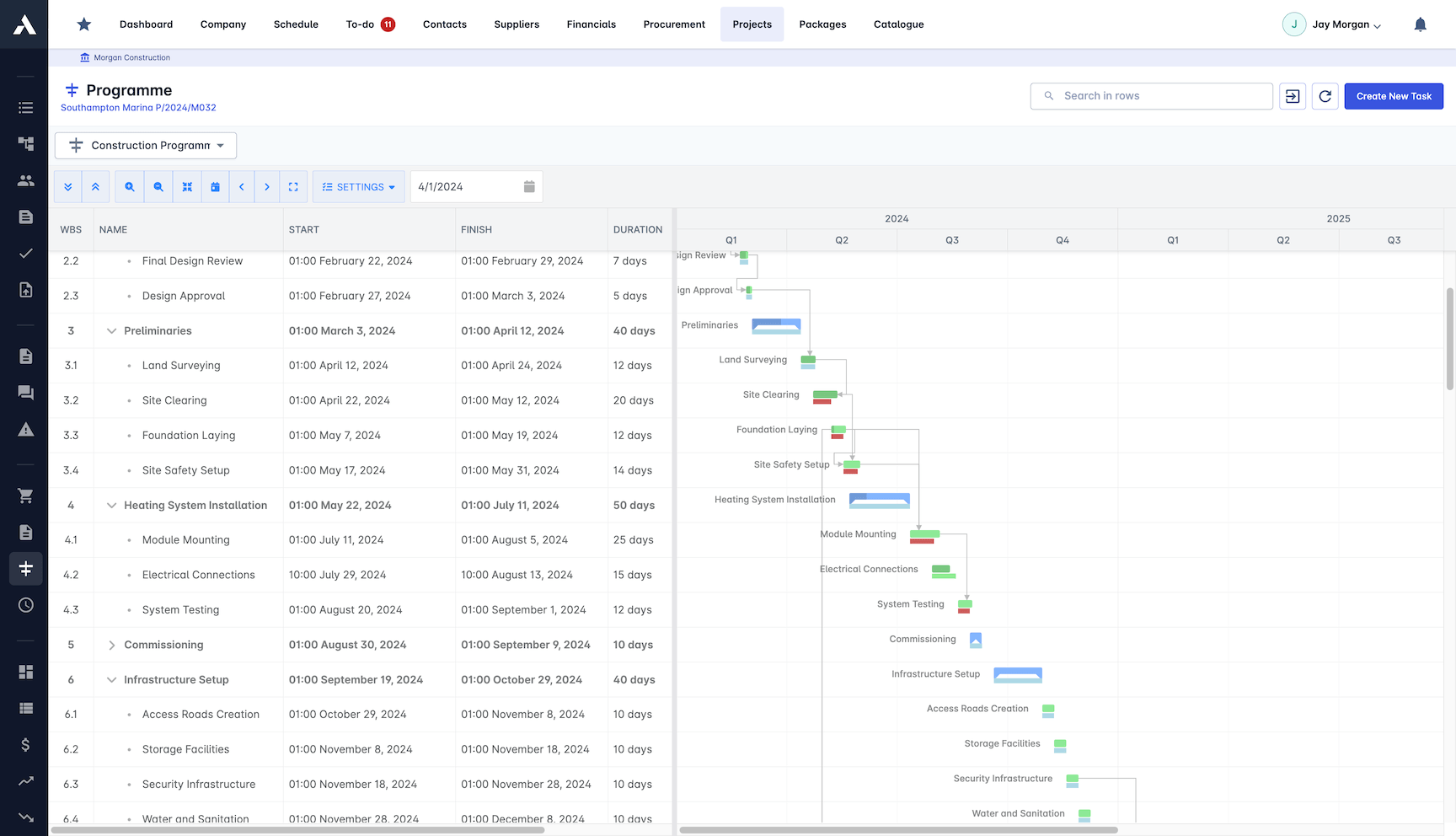
Automatic Scheduling
Win the job and the schedule builds itself. Generate the full task list directly from your estimate or takeoff, with no retyping between winning the work and starting it.
Schedule generated from the estimate or takeoff
No duplicate entry between quote and delivery
New projects launch with the plan in place
One source of truth from day one
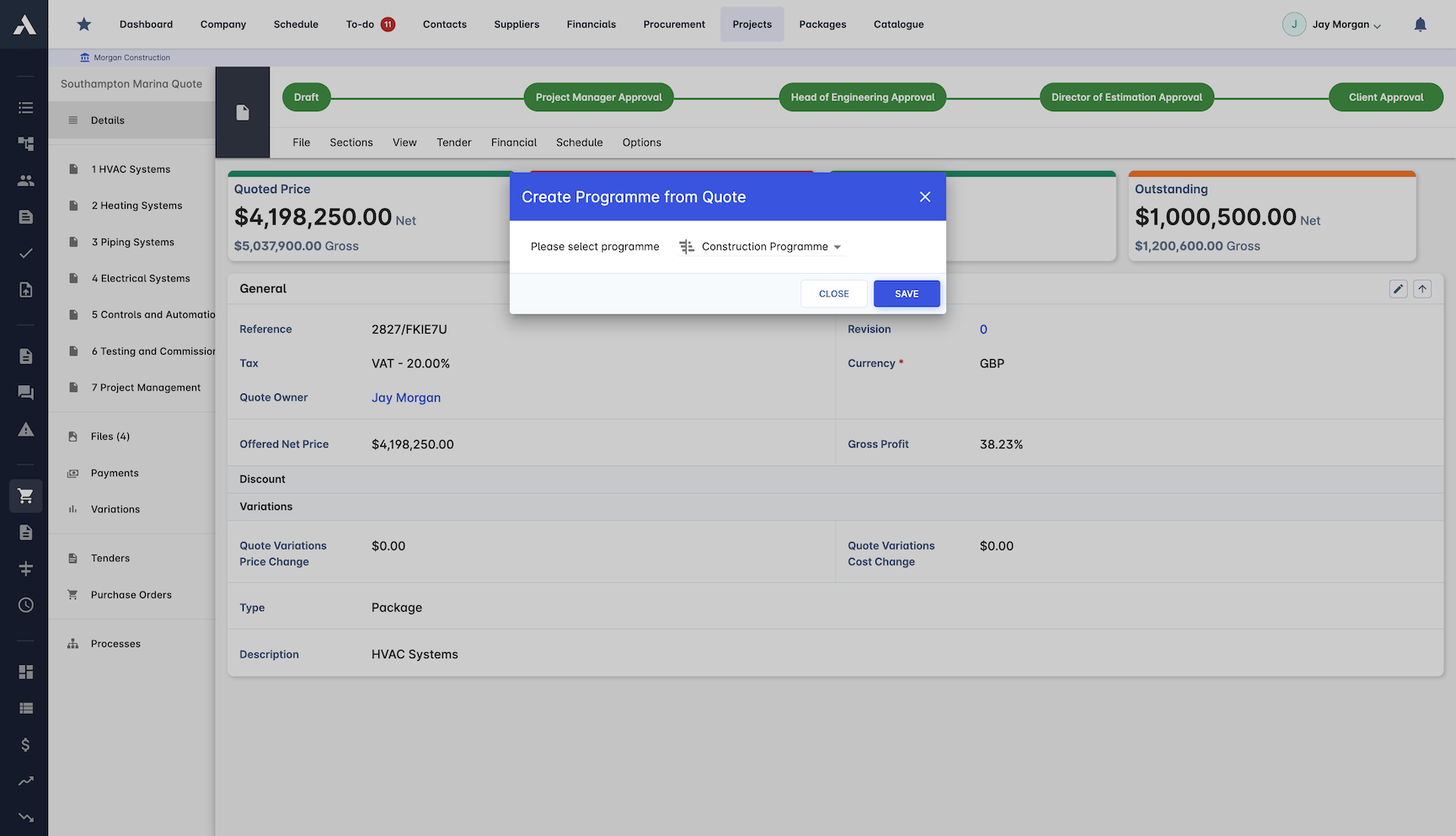
Integrations
Planners keep MS Project or Oracle Primavera P6. Schedules import into Archdesk and export back, both ways, so the rest of the business works from the same schedule without duplicate entry.
Two-way MS Project and Primavera P6 schedule import and export
No duplicate data entry between systems
Everyone works from the same live schedule
Schedule revisions move both ways, under your control
Want the background first? Browse all construction scheduling guides.
Bring schedules in from the planning tools you already use
Archdesk exchanges schedules with MS Project and Primavera P6 via two-way import and export, so planners keep their tool and the delivery team runs the job here.
Frequently Asked Questions: Construction Programme
What is construction scheduling software?
Construction scheduling software keeps tasks, people and progress aligned by running them in one schedule instead of three disconnected tools. In Archdesk, Gantt charts, critical path analysis, baselines and resource allocation work from the same live data as your costs, so a slipping task shows what it does to the finish date and to the money.
Does Archdesk work with MS Project and Primavera P6?
Yes. Archdesk imports schedules from MS Project and Oracle Primavera P6 and exports them back, in both directions, including P6 custom calendars and baselines. Planners keep working in the tool they know, and site, commercial and leadership teams work from the same schedule in Archdesk without duplicate data entry.
How does Archdesk prevent double-booked crews?
People and machinery are planned from one pool that covers every live project, so availability is visible across the whole portfolio. Conflict detection raises an alert the moment two tasks claim the same crew, so clashes are resolved before they reach site.
How do baselines show schedule slippage?
Archdesk captures the plan you committed to and compares the live schedule against it as work progresses, so slippage shows up while there is still time to recover it. Because schedule progress feeds valuations, a late task shows up in the money, not just on the timeline.
Can Archdesk build the schedule from an estimate?
Yes. Win the job and the full task list generates directly from your estimate or takeoff, with no retyping between winning the work and starting it. New projects launch with the plan already in place.
Can scheduling run across a program of many projects?
Yes. Every project writes to the same data model, so schedules, baselines and resource availability aggregate across the whole program, and leadership dashboards read the same records each project team works in.
How is Archdesk priced for contractors in Saudi Arabia?
Pricing is quote-based: pay per user, or choose an unlimited-users package priced on annual construction volume. Every quote includes all modules, unlimited data, implementation and support, and external collaborators are free of charge.
Explore Related Solutions
Everything below runs in the same system, working from the same live data.
Project Management
Streamline your project workflows from start to finish
Project Budgets
Control project finances and stay in budget
Risk Register
Identify and manage project risks
Real-time Reporting
Get instant updates across your project portfolio
Document Management
Centralise document handling and access
Project Cost Controls
Monitor and compare your actuals with the estimate
Site Forms
Digitise and streamline your site documentation processes
Site Diary & Daily Reports
Keep the daily site record structured and defensible
Work in Progress Reporting
Monitor completion costs across your whole project portfolio
Discover more
Explore the full range of solutions and find the right fit for your business.
See your next project on Archdesk
Book a demo and walk through a fully worked example project: one platform running everything from winning the work to closing it out.
Book a Demo

