
WIP Reporting Software for Contractors in Saudi Arabia
WIP from records, not from asking the PMs.Committed and actual cost, certified work and contract value reconciled into a live WIP position, on one data model. For contractors delivering Kingdom programs, over and under-billing is a current number per project and across the program, not a month-end reconstruction.
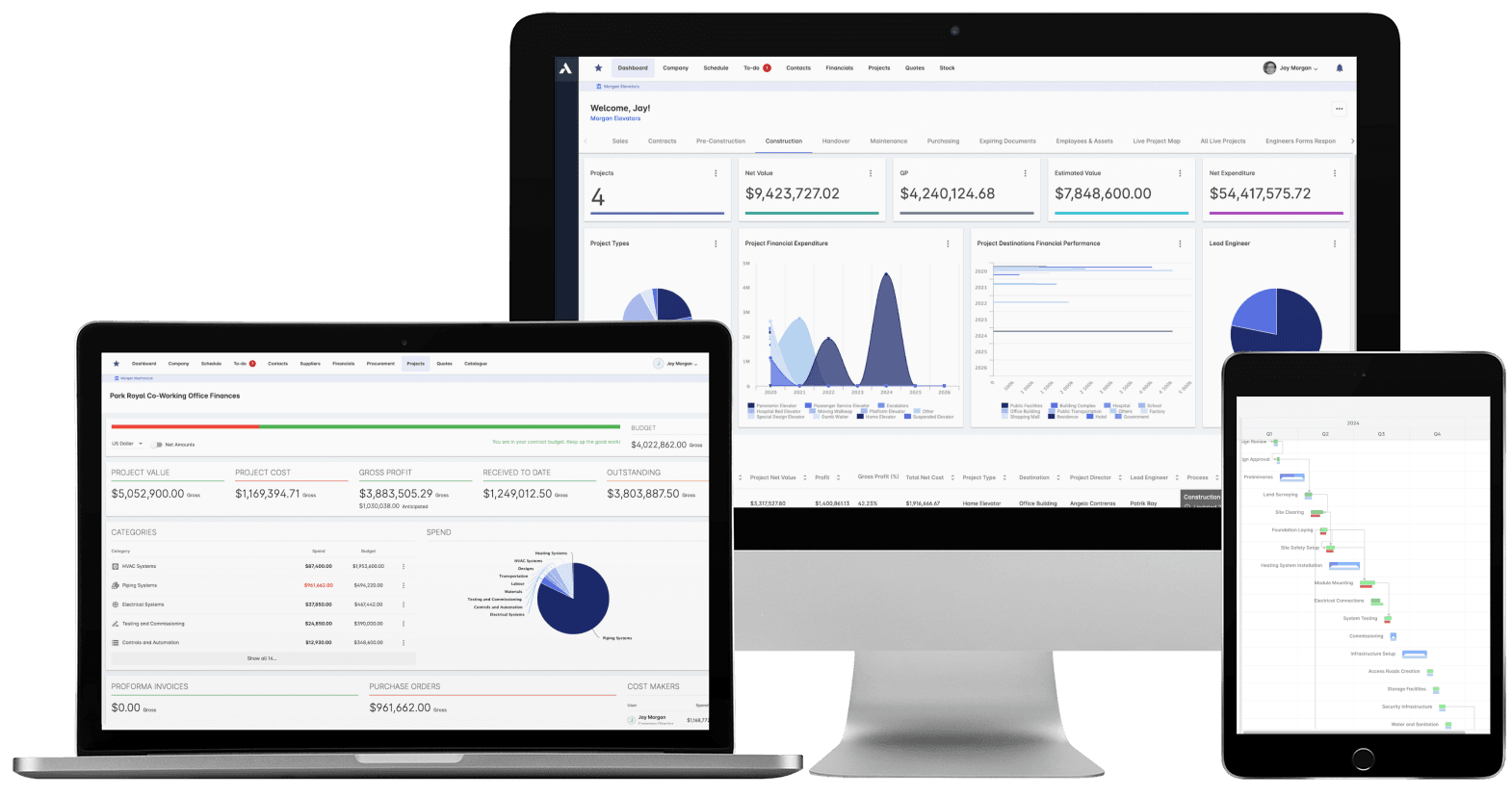
Trusted by construction companies of every size, worldwide


























The WIP falls out of the system that ran the work
For contractors in Saudi Arabia the WIP has to answer for a program, not a single job: where does delivery stand against billing, today, across every live project. Archdesk produces work-in-progress reporting from the records that ran the work: committed and actual cost against forecast final, certified work and interim payment certificates, and contract value with approved variations in. Because every project writes to one data model, leadership reads the program from the same live numbers each project team reports from.

Over and under-billing by project
Billing position surfaces across the portfolio, with accrue and prepay calculations handled in the report itself, alongside portfolio cashflow.
The valuations and the accounts agree
Progress claims, payment certification and revenue recognition run from the same numbers as the WIP, so the figure finance books is the figure the project reported.
Profit fade caught while it is a conversation
Cost-to-complete and profit projections update from live data, with overrun alerts and trend identification, so fade shows up early instead of as a month-nine surprise.
Percent-complete from cost, not opinion
Progress comes from actual cost against forecast final and certified valuations, not estimates emailed in by project managers.
When the auditor asks, the answer is a drill-down
Control of the billing position is exercised during delivery, not discovered at month end. Every WIP line drills back to certified work, commitments, actual cost and approved variations, one data model across the program.

WIP Reporting
The WIP schedule and the monthly CVR generate from live project data, in the format each stakeholder needs, across the whole portfolio. Nothing is rebuilt in a spreadsheet.
CVR (cost value reconciliation) reports
Over and under-billing by project
Custom templates and executive dashboards
Accrue and prepay calculation
Portfolio cashflow reporting
Stakeholder-specific reporting
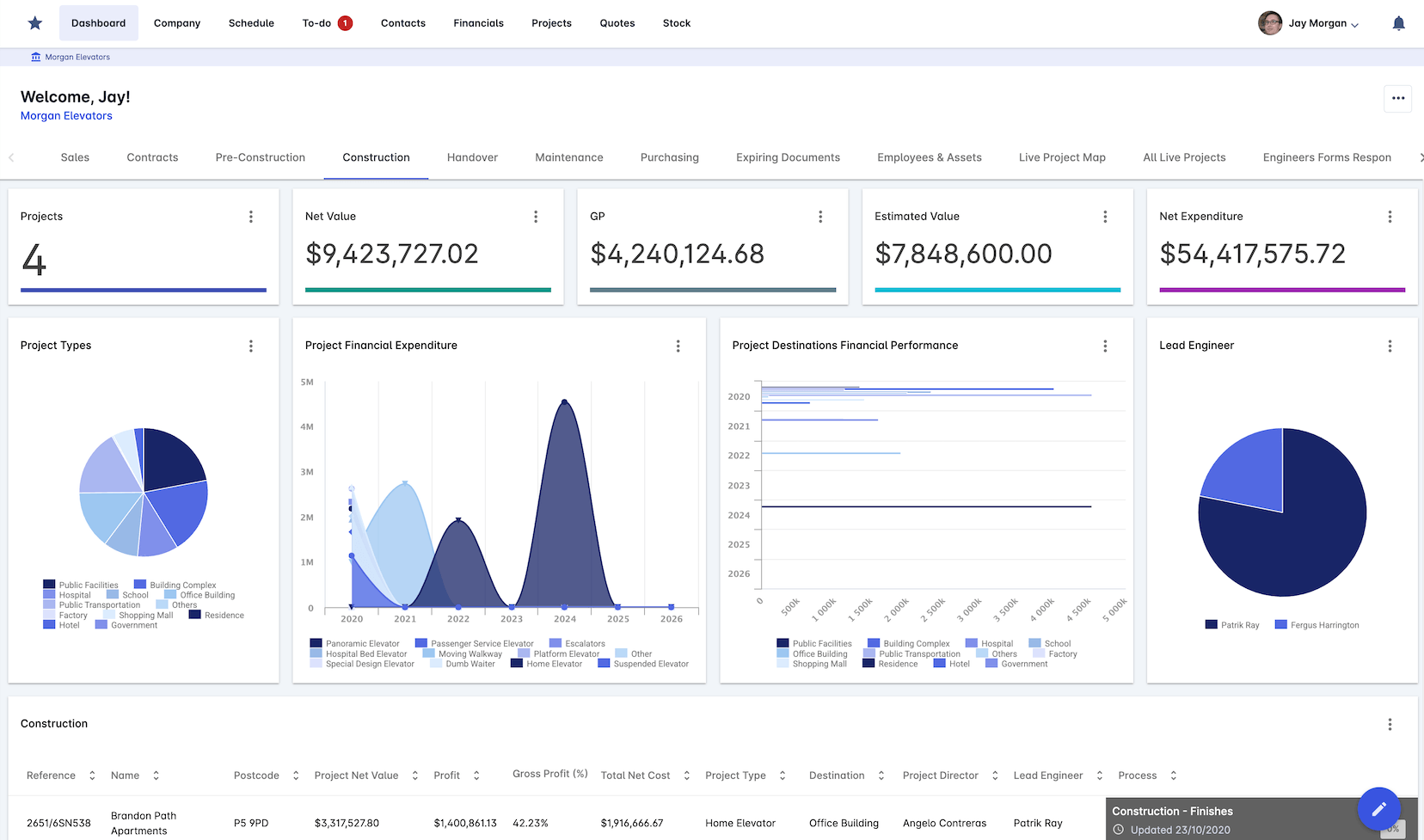
Performance Tracking
Project health visible across the portfolio, so the jobs that need attention get it before the WIP says so.
KPI dashboards
Project health scoring
Resource usage metrics
Productivity analysis
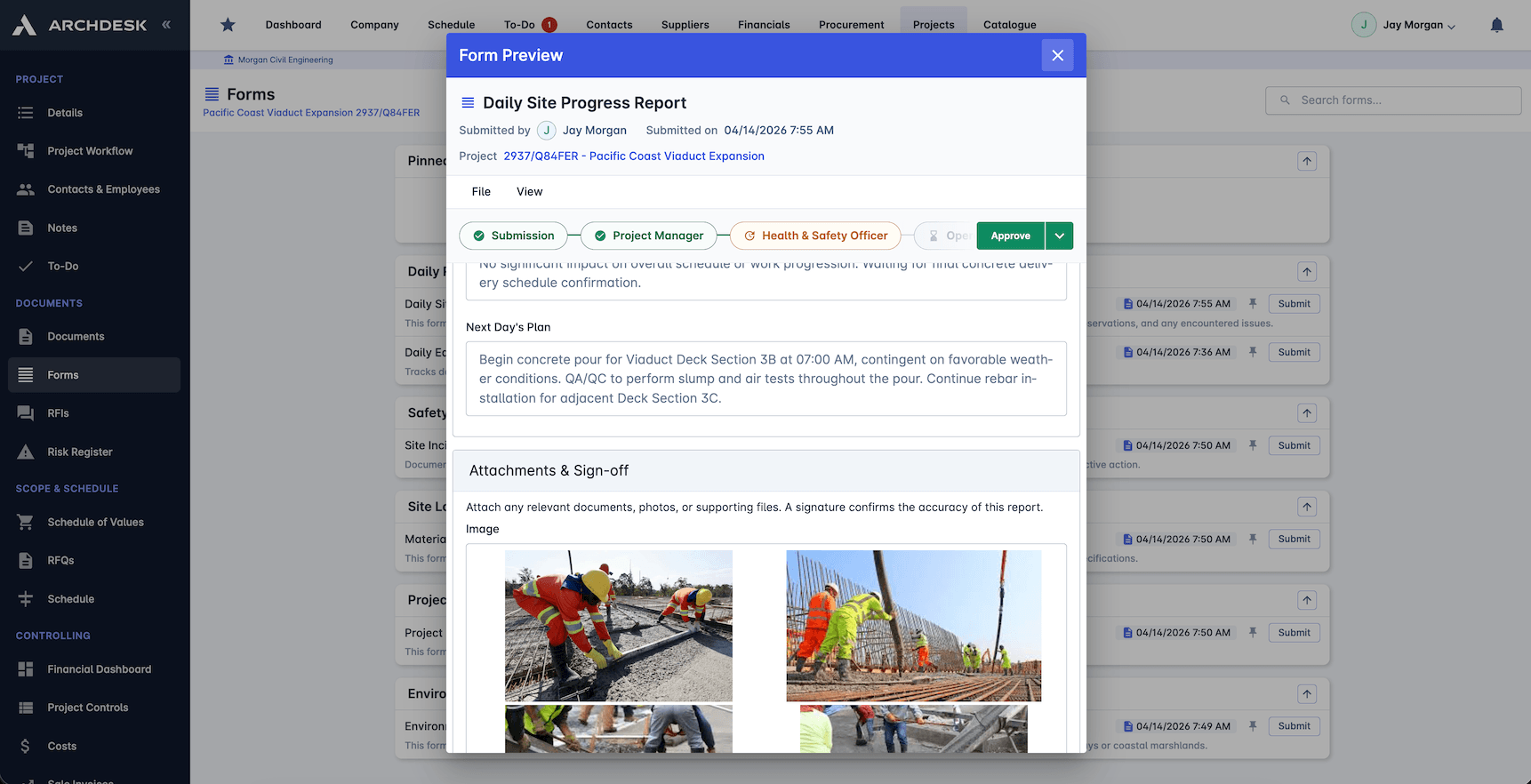
Real-time Progress Tracking
Progress, cost and earned value tracked live across every project, so the WIP reflects the site as it stands today, not as it stood at the last update.
Live progress updates
Cost tracking by trade
Earned value monitoring
Project milestone tracking
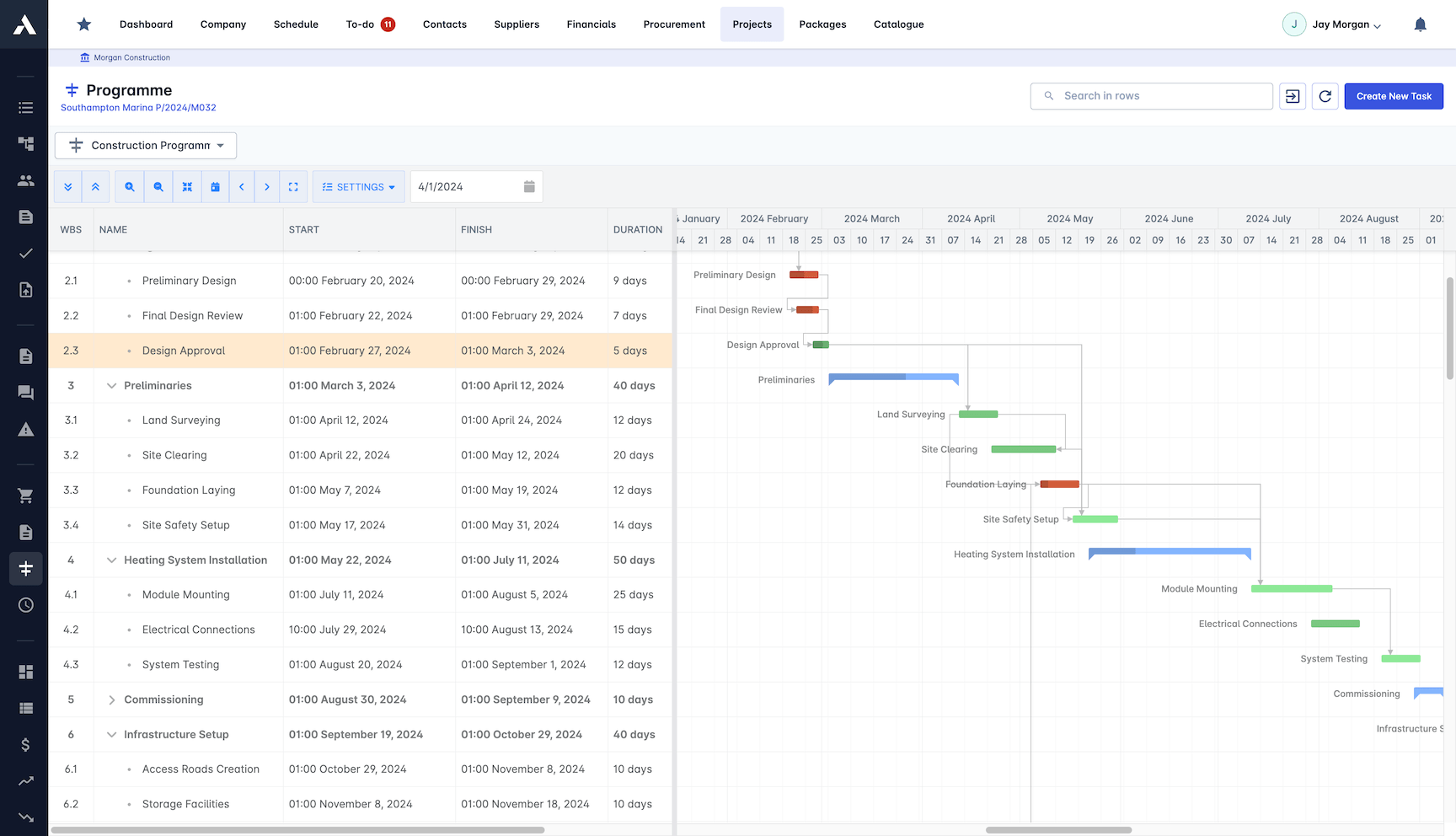
Financial Analysis
Cost-to-complete and profit projections run from live data, so the position you report to the accounts is the position the project actually holds.
Cost-to-complete forecasting
Profit and loss projection
Cash flow analysis
Revenue recognition tracking
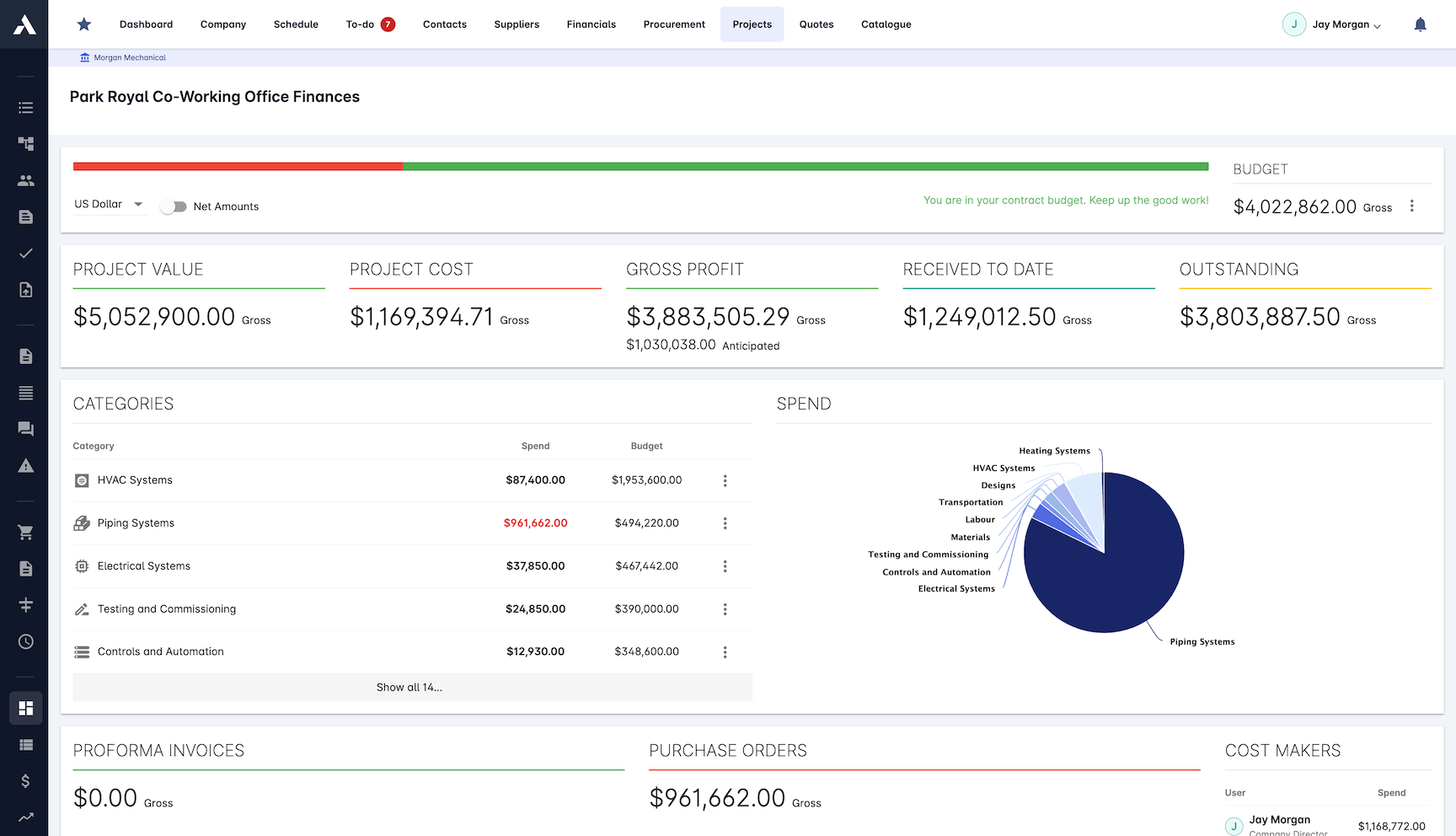
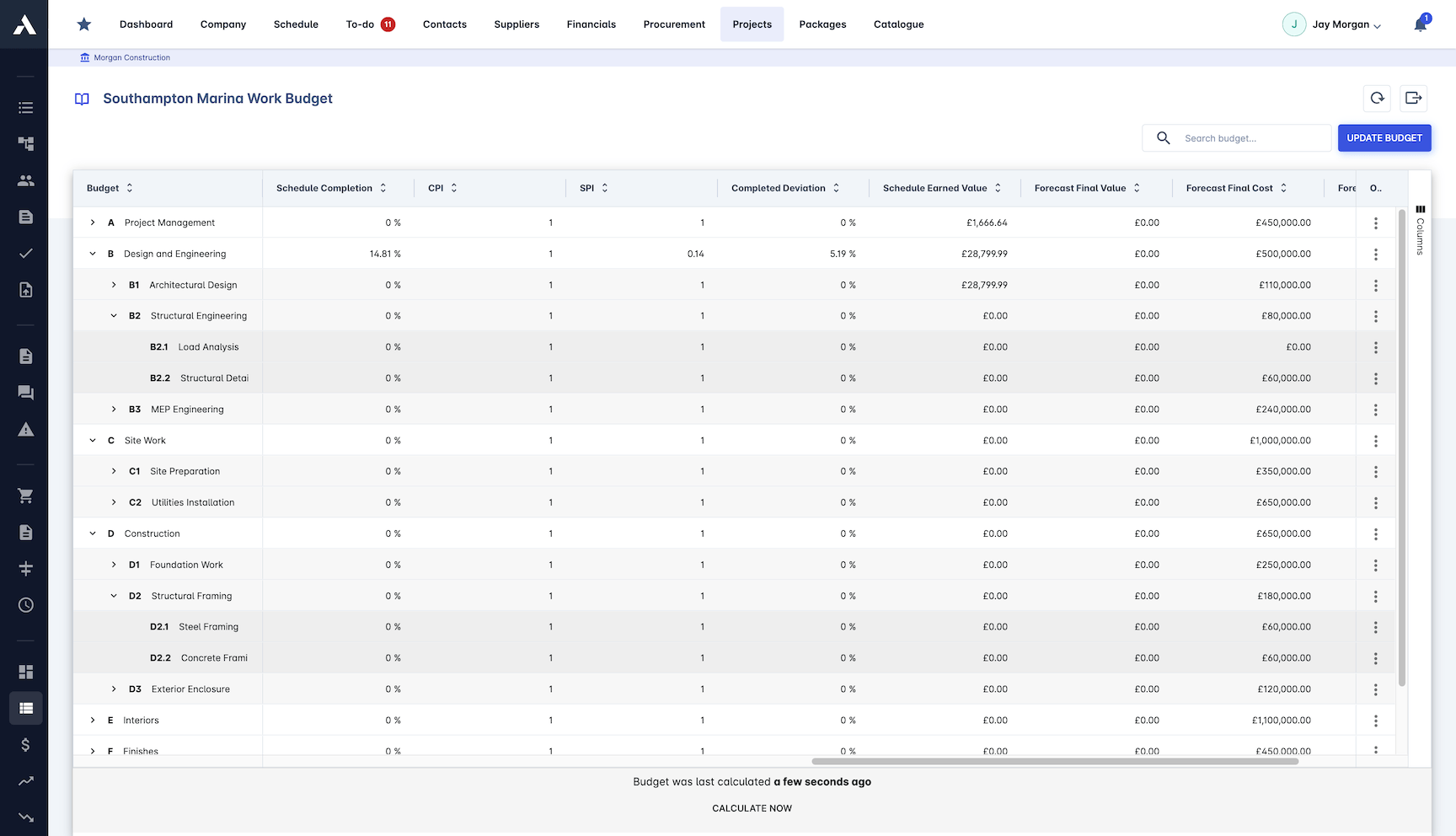
Variance Analysis
Planned against actual on cost, progress and schedule, with alerts the moment a project starts to drift from the plan.
Budget variance tracking
Schedule deviation analysis
Cost overrun alerts
Trend identification
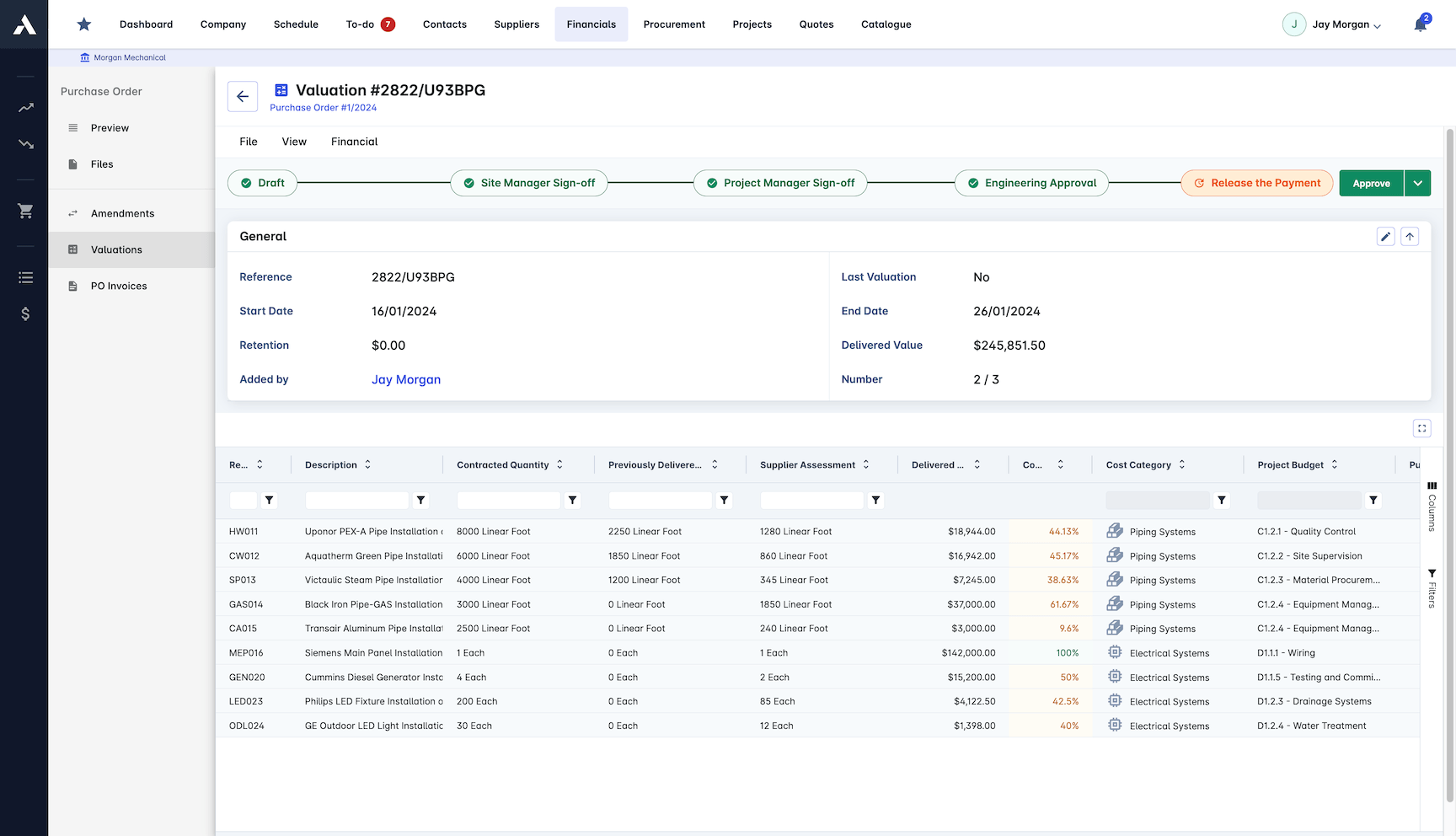
Progress Claims
Claims generate with the supporting evidence attached, so certification and payment follow the records instead of chasing them.
Automated claim generation
Supporting evidence tracking
Payment certification
Retention management
Work in progress reporting, defined
A work in progress (WIP) report shows, for every live contract, how much of the work has been done, how much has been billed, and how far apart those two numbers are. Percent-complete comes from cost incurred against forecast final cost, earned revenue applies that progress to the contract value including approved variations, and the gap between earned and billed is the over- or under-billing position. Read monthly across the portfolio, the WIP is how contractors catch profit fade, under-claimed work and cashflow risk while something can still be done about them.
| WIP line | How it is calculated | Where it comes from in Archdesk |
|---|---|---|
| Percent-complete | Actual cost to date against forecast final cost | Live job costing and cost-to-complete forecasting |
| Earned revenue | Progress applied to contract value, approved change orders included | Contract records with change orders on their cost lines |
| Over / under-billing | Earned revenue against billed to date | Valuations and certified billing on the same record |
Plenty of pages define a WIP schedule. The difference here is that Archdesk produces one: the report builds from the records that ran the work, alongside the monthly CVR (cost value reconciliation), rather than from figures collected by email at month-end.
Frequently Asked Questions: WIP Reporting & CVR
What is construction WIP reporting software?
Software that builds the work-in-progress schedule from operational records instead of spreadsheets. Archdesk produces the WIP from committed and actual cost against forecast final, certified valuations, and contract value with approved variations included, so over and under-billing surface by project across the portfolio.
How is percent-complete calculated?
From actual cost against forecast final cost and certified valuations, not from estimates emailed in by project managers. The WIP reflects the site as it stands today because progress, cost and earned value are tracked live on every project.
What is a CVR (cost value reconciliation) report?
A CVR (cost value reconciliation) compares the cost of the work done against the value earned for it, so the true position of each contract is visible month by month. In Archdesk the monthly CVR generates from live project data alongside the WIP, in the format each stakeholder needs, with nothing rebuilt in a spreadsheet.
How does WIP reporting catch profit fade early?
Cost-to-complete forecasting and profit projections update from live data, with cost overrun alerts and trend identification the moment a project starts to drift. Fade shows up while it is still a conversation, not as a month-nine surprise.
Can WIP figures be substantiated for finance and auditors?
Yes. Every line in the WIP drills down to the records that produced it: valuations, commitments, actual cost and approved variations. Progress claims, payment certification and revenue recognition run from the same numbers, so the figure finance books is the figure the project reported.
Can WIP reporting cover a program of many projects?
Yes. Every project writes to the same data model, so over and under-billing, cost-to-complete and profit projections aggregate across the whole program, and leadership dashboards read the same records each project team works in.
How is Archdesk priced for project-driven contractors?
Pricing is quote-based: pay per user, or take an unlimited-users package priced on annual construction volume. Every quote includes all modules, unlimited data, implementation and support, and external collaborators such as subcontractors, clients and consultants are free of charge.
The cost-to-date side of every WIP line comes from job costing on the same project records. The finished schedule is read on live project dashboards rather than exported at month-end.
Explore Related Solutions
Everything below runs in the same system, working from the same live data.
Certificates of Work
Issue work completion certificates and get paid
Milestone Payments
Track and process milestone payments
Project Cost Controls
Monitor overall project finances and other KPIs
Labour Cost Tracking
Track labour expenses and compare with your estimates
Invoicing
Manage sale and purchase invoices
Payment Tracking
Monitor incoming and outgoing payments
Accounting Integration
Integrate with your accounting software
Discover more
Explore the full range of solutions and find the right fit for your business.
See your next project on Archdesk
Book a demo and walk through a fully worked example project: one platform running everything from winning the work to closing it out.
Book a Demo

