
Estimating Software for UK Contractors
Price the tender. Win it. Deliver it on the same numbers.Estimates built from cost libraries, bills of quantities and rate build-ups, with margin visible on every line before the tender goes out. Win the work and the estimate becomes the project budget in one click, so the numbers the QS priced are the numbers the job is delivered against.
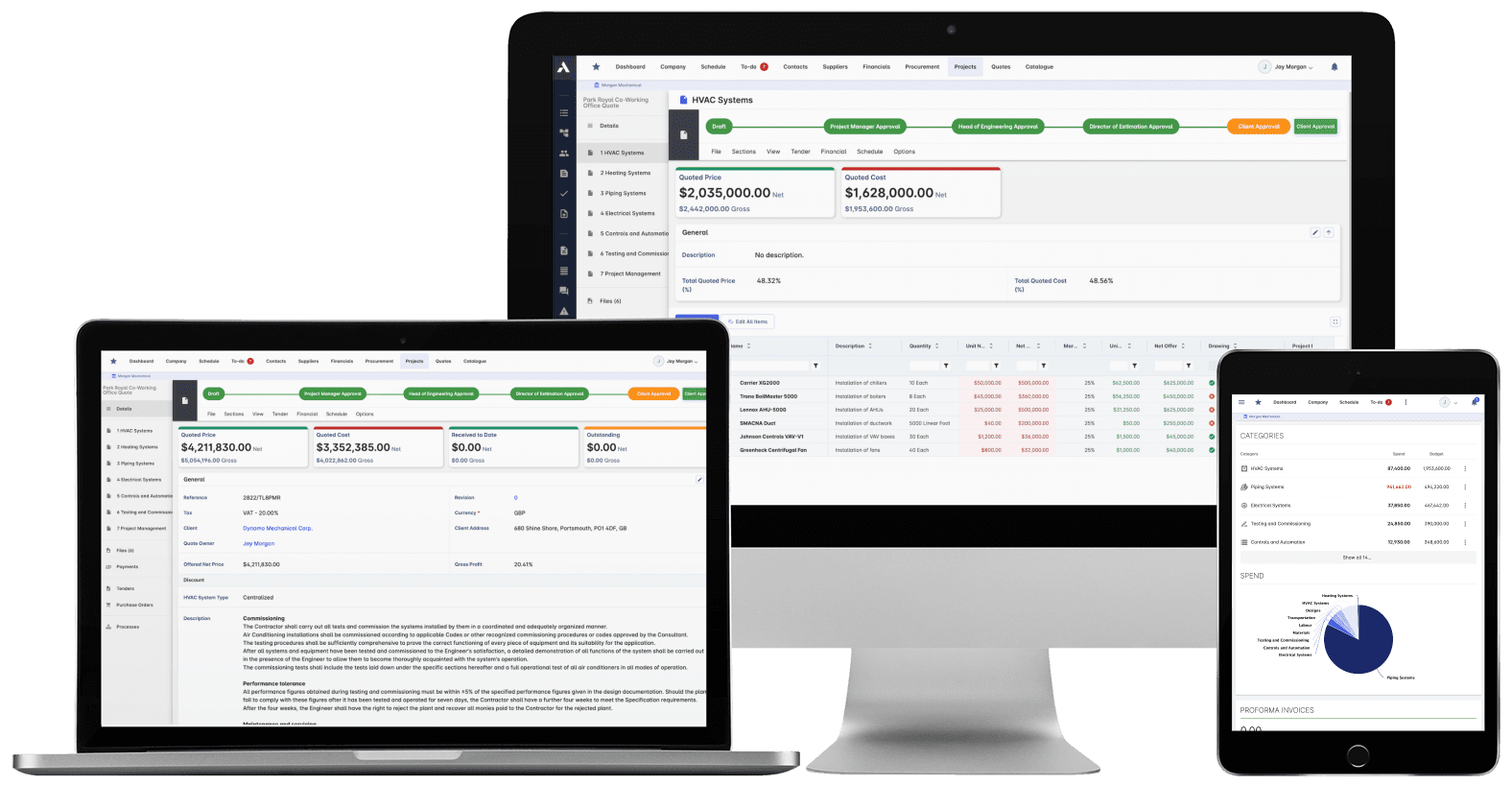
Trusted by construction companies of every size, worldwide


























The winning estimate becomes the budget, not a spreadsheet nobody opens again
Estimating software for UK contractors starts at the bill of quantities and ends at the final account, on one set of numbers. Archdesk builds the tender price from cost libraries and rate build-ups, shows margin on every line as the estimate takes shape, and keeps every revision on record as the bid moves through review. Win the tender and the estimate converts straight into the project budget, with the programme generated from the same estimate or BoQ, so delivery starts on the numbers that won the work and the commercial team reconciles against the price that was actually tendered, not a retyped copy of it.

Prices that are current, not last year's
Cost libraries hold material, labour and plant rates with regional databases, supplier price integration and automatic updates, and rate build-ups assemble composite rates from their components, so the tender is priced from current numbers.
Margin visible before you commit
Markup, overhead and allowance adjustments run as the tender is priced, so the margin on every line is known before the submission goes out, not discovered when the QS reconciles the first valuation.
The next bid learns from the last job
Historical cost analysis and win and loss tracking show how tendered rates ran against delivered cost, so the next tender is priced from evidence rather than memory.
Quantities from the model, not the scale rule
Digital takeoff reads quantities and attributes straight from the BIM model into the estimate, so quantities are measured once and priced once, with nothing retyped between the model and the BoQ.
The won tender becomes the budget and the programme
Win the work and the estimate converts directly into the project budget, with the programme generated from the same estimate or bill of quantities. Nothing is retyped between submission and start on site, so there is no drift between the rates that won the tender and the numbers the job is delivered against.

Cost Libraries
Price from libraries of materials, rates and equipment prices that stay current. Regional databases and supplier price integration keep the estimate honest without manual updating.
Regional price databases
Custom rate libraries
Supplier prices update automatically
Rate build-ups: assemble products from subproducts
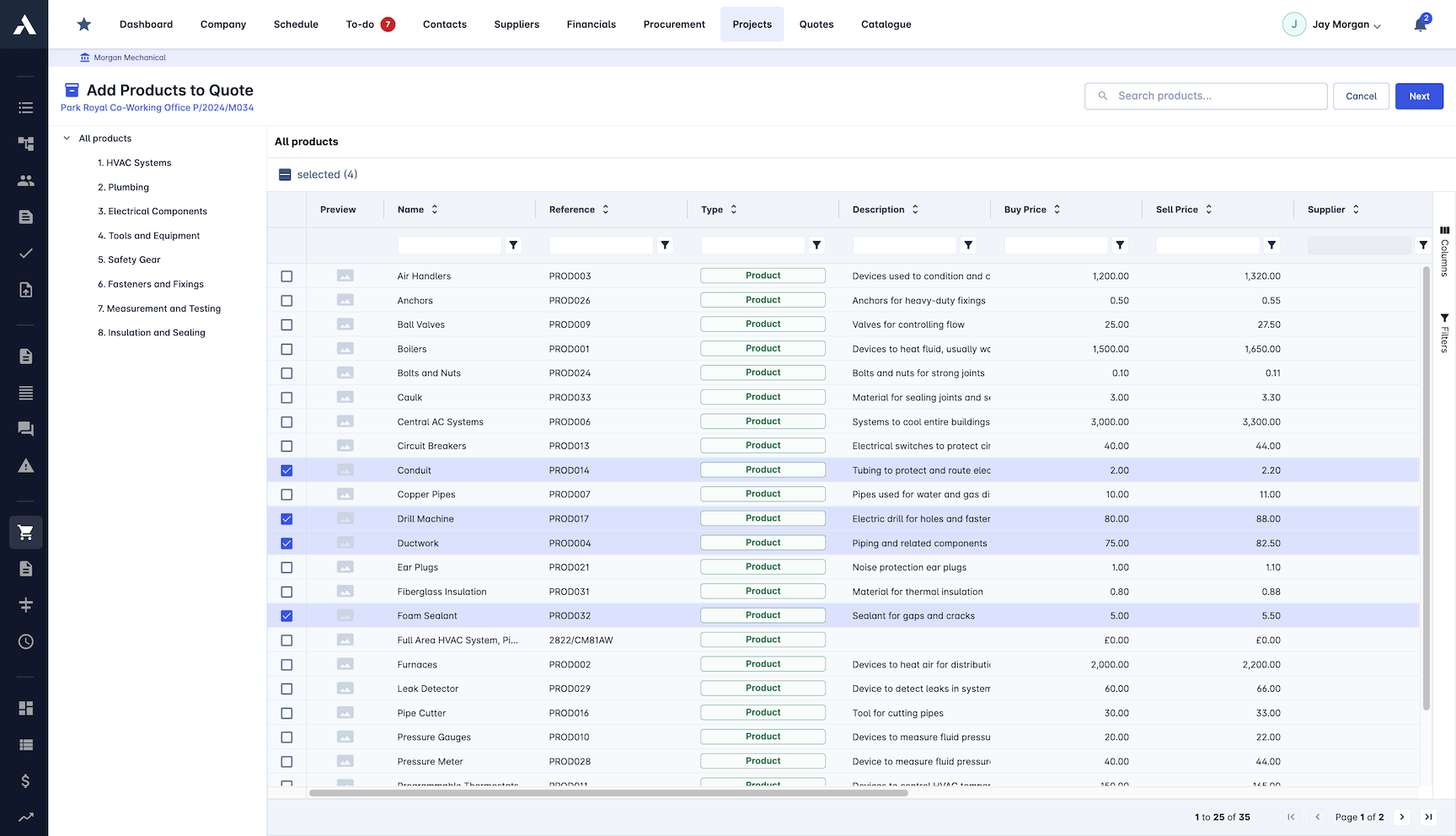
Cost Analysis
Break the estimate down and compare scenarios before you commit to a price. Margin sits on every line, so you know what the job makes before you win it.
Detailed takeoffs and BOMs
Full cost breakdown structure
Variance analysis between scenarios
Profit margin on every line
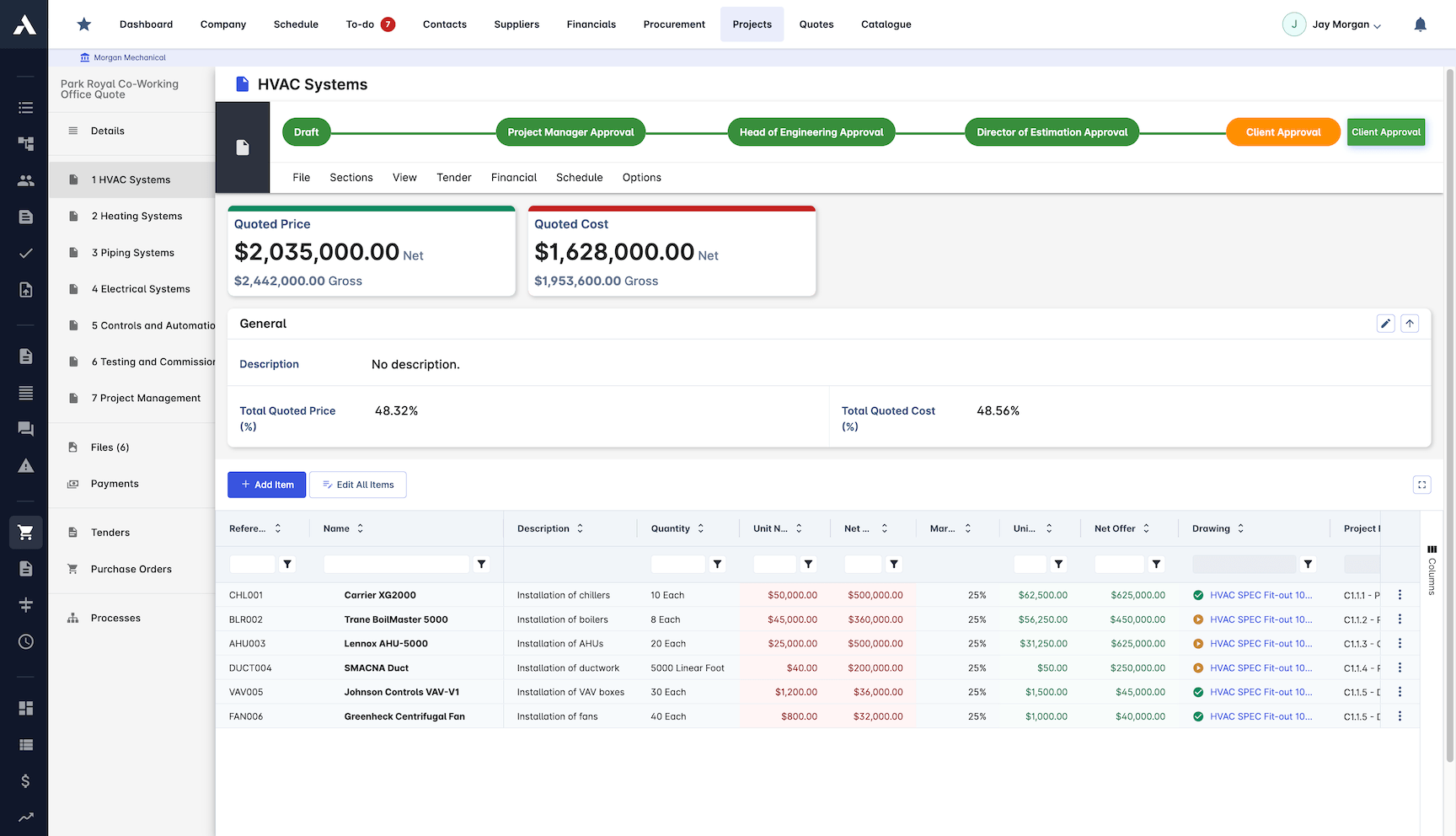
Bid Management
Run the bidding process from the estimate itself. Proposals generate automatically, subcontractor bids sit side by side, and every revision stays on record.
Proposals generated from the estimate
Bid levelling: subcontractor quotes side by side
RFQs managed in one place
Every bid revision tracked
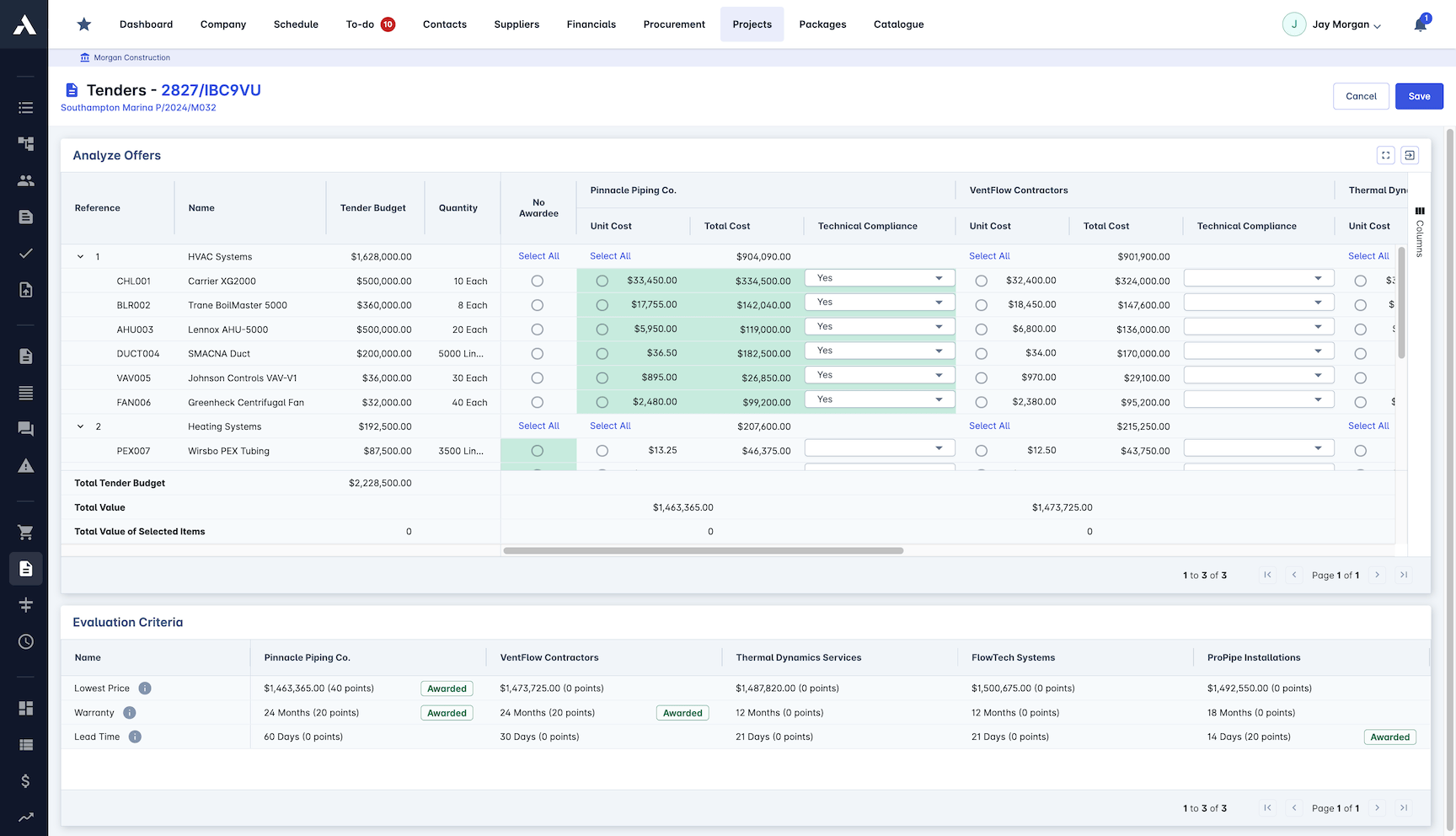
Cost Estimation
Build estimates with full breakdowns across materials, trades, equipment and overhead. Custom formulas handle the maths, so the numbers hold up when the QS checks them.
Material, trade and equipment rates
Markup, overhead and allowance adjustments
Custom formulas and calculations
Historical cost analysis built in
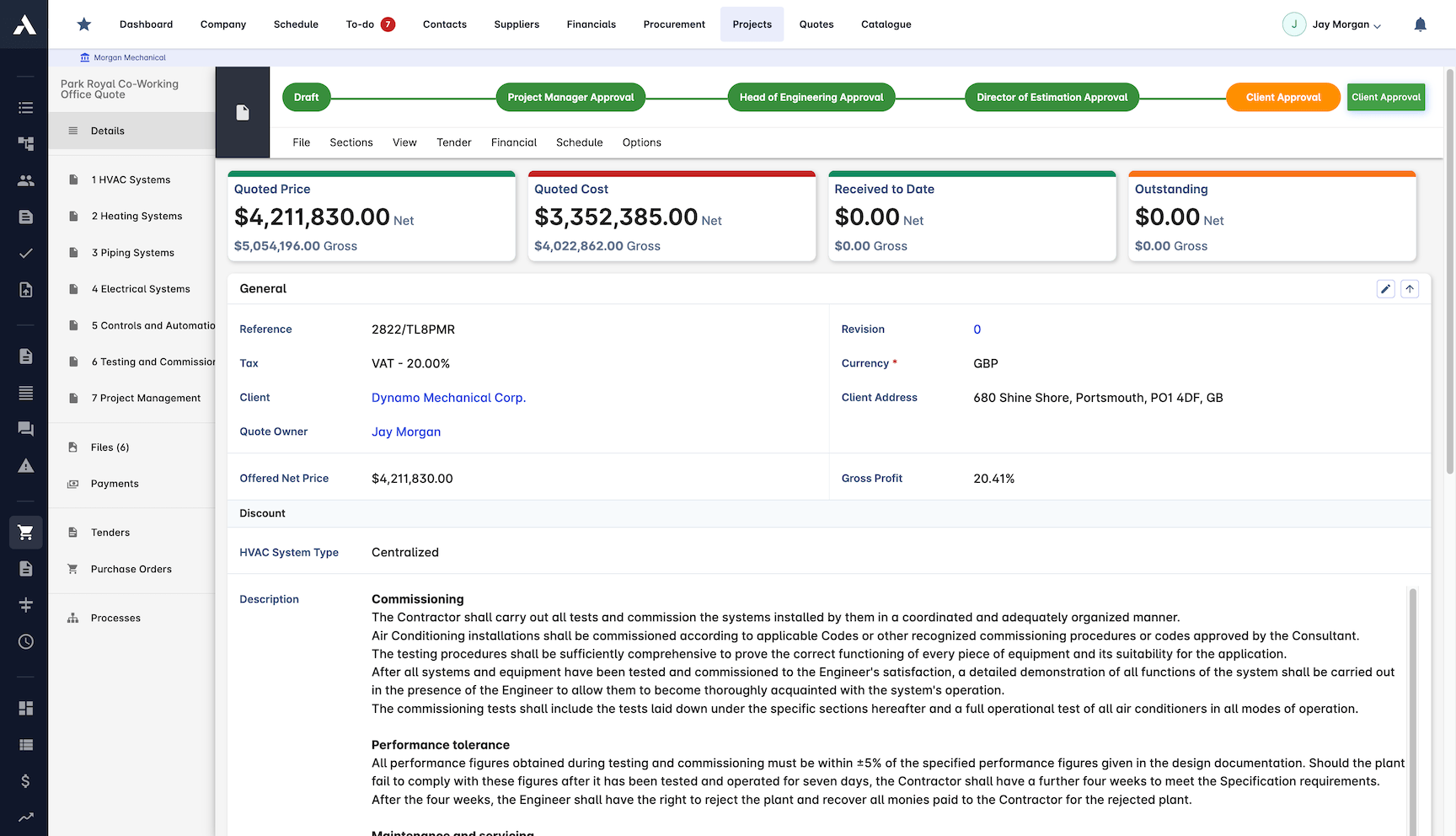
Digital Takeoff
Pull quantities straight from 3D models instead of measuring and retyping. Takeoff feeds the estimate directly, so the numbers start accurate.
Quantities calculated from the model
BIM model integration
Custom attributes read automatically
Build your own assemblies
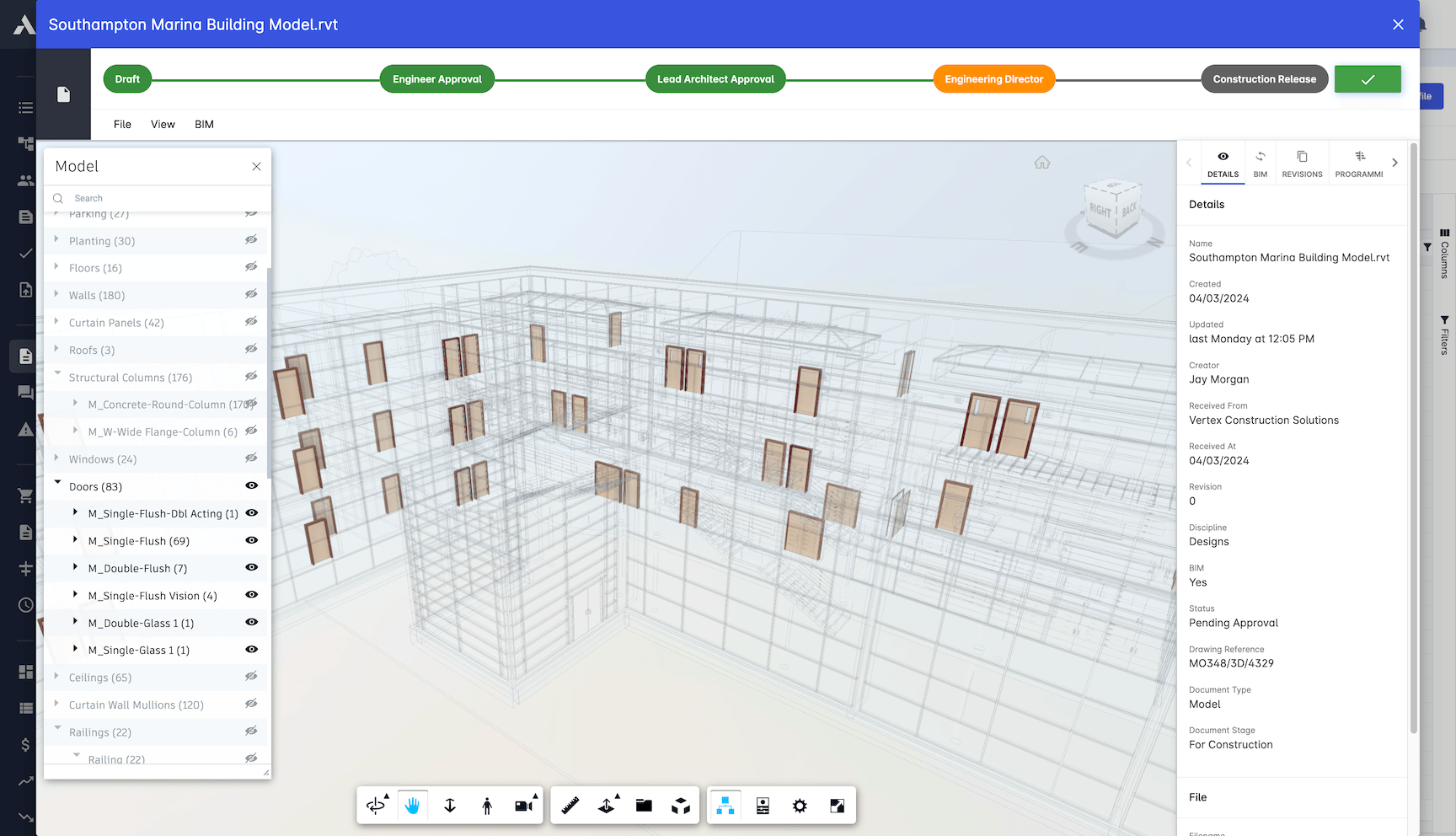
Resource Planning
Tie the estimate to real crew and equipment availability. The plan behind the price is one the site can actually deliver.
Resource availability tracked live
Equipment usage planned ahead
Crew composition per package
Resources loaded against the programme
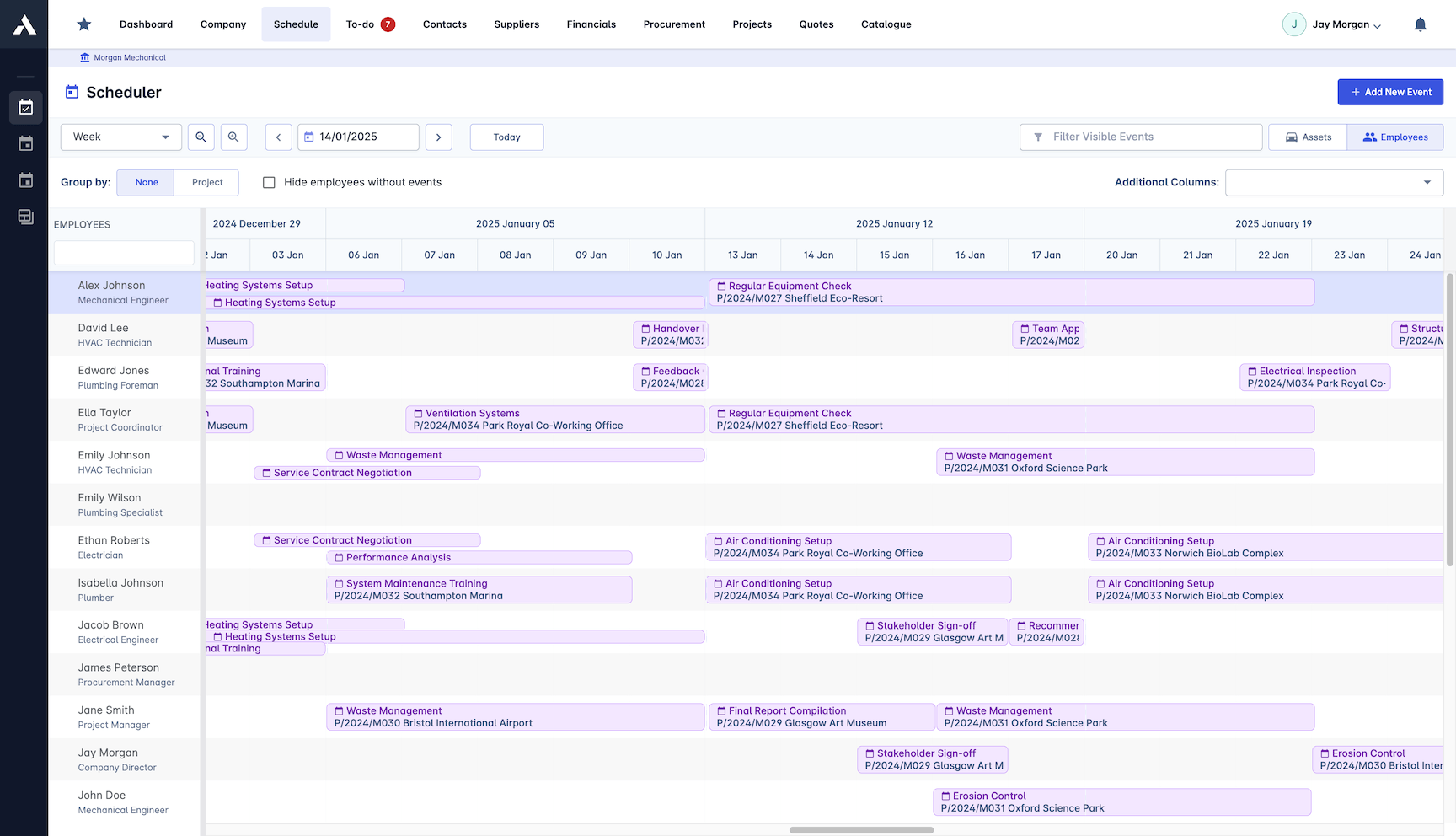
Estimate Analytics
See which estimates win, which lose, and how close the numbers ran to reality. Every delivered project sharpens the next bid.
Historical estimate analysis
Win and loss rates tracked
Estimate accuracy reporting
Bid and enquiries registry
How to judge estimating software
Estimating tools differ less in how they total a takeoff than in everything around the arithmetic: where the rates come from, how quantities arrive, what the margin looks like while the price is still moving, and what survives the win. Five checks separate a pricing spreadsheet with a nicer interface from an estimating platform.
- 01
Rates from a maintained library
Estimates should price from cost libraries with regional databases, supplier price integration and rate build-ups that assemble composite rates from their components. A tool that starts every estimate from a blank sheet prices from memory.
- 02
Margin visible line by line
Markup, overhead and allowances should run live as the estimate takes shape, so the profit in the price is a known number before submission, not a figure reconstructed after award.
- 03
Quantities that arrive digitally
Takeoff should read quantities and attributes from the BIM model straight into the estimate. Every retyped quantity is a transcription risk priced into the job.
- 04
A bid process attached to the estimate
Proposals should generate from the estimate itself, subcontractor quotes should sit side by side against the same packages, and every revision should stay on record.
- 05
An estimate that outlives the win
The strongest test is what happens at award. In Archdesk the winning estimate converts into the project budget, with the programme generated from the same estimate or takeoff. If the tool ends with an exported spreadsheet, the numbers fork on day one.
Frequently Asked Questions: Construction Estimating
What does construction estimating software do?
It prices the bid and delivers the project from the same data. Archdesk builds estimates from cost libraries and bills of quantities with full breakdowns across materials, trades, equipment and overhead, shows profit margin on every line before the price goes out, and converts the winning estimate into the project budget without re-keying. External collaborators such as subcontractors pricing packages are free of charge, so widening the bid list adds no per-seat cost.
How does Archdesk keep estimate prices current?
Estimates price from cost libraries that stay current: regional price databases, custom rate libraries and supplier price integration with automatic updates. Rate build-ups assemble products from subproducts, so the estimate starts from real numbers instead of last year’s rates.
Can Archdesk take quantities from a BIM model?
Yes. Digital takeoff reads quantities and custom attributes straight from 3D models and feeds the estimate directly, with support for building your own assemblies. Nothing is measured twice or retyped, so the numbers start accurate.
What happens to the estimate after you win the job?
The won estimate converts directly into the project budget, and the programme is generated from the same estimate or bill of quantities. There is no retyping between winning the work and starting it, and no drift between what you priced and what you deliver.
How does estimating accuracy improve over time?
Every delivered project feeds back into the next bid. Historical cost analysis shows how the numbers ran against reality, win and loss rates are tracked per bid in a bid and enquiries registry, and estimate accuracy reporting shows where pricing needs to sharpen.
Does Archdesk price from a bill of quantities?
Yes. Estimates build from detailed BoQs with a full cost breakdown structure, priced from cost libraries and rate build-ups that assemble composite rates from their components. Margin sits on every line, so the tender sum and the profit inside it are visible before the submission goes out.
What happens to the estimate once the tender is won?
The winning estimate converts directly into the project budget and the programme is generated from the same estimate or BoQ. From there, budget against actual and the CVR (cost value reconciliation) read from the numbers that were actually tendered, at project and portfolio level, with nothing re-keyed.
Can subcontractor quotes be compared during tendering?
Yes. RFQs are managed in one place and subcontractor quotes sit side by side against the same packages, with every revision on record. External collaborators, including subcontractors pricing packages, are free of charge, so the supply chain can take part in tendering without adding licence cost.
Does Archdesk integrate with UK accounting systems?
Yes. Archdesk is a certified Xero partner and integrates with Sage, so when the won estimate becomes the live budget, the commercial records and the ledger stay in step without re-keying.
Once the work is won, what each job really costs against these priced numbers is tracked in the job costing module. The same estimate produces client proposals built from the estimate. Prices submitted to clients are tracked from first contact to award in the bid and tender pipeline.
Explore Related Solutions
Everything below runs in the same system, working from the same live data.
Tender Management
Streamline your bidding process and win more jobs
Variation Management
Handle project changes efficiently and accurately
Client Proposals
Create professional client facing proposals
BIM Integration
3D take-off estimation
Job Costing
True cost per job, live against the estimate
Project Cost Controls
Monitor and compare your actuals with the estimate
Discover more
Explore the full range of solutions and find the right fit for your business.
See your next project on Archdesk
Book a demo and walk through a fully worked example project: one platform running everything from winning the work to closing it out.
Book a Demo

