Sage Intacct Construction Integration
Projects in Archdesk. The ledger in Sage Intacct. One set of numbers.Your project team and your finance team stop keeping two versions of the numbers. Purchase orders, bills and payments from Sage Intacct appear on the right project in Archdesk, and newly awarded projects are set up in Sage Intacct for you, with no files to import or export.
Trusted by construction companies of every size, worldwide




















Finance and project teams, working from the same figures
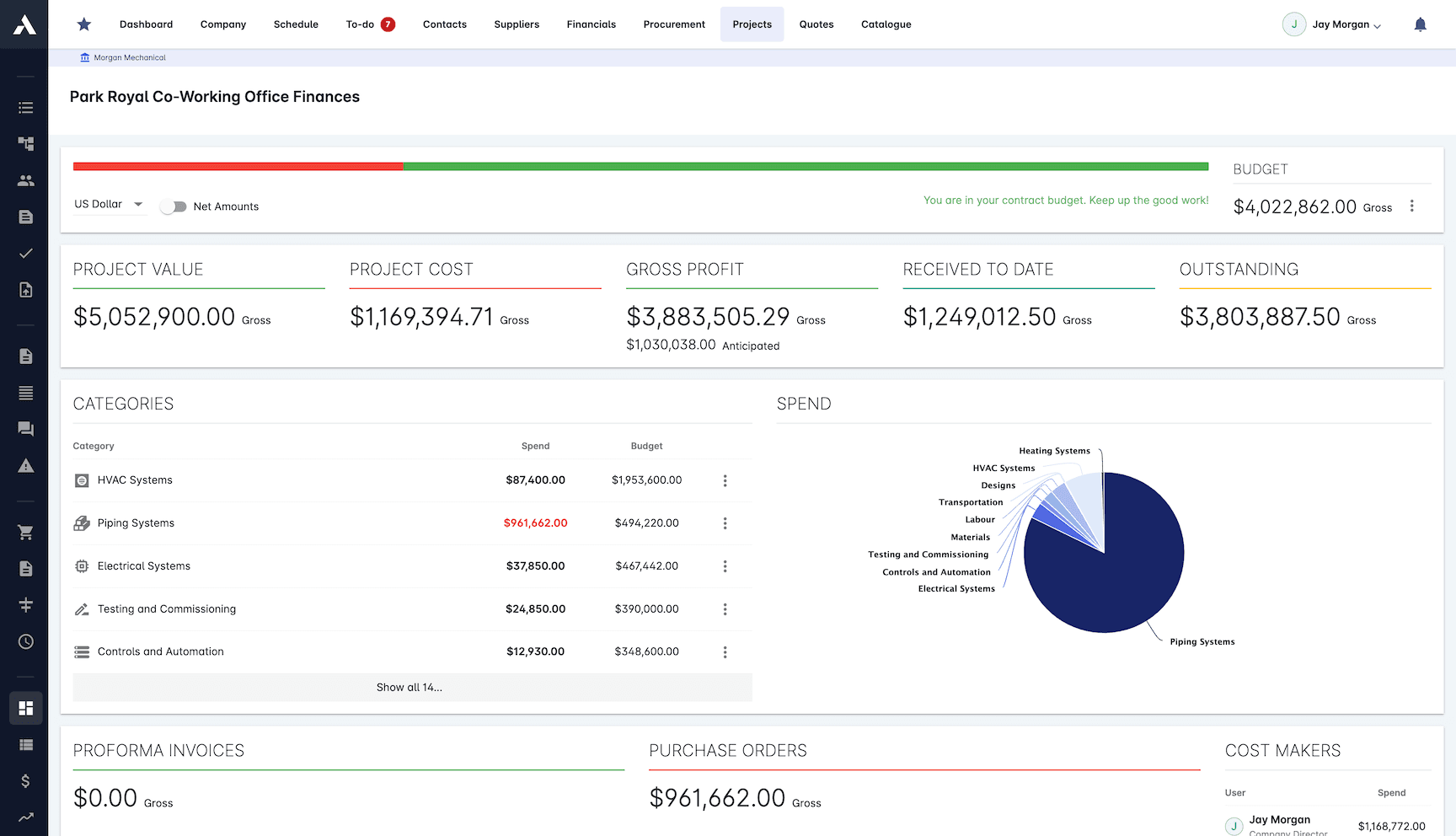
Finance keeps Sage Intacct Construction as the ledger. The project team gets committed costs, invoiced amounts and payment status on every project in Archdesk, without asking Accounting. Nothing is exported, emailed or re-keyed between the two, so both sides are looking at the same numbers. The integration is listed on the Sage Intacct Marketplace.

Stop entering the same data twice
Vendors, customers, purchase orders, bills, credit notes and payments come across from Sage Intacct automatically. Nobody keys them into a second system.
Set projects up faster
When a project is awarded in Archdesk, it is created in Sage Intacct for you, with cost codes copied from your Sage template project.
Answers without asking Accounting
Project managers see up-to-date committed costs, invoiced amounts and payment status on every project in Archdesk.
Keep the cost coding Finance set
Purchase order and invoice lines keep your Sage coding, such as cost type, cost code, department, location and customer, so the project team reads them the way Accounting coded them.
Set up with our team
The connection is scoped in discovery and configured during implementation, agreed with your finance team and tested against real transactions before anyone relies on it.
What moves between Archdesk and Sage Intacct
Projects and cost codes go from Archdesk to Sage Intacct. Vendors, purchase orders, bills, adjustments and confirmed payments come into Archdesk. Customers are brought in once and then managed in Archdesk. The table shows each record and where it lives on both sides.

- ProjectProjects
Awarded projects only
Archdesk to Sage IntacctProjectProject & Resource MgmtCreate (workflow action)
- Cost CodesProjects
Cost Codes created in the Project
Archdesk to Sage IntacctTask (Cost Code)Project & Resource MgmtCopy from Template project Standard Tasks
- Business ContactContacts
Customers and Vendors data
Both directionsCustomerAccounts ReceivableInitial pull, then managed in Archdesk
- Supplier/VendorContacts
Individual or Business Contact as Supplier/Vendor
Sage Intacct to ArchdeskVendorAccounts PayableCreate + Update, differential
- Purchase OrderFinancials
Purchase Order data with all items
Sage Intacct to ArchdeskPurchase OrderPurchasingCreate + Update, differential
- Purchase OrderFinancials
PO data with all items, where type = Purchase
Sage Intacct to ArchdeskBillAccounts Payable - Credit NoteFinancials
PO data with all items, where type = Credit Note
Sage Intacct to ArchdeskAP AdjustmentAccounts Payablewhere recordType = pa
- Outgoing PaymentFinancials
Payment data + per-invoice allocations
Sage Intacct to ArchdeskAP PaymentAccounts PayableOnly if payments confirmed
Sage and Sage Intacct are trademarks of The Sage Group plc or its licensors. Archdesk is an independent product and is not affiliated with or endorsed by Sage.
Frequently Asked Questions: Sage Intacct Integration
Does Archdesk integrate with Sage Intacct?
Yes. Archdesk connects to Sage Intacct Construction through the Sage Intacct REST API, and the integration is listed on the Sage Intacct Marketplace. Vendors, customers, purchase orders, bills, credit notes and payments sync from Sage Intacct into Archdesk; awarded projects and their cost codes are created in Sage Intacct from an Archdesk workflow step.
Which records flow in which direction?
From Archdesk to Sage Intacct: awarded projects (created by a workflow action) and the cost codes created in the project, which land as tasks in Project & Resource Management. From Sage Intacct to Archdesk: vendors, purchase orders, bills, AP adjustments (as credit notes) and confirmed AP payments. Customers are pulled from Sage Intacct once and then managed in Archdesk, in both directions.
Which Sage Intacct edition do I need?
Sage Intacct Construction. The integration creates projects and tasks in Project & Resource Management, which is part of the construction edition.
Do I need a Sage web services developer licence?
No. The integration uses the Sender ID designated by Sage, so there is no web services developer licence to buy and the API usage does not count towards your API performance tier.
How do transactions keep their Sage cost coding?
Sage dimensions such as cost type, task/cost code, department, location and customer carry over to purchase order and invoice lines, so what the project team sees in Archdesk reads the way Accounting coded it.
Who sets the integration up?
The Archdesk implementation team scopes the connection in discovery and configures it as part of onboarding, agreed with your finance team and tested against real transactions.
More Archdesk integrations
Every integration connects to the same project data model, so whichever systems your business runs on, the numbers agree. These pages cover the most requested systems, not the full list: Archdesk regularly builds integrations with customers' own ERP and accounting platforms during implementation.
Xero
Certified partner integration, listed on the Xero App Store.
Learn More
QuickBooks Online
Financial documents between projects and QuickBooks Online.
Learn More
Sage 50
Export invoices, credit notes and costs to Sage 50, project-coded.
Learn More
Microsoft Dynamics
Set up with our team, mapped to your Dynamics environment.
Learn More
SAP
Interface experience across older SAP landscapes and S/4HANA.
Learn More
MS Project
Import and export schedules, both ways.
Learn More
Primavera P6
Two-way schedule exchange, including calendars and baselines.
Learn MoreSee the full picture on the integrations overview or dive into accounting and ERP integration.
See your next project on Archdesk
Book a demo and walk through a fully worked example project: one platform running everything from winning the work to closing it out.
Book a Demo