Construction Time & Attendance Software
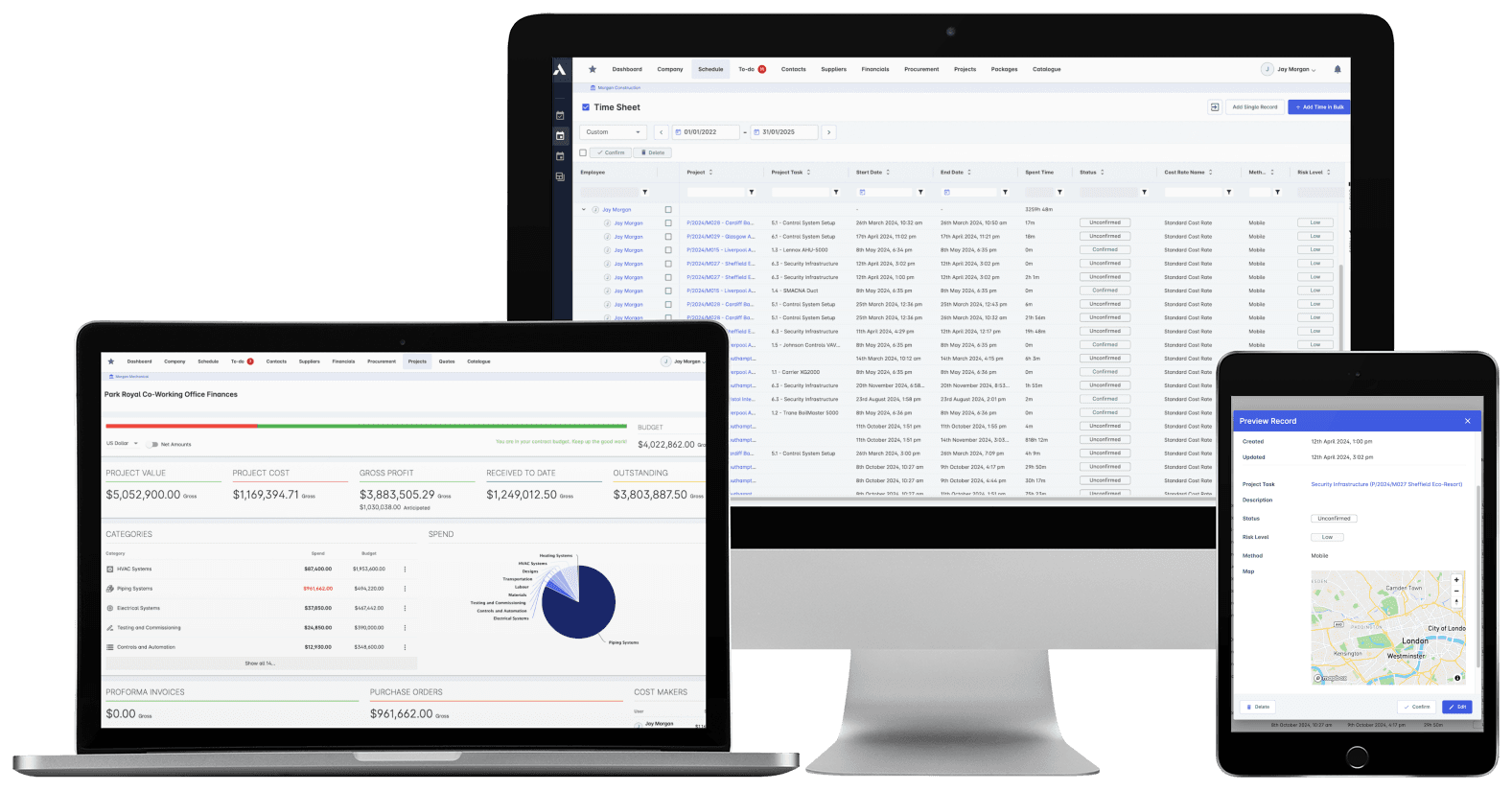
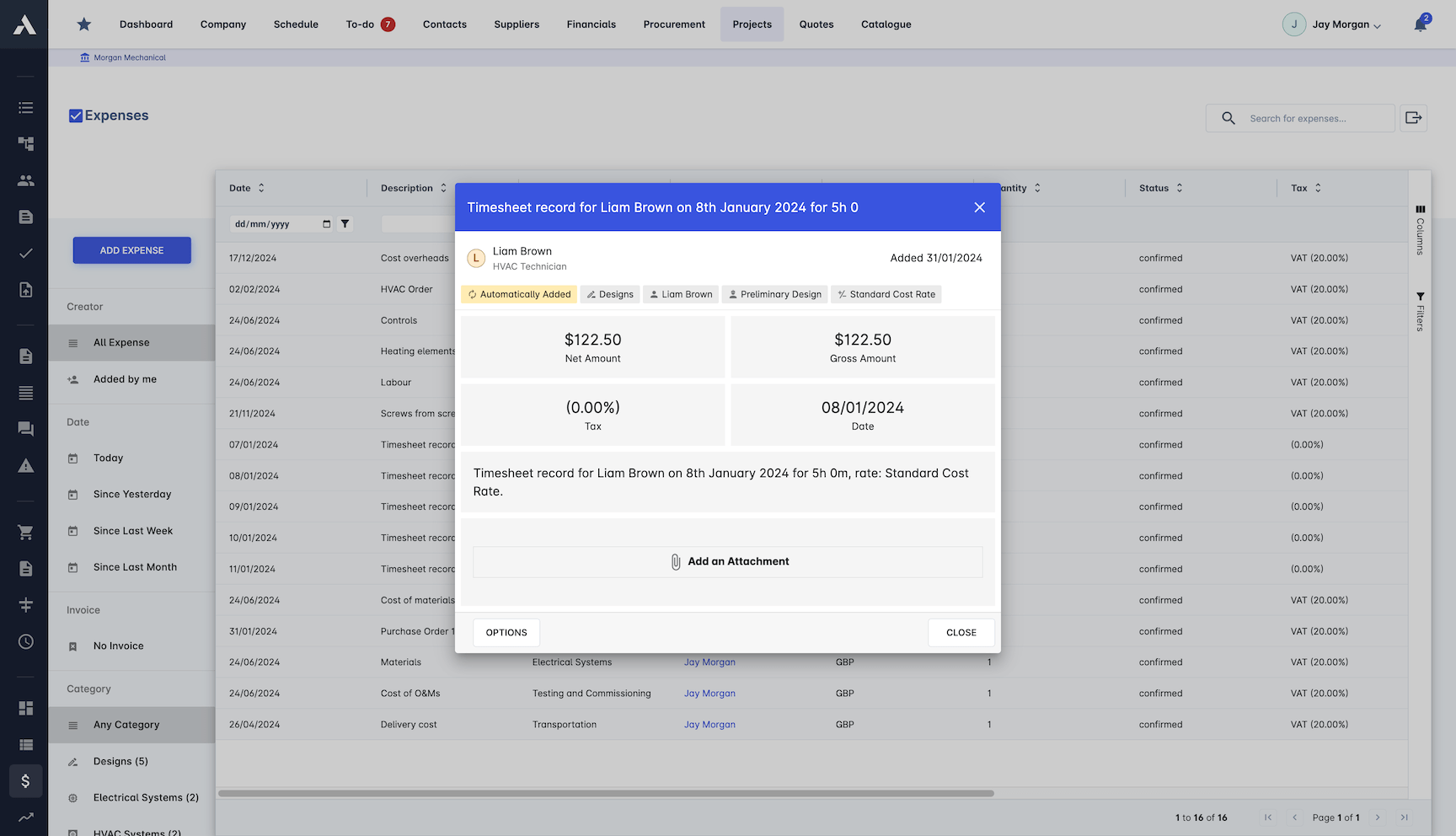
Hours in. Cost on the project. Same day.Crews clock in against the project and task, GPS-verified on site. Every hour is priced automatically with your real rules: rates by location, activity, overtime and risk, and lands on the budget the same day. Productivity you see weekly, not at payroll.
Trusted by construction companies of every size, worldwide




























Hours captured once, then payroll and job cost follow
Construction timesheet software connects site hours to project cost by pricing each clocked hour as it is recorded and allocating it to the project, task and cost code it was worked on. Archdesk verifies clock-ins with GPS, applies your real rates for location, activity and overtime, and lands crew costs on the budget the same day.

No Friday spreadsheet chase
Crews clock in on mobile with GPS verification or a QR code at the gate, so the hours exist the moment they are worked, not when someone types them up.
Crew cost visible while the job is live
Every hour is allocated to its project and cost code as it lands, so budget against actual is on the dashboard the same day, not at month end.
Hours you can trust at payroll
Multi-level approvals built for construction hierarchies, with mobile sign-off and digital signatures, keep the data clean before it reaches payroll.
Payroll from the same numbers
Custom cost calculations apply overtime rates, rates by state or region and other compliance rules as hours are approved, so payroll starts from numbers the project already trusts.
Every hour priced with your real rules
Rates by location, activity and overtime apply automatically as hours land, so the cost of a crew is a fact on the project the same day, not a payroll surprise weeks later.

Time Tracking
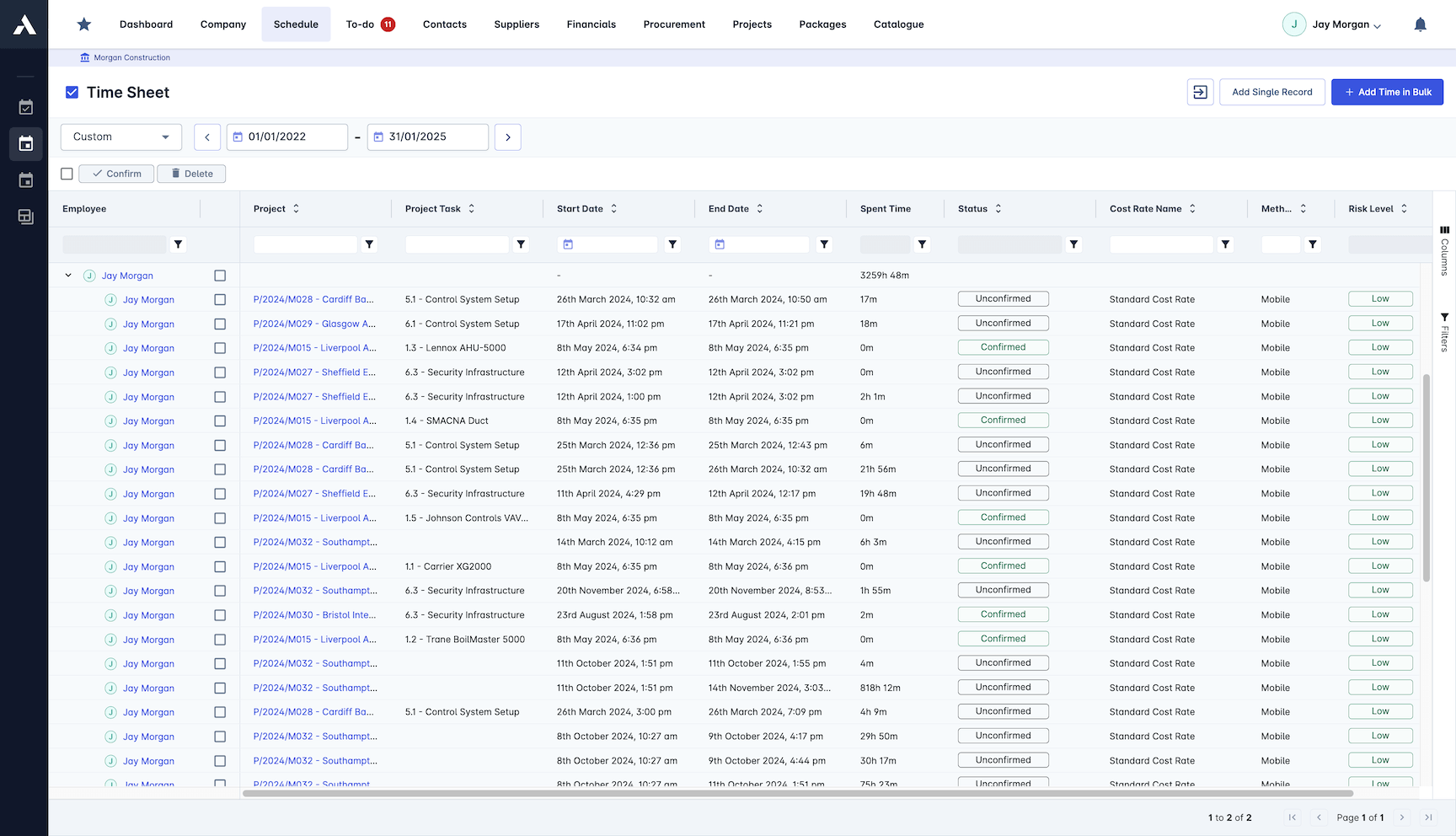
Hours recorded against site, project and cost code as they happen. Overtime and breaks are tracked automatically, so nobody reconstructs the week on a Friday.
Mobile clock-in with GPS location
QR code site check-in and check-out
Work type classification
Overtime and break tracking
Workforce Management
See who is on which site right now. Attendance, shifts and crew deployment across every live project sit in one dashboard.
GPS-verified clock-in and clock-out
Real-time attendance dashboard
Shift planning and rotation
Compliance with working time rules
Cost Allocation
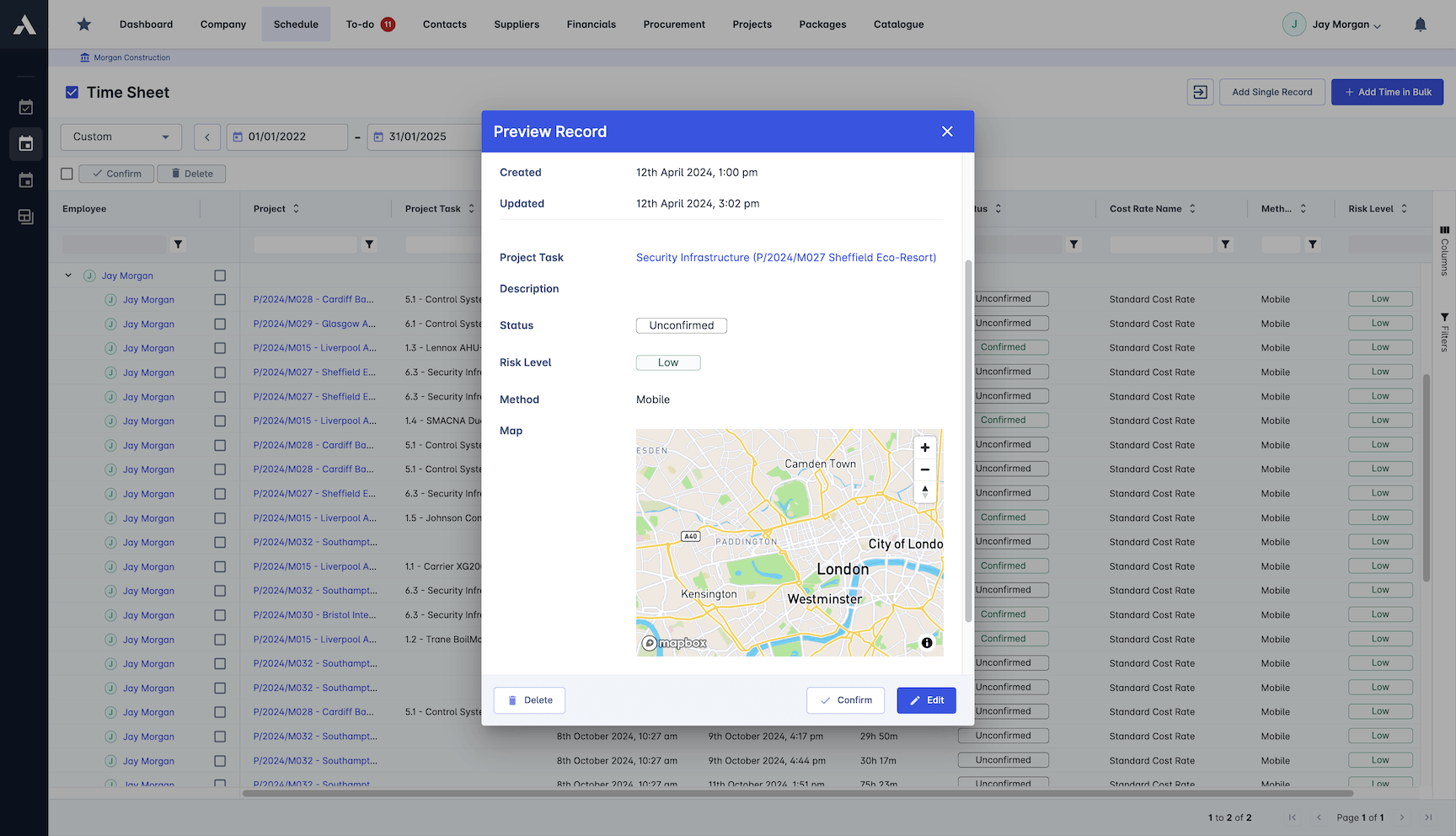
Every hour lands on the project, package and cost code it was worked on. Budget against actual by cost line is live while you can still act on it.
Cost allocation across every project
Hours coded to packages and cost codes
Budget vs actual tracking
Subcontractor time tracked too
Approval Workflow
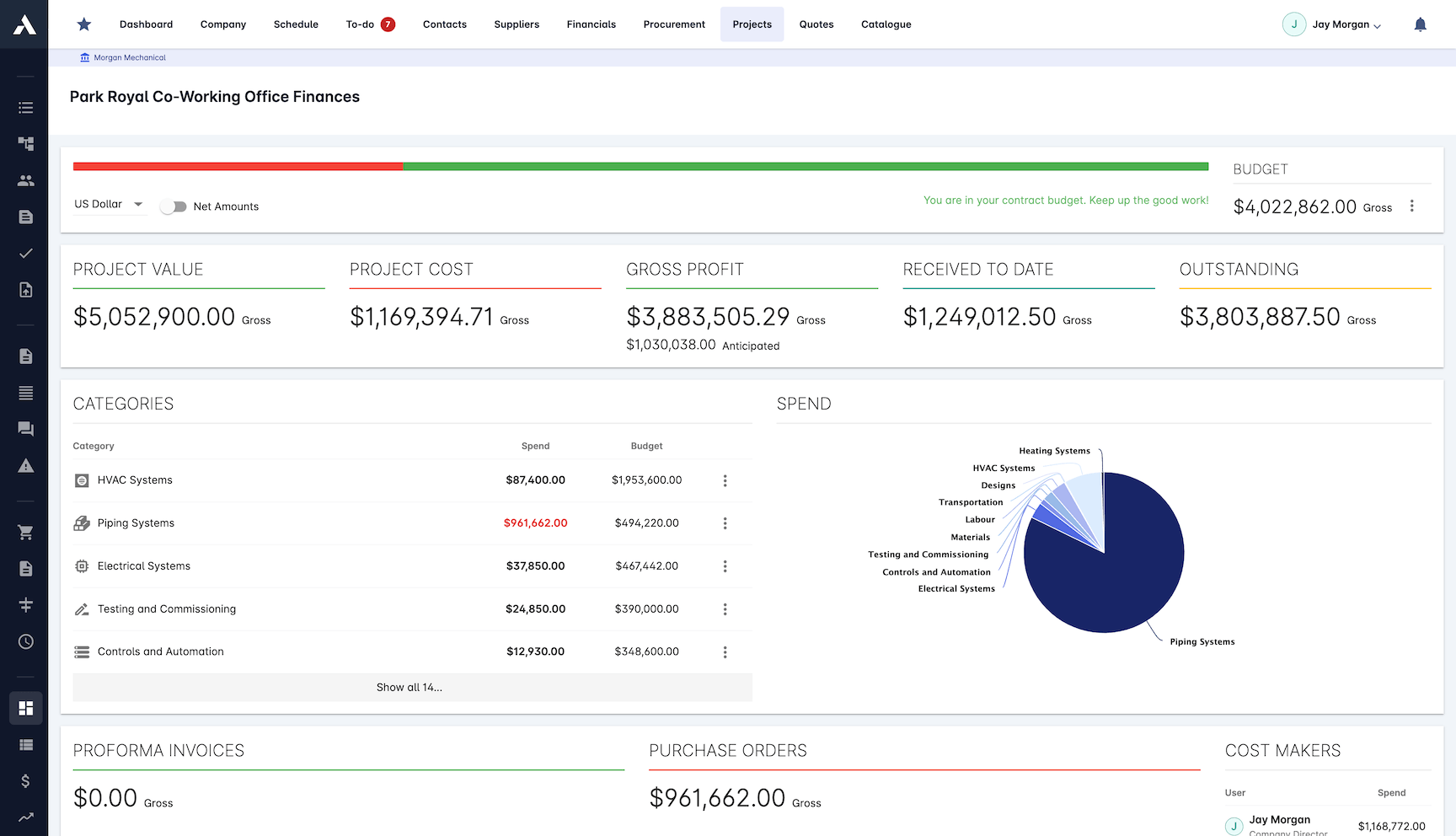
Timesheets route through the approval chain your business actually has. Supervisors sign off from a phone, and overtime raises its own alert.
Multi-level approval process
Automated overtime alerts
Approvals from a mobile device
Digital signature support
Custom Rate Calculations
Custom cost calculations price every hour with your rules: overtime rates, rates that differ by state or region, and other compliance requirements. Payroll starts from clean, approved numbers.
Custom cost calculation rules
Overtime rates applied automatically
Different rates per state or region
Approved hours ready for payroll
Frequently Asked Questions: Construction Timesheets
How do crews record their hours on site?
Crews clock in on a mobile device with GPS verification, or scan a QR code at the gate, so the hours exist the moment they are worked. Time is recorded against the site, project and cost code, with overtime and breaks tracked automatically, so nobody reconstructs the week on a Friday.
How do recorded hours become cost on the project?
Every hour is priced automatically with your real rates: by location, activity and overtime. It then lands on the project, package and cost code it was worked on, so budget against actual is visible on the dashboard the same day, not at month end.
How are timesheets approved?
Timesheets route through multi-level approval workflows built for construction hierarchies. Supervisors sign off from a phone, digital signatures are supported, and overtime raises its own alert, so the data is clean before it reaches payroll.
Can timesheet data feed payroll?
Yes. Custom cost calculation rules apply overtime rates, rates that differ by state or region and other compliance requirements as hours are approved, so payroll starts from clean, approved numbers the project already trusts.
Does Archdesk track subcontractor hours too?
Yes. Subcontractor time is tracked alongside your own crews and allocated to the same projects and cost codes, so the full crew cost picture per job sits in one place.
Explore Related Solutions
Everything below runs in the same system, working from the same live data.
Project Management
Streamline your project workflows from start to finish
Project Budgets
Control project finances and stay in budget
Risk Register
Identify and manage project risks
Real-time Reporting
Get instant updates across your project portfolio
Document Management
Centralize document handling and access
Project Cost Controls
Monitor and compare your actuals with the estimate
Site Forms
Digitize and streamline your site documentation processes
Site Diary & Daily Reports
Keep the daily site record structured and defensible
Work in Progress Reporting
Monitor completion costs across your whole project portfolio
Discover more
Explore the full range of solutions and find the right fit for your business.
See your next project on Archdesk
Book a demo and walk through a fully worked example project: one platform running everything from winning the work to closing it out.
Book a Demo