
Archdesk for HR Managers
A workforce you can actually seeCertifications, timesheets and people records, connected to the sites they work on.
A look at Archdesk from the HR seat in a construction company: what changes about certifications, time and workforce records, and straight answers to the questions HR asks first.
Trusted by construction companies of every size, worldwide




























We know HR in construction is different
Your workforce is spread across sites, half of it is on the move, and the stakes of an expired certification are not administrative. Archdesk connects people records to the work itself. Side by side:
People stay people, not rows. The system carries the admin so your time goes to the humans.
Not just tidier records. HR that keeps up with the sites.
Archdesk's workforce tools grew inside construction companies, shaped by the realities of site-based teams across thousands of projects.
Records connected to work
People, their qualifications, their time and their site assignments live in one system with the projects themselves, so HR data and operational reality stop drifting apart.


Field-first time capture
Timesheets are filed from phones on site, coded to the right job as they are entered.
Compliance you can prove
Inductions, certifications and training records are timestamped and organized when someone asks.
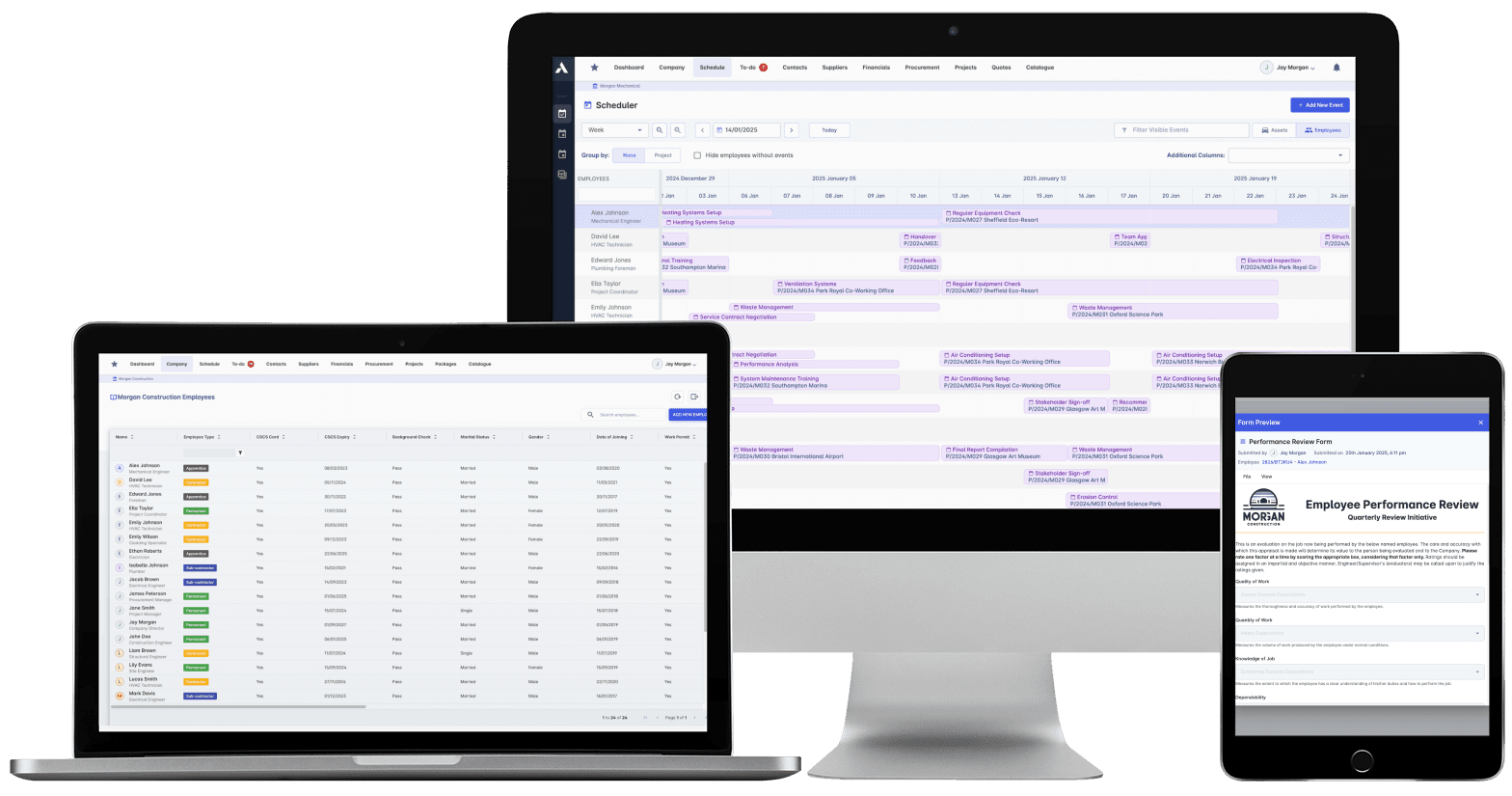
HR in Archdesk: people, qualifications, time and site assignments in one place.
Where HR managers spend their time in Archdesk
Questions HR managers ask us
What does Archdesk cover on the HR side?
Employee records, qualifications and certifications with expiry tracking, timesheets, time-off requests, site assignments, onboarding forms and performance records, connected to the projects people actually work on.
How does certification tracking work?
Each person's record holds their qualifications with expiry dates, visible before they lapse. You plan renewals from a list instead of discovering gaps when someone is turned away at a site gate.
Do site workers need to be at a computer?
No. Timesheets, forms and requests are made from phones. That is why the data arrives: the tool is where the people are.
How do timesheets connect to payroll and job costs?
Time is recorded against projects and flows both ways: to job costing on the project side, and as clean, complete data for payroll. Finance and HR stop maintaining parallel records.
Who sees personal data?
Access is role-based. HR sees people records; project teams see what they operationally need, such as who is assigned and site-relevant certifications. Sensitive information stays with the roles you authorize.
Can it handle subcontracted workers as well as employees?
Yes. Subcontractor personnel can be tracked for inductions, site presence and required certifications within the structures you set, so site compliance covers everyone working, not just your payroll.
See your workforce in one view
In the demo we walk you through Archdesk from the HR seat: people, qualifications, time and the sites they connect to. Book a demo and see.
Book a Demo