Construction Budgeting Software
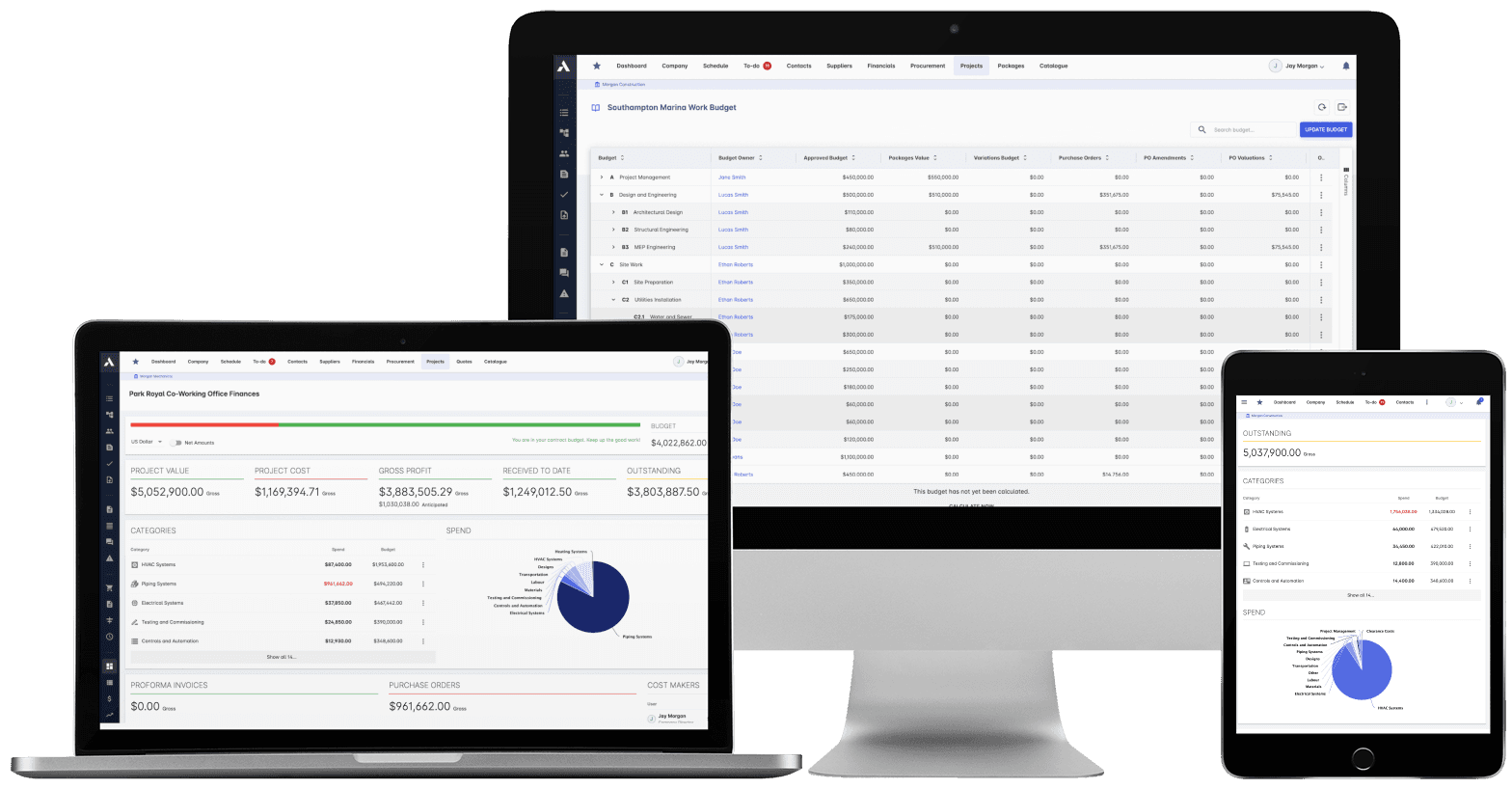
Know your final cost before the final account.Approved budget, variations, committed cost and work delivered, line by line in one view. Your anticipated final cost updates as the project moves, not when someone rebuilds the spreadsheet.
Trusted by construction companies of every size, worldwide












The budget, the commitments and the forecast on the same line
Construction budget management software keeps the final cost forecast live by holding the approved budget, variations, commitments and delivered value on the same cost lines. Archdesk tracks purchase orders, invoices, change orders and subcontractor valuations against every cost head in real time, so anticipated final cost updates as the project moves, not at month-end.
Month-end becomes a read, not a rebuild
Purchase orders, invoices and subcontractor valuations track against each cost line as they happen, so the cost report is current every day of the month.
A forecast you can defend
Earned Value Management, cost-to-complete predictions and trend analysis keep anticipated final cost live, with early warnings when a line starts to drift.
The numbers you bid are the numbers you run
Budgets build from templates with cost codes aligned to industry standards and reconcile against the estimate, so nothing is lost between winning the work and delivering it.
Every revision leaves a trail
Budget changes and commitments go through multi-level approval workflows with a full audit trail, so every movement in the number has a reason attached.
Final cost is live, not rebuilt monthly
Approved budget, variations, committed cost and delivered value sit on the same line, and the budget connects to the schedule through MS Project and Primavera P6, so cost and delivery move together.

Budget Management
Build the budget once, covering labour, materials, equipment and overheads, and reconcile it against the estimate. Nothing is lost between winning the work and running it.
Cost codes aligned with industry standards
Template-based budget creation
Reconciled against the estimate
Multi-currency support
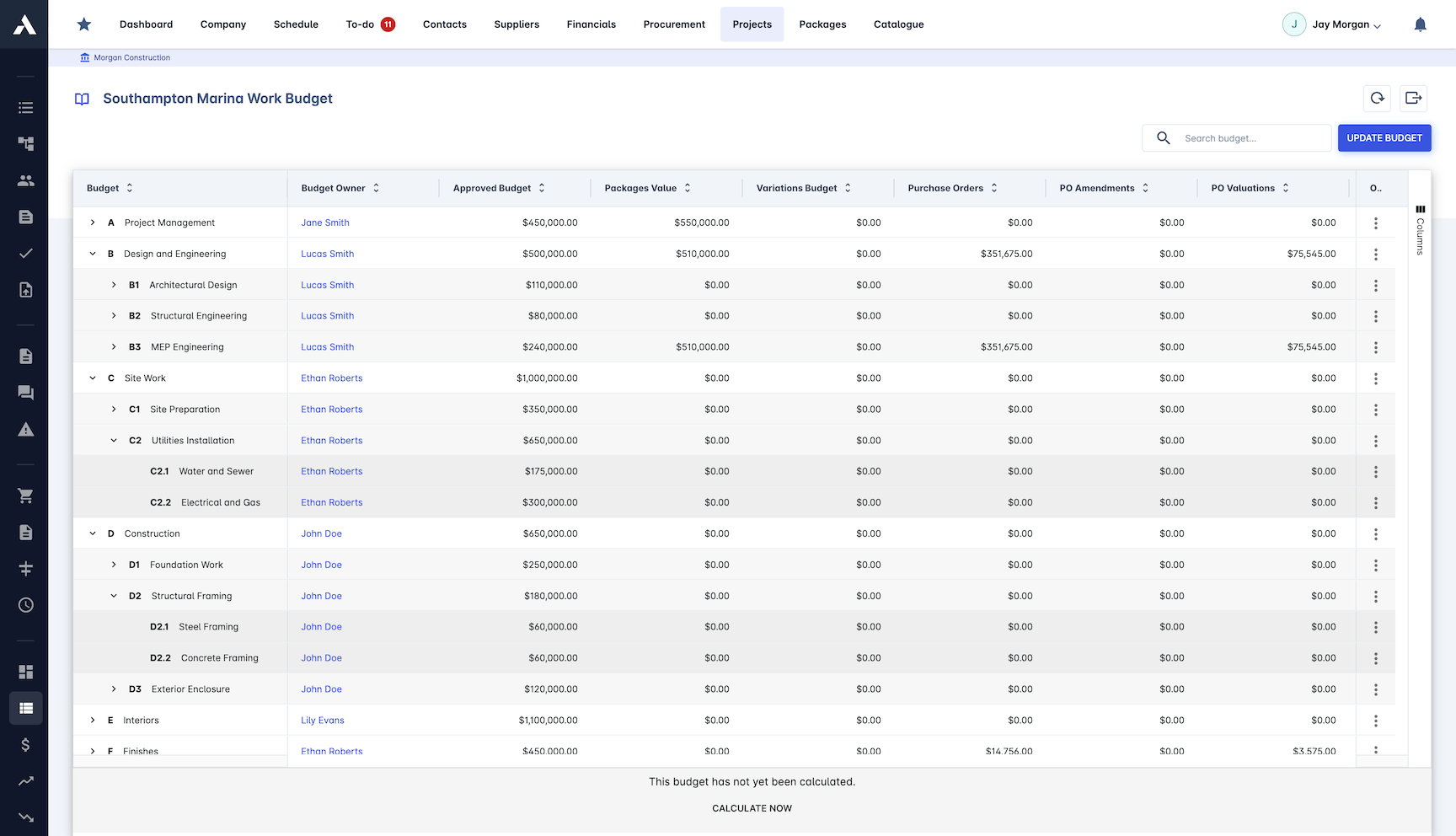
Cost Control & Drilldown
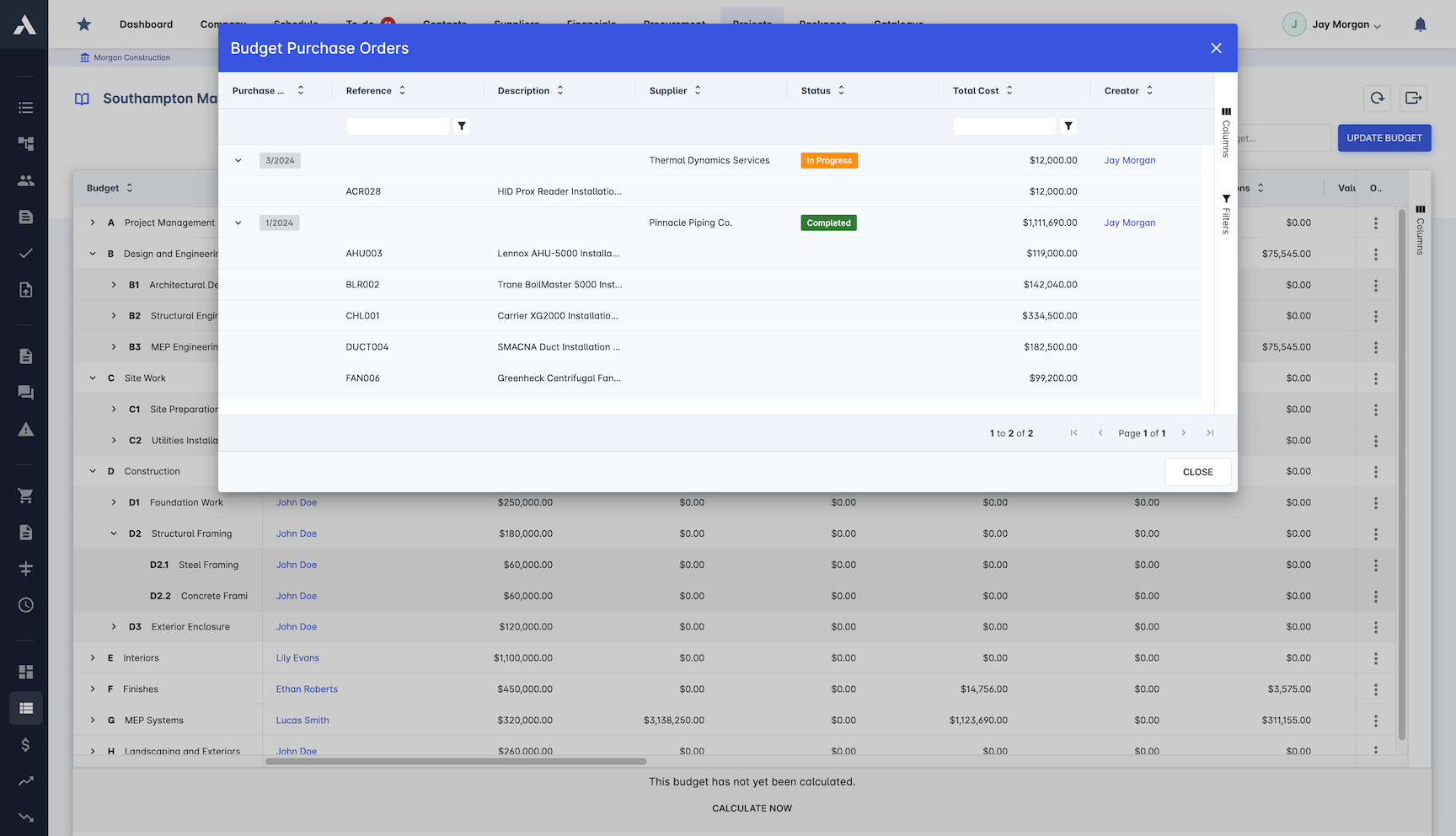
Actual cost tracks against each budget line as it happens, and any number drills down to the purchase order or invoice behind it. Change orders show their impact before they land.
Real-time cost and variance tracking
Change order impact assessment
Purchase orders and invoices on the line
Subcontractor valuations and payment notices
Cost Forecasting
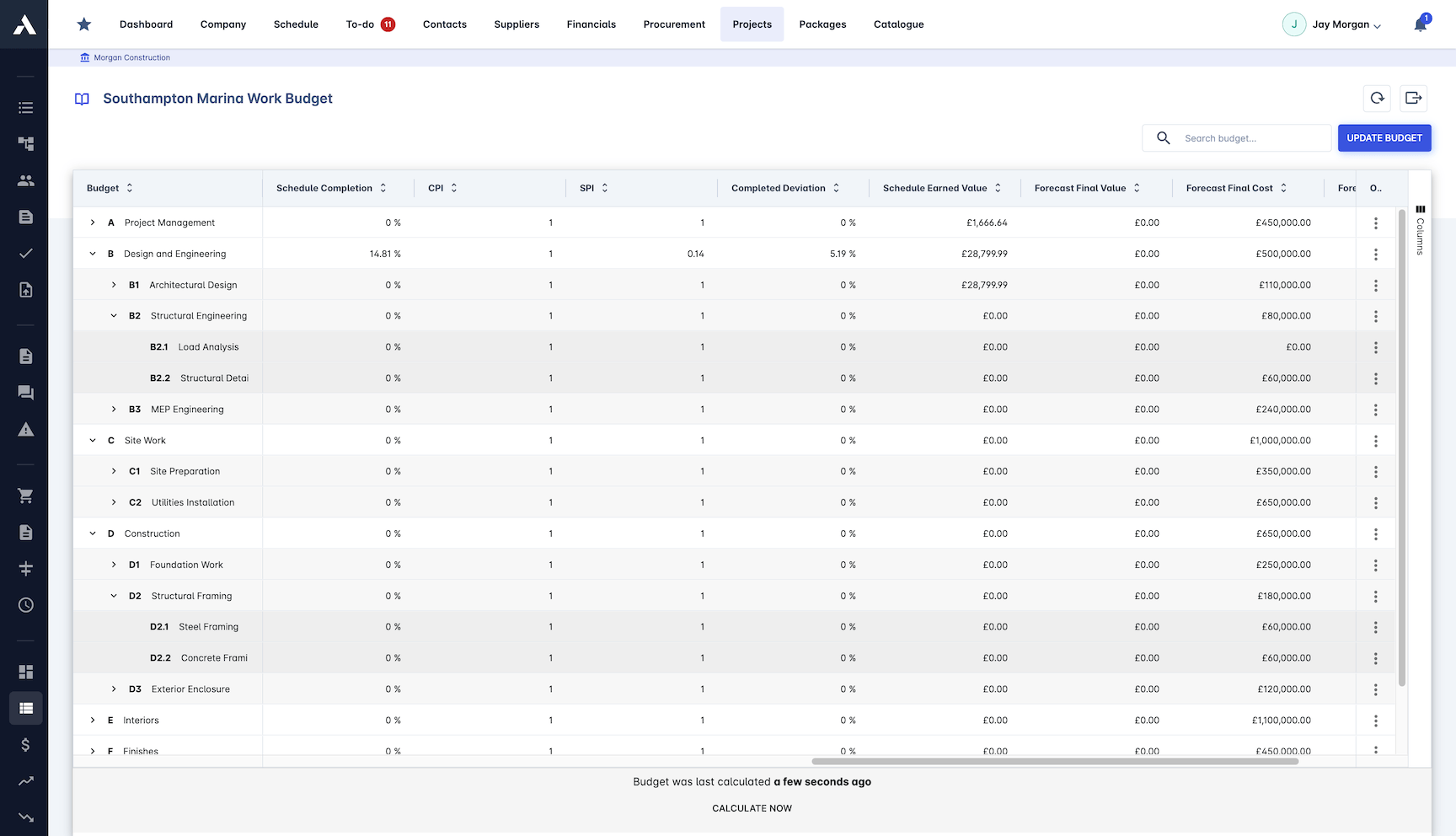
Anticipated final cost updates as the project moves. Earned value, cost-to-complete and trend analysis flag drift on a line while there is still time to recover it.
Earned Value Management (EVM)
Cost-to-complete predictions
Trend analysis and early warnings
Budget linked to MS Project and P6 schedules
Reporting & Analysis
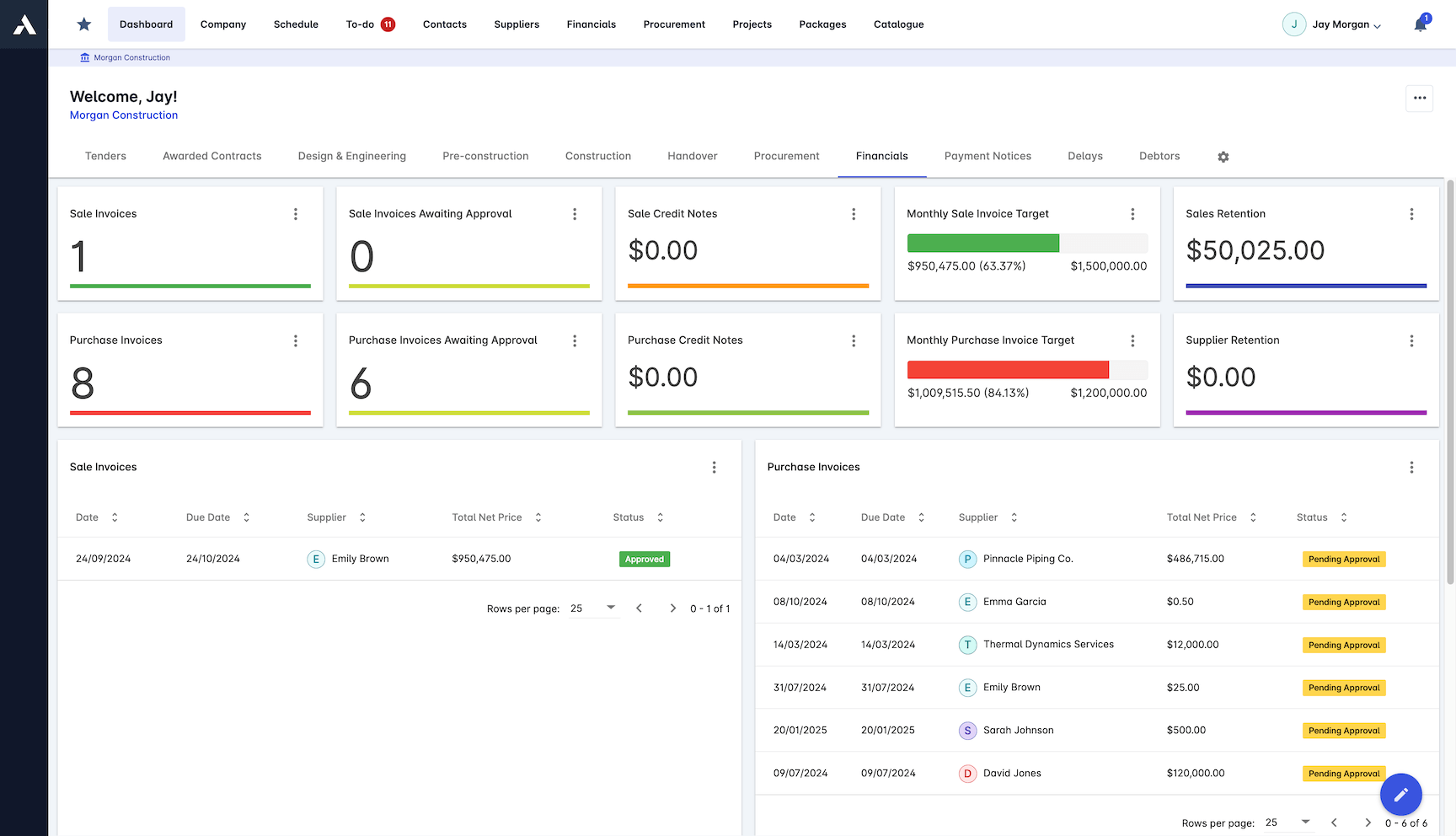
Financial reports build from live project data, so profitability and cost breakdown are a read, not a month-end reconstruction.
Dashboards and reports, Power BI style
CVR (cost value reconciliation) reports
Project profitability analysis
Cost breakdown structure analysis
Export to Excel and PDF
Project Integration
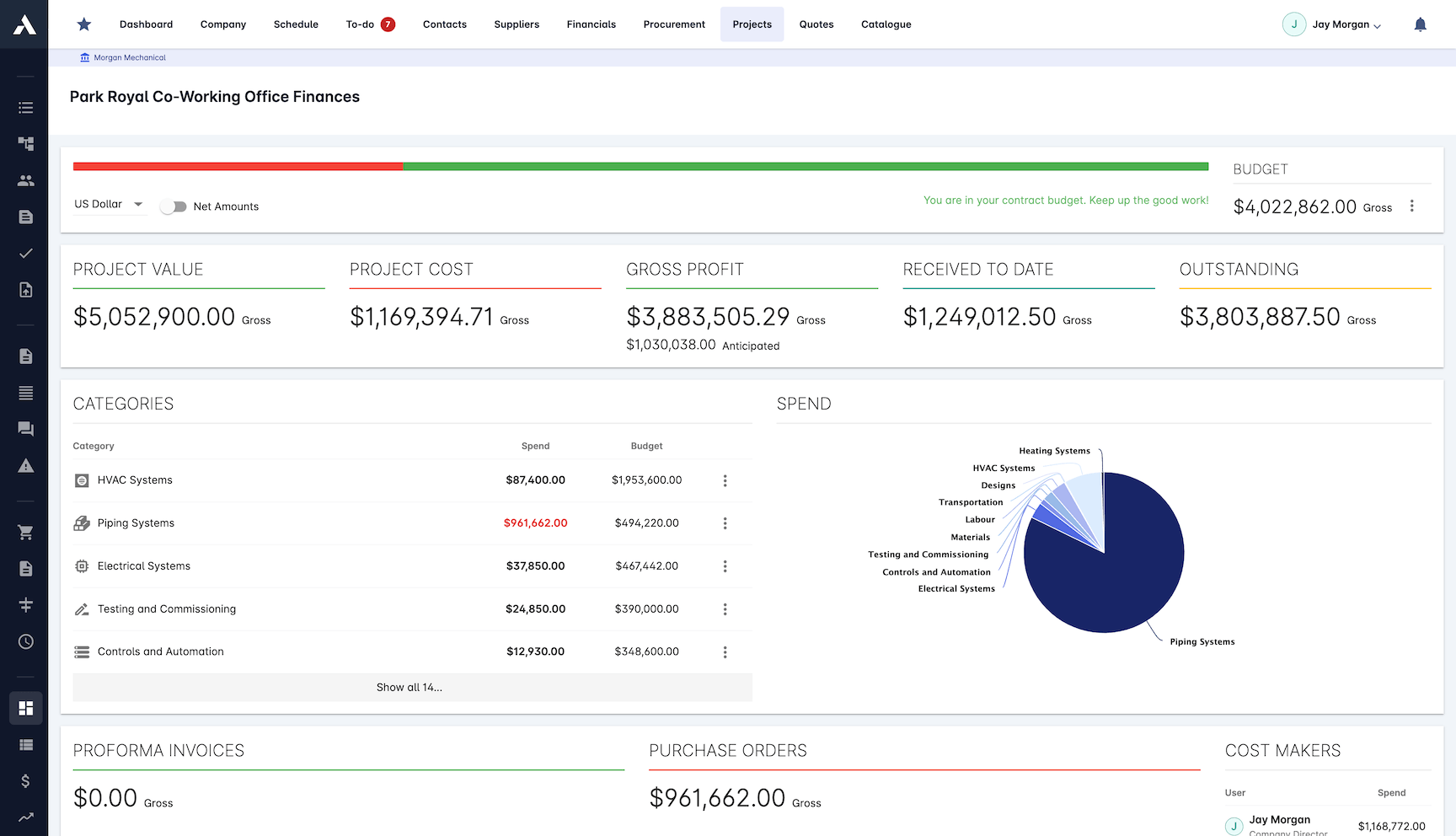
The budget does not sit on its own. It connects to scheduling, resources and documents, so cost moves when the work does.
Connected to scheduling and resources
Automated cost allocation
Linked to project documents
Live project performance metrics
Financial Control
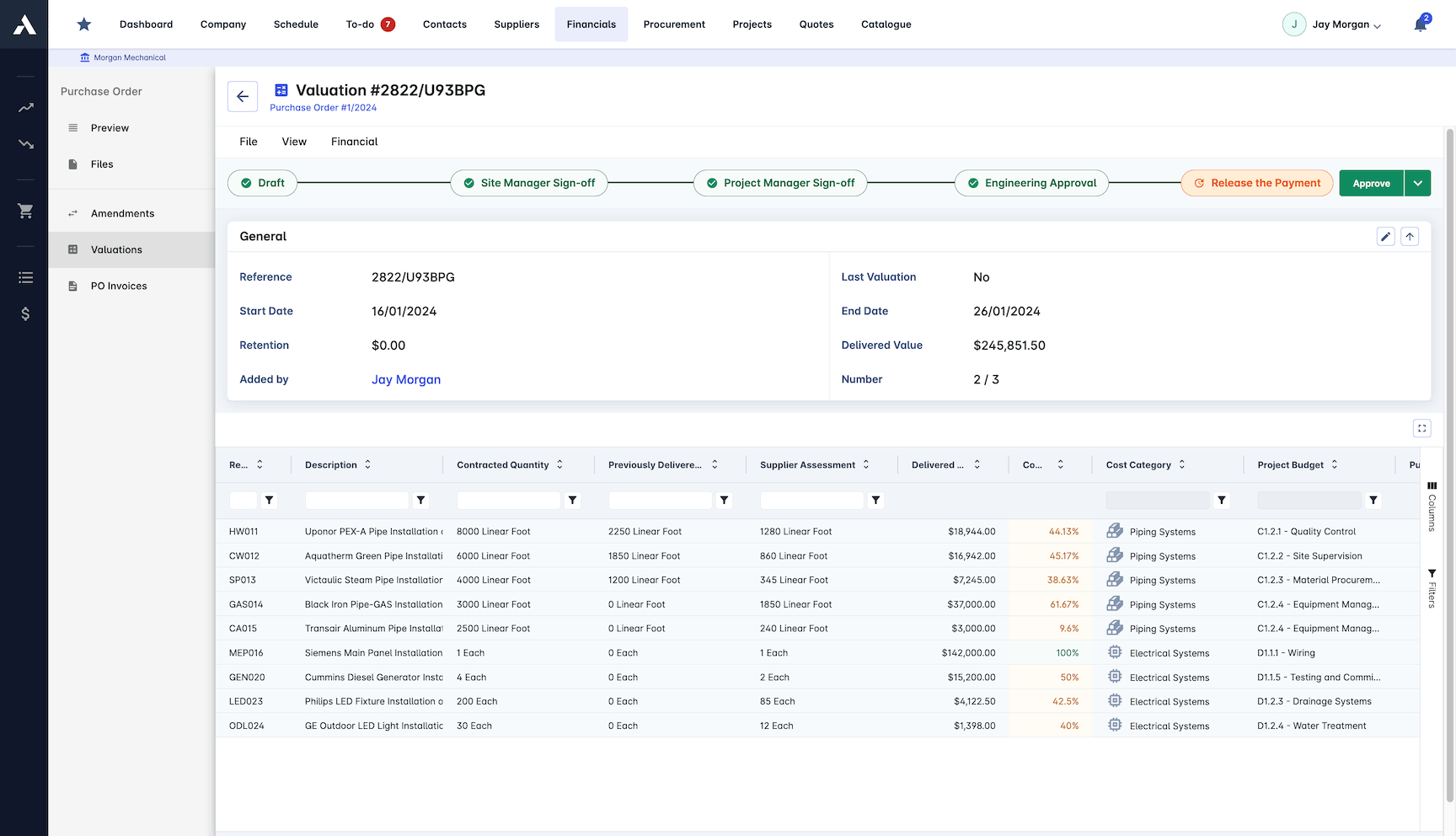
Commitments and budget revisions go through approval before they hit the number, and every change carries an audit trail you can show an auditor.
Multi-level approval workflows
Budget revision control
Commitment tracking
Audit trail and compliance reporting
Frequently Asked Questions: Construction Budget Management
What is construction budget management software?
It is software that holds the approved budget, variations, committed cost and delivered value on the same cost lines, so the anticipated final cost stays live as the project moves. In Archdesk, purchase orders, invoices, change orders and subcontractor valuations track against every cost head in real time instead of being rebuilt in a spreadsheet at month-end.
How does Archdesk keep the final cost forecast live?
Commitments and actuals land on their budget lines as they happen, and Earned Value Management, cost-to-complete predictions and trend analysis update the anticipated final cost continuously. When a line starts to drift, the early warning comes while there is still time to recover it.
Can I see the purchase orders and invoices behind a budget number?
Yes. Any number in the budget drills down to the purchase orders, invoices and subcontractor valuations behind it, so a variance conversation starts from the underlying records rather than a summary figure.
How are budget changes controlled?
Budget revisions and commitments go through multi-level approval workflows before they hit the number, and every change carries an audit trail. Change orders show their impact on the affected lines before they land, so scope growth never hides inside the base budget.
Does Archdesk produce CVR reports?
Yes. CVR (cost value reconciliation) reports build from the live budget, commitment and valuation records, at project and portfolio level, alongside profitability analysis and cost breakdown structure reporting, with export to Excel and PDF.
Comparing options? See the 7 best construction budget software tools.
Explore Related Solutions
Everything below runs in the same system, working from the same live data.
Project Management
Streamline your project workflows from start to finish
Risk Register
Identify and manage project risks
Real-time Reporting
Get instant updates across your project portfolio
Document Management
Centralize document handling and access
Project Cost Controls
Monitor and compare your actuals with the estimate
Site Forms
Digitize and streamline your site documentation processes
Site Diary & Daily Reports
Keep the daily site record structured and defensible
Work in Progress Reporting
Monitor completion costs across your whole project portfolio
Discover more
Explore the full range of solutions and find the right fit for your business.
See your next project on Archdesk
Book a demo and walk through a fully worked example project: one platform running everything from winning the work to closing it out.
Book a Demo