Archdesk vs Buildertrend
The Best Alternative to Buildertrend in 2026Commercial depth. Subcontractor compliance. Free migration.
See Archdesk on a project like yours.
Get StartedBuildertrend is built for residential: custom home builders and remodelers, with client communication homeowners love. Archdesk is built for commercial contractors: committed versus actual cost on every budget line, CVR, payment applications and retainage, subcontractor compliance with insurance expiry tracking, document version control and reporting across the whole portfolio. If your commercial workload has outgrown a residential toolset, this is the switch, and migration is free.
Get Started
Book a quick demo and see Archdesk in action.

Archdesk as a Buildertrend Alternative, in Short
Archdesk is a construction management platform that commercial general contractors and specialty contractors choose as a Buildertrend alternative when their workload has outgrown residential-focused tooling. One subscription covers estimating, scheduling, procurement, committed versus actual cost tracking, CVR (cost value reconciliation), payment applications, retainage, subcontractor compliance, site records, document control with version control and reporting at project and portfolio level. Migration from Buildertrend is free, and external collaborators, including subcontractors, clients and consultants, cost nothing.
Comparing more than these two? See the full Archdesk vs Procore vs ACC vs Buildertrend comparison.
Comparing the wider field? See every Archdesk head-to-head on the alternatives comparison hub.
Last reviewed: 22 July 2026. Buildertrend information on this page is based on publicly available documentation as of this date.
30+
modules in one subscription
1 price
with no per-module upsell
Free
migration from Buildertrend
Key Advantages of Archdesk vs Buildertrend
Where Archdesk goes deeper than Buildertrend for commercial work: cost control, payments, compliance and the portfolio view.

Cost Control at Commercial Depth
Committed versus actual cost on every budget line, CVR (cost value reconciliation), CPI, SPI and custom KPIs, tracked at project and portfolio level.
Pay Applications and Retainage
Pay applications, retainage and payment tracking, built for commercial payment cycles rather than homeowner invoicing.
Subcontractor Compliance Built In
Vendor qualification, commitments and insurance and accreditation expiry tracking, with subcontractors working in Archdesk as free external collaborators.
Document Control with Version Control
Controlled documents with versioning, revision tracking and approvals tied to workflows, so everyone builds from the current revision.
Portfolio Reporting Included
Configurable dashboards, KPIs and drilldowns across every live project, so directors see margin and progress across the portfolio, not one job at a time.
One Platform, End to End
More than 30 modules in one subscription, from bid to closeout, at one price with no per-module upsell and no features held back behind a higher tier.

Why Switch from Buildertrend to Archdesk?
The six reasons growing commercial contractors give most often when they move, side by side: what the day looks like in Buildertrend, and what changes in Archdesk.
Cost control that stops at job costing
With Buildertrend
Buildertrend job costing is built around residential budgets. As commercial work grows, committed versus actual tracking, CVR and forecast-to-complete tend to move into spreadsheets running alongside the system.
With Archdesk
Committed versus actual cost on every budget line, CVR (cost value reconciliation), CPI, SPI and custom KPIs, native and live at project and portfolio level.
Homeowner billing, not payment applications
With Buildertrend
Buildertrend invoicing and payments are designed around homeowner billing. Commercial payment cycles, with applications, certifications and retainage, are not what it was built for.
With Archdesk
Pay applications, retainage and payment tracking are native, tied to live budget lines with approvals and audit trails.
Subcontractor compliance done by hand
With Buildertrend
Buildertrend coordinates subcontractor schedules and communication well for residential trades, but compliance tracking at commercial scale often means a separate spreadsheet of insurance dates.
With Archdesk
Vendor qualification, commitments and insurance and accreditation expiry tracking are built in, and subcontractors collaborate in Archdesk at no cost.
File sharing instead of document control
With Buildertrend
Buildertrend stores and shares project files in a way that suits residential jobs. Commercial contracts demand controlled documents with a clear revision history.
With Archdesk
Document control with version control, revision tracking and approvals tied to workflows, so site and office always build from the current revision.
One job at a time, not a portfolio
With Buildertrend
Buildertrend reporting is centered on the individual job, which fits how residential builders work. Directors running many commercial projects need the whole book in one view.
With Archdesk
Portfolio dashboards, custom KPIs and drilldowns across every live project, with cost and progress reported at project and portfolio level.
A toolset your work has outgrown
With Buildertrend
Buildertrend does what it was built for well. The problem is not the product; it is that your commercial workload has moved past its residential design.
With Archdesk
Archdesk was built for commercial general contractors and specialty contractors, and migration from Buildertrend is free, so switching does not add a bill to the decision.
What Makes Archdesk a Better Buildertrend Alternative
Built for Commercial Contractors
Buildertrend is good software for what it was built for: custom home builders and remodelers who need scheduling, job costing and standout client communication for homeowners. That focus is exactly why growing commercial contractors run into its edges. Commercial contracts bring payment applications and retainage, subcontractor compliance obligations, controlled document revisions and directors who want the whole portfolio in one view.
Archdesk was built for that world: commercial general contractors and specialty contractors who need cost control, compliance and reporting at commercial depth. If you are scanning the wider market beyond these two, our Procore alternative comparison covers the most common incumbent head to head.
Cost Control at Commercial Depth
Archdesk tracks committed versus actual cost on every budget line, so a purchase order raised today is visible against the budget today, not when the invoice arrives. CVR (cost value reconciliation) runs inside the platform, alongside CPI, SPI and custom KPIs, at project and portfolio level.
That is the depth commercial finance teams expect, and it is usually the first area growing contractors outgrow in residential-focused tools: the moment margin questions get answered in Excel, the system has stopped doing its job.
Pay Applications and Retainage
Commercial payment cycles do not look like homeowner invoicing. Archdesk runs pay applications, retainage and payment tracking natively, tied to live budget lines with approvals and audit trails. Commercial teams prepare, certify and track applications in the same system that holds the costs, so month-end stops being a reconciliation exercise.
Subcontractor Compliance and Insurance Expiry Tracking
Managing subcontractors on commercial projects means managing risk: qualifications, insurance, accreditations and commitments. Archdesk tracks insurance and accreditation expiry dates and flags them before they lapse, keeps vendor qualification and performance in one place, and ties commitments to the budget lines they affect.
Subcontractors themselves work in Archdesk as external collaborators at no cost, along with clients and consultants, so collaboration never turns into a seat-count negotiation.
Document Control with Version Control
Commercial contracts demand a controlled document trail. Archdesk provides document control with version control and revision tracking, with approvals tied to workflows, so the site always builds from the current revision and the audit trail shows who approved what and when.
A Pricing Model Without Per-Module Upsells
Buildertrend moved to quote-based pricing in 2026: its pricing page now collects your builder type and annual construction volume before sales quotes a figure, and capabilities still step up with each plan. Archdesk is quoted to fit your team, user-based or with unlimited users, and everything is included at one price with no per-module upsell and no features held back behind a higher plan.
External collaborators, including subcontractors, clients and consultants, cost nothing, so the number you budget around reflects your own team, not everyone you work with.
Free Migration from Buildertrend
The biggest hidden cost of staying on a platform you have outgrown is the workaround tax: the spreadsheets, re-keying and manual checks that grow around it. Archdesk removes the biggest cost of leaving: migration from Buildertrend is free. Our specialists map and move your projects, budgets, contacts and documents, configure workflows to your process and train each role, so the switch is a managed project rather than a leap.
Dashboards, KPIs and Portfolio Analytics
Decision-makers get live dashboards across projects and departments with configurable KPIs and drilldowns. Portfolio analytics surface trends in cost, schedule and resource performance at project and portfolio level, while project teams use operational dashboards tailored to their roles for day-to-day execution.
Buildertrend Renewal in 30, 60, or 90 Days?
Your Buildertrend renewal is a natural decision point. The right switching plan depends on how much time you have left, and Archdesk can help you assess fit, plan migration and decide on your timeline rather than the renewal clock.
Days to Renewal
This is the ideal window to evaluate Archdesk properly. We review how you run commercial work in Buildertrend today, identify where residential-focused tooling is pushing controls into spreadsheets, scope your migration and build a clean transition plan well before the renewal date.
At 90 days, most teams can run a structured comparison, align internal stakeholders and prepare a phased rollout with free migration from Buildertrend included.
Days to Renewal
At 60 days, the goal is commercial clarity. We help you compare your current Buildertrend tier against an Archdesk quote, define the must-have workflows for your commercial projects and confirm what data moves first, so you can make a confident decision fast.
This is often the sweet spot for companies that are serious about switching but do not want to be rushed into another term.
Days to Renewal
With 30 days left, the priority is a clear decision. We help you evaluate whether to switch now or build a short transition plan, so you are not committing to another term without a clear alternative on the table.
Even on a tight timeline, we can map a fast-start implementation path and a free migration plan, so you know exactly what switching would look like.
Archdesk vs Buildertrend: Side-by-Side Comparison
How the two platforms compare across the areas that decide the switch: what each one does, and what that means for your operations and your margin.
| Category | Archdesk | Buildertrend |
|---|---|---|
| Primary Focus | Commercial general contractors and specialty contractors running multiple projects. Workflows match commercial contracts, not homeowner jobs. | Residential construction: custom home builders and remodelers. Strong for residential; commercial depth is not the focus. |
| Cost Control | Committed versus actual cost, CVR (cost value reconciliation), forecast-to-complete and cost codes on every budget line. Real-time margin control without spreadsheets on the side. | Job costing and budgets built around residential projects. Commercial-depth controls often end up in Excel. |
| Pay Applications & Retainage | Pay applications, retainage and payment tracking. Commercial payment cycles run inside the system. | Invoicing and payments designed around homeowner billing. Applications and retainage need workarounds. |
| Pricing Model | Quote-based: user-based or unlimited-user plans with everything included and no per-module upsell. One price to budget around; external collaborators free. | Quote-based since 2026: the pricing page collects builder type and annual construction volume before quoting. Unlimited users included. No published price to budget against; capabilities depend on plan. |
| Client Communication | Client portals and controlled sharing for commercial stakeholders, free for clients. Clients see what you choose to share, at no seat cost. | Strong homeowner communication and selections tools. A genuine strength for residential client management. |
| Subcontractor Management | Vendor qualification, commitments, performance and insurance and accreditation expiry tracking. Compliance risk visible before it becomes a problem. | Subcontractor scheduling and communication for residential trades. Compliance tracking at commercial scale is manual. |
| Document Management | Document control with version control, revision tracking and approvals tied to workflows. One source of truth; everyone builds from the current revision. | File storage and sharing suited to residential jobs. Controlled revision history can be limited. |
| Delivery & Scheduling | Portfolio-aware schedules connected to resources, procurement and cost. Better delivery predictability and capacity planning. | Project schedules built for residential builds. Portfolio capacity planning handled outside the system. |
| Field & Mobile | Site diaries, timesheets, QA/QC, health and safety forms and approvals on mobile, tied to budget lines. One place, one record: field data lands against the right project and budget line. | Daily logs, to-dos and schedules on mobile. Field-to-finance linkage can require extra steps. |
| Procurement | RFQs, vendor management, purchase orders, goods receipt and three-way matching. Controlled spend and vendor performance visibility. | Purchasing built around residential jobs. Full commercial procurement cycle needs external tools. |
| Analytics & Reporting | Configurable dashboards, CPI, SPI, custom KPIs and drilldowns at project and portfolio level. Faster decisions and portfolio-level control. | Reporting centered on the individual job. Cross-project analysis takes manual consolidation. |
| Estimation & Bidding | Integrated estimating connected to budgets and procurement. Clean handoffs from bid to delivery, fewer scope gaps. | Estimating and proposals for residential projects. Commercial bid workflows are not the focus. |
| Change Management | Change orders tied to budgets, forecasts and approvals. Early variance detection and margin protection. | Change orders built around client approval. Forecast linkage can require manual steps. |
| Implementation & Migration | Guided onboarding, role-based training and free migration from Buildertrend. A quick, structured path to live projects. | Onboarding designed for residential teams. Fit depends on how residential your processes are. |
Buildertrend capabilities summarized from public documentation as of 22 July 2026 (Buildertrend no longer publishes prices; its pricing page quotes by builder type and annual construction volume). Buildertrend remains a strong platform for the residential work it was built for; this comparison focuses on the commercial differences that drive switching decisions.

Seamless Switch to Archdesk
Our experienced team runs the transition from Buildertrend to Archdesk in three steps, with minimal disruption to your operations and free migration support included.
Free Data Migration
Our specialists move your projects, budgets, contacts and documents from Buildertrend at no extra cost, mapped and checked so nothing critical is lost in the transition.
Configuration & Training
We configure workflows to match your process and run role-based training for commercial, operations and site teams, so everyone starts in a system that already fits.
Go Live Quickly
Your team starts running real projects in Archdesk fast, with our team alongside you through the first pay application and reporting cycles.
Frequently Asked Questions: Buildertrend Alternative
Is Archdesk a good Buildertrend alternative?
Yes, for commercial work. Archdesk is built for commercial general contractors and specialty contractors, with more than 30 modules in one subscription: estimating, scheduling, procurement, cost control, payment applications, subcontractor compliance, site records, document control and reporting. Teams whose commercial workload has outgrown residential-focused tooling use Archdesk as an end-to-end replacement, and migration from Buildertrend is free.
What is the main difference between Buildertrend and Archdesk?
Focus. Buildertrend is built for residential construction: custom home builders and remodelers, with strong client communication and selections for homeowners. Archdesk is built for commercial contractors: committed versus actual cost tracking, CVR (cost value reconciliation), payment applications and retainage, subcontractor compliance with insurance expiry tracking, document version control and portfolio reporting. The right choice depends on the work you deliver.
Can we migrate from Buildertrend to Archdesk?
Yes, and migration is free. Our specialists map and move your projects, budgets, contacts and documents from Buildertrend at no extra cost, then configure workflows to match your process and run role-based training for commercial, operations and site teams. Switching does not add an implementation bill on top of the decision.
How does Archdesk pricing compare to Buildertrend pricing?
Buildertrend no longer publishes prices: as of 2026 its pricing page asks for your builder type and annual construction volume, then quotes through sales. Archdesk is also quoted, but to fit your team: user-based or unlimited-user plans with everything included, no per-module upsell, and no features held back behind a higher tier.
Do subcontractors and clients need paid seats in Archdesk?
No. External collaborators, including subcontractors, clients and consultants, work in Archdesk at no cost. You pay for your own team, not for everyone you collaborate with, which matters on commercial projects where the supply chain can outnumber your own staff.
How deep does Archdesk cost control go compared to Buildertrend?
Archdesk tracks committed versus actual cost on every budget line, runs CVR (cost value reconciliation) inside the platform and reports CPI, SPI and custom KPIs at project and portfolio level. Buildertrend job costing is built around residential budgets; contractors who need commercial-depth controls typically run them in spreadsheets alongside it.
Can Archdesk report across our whole project portfolio?
Yes. Configurable dashboards, KPIs and drilldowns cover every live project, so directors see cost, progress and resource performance across the portfolio in one view, with project-level detail one click below. Reporting works at both project and portfolio level and is included in the subscription rather than sold separately.
We mostly build residential. Should we still consider Archdesk?
Buildertrend is a strong fit for the residential work it was built for. Archdesk makes sense when commercial projects are a growing share of your order book, or when you need commercial-grade cost control, payment applications and subcontractor compliance across a mixed portfolio. If your work is fully residential and Buildertrend fits, there may be no reason to move.
Trusted by construction companies of every size, worldwide

























One system, from first estimate to final payment
Construction Project Management
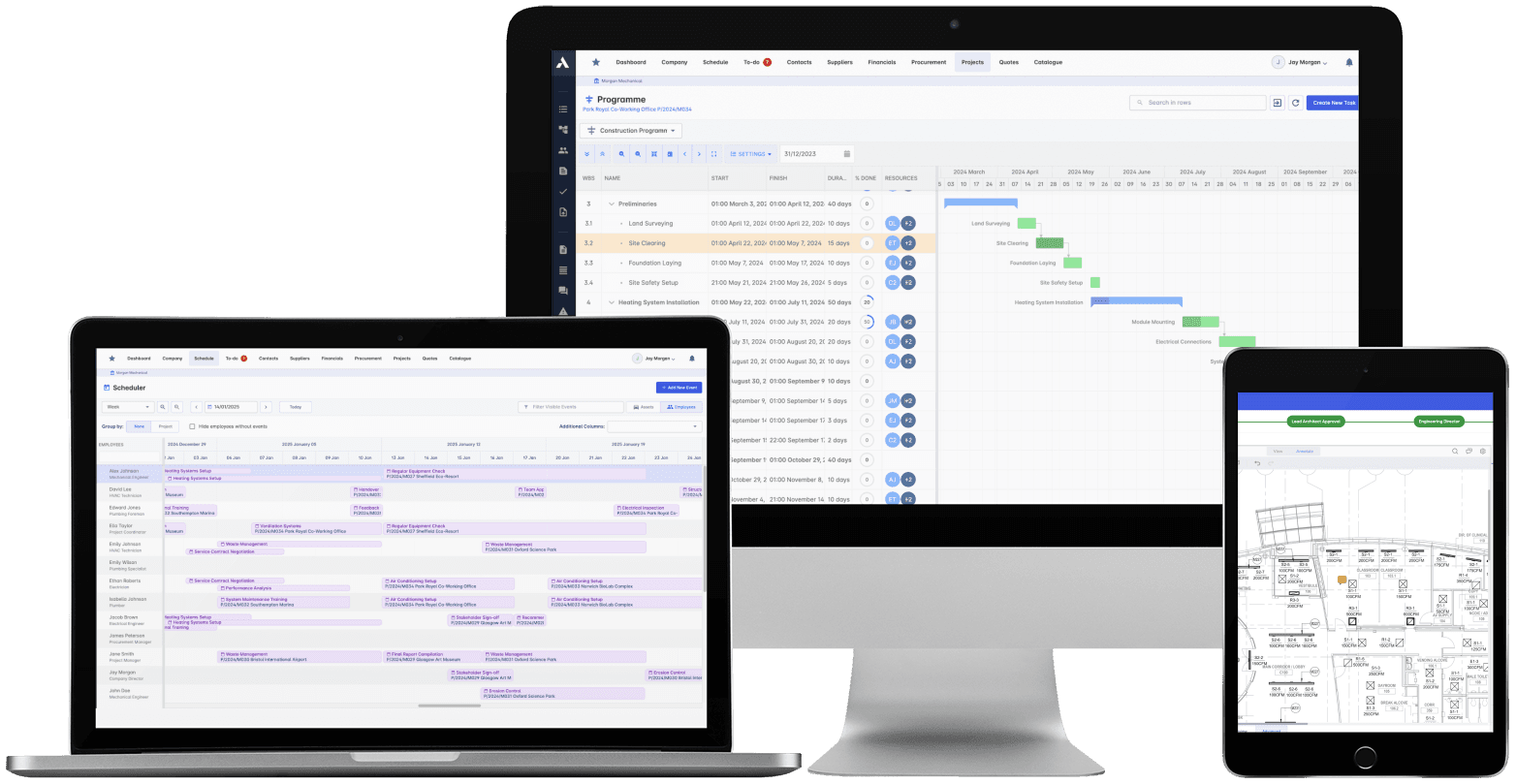
The schedule, the progress and the money in one system. When a task slips you see what it costs, and when scope changes you see what it does to the schedule. 'On track' means the Gantt chart and the bank account.
Explore Project ManagementRelated solutions
Construction Job Costing
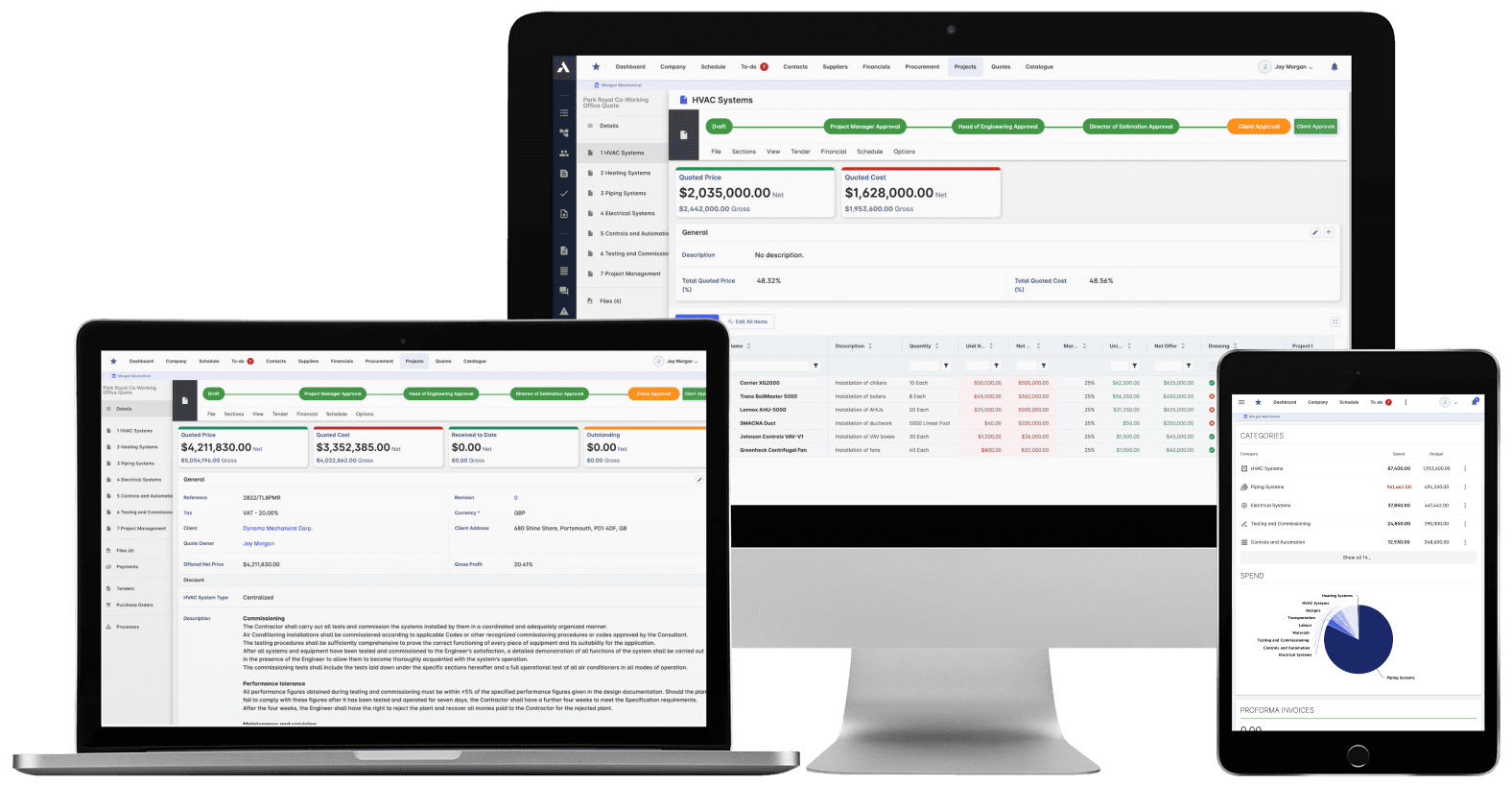
What you priced is what you track. The winning estimate becomes the budget, actuals land against it line by line, and what jobs really cost feeds the next bid.
Explore Job CostingRelated solutions
Construction Procurement
Buy-out without the gaps: RFQs from your BOQ lines, bids back comparable, exclusions visible before award. Then every PO and subcontract lands on the budget the moment it's raised.
Explore Procurement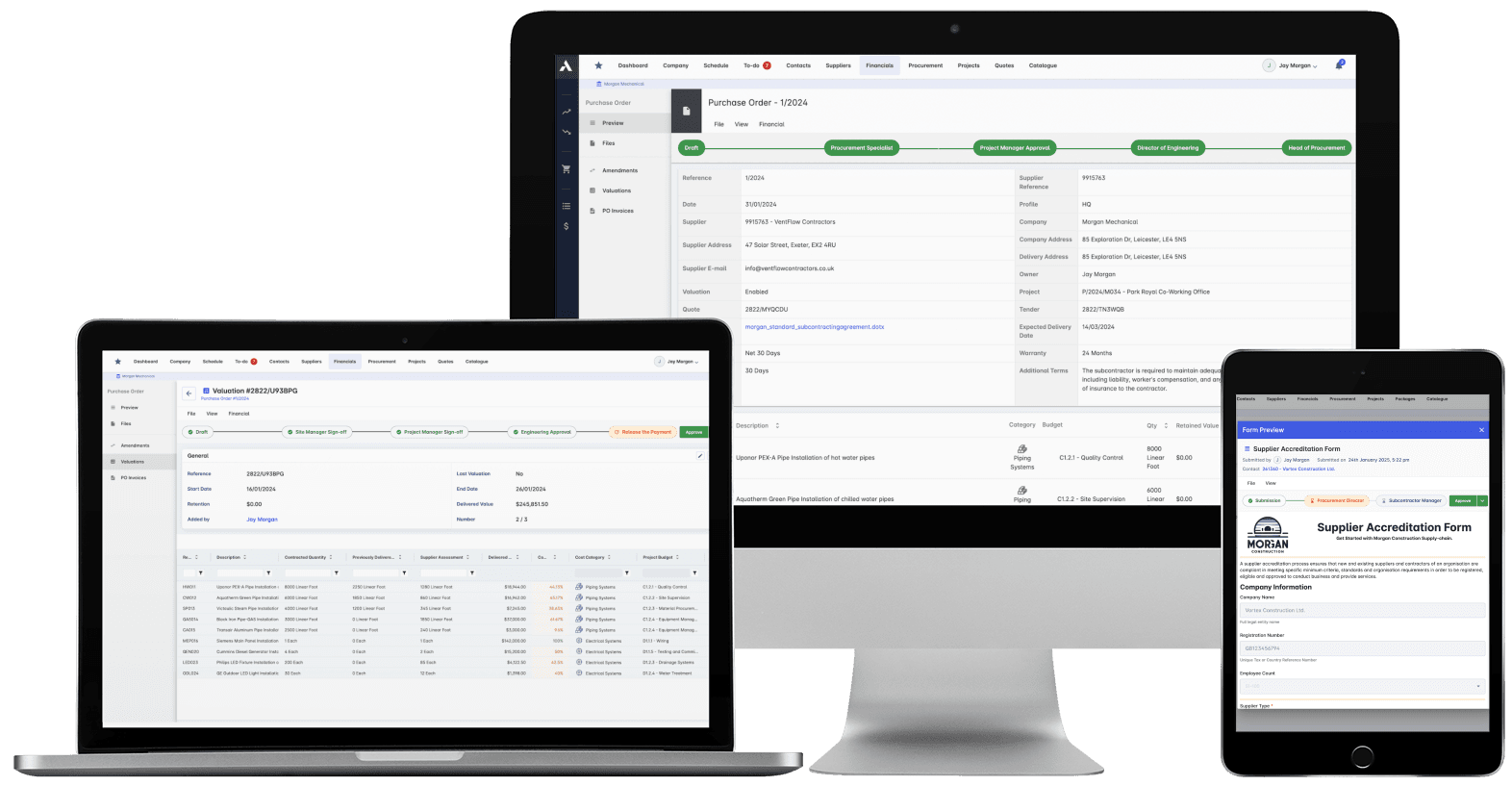
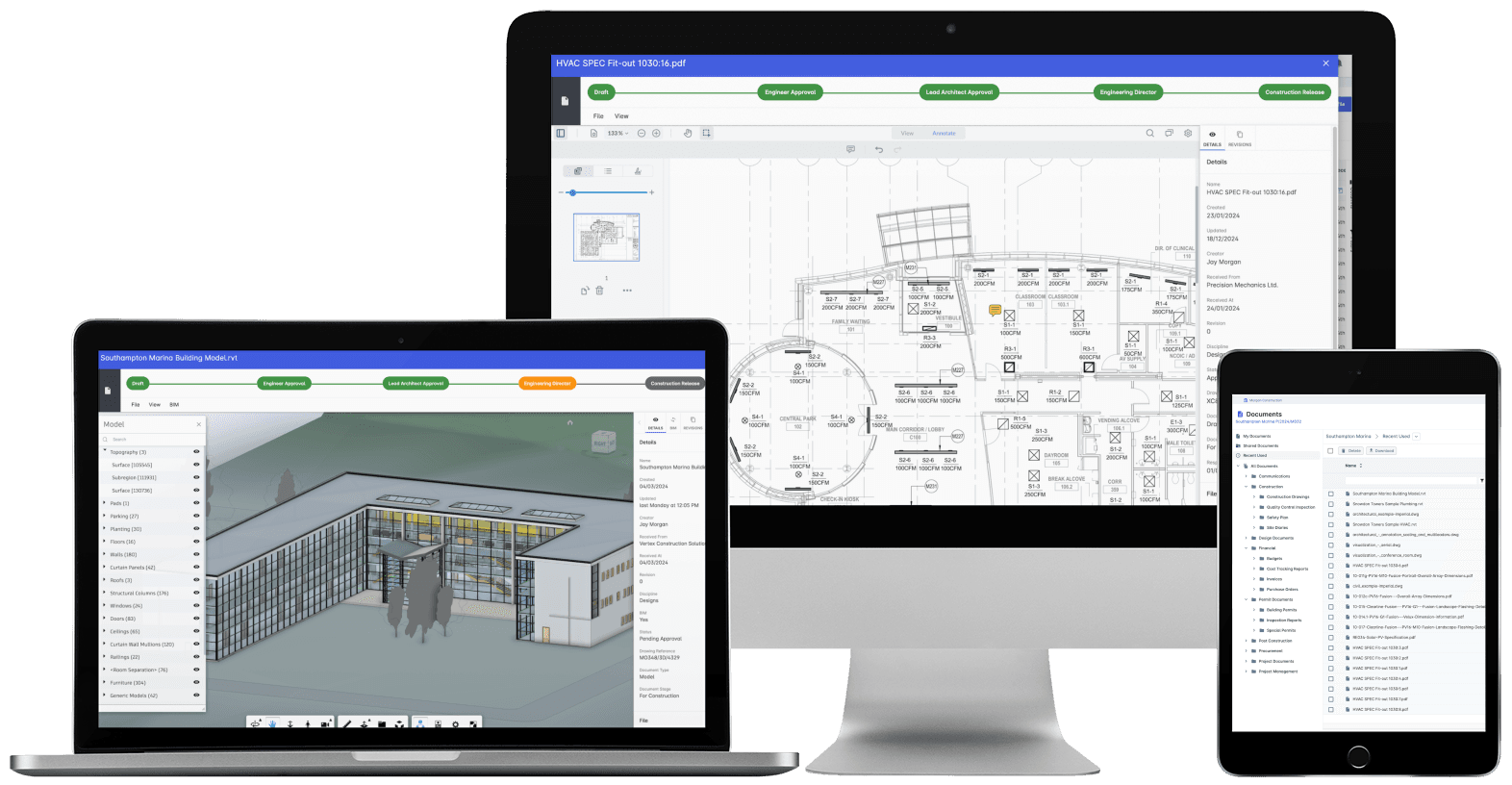
Construction Document Management
Nobody builds from a superseded drawing. Revision control, approvals and distribution with proof of who received what, when. The record that wins the dispute instead of losing it.
Explore Document ManagementRelated solutions
Construction Scheduling
The schedule connected to what it depends on: long-lead deliveries on the tasks they gate, crews planned across every live job, slippage shown with its cost.
Explore Scheduling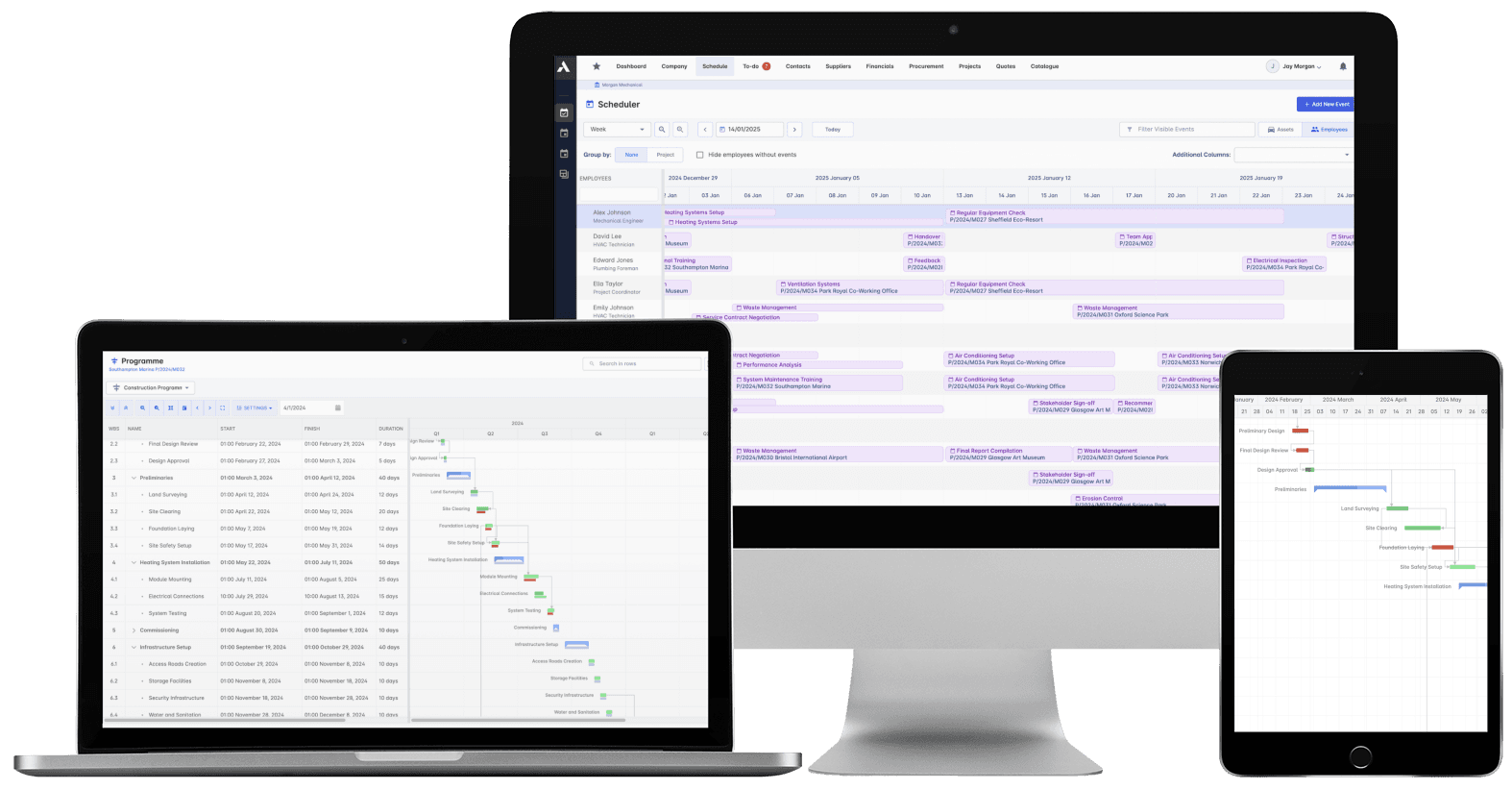
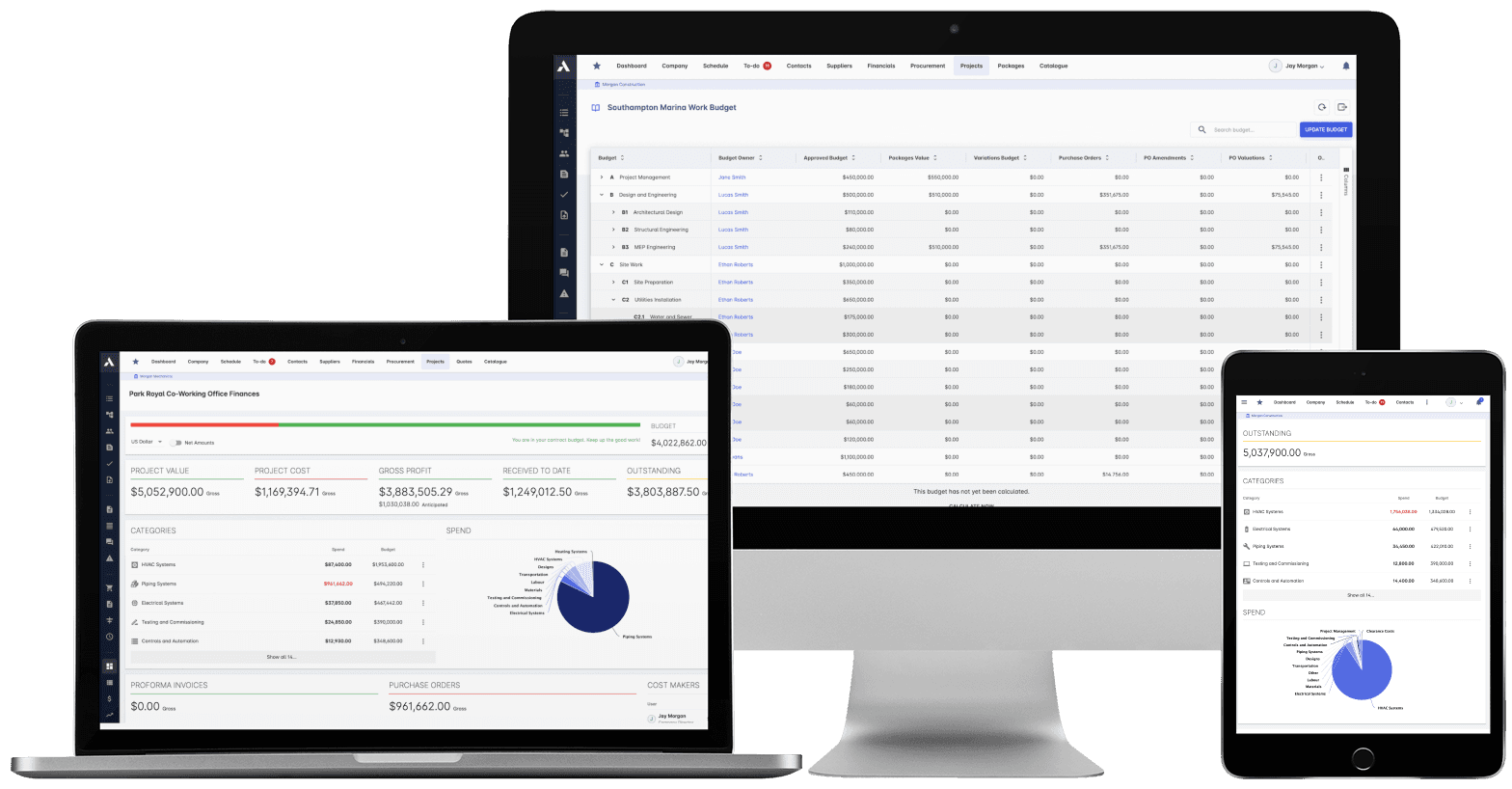
Construction Cost Controlling
Committed at the PO, earned as work is delivered, invoiced months later. See all three stages against every budget line, so variance is a decision you make, not a number you explain.
Explore Cost ControllingRelated solutions
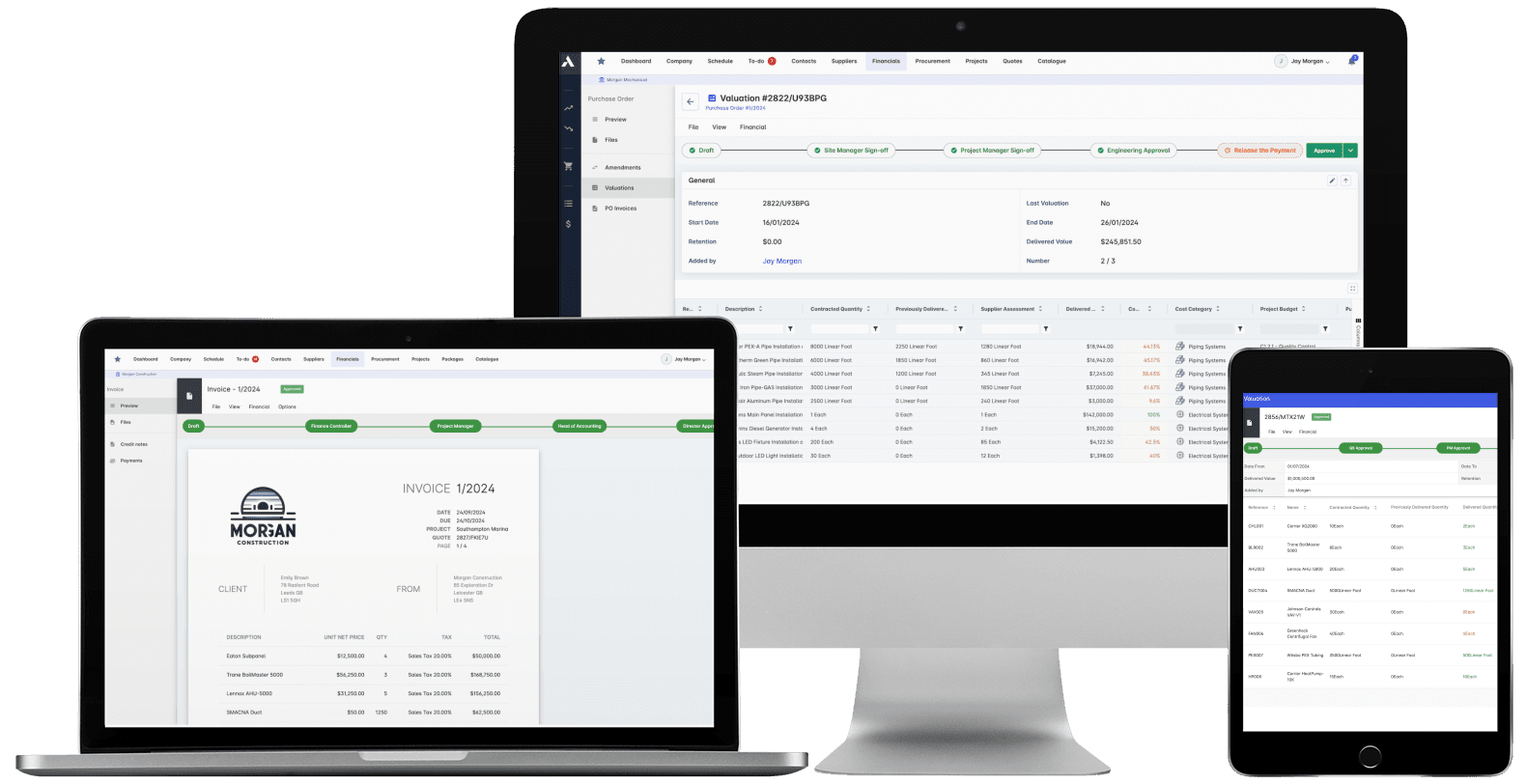
Construction Financials
Certify subcontractor pay applications down, build client applications up, from the same records. Invoices, payment notices and retainage released on time, with the audit trail attached.
Explore FinancialsRelated solutions
Construction Live Data
Every project's position, live, from the data that ran the work. Cost, schedule and cash agree with each other because they're the same records. There's nothing to assemble and nothing to reconcile.
Explore Live Data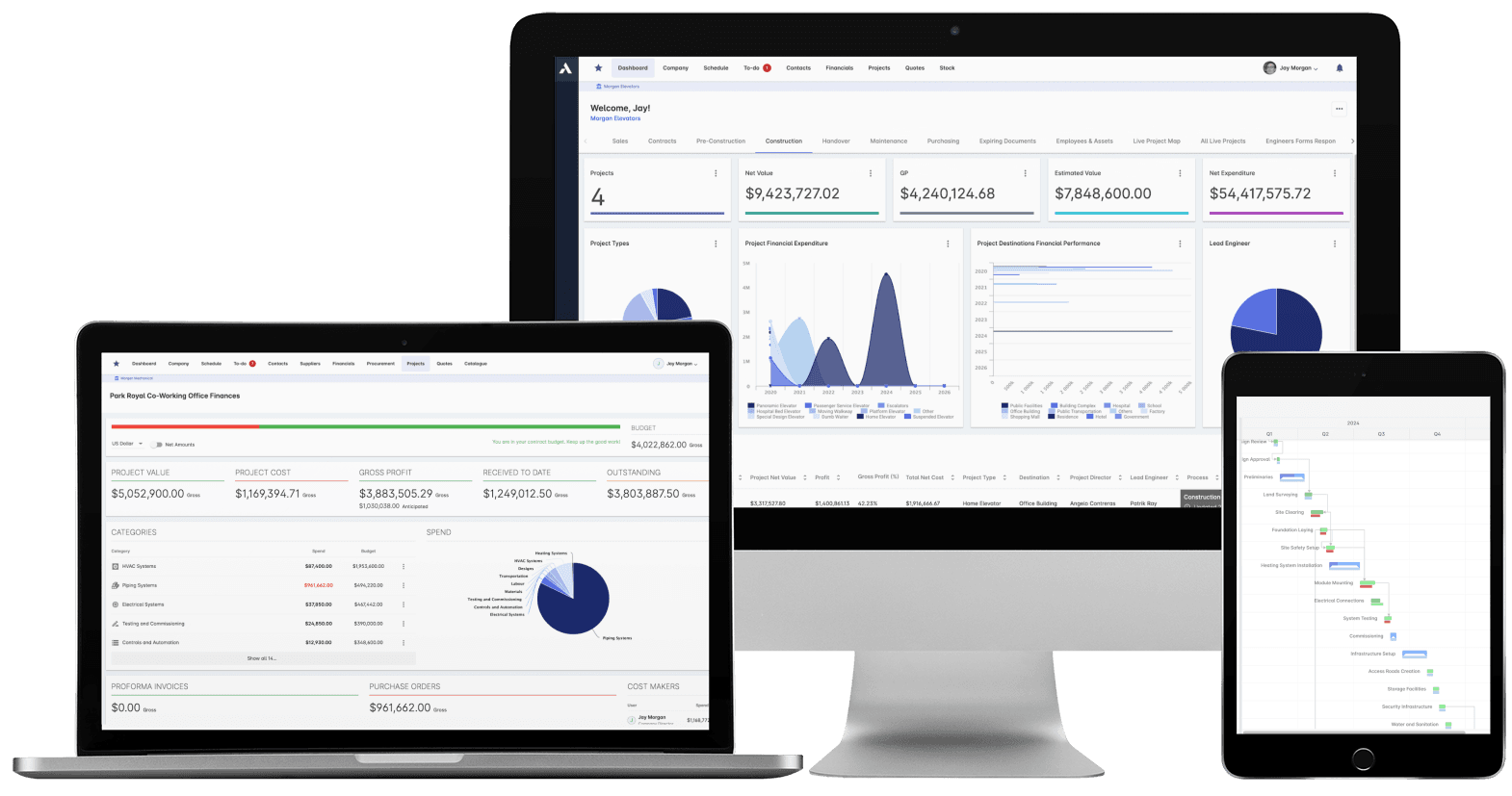
See your next project on Archdesk
Book a demo and walk through a fully worked example project: one platform running everything from winning the work to closing it out.
Book a Demo