
Cost Control Software for Canadian Contractors
Committed. Drawn. Invoiced. Control happens before the invoice.Every commitment, every progress draw, every crew hour and every change order, reconciled against budget the day it happens. Committed cost runs months ahead of the invoices, WIP reporting is produced straight from the live records, and builders lien holdback is tracked per subcontract instead of living in a spreadsheet.
Trusted by construction companies of every size, worldwide


























Overruns caught at the commitment, not at project closeout
Cost control software for Canadian contractors starts with committed cost: purchase orders, subcontracts and contract values recorded the day they are made and reconciled against budget continuously, months before the invoices arrive. Archdesk allocates commitments to cost codes automatically, values delivered work as the job progresses, and keeps builders lien holdback tracked per subcontract with the rest of the commercial record. WIP reporting and progress billing run from the same live numbers, so the report you take to the bank or the bonding company is produced, not assembled at month end. Change orders are priced against their cost lines before approval, and holdback release timing stays visible per subcontract, so the forecast carries the whole commercial picture from the first draw to closeout.

The true position, months before the invoices
Progress draws and delivered work feed earned value and cost-to-complete forecasting, with CPI, SPI and unbilled revenue tracked alongside any custom KPI, per project and across the portfolio.
Nothing posts without approval
Invoicing, payment certification and holdback go through multi-level approvals with custom logic, so nothing hits the numbers unseen.
Margin watched draw by draw
Budget versus actual and estimate versus actual run at cost code level, with variance alerts and margin projections that update as draws are certified.
Changes priced before they land
Every change order is priced against its cost lines before approval, so scope movement is in the forecast from the day it is raised, not found at closeout.
Committed cost is where control actually happens
By the time an invoice posts, the money is committed. Archdesk reconciles commitments, crew hours and delivered value against budget daily, so WIP reporting reads from live records and the forecast is one you can defend.

Financial Control
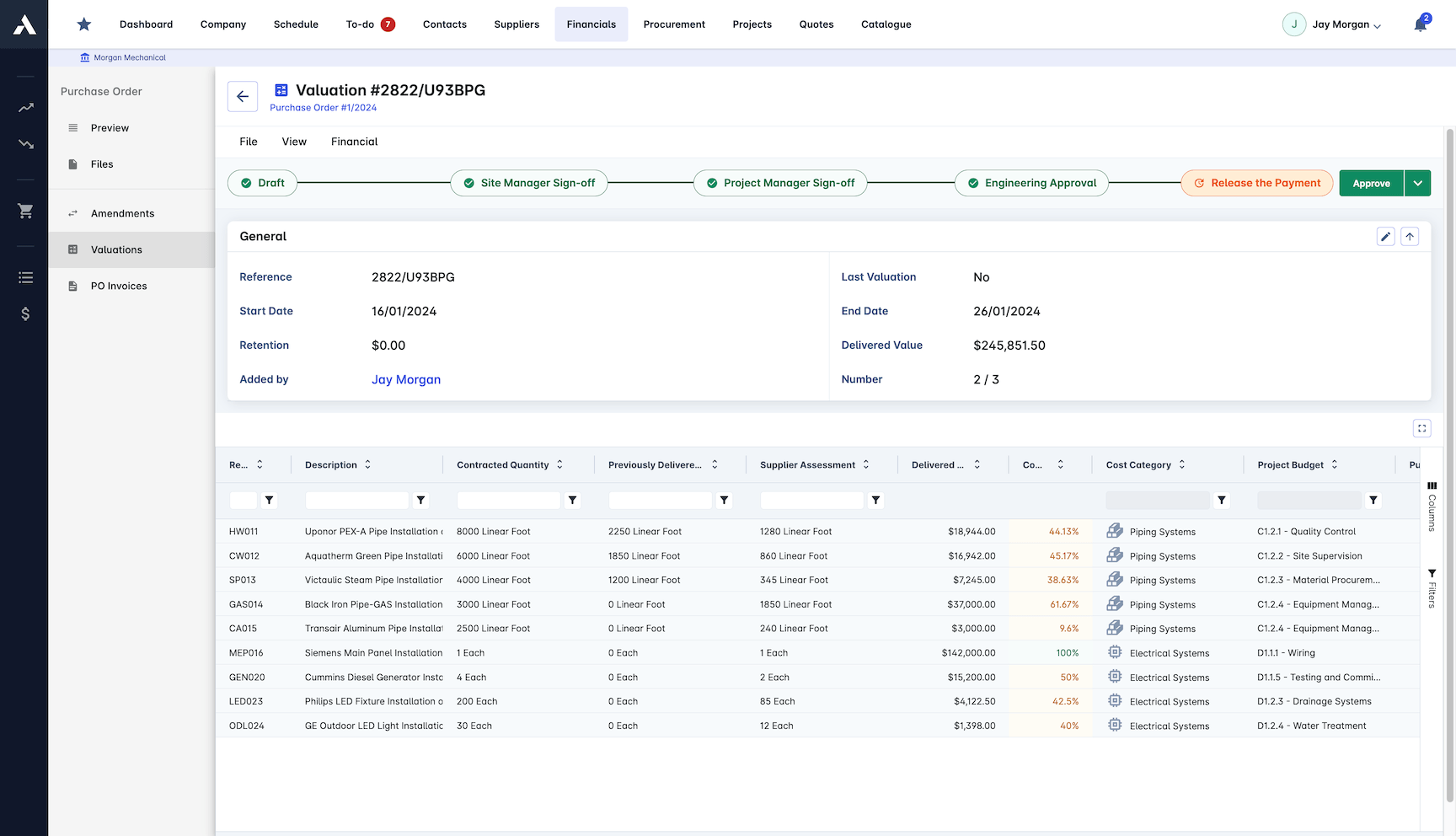
Invoices, payments, holdback and commitments go through approval before they hit the numbers, so nothing is spent unseen.
Invoice management and payment certification
Holdback tracking
Commitment monitoring
Multi-level approvals with custom logic
Cost Reporting & Analytics
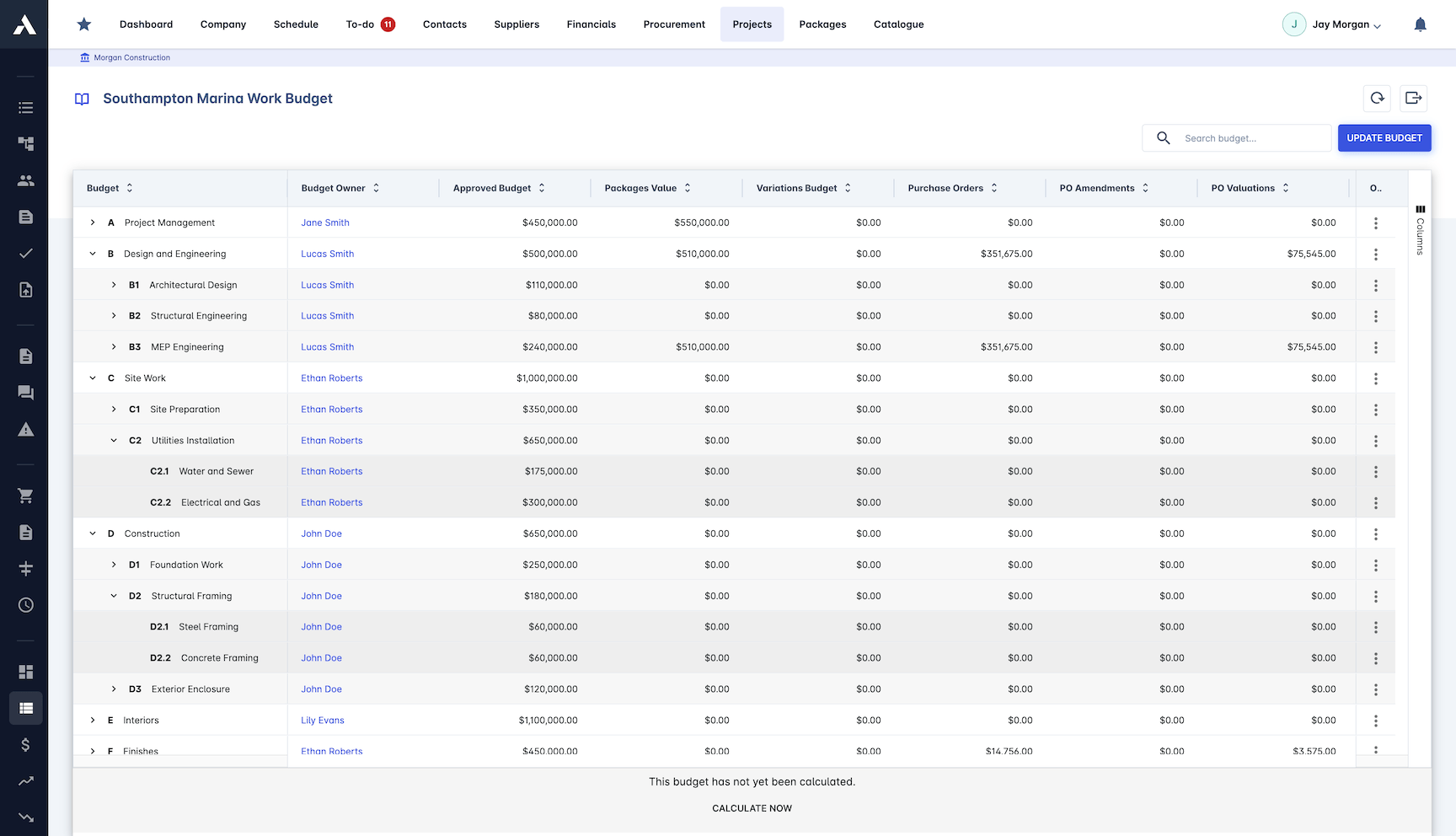
Reports come straight from the live numbers: CVRs, cost and schedule variances, unbilled revenue, progress payments and performance metrics for every stakeholder, with nothing to rebuild at month-end.
CVR, cost and schedule variance reports
Unbilled revenue and progress payment reports
Custom report builder
Real-time dashboards at project and portfolio level
Budget Control
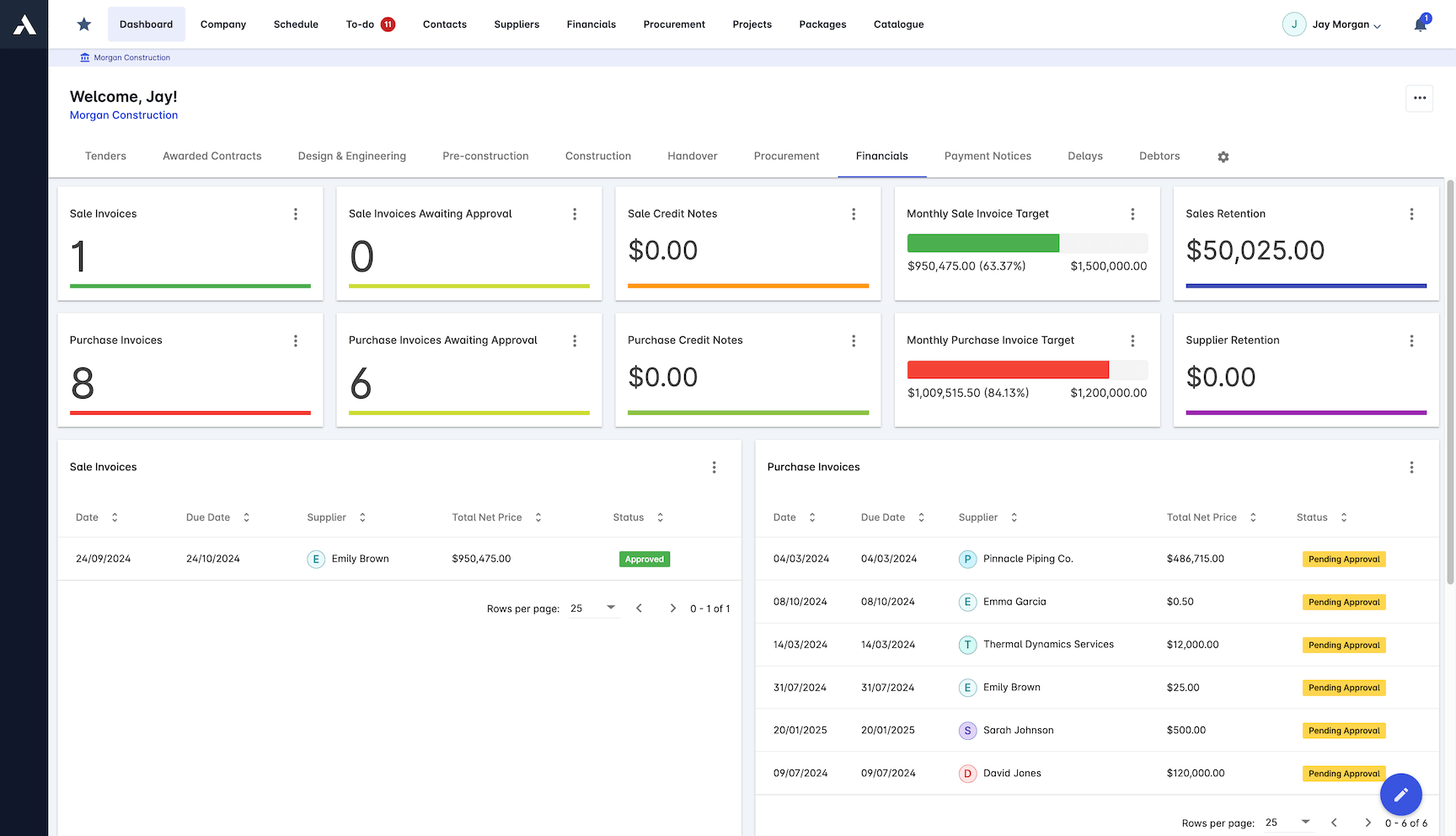
Budget against actual on every cost code, with change orders showing their impact the day they are raised, not at final billing.
Budget vs actual analysis
Change order impact tracking
Cost code management
Commitment tracking
Cost Forecasting
Earned value and cost-to-complete keep the forecast live, so the outcome is managed during delivery rather than reported after it. CPI and SPI are computed from the same records, so performance indices are always current, for each project and across the portfolio.
Earned Value Management with CPI and SPI
Cost-to-complete forecasting
Cash flow projections
Trend analysis and custom-defined KPIs
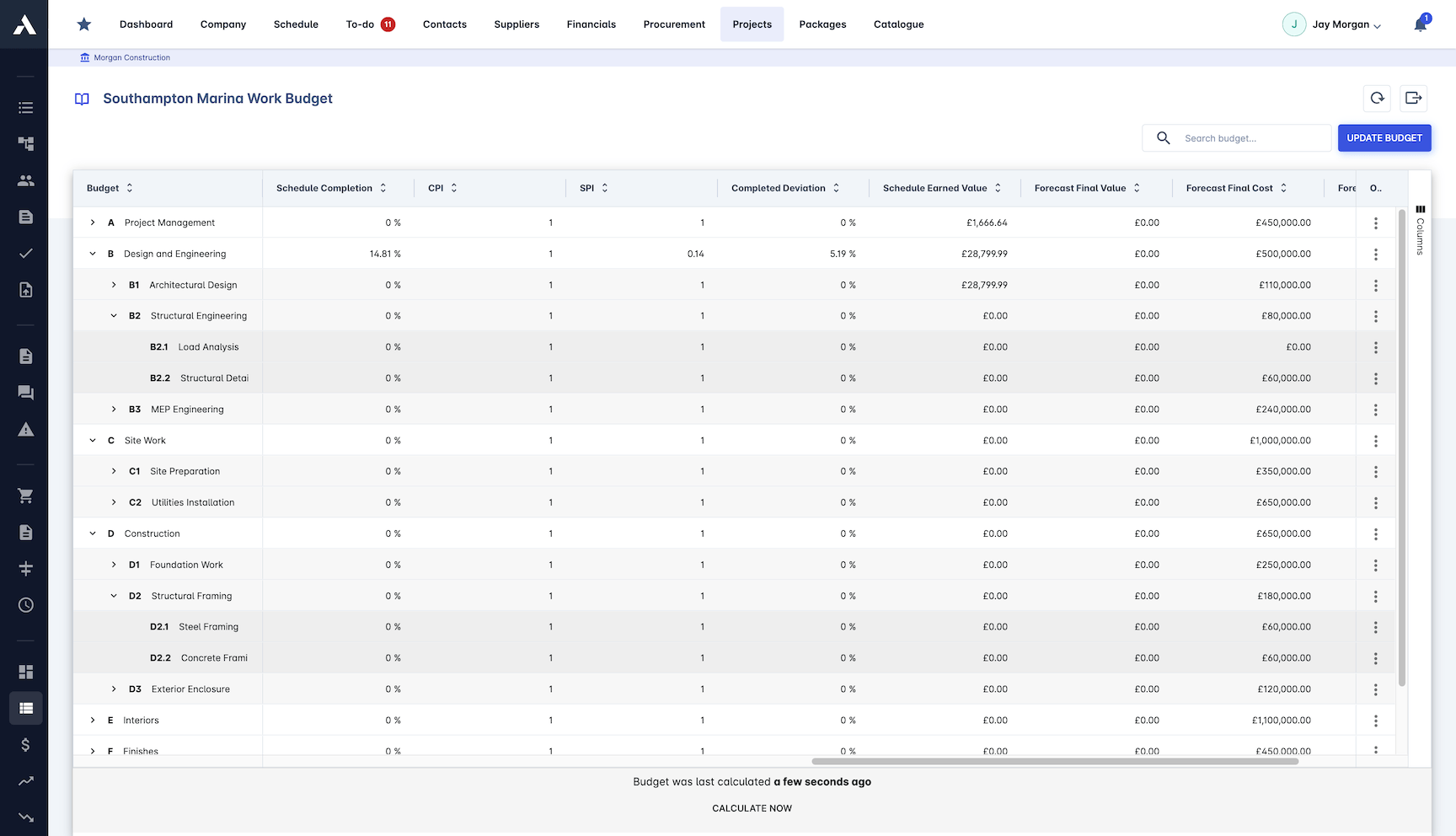
Real-time Job Costing
Every cost lands on its job the day it happens: labour, materials, equipment and subcontractors. Nobody waits for the ledger to find out where the project stands.
Live job cost dashboard
Automated cost code allocation
Purchase order monitoring
Subcontractor payments and payment notices
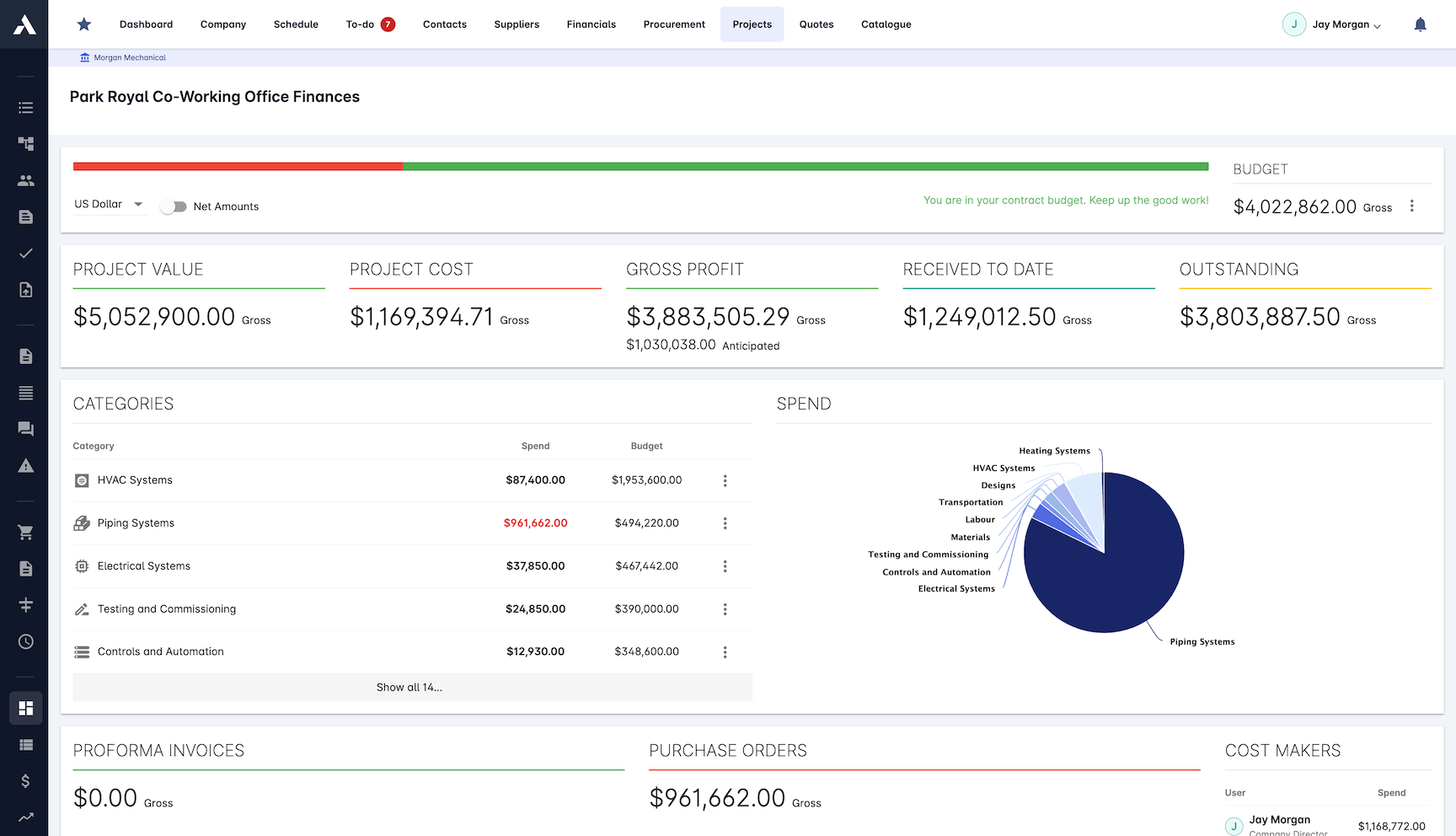
Procurement Control
Every purchase order, supplier payment and subcontract tracked from order to delivery, with contract values monitored against what has been committed.
Purchase orders across purchasing modes
Materials, supplier and subcontractor cost control
Contract value monitoring
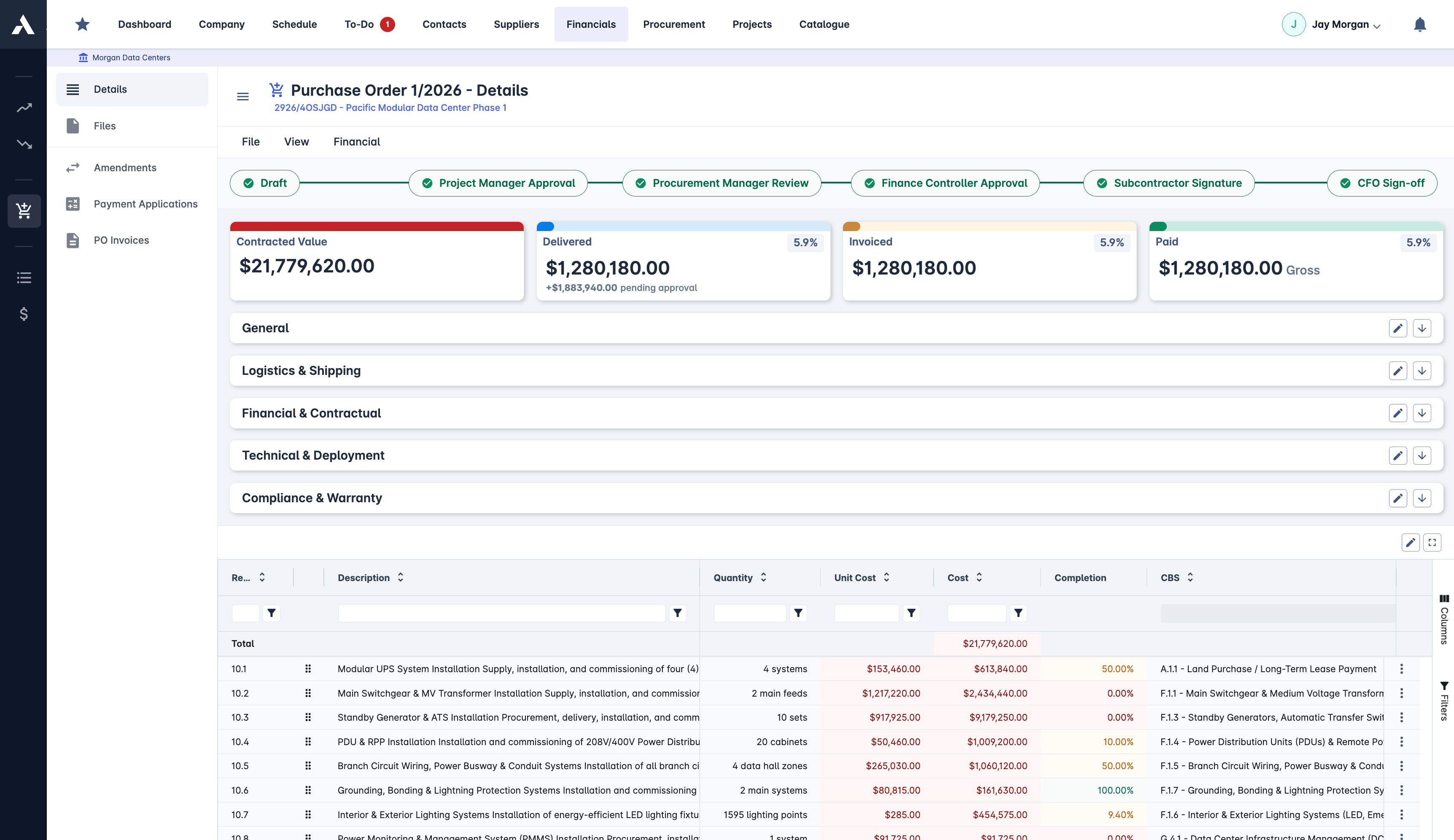
Estimate vs. Actuals Analysis
The estimate you won with sits beside the cost you are actually carrying, at cost code level, with variances flagged as they open up.
Side-by-side estimate comparison
Cost code level variance alerts
Profit projection updates
Historical performance tracking
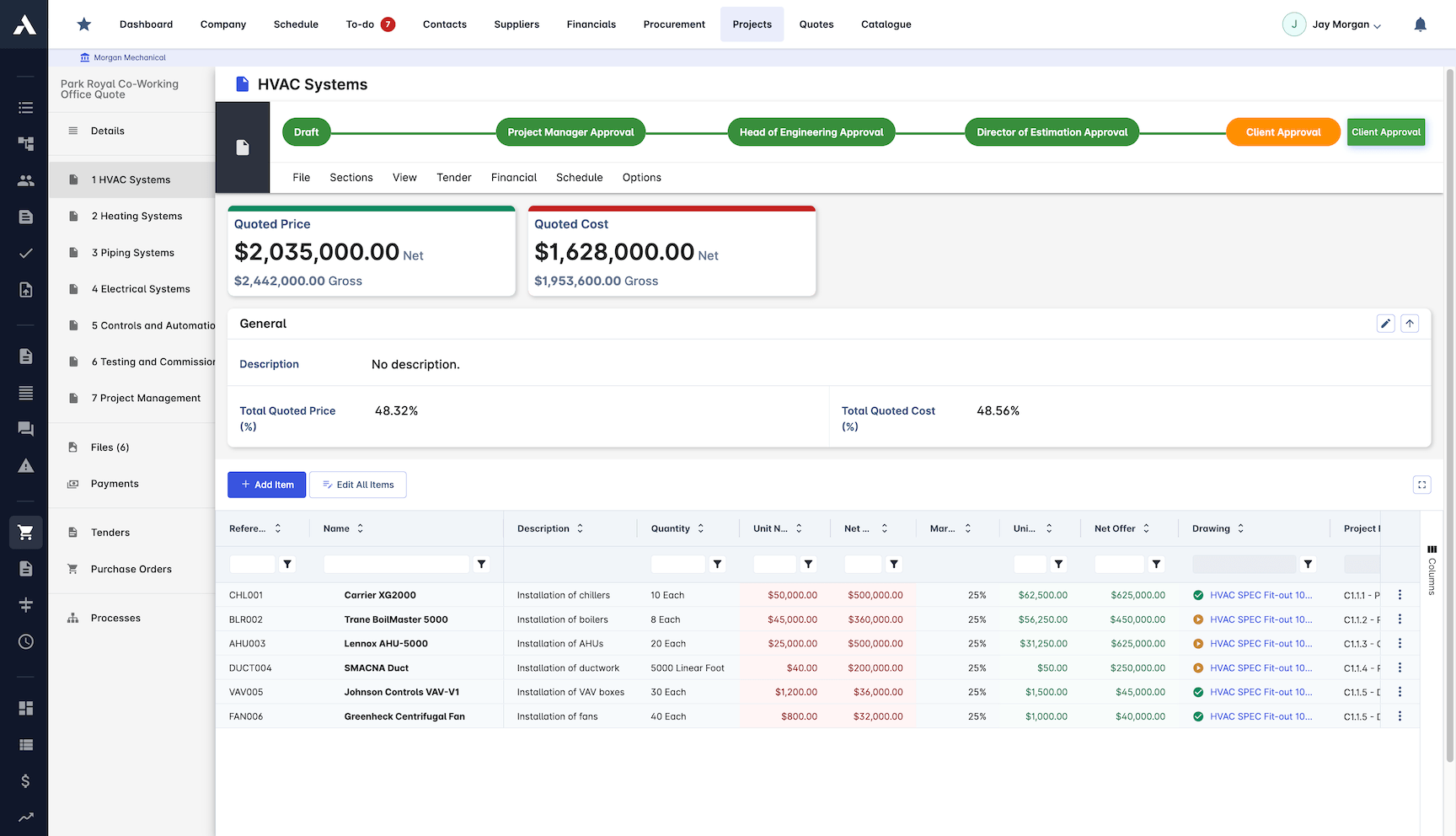
Cost value reconciliation, defined
Cost value reconciliation (CVR) is the comparison of the costs a construction project has incurred against the value of the work it has delivered, showing the true margin position while the project is still running. The cost side counts what has been committed and spent: subcontracts, purchase orders, labour, materials and general conditions. The value side counts what the work done is worth under the contract: the internal progress draw position and certified sums. The gap between the two is the project's real profit or loss to date, and the movement of that gap month to month is the earliest warning a contractor gets that a job is drifting.
| CVR component | What it counts | Where it lives in Archdesk |
|---|---|---|
| Cost | Committed and actual cost: subcontracts, purchase orders, labour, materials, general conditions | Commitments and job costing, coded to cost codes the day they happen |
| Value | Work delivered under the contract: progress draws and certified sums | Progress draws and certified sums, tied to the same budget lines |
| Reconciliation | Cost against value: profit or loss to date, variance and its month-to-month movement | CVR reports with CPI, SPI, unbilled revenue and custom KPIs, at project and portfolio level |
Plenty of pages define CVR. The difference here is that Archdesk delivers it: the CVR is a report the platform produces from live records, at project level for the commercial team and rolled up across the portfolio for the board, not a template you fill in from three other systems.
The CVR, produced instead of assembled
The monthly CVR (cost value reconciliation) is where cost control gets tested. Most teams assemble it: exports from accounts, a billing spreadsheet, a commitments list someone keeps by hand. Archdesk produces it instead, straight from the live commitment, progress draw and cost records the project already runs on, with cost and schedule variances, unbilled revenue and CPI and SPI from the same numbers. It works at project level for the commercial team and rolls up to portfolio level for the board, and because the records are current daily, the CVR stops being a month-end reconstruction of what already happened.
Comparing options? See the best construction cost control software compared.
This page is about live cost control: actuals against the estimate, and the CVR. Setting and managing the budget is construction budgeting, and what each job really costs against the priced numbers is construction job costing.
Frequently Asked Questions: Construction Cost Control
What is cost control in construction?
Cost control is managing the money while it can still be influenced: recording every commitment the day it is made, valuing work as it is delivered, and reconciling both against budget continuously. By the time an invoice arrives the money is already spent, so control happens at committed and earned, not invoiced.
How does Archdesk track committed cost?
Purchase orders, subcontracts and contract values post to their cost codes at the point of commitment. The gap between committed and invoiced stays visible per line, so the true cost position is known months before the invoices arrive.
Does Archdesk support earned value management?
Yes. Delivered value is tracked against commitments and budget, feeding earned value, cost-to-complete forecasting, CPI and SPI, computed from the same live records at project level and across the portfolio, alongside any custom KPI you define.
How does the monthly CVR get produced?
The CVR (cost value reconciliation) comes straight from the live commitment, progress draw and cost records, produced rather than assembled. Cost and schedule variances, unbilled revenue and progress payment reports build from the same numbers, with nothing rebuilt at month-end.
How are variations kept out of the base budget?
Change order impact tracking puts every variation against its cost lines when it is raised, so scope movement is approved, priced and in the forecast rather than discovered at final billing. Approvals run through multi-level workflows.
How does Archdesk track builders lien holdback?
Holdback is tracked per subcontract alongside the rest of the commercial record, so balances and release timing stay visible with the same numbers WIP reporting is produced from, instead of sitting in a side spreadsheet until someone remembers to chase them.
Does Archdesk produce WIP reports?
Yes. Work-in-progress reporting comes straight from the live commitment, cost and billing records at project and portfolio level, so over- and under-billing positions are read from current numbers rather than reconstructed at month end.
Does Archdesk integrate with QuickBooks Online?
Yes. Archdesk integrates with QuickBooks Online, so job cost records and the ledger stay in step without double entry and finance keeps its own system.
How do progress draws fit into cost control?
Progress draws sit on the same project records as commitments and costs, so drawn, certified and committed positions read together per job and across the portfolio, from the first draw to the final one.
Explore Related Solutions
Everything below runs in the same system, working from the same live data.
Estimation
Accurate project cost estimation
Bid Management
Streamline your bidding process and win more jobs
Change Order Management
Handle project changes efficiently and accurately
Client Proposals
Create professional client facing proposals
BIM Integration
3D take-off estimation
Job Costing
True cost per job, live against the estimate
Discover more
Explore the full range of solutions and find the right fit for your business.
See your next project on Archdesk
Book a demo and walk through a fully worked example project: one platform running everything from winning the work to closing it out.
Book a Demo

