
Payment Application Software for Canadian Contractors
Drawn. Certified. Paid. The draw builds itself from the record.Each progress draw assembles from what the project already knows: verified site progress, approved change orders and the certified history to date. Submit on time each cycle, back the draw with dated records, and track certification, builders lien holdback and cash due without a side spreadsheet.
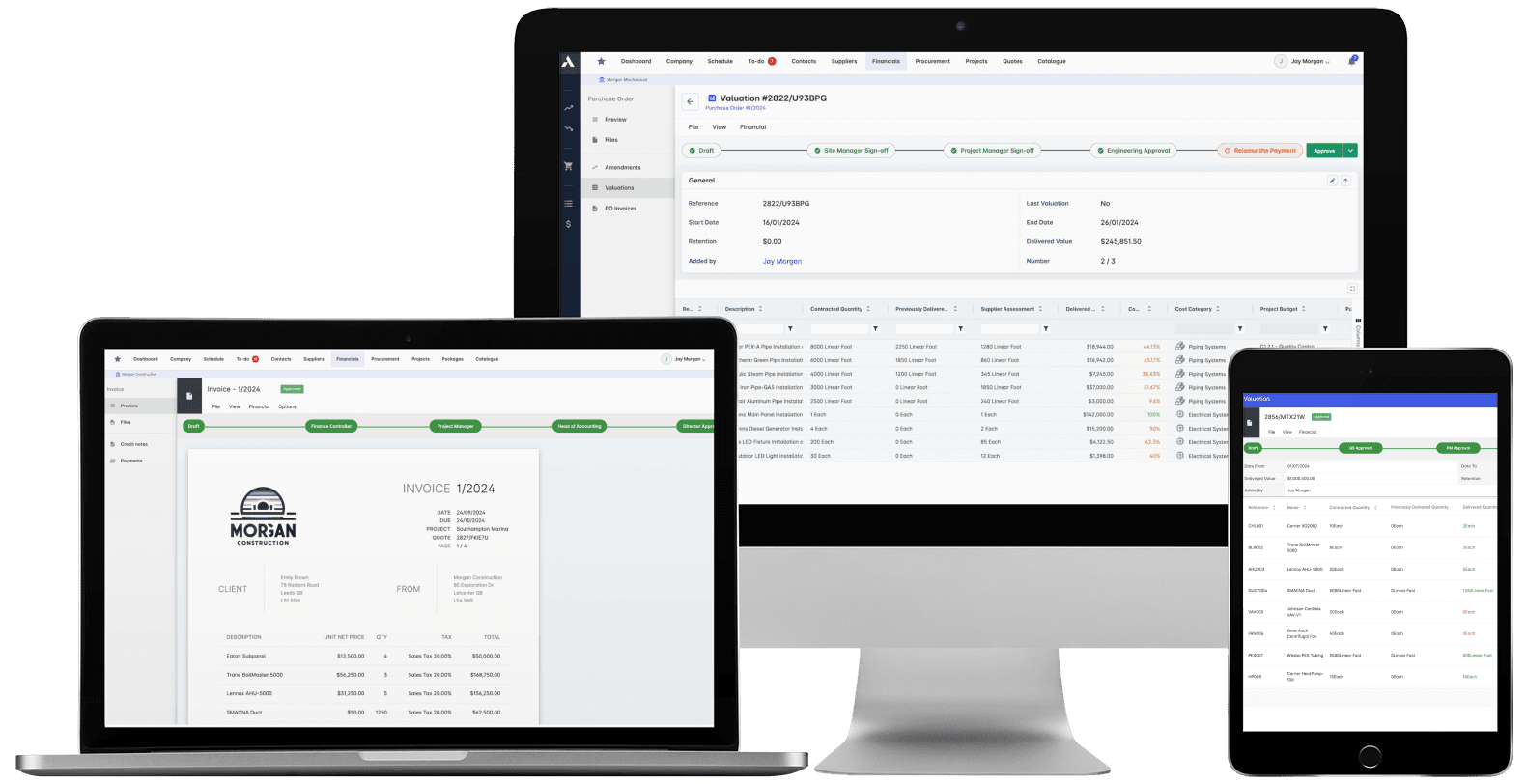
Trusted by construction companies of every size, worldwide


























Progress draws built from measured work, certified without the fight
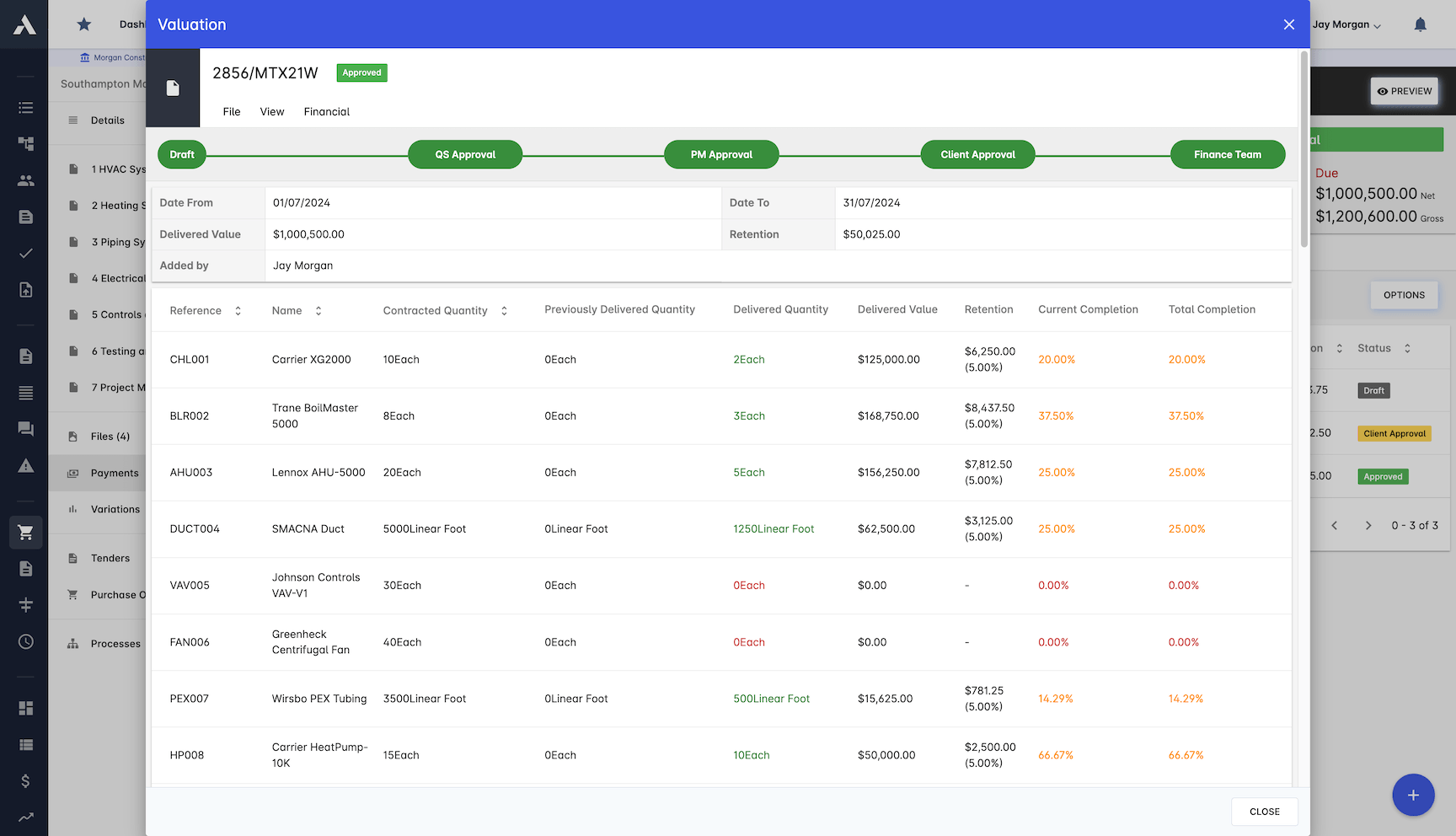
Payment application software for Canadian contractors runs the draw cycle from records: each progress draw assembles from verified site progress, approved change orders and the cumulative certified history, with holdback and previous payments applied automatically. Certification moves through multi-level approvals with digital signatures, certified draws convert to invoices and sync with the accounts, and Archdesk integrates with QuickBooks Online, so the ledger keeps pace without double entry. Builders lien holdback, withheld under Canadian construction contracts until release, is tracked per subcontract beside the draw history, so the amount still held and the timing of its release are read from the record, not reconstructed.

Certified draws become cash you can see
Certified draws convert to invoices automatically and sync to QuickBooks Online or your accounting system, with holdback balances and release timing monitored per subcontract.
Claims argued from records, not recollection
Every draw carries its evidence: cost breakdowns, progress photos, quantity verification and supporting documents, so a disputed line is settled from dated records.
The draw out the door on time
Each progress draw assembles from site progress, approved change orders and the certified history, with holdback and previous payments calculated automatically.
Certification that does not drift
Certification runs through multi-level approvals with digital signatures, and automated notifications keep the certificate moving instead of parking in an inbox.
Holdback tracked to release, not to memory
Every draw keeps its full history: applied, certified, paid and the builders lien holdback still held per subcontract, with release timing visible beside the numbers, so closeout is a record rather than a reconstruction.

Payment Management
Once certified, the progress draw converts to an invoice automatically and the money is tracked to the day: holdback, release dates and payment history in one place.
Progress draws convert to invoices automatically
Holdback and release dates monitored
Syncs with your accounting software
Global taxes and deductions supported
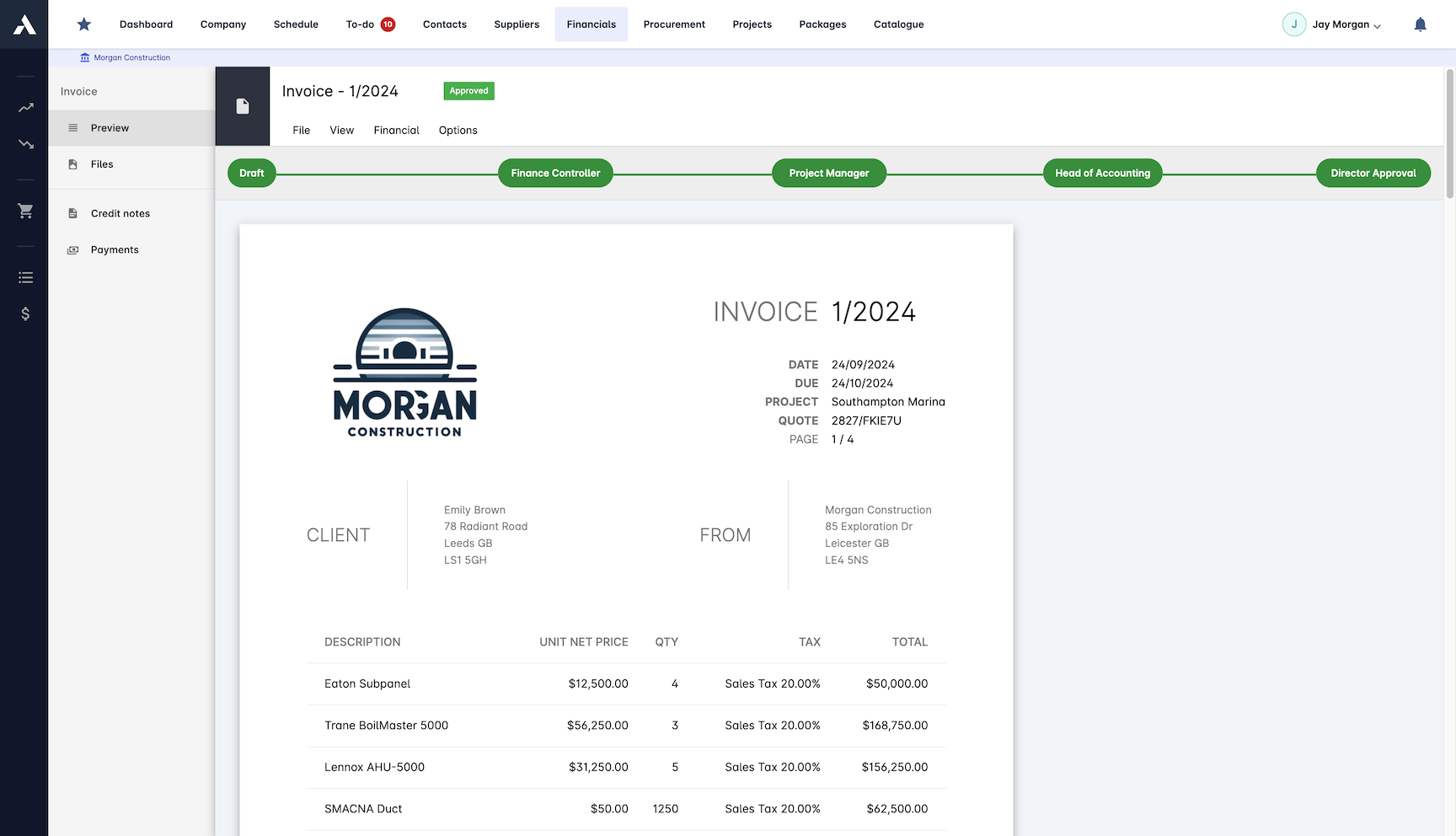
Automated Certificate Generation
Progress draw certificates calculated from verified site progress, not assembled by hand. Holdback, previous payments and approved change orders are applied automatically.
Calculations driven by verified progress
Holdback applied automatically
Previous payments carried forward
Approved change orders included in the claim
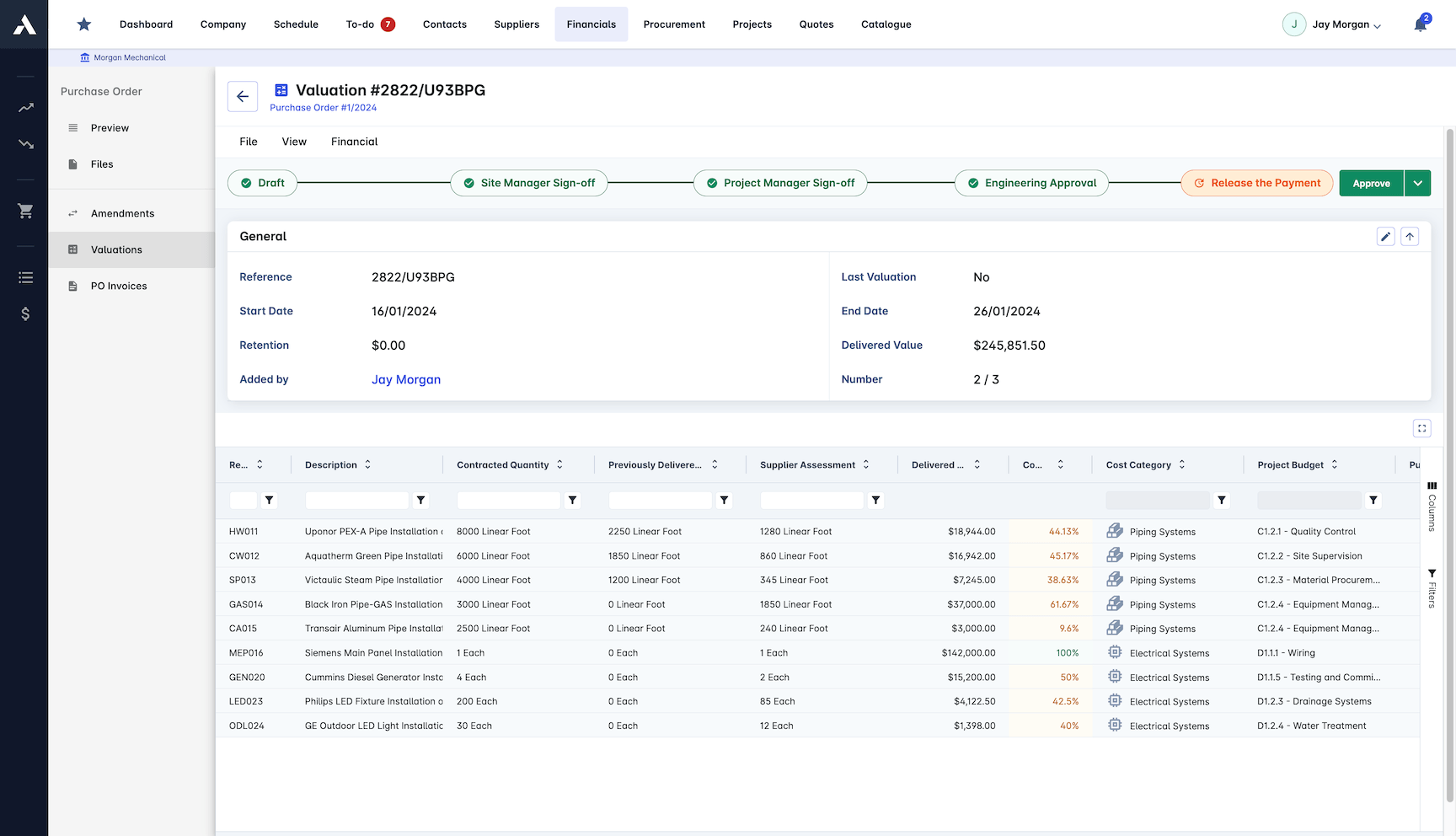
Reporting & Analytics
See how certification is running across every project. Progress draw trends, forecasts and cash projections come from the same certified data, so there is nothing to reconcile.
Progress draw trend analysis across projects
Progress tracking reports
Financial forecasting from certified data
Cash flow projections per project
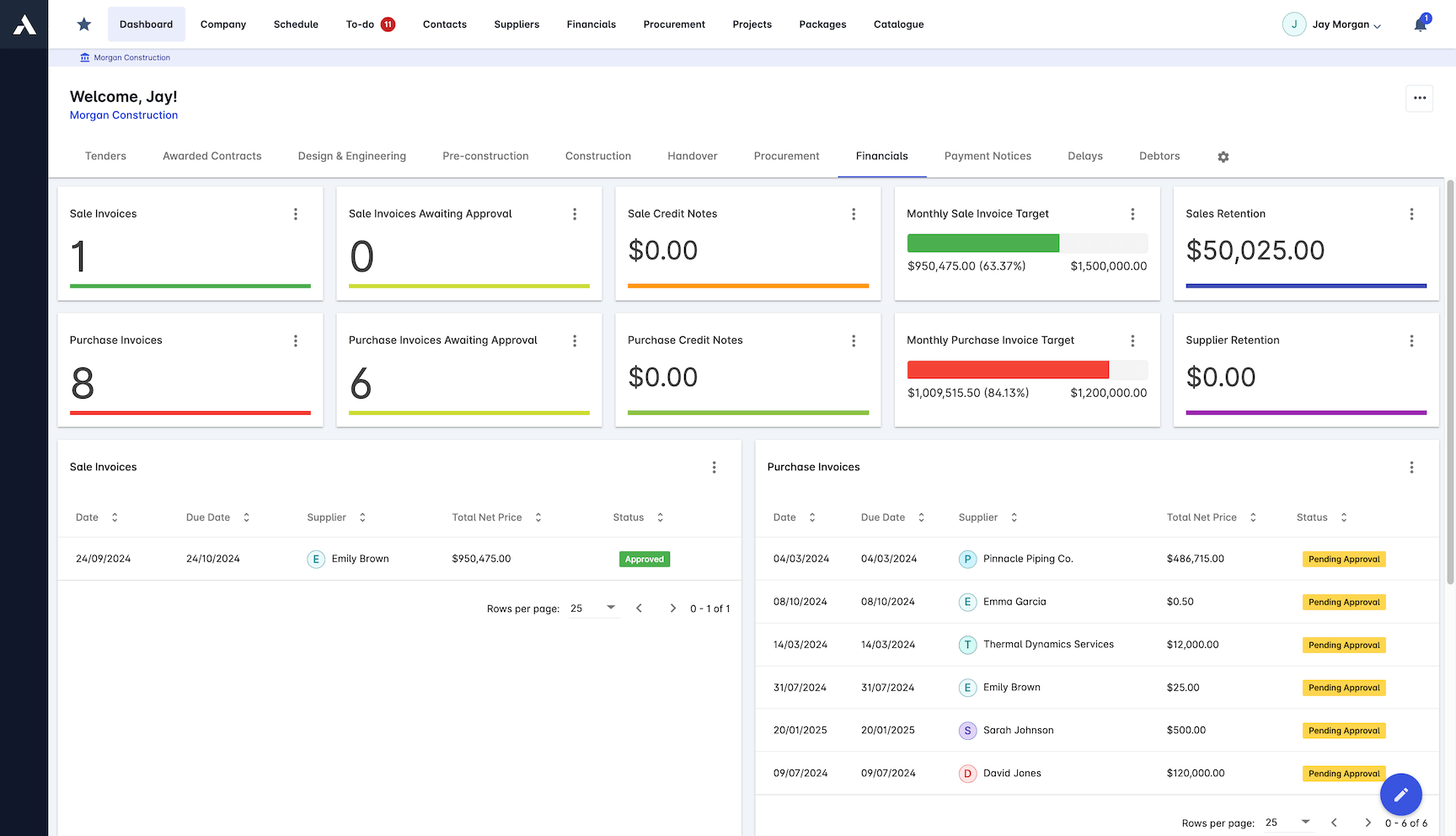
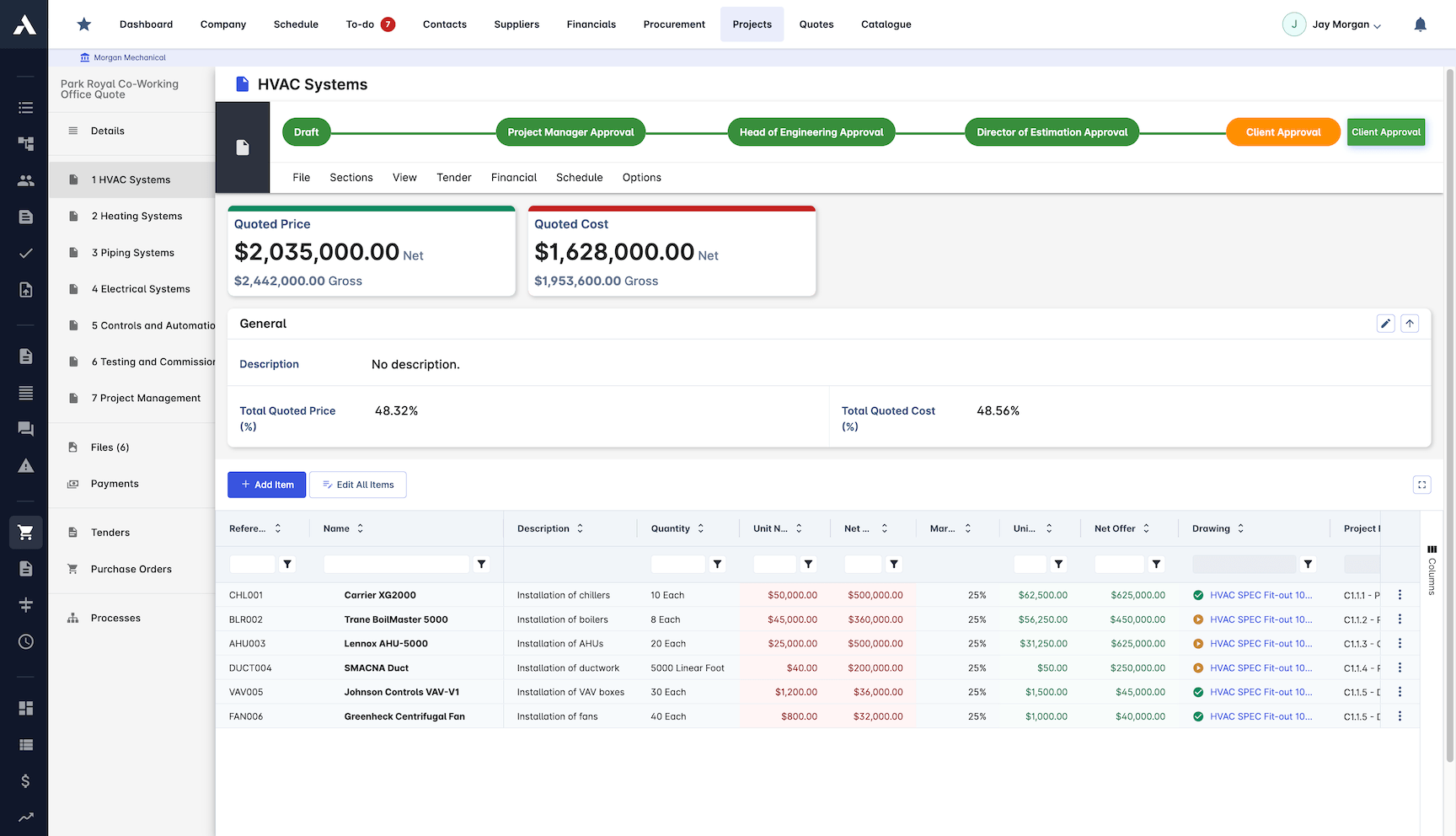
Progress Draw Management
Every progress draw carries its evidence. Cost breakdowns, progress photos and quantity checks sit on the claim itself, so disagreements are settled from dated records.
Interim progress draws and certified progress billing
Detailed cost breakdown per progress draw
Progress photos attached as evidence
Quantity verification tools
Supporting documents on every claim
Approval Process
Certification moves through configurable approval steps with digital signatures, and automated notifications stop the certificate sitting in an inbox.
Multi-level approval workflows
Digital signature capture
Notifications keep sign-off moving
Full approval audit trail
Progress draws and holdback, defined
A progress draw is a periodic request, usually monthly, for the value of work delivered under a construction contract to date, which the payer assesses and certifies before paying. Holdback is a percentage of each certified amount held back, typically released in stages after completion. Together they are the payment mechanics most commercial teams live on: the applied, certified and paid amounts per application, the notices that go with them, and the holdback ledger of what is still held on every contract.
Plenty of pages define these terms. The difference here is that Archdesk runs them as records: each application assembles from verified site progress, approved change orders and the certified history, holdback is calculated, held and tracked to release on the same record, and the whole cycle feeds work-in-progress (WIP) reporting and the CVR (cost value reconciliation), so the commercial position is current rather than reconstructed.
Want the background first? Browse all construction payment guides.
Frequently Asked Questions: Payment Applications
What is a payment application in construction?
A payment application (progress draw) is the claim a contractor submits for the value of work completed in a period. Archdesk builds each application from what the project already knows: verified site progress, approved change orders and the certified history to date, so the claim is assembled from records rather than memory.
How does Archdesk build a payment application?
Progress draw certificates are calculated from verified site progress, not assembled by hand. Holdback, previous payments and approved change orders are applied automatically, so the application is ready on time, every cycle.
How do you defend a progress draw the certifier disagrees with?
With dated records. Every progress draw carries its evidence on the claim itself: detailed cost breakdowns, progress photos, quantity verification and supporting documents, so disagreements are settled from what was recorded, not what was remembered.
What happens after a progress draw is certified?
The certified progress draw converts to an invoice automatically and syncs with your accounting software. Holdback and release dates are monitored, and cash due is tracked to the day, with the full history from applied to certified to paid on one record.
How are approvals and certification handled?
Certification moves through configurable multi-level approval workflows with digital signature capture, automated notifications keep sign-off moving, and the full approval audit trail stays on the record.
How do holdback and lien waivers fit into the payment cycle?
In Canadian practice, paying a subcontractor runs on the progress draw cycle under provincial lien legislation: holdback is retained and released on statutory timelines, often with lien waivers exchanged along the way. Documents, approvals and payment records live on the same project record in Archdesk, so the paper trail sits with the numbers.
How does Archdesk track builders lien holdback?
Holdback is tracked per subcontract with the rest of the draw record: the percentage withheld on each certified amount under Canadian construction contracts, the balance still held and the timing of its release, so holdback is followed through to release instead of surfacing as a surprise at closeout.
How do progress draws work in Archdesk?
Each draw assembles from verified site progress, approved change orders and the cumulative certified history, with holdback and previous payments applied automatically. Certification runs through multi-level approvals, and the certified draw converts to an invoice on the same project record.
Does Archdesk integrate with QuickBooks Online?
Yes. Archdesk integrates with QuickBooks Online, so certified draws flow to the ledger without double entry and finance keeps its own system while the project team works from the draw record.
Can progress billing be read across every project at once?
Yes. Draws, certificates and holdback sit on one data model, so drawn, certified and paid positions read per project and across the portfolio from the same live records.
Explore Related Solutions
Everything below runs in the same system, working from the same live data.
Milestone Payments
Track and process milestone payments
Project Cost Controls
Monitor overall project finances and other KPIs
Labour Cost Tracking
Track labour expenses and compare with your estimates
Work in Progress Reporting
Monitor completion costs across your whole project portfolio
Invoicing
Manage sale and purchase invoices
Payment Tracking
Monitor incoming and outgoing payments
Accounting Integration
Integrate with your accounting software
Discover more
Explore the full range of solutions and find the right fit for your business.
See your next project on Archdesk
Book a demo and walk through a fully worked example project: one platform running everything from winning the work to closing it out.
Book a Demo

