
Construction Project Management Software for Canadian Contractors
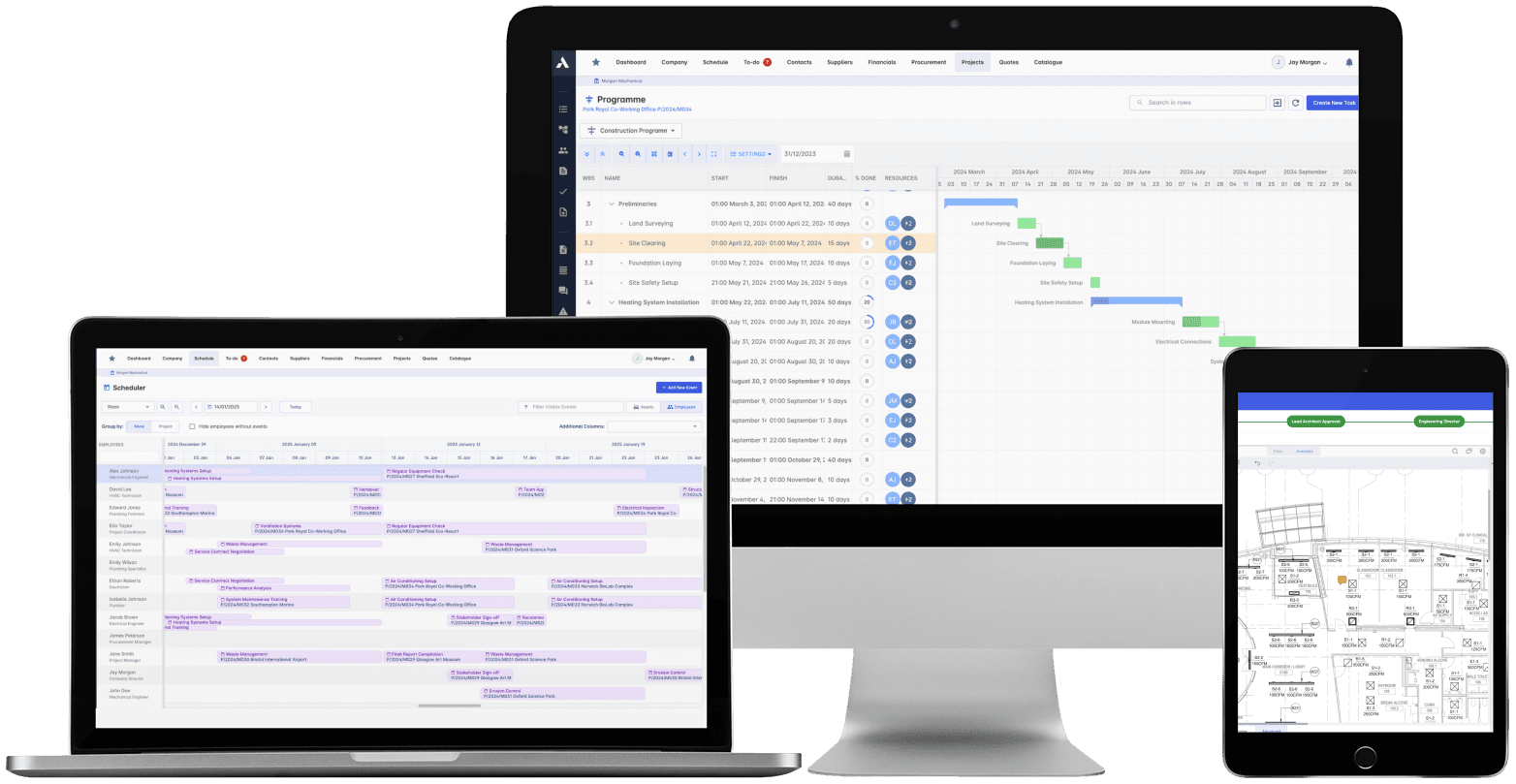
One system from the schedule to the final draw.Plan the work, track progress in the field, and see cost move with it. Change orders, progress draws and cash flow live against the schedule, and drawings, field records and approvals sit on the same project record, so "on schedule" covers the money too.
Trusted by construction companies of every size, worldwide


























Run the whole project: schedule, field records, documents and cost
Construction project management software for Canadian general contractors has to hold the schedule, the field record, the documents and the money together as one dataset. Archdesk plans tasks and dependencies on Gantt charts, runs crews and equipment through the Global Scheduler across every live project, keeps drawings under version control with full revision tracking, and carries change orders, progress draws and cash flow on the same project records, with WIP reporting produced from the live numbers rather than rebuilt at month end. The picture you take to an owner or a bonding company is produced, not assembled.

One plan for crews and equipment
Gantt charts hold tasks, deadlines and dependencies, while the Global Scheduler organizes crews and equipment across every live project and flags booking conflicts in real time.
Overruns caught while they are cheap
Budget versus actual runs on every cost line as work progresses, change orders are priced against their cost lines when raised, and overruns surface while there is still time to act.
Bid to handover, one workflow
Every project moves through the same lifecycle stages from bid to closeout, with the right people brought in automatically at each stage.
Documents that match what was built
Drawings, site photos and approvals live in one repository with version control and full revision tracking, plus BIM and CAD integration, so the field builds from the current issue.
"On schedule" includes the money
Progress, change orders, progress draws and cash flow run as one dataset, so when something slips you see what it costs, and when scope changes you see what it does to the schedule, from the first draw to closeout.

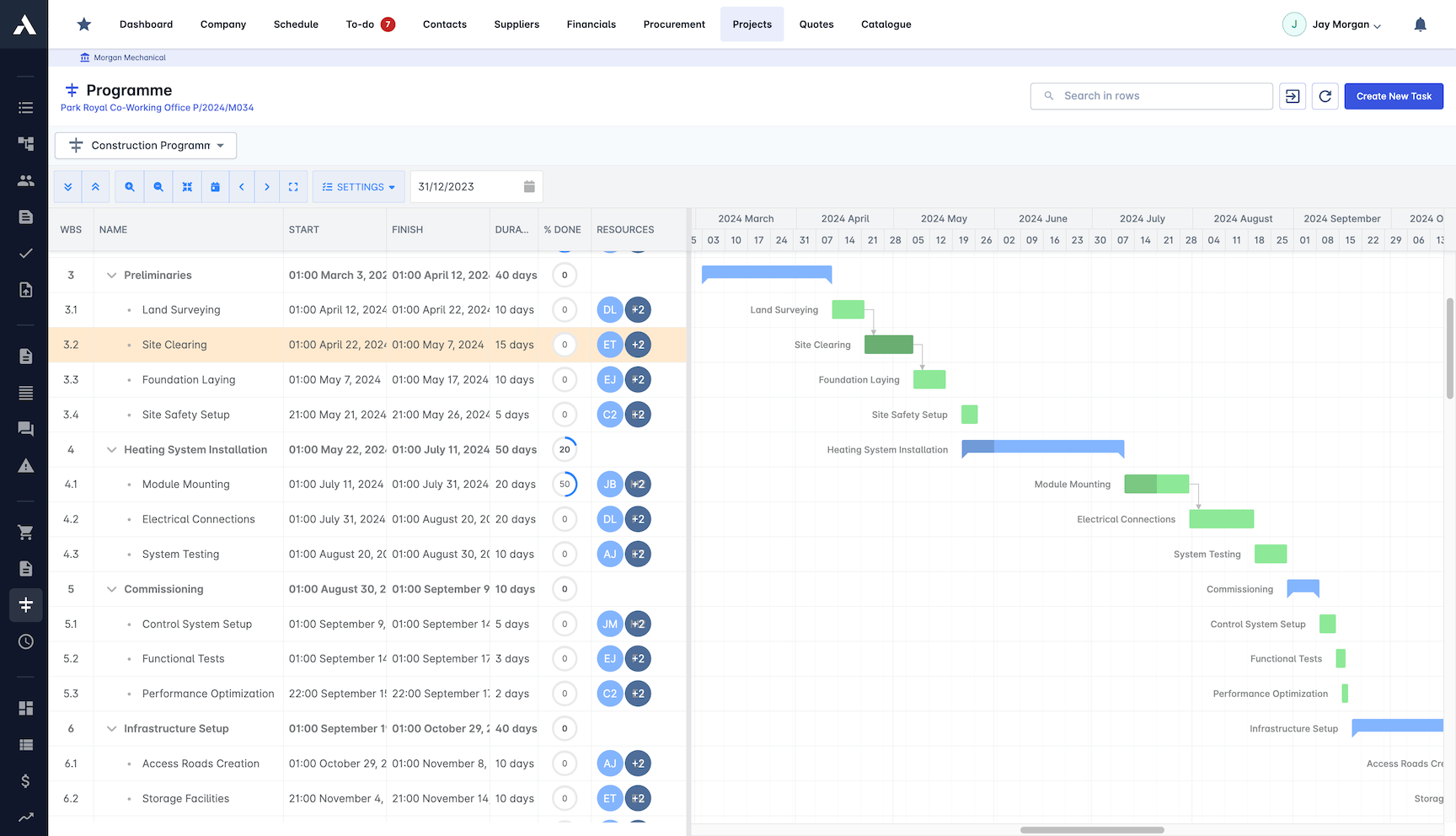
Construction Gantts
Plan every phase on a Gantt chart the whole team can actually see. Tasks, deadlines and dependencies live in one view, updated as work happens, not at the Friday catch-up.
Map task dependencies and spot knock-on delays
Progress tracked against the plan in real time
Live schedule shared with every stakeholder
Two-way sync with MS Project and Primavera P6
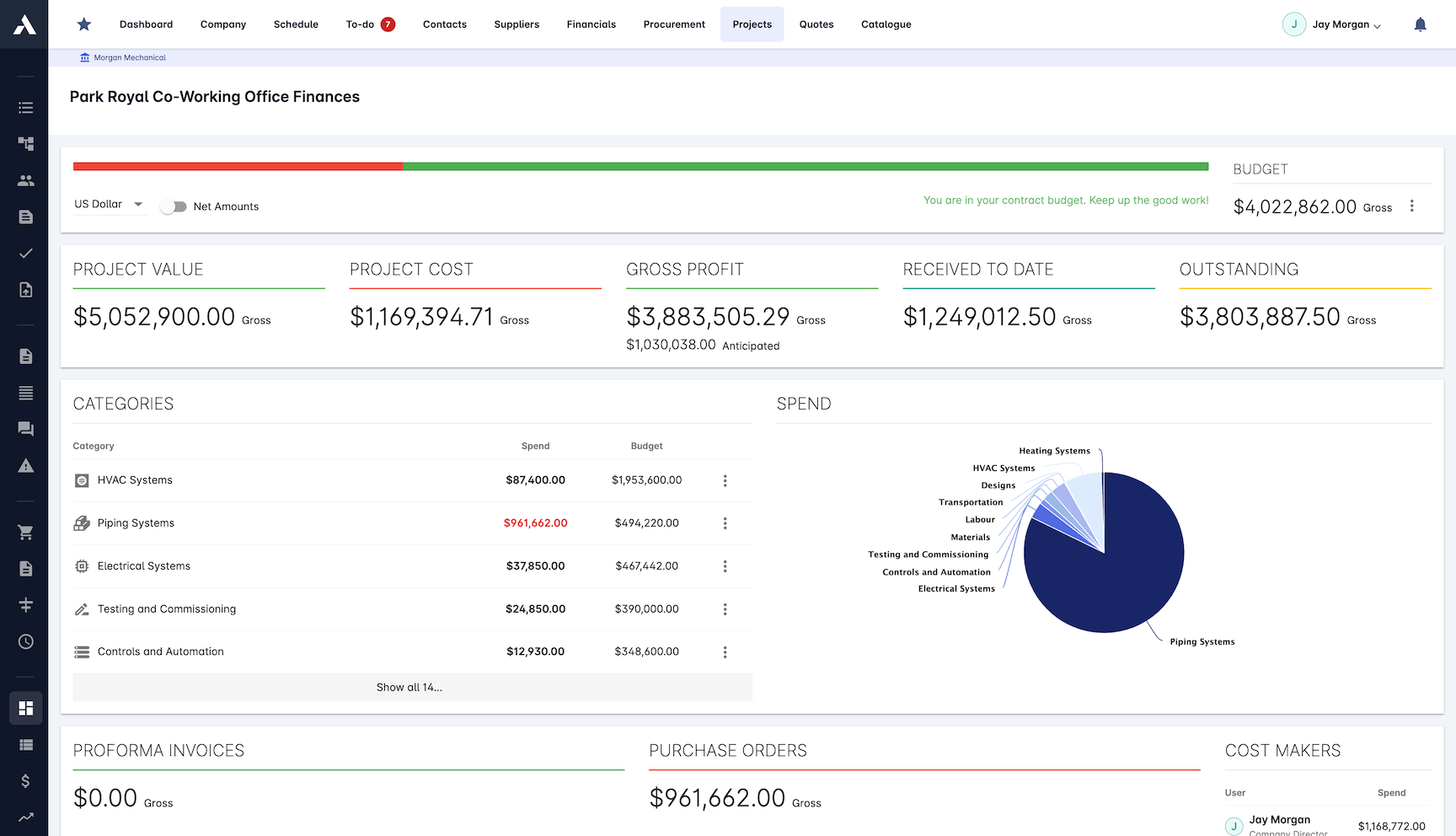
Project Financial Dashboards
Budget against actual on every cost line, updated as work progresses. Overruns show up while there is still time to act, and can be blocked before they land in final billing.
Budget vs actual tracked in real time
Cost overruns blocked automatically
Decisions made on live numbers
Historical data sharpens the next estimate
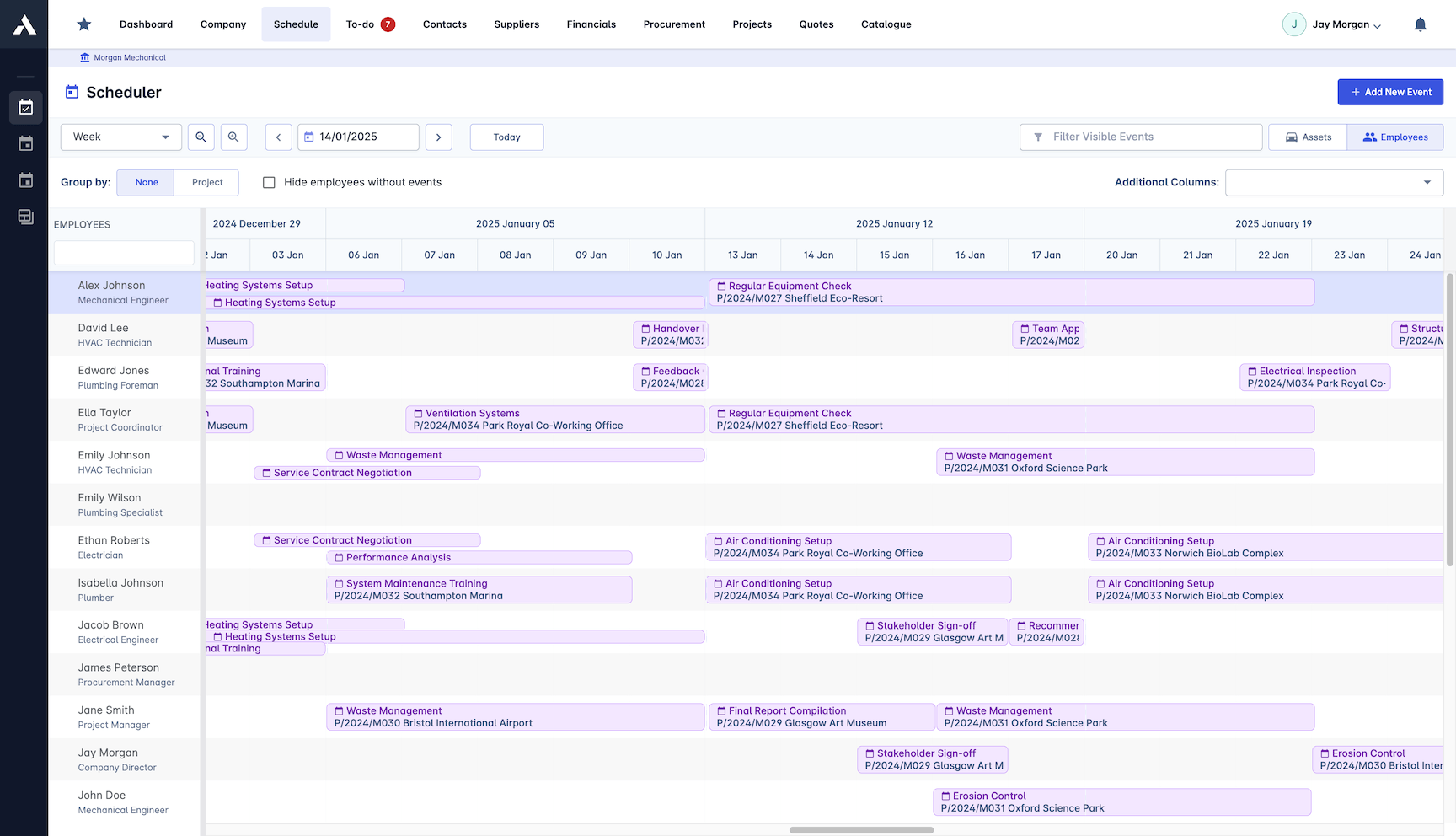
Global Scheduling
One resource pool across every live project. See who and what is available at a glance, resolve conflicts before they hit site, and reassign in minutes when priorities change.
People and equipment planned in one place
Booking conflicts flagged as they happen
Reallocate crews when priorities change
Availability visible across every project
Real-time Construction Reports
Reports build themselves from live project data. Daily site progress, cost position and executive summaries come from the same numbers, so there is nothing to reconcile.
Daily progress reports, generated automatically
Report templates for each stakeholder audience
Site diary, activity and photo records in one place
Workforce and equipment usage tracked
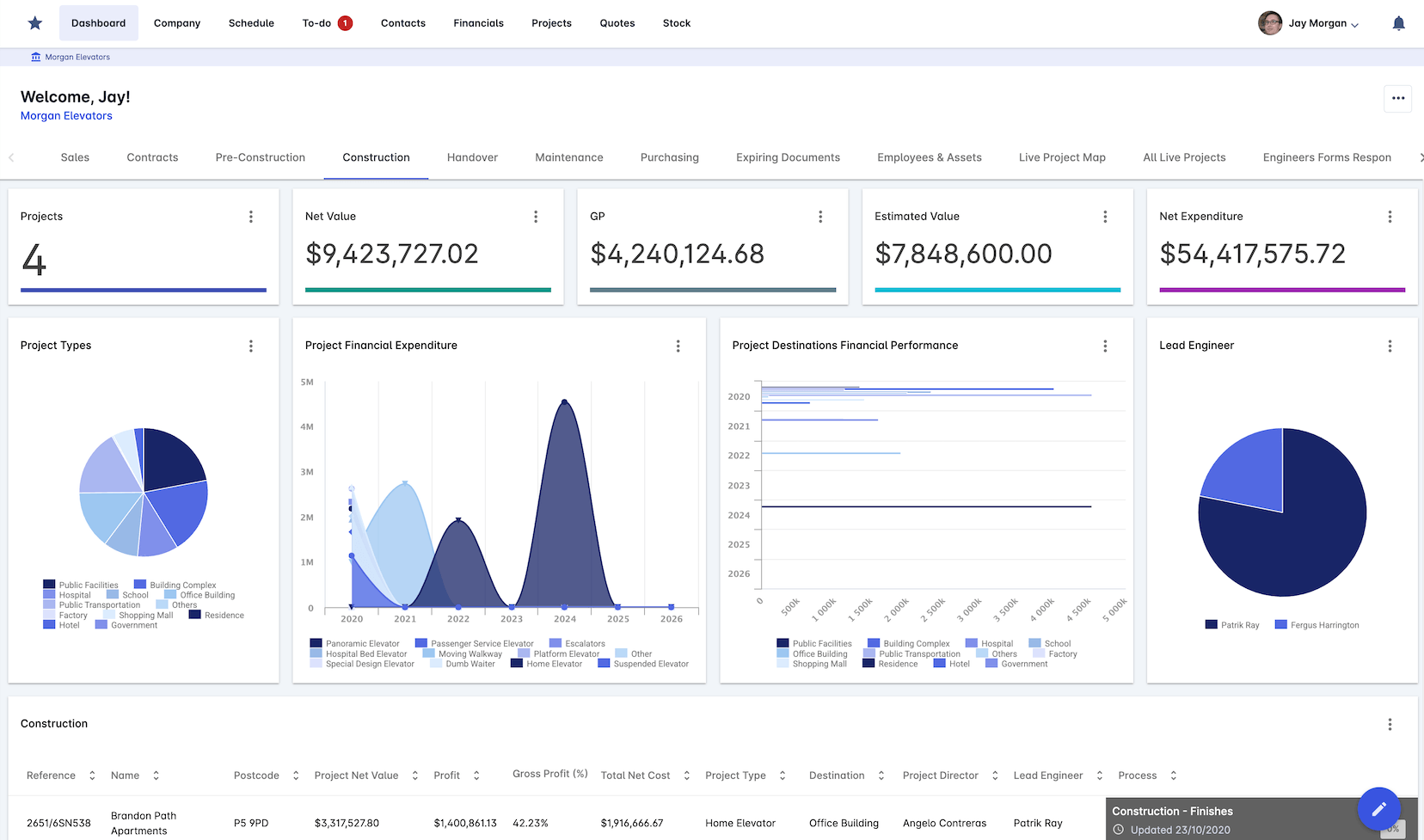
Construction Documentation
Every drawing, photo and approval in one repository with a full revision history. The site works from the current version, and you can prove what was issued and when.
One repository for drawings, photos and records
Version control and revision tracking
Automated approval workflows
Works with BIM and CAD files
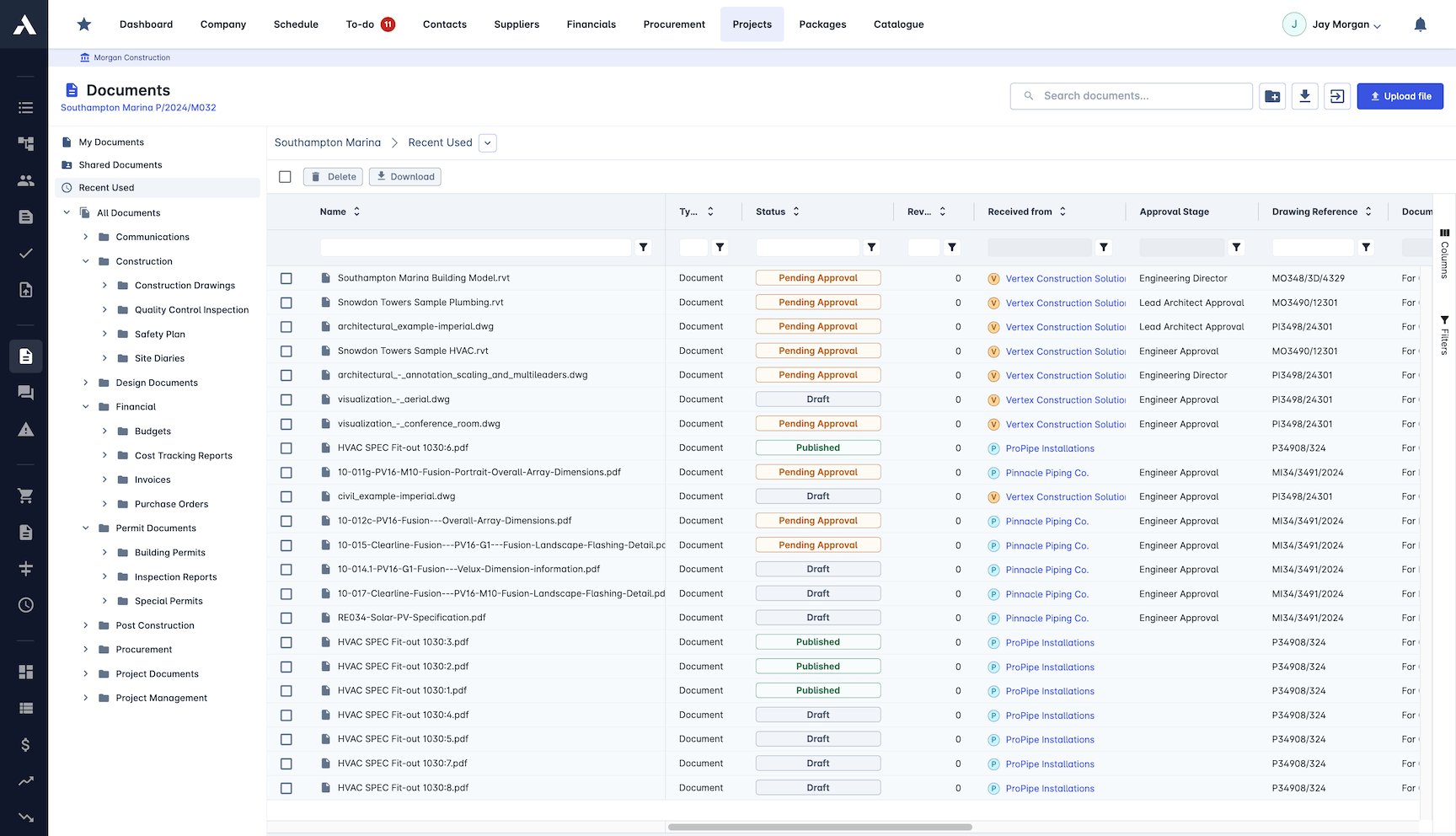
Project Workflows
Run every project through the same proven lifecycle, from bid to handover. Each stage brings in the right people automatically, so nothing waits on a forwarded email.
The right people involved at the right stage
One consistent process across project types
Progress visible at every stage of the lifecycle
Repeat what worked on the last project
Frequently Asked Questions: Construction Project Management
What is construction project management software?
Construction project management software connects the schedule, the money, the documents and the reporting in one system, because tracking tasks alone leaves the real project scattered across spreadsheets and email. Archdesk runs delivery, cost, documents and reporting as one dataset, so "on track" means the money too, not just the Gantt chart.
How does Archdesk keep the schedule and the costs in step?
Progress, change orders, progress draws and cash flow run as one dataset against the schedule. When something slips you see what it costs, and when scope changes you see what it does to the timeline, while financial dashboards track budget against actual on every cost line and can block overruns before they land in final billing.
Can Archdesk plan crews and equipment across multiple projects?
Yes. The Global Scheduler runs one resource pool across every live project, so availability is visible at a glance, booking conflicts are flagged as they happen, and crews can be reassigned in minutes when priorities change.
How does Archdesk handle construction documents?
Every drawing, photo and approval sits in one repository with version control and revision tracking, so the site works from the current version and you can prove what was issued and when. Automated approval workflows keep sign-off moving, and the repository works with BIM and CAD files.
How does project reporting work in Archdesk?
Reports build themselves from live project data. Daily site progress, cost position and executive summaries come from the same numbers, so there is nothing to reconcile, and templates tailor the output for each stakeholder audience.
How do change orders show up in the project picture?
Change orders are priced against their cost lines the day they are raised, so scope movement is approved, in the forecast and visible against the schedule, not discovered at closeout. Budget versus actual keeps reading from the same live records as the rest of the project.
Can Archdesk keep field records and documents on the same project record?
Yes. Daily site records, photos and equipment usage sit on the same project record as the drawings, which carry version control and full revision tracking, so the field works from the current issue and daily progress reports are generated from the same records.
Does Archdesk track builders lien holdback?
Yes. Holdback under Canadian construction contracts is tracked per subcontract alongside the rest of the commercial record, so balances and release timing stay visible beside progress draws and cash flow instead of sitting in a side spreadsheet.
Does Archdesk integrate with QuickBooks Online?
Yes. Archdesk integrates with QuickBooks Online, so project cost records and the ledger stay in step without double entry, and WIP reporting reads from the same live numbers at project and portfolio level.
Questions during delivery stay on the project too: construction RFIs are raised, tracked and answered on the record.
The delivery plan itself lives in the construction schedule, where Gantt charts, baselines and the critical path run on the same records as the money.
Explore Related Solutions
Everything below runs in the same system, working from the same live data.
Project Budgets
Control project finances and stay in budget
Risk Register
Identify and manage project risks
Real-time Reporting
Get instant updates across your project portfolio
Document Management
Centralize document handling and access
Project Cost Controls
Monitor and compare your actuals with the estimate
Site Forms
Digitize and streamline your site documentation processes
Site Diary & Daily Reports
Keep the daily site record structured and defensible
Work in Progress Reporting
Monitor completion costs across your whole project portfolio
Discover more
Explore the full range of solutions and find the right fit for your business.
See your next project on Archdesk
Book a demo and walk through a fully worked example project: one platform running everything from winning the work to closing it out.
Book a Demo

